
 Notifications
Printed: Add Date & Time to Packaging Slips & Invoices
Learn to display delivery date and time on packaging slips for better tracking.
Both methods below work with the Bird widget. The Quick Setup Method uses Shopify’s built-in packaging slips; the Advanced Method uses the Order Printer Pro app for more layout control.
Quick Setup Method
Enable date/time display on packaging slips in three simple steps.
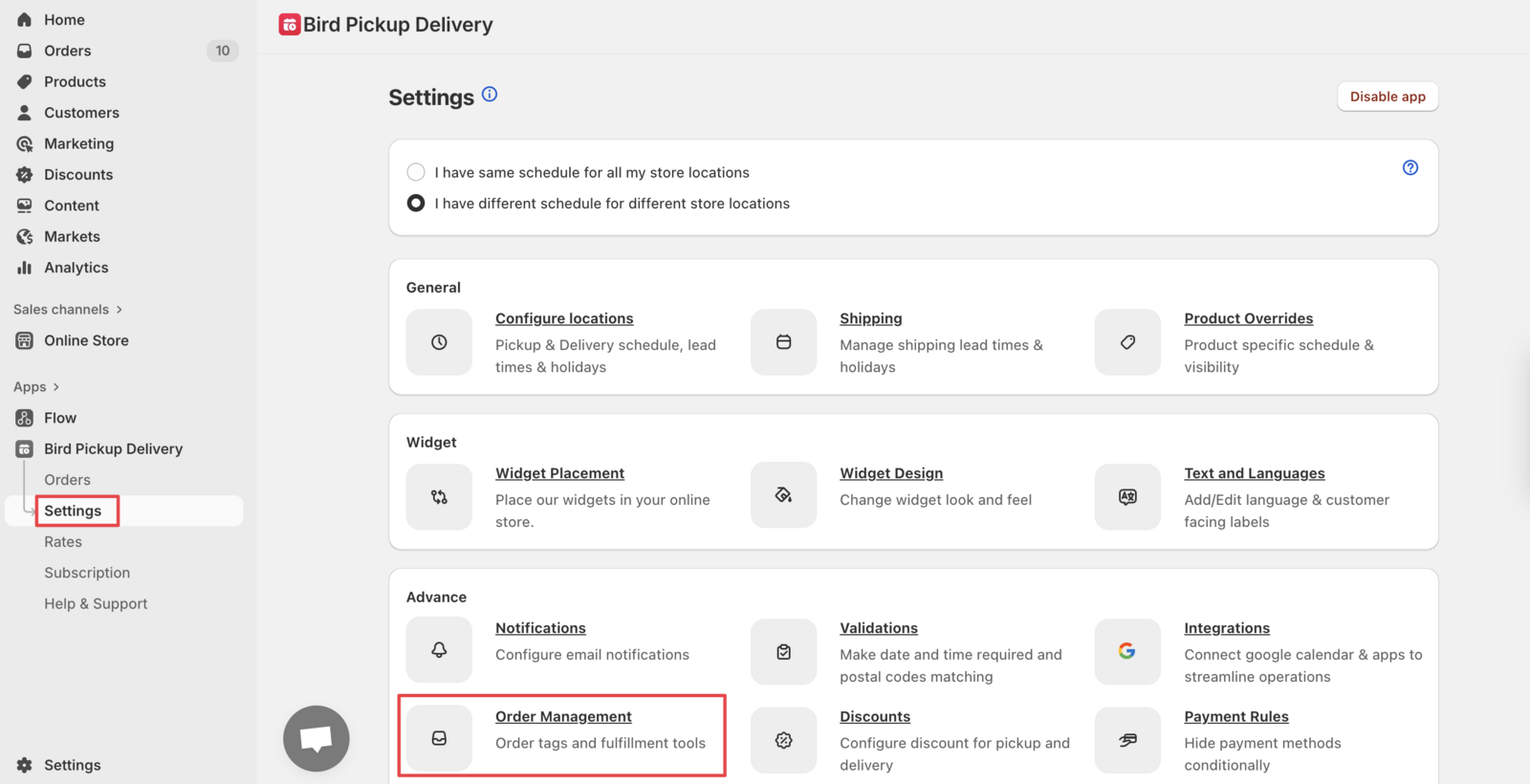
Step 1: Access Order Management Settings
Go to Bird Settings > Order management.
Step 2: Enable Order Notes
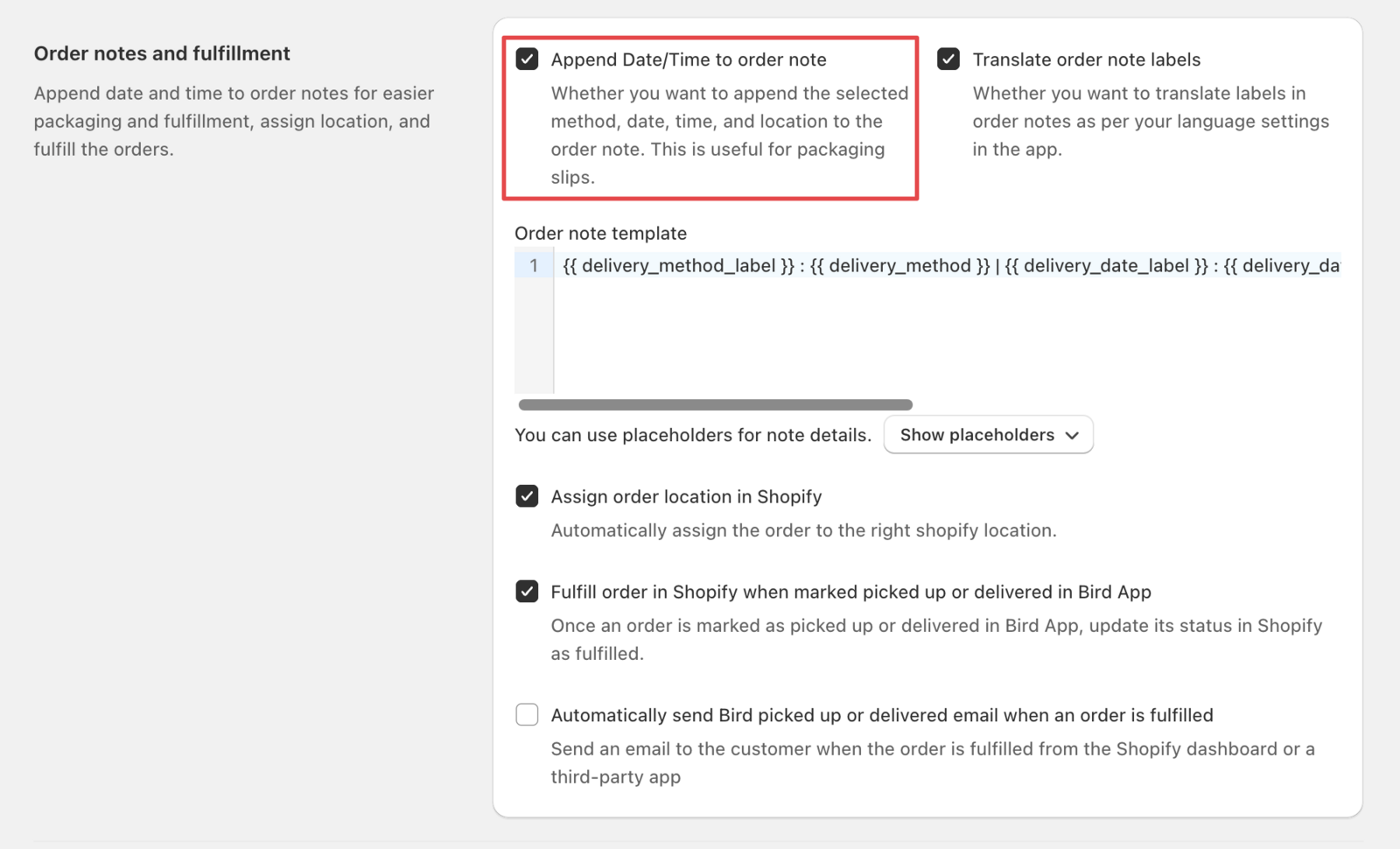
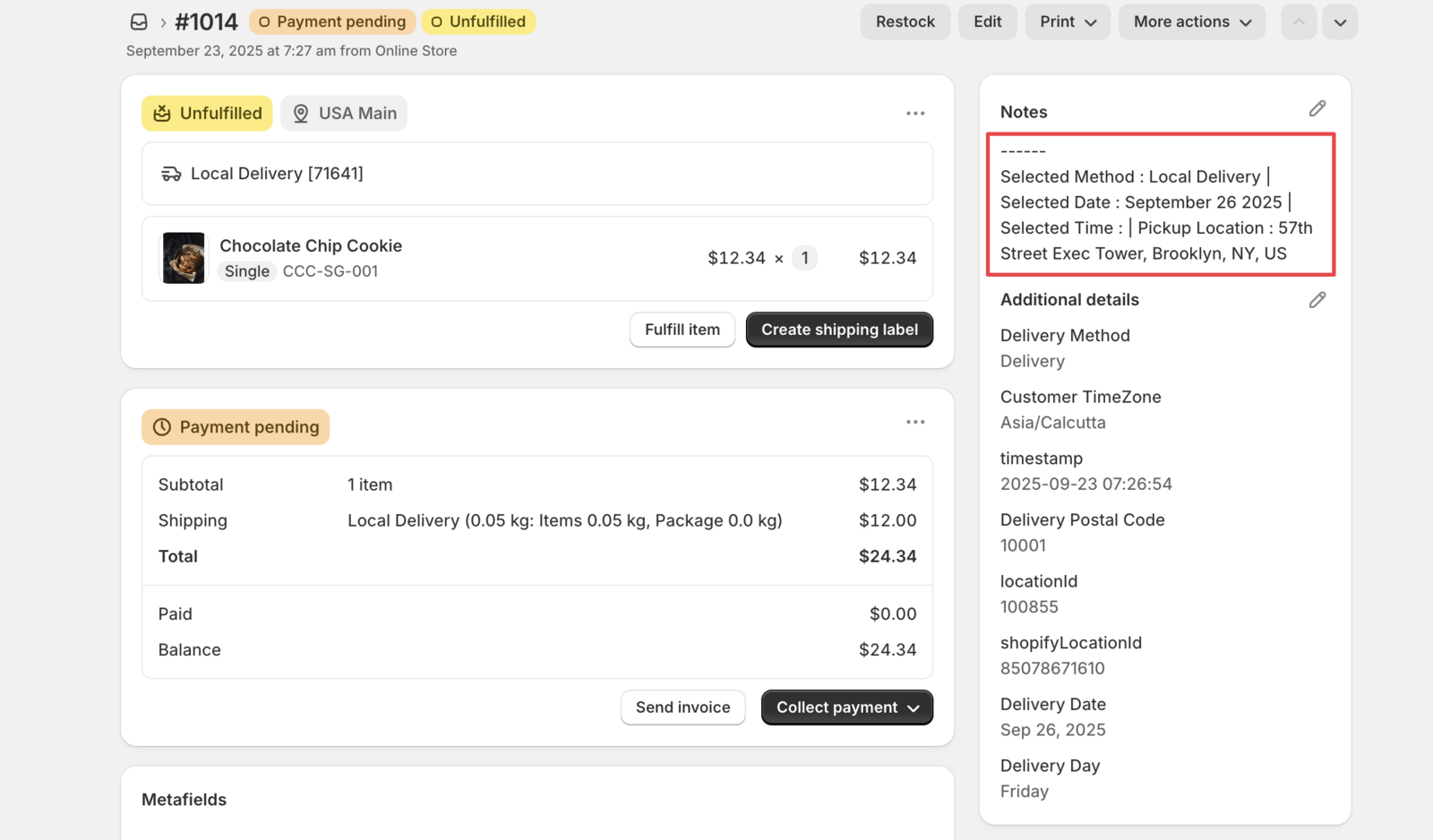
Scroll to Order notes and fulfillment section. Enable the “Append date/time to order note” option to add date/time information to order notes. This option needs the Essential plan or above.
Step 3: Format Display (Optional)
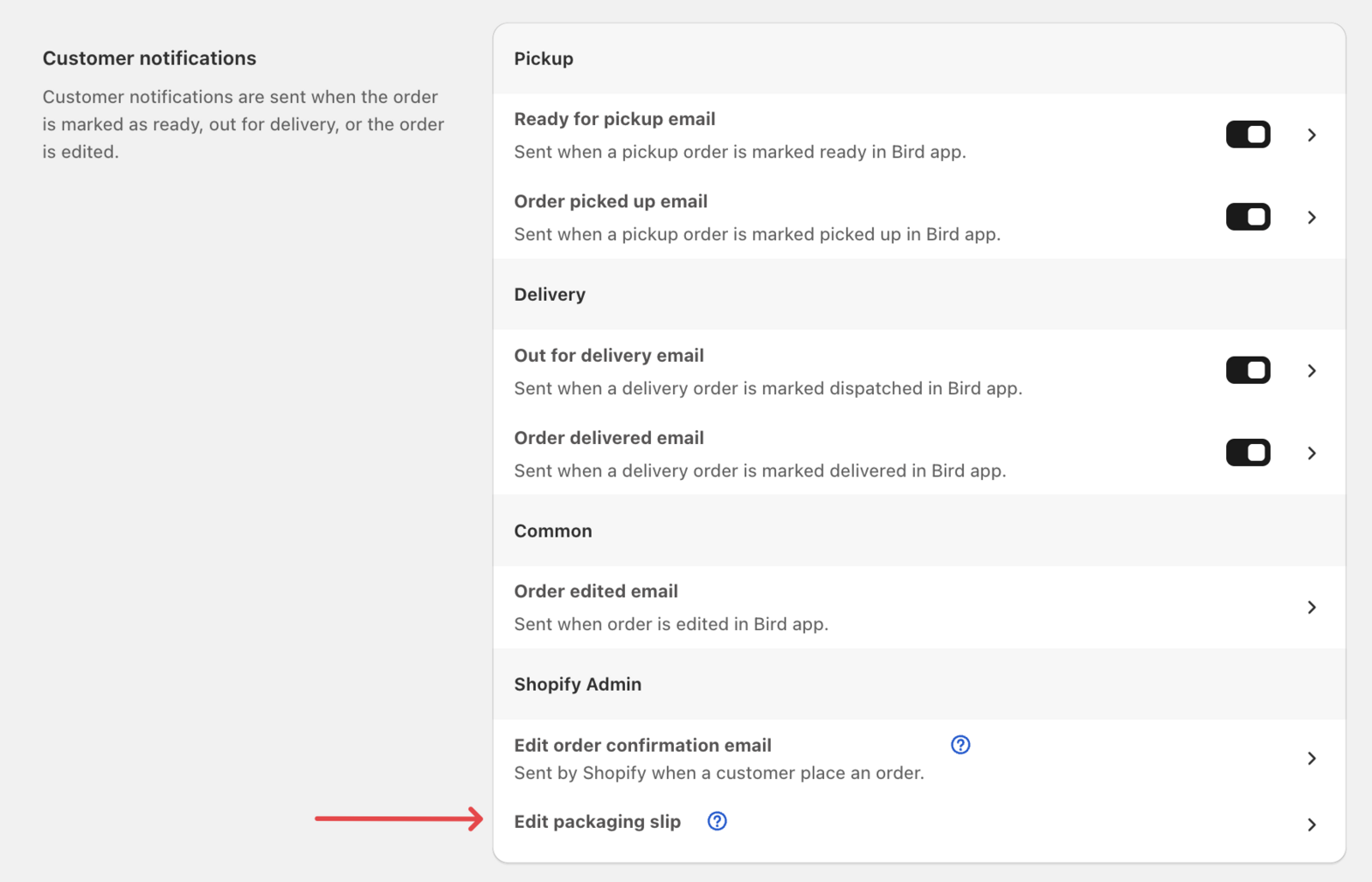
For better formatting, navigate to Bird Settings > Email notifications > Customer notifications > Edit packaging slip.
Replace the existing code:
<p class="notes-details">
   {{ order.note }}
</p>
With this improved formatting:
{% assign note_array = order.note | split: " | " %}
{% for note_item in note_array %}
   <p class="notes-details">{{ note_item }}</p>
{% endfor %}
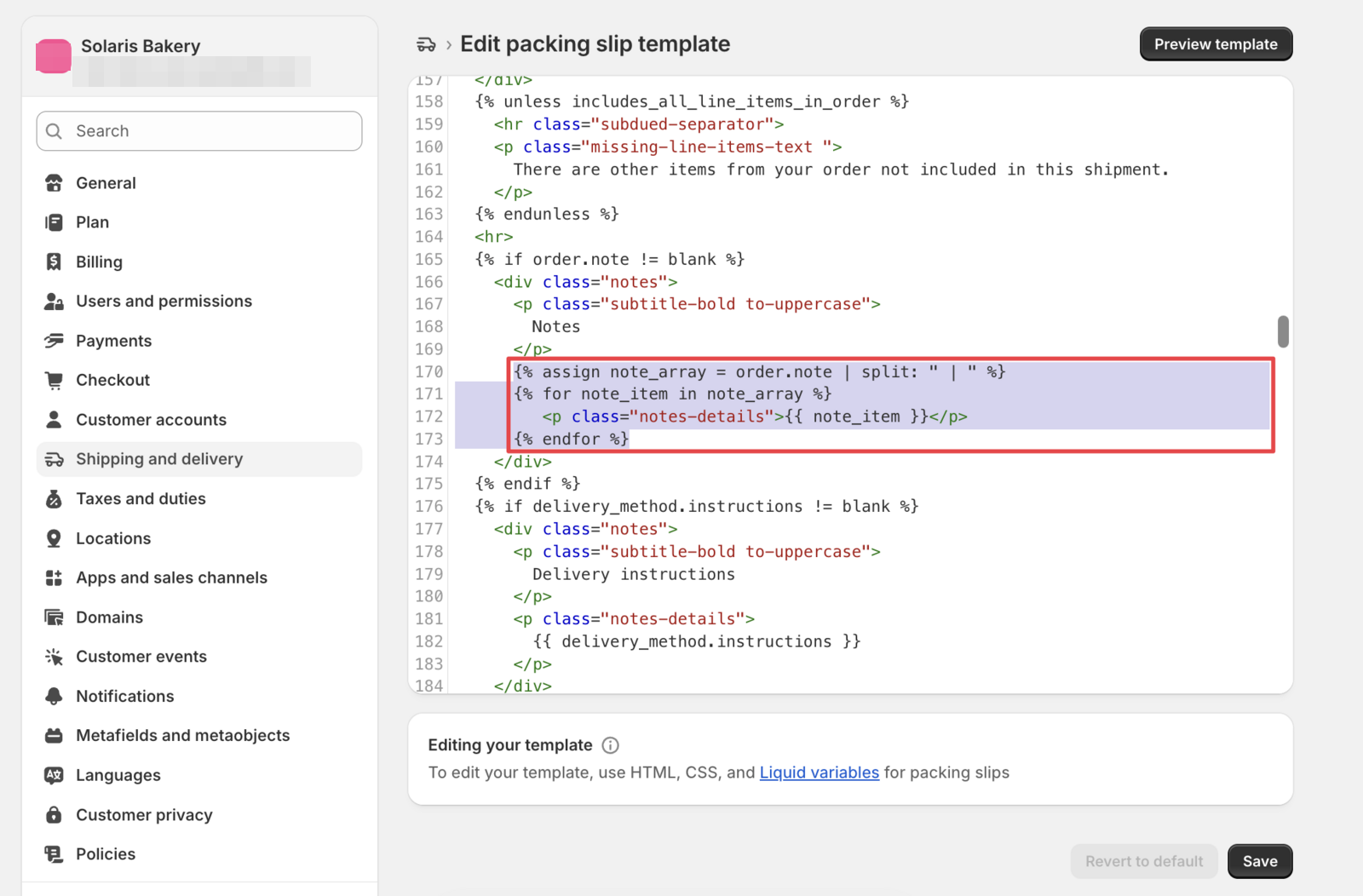
That’s it! Your packaging slips will now display the delivery date and time information clearly.
Translate Date/Time Labels (Optional)
To show labels like “Delivery Method” and “Delivery Date” in your customer’s language, go to Bird Settings > Order management > Order notes and fulfillment and turn on Translate order note labels. It appears once Append date/time to order note is on. The translated note then prints on your packaging slips with no code changes. See Order Notes & Locations: Sync Bird Details to Shopify for the details.
Advanced Method with Order Printer Pro
This method reads the Bird selection from the order’s cart attributes (attributes["Delivery Date"]), which the widget writes on every order.
Use Order Printer Pro app for enhanced customization options and professional layout.
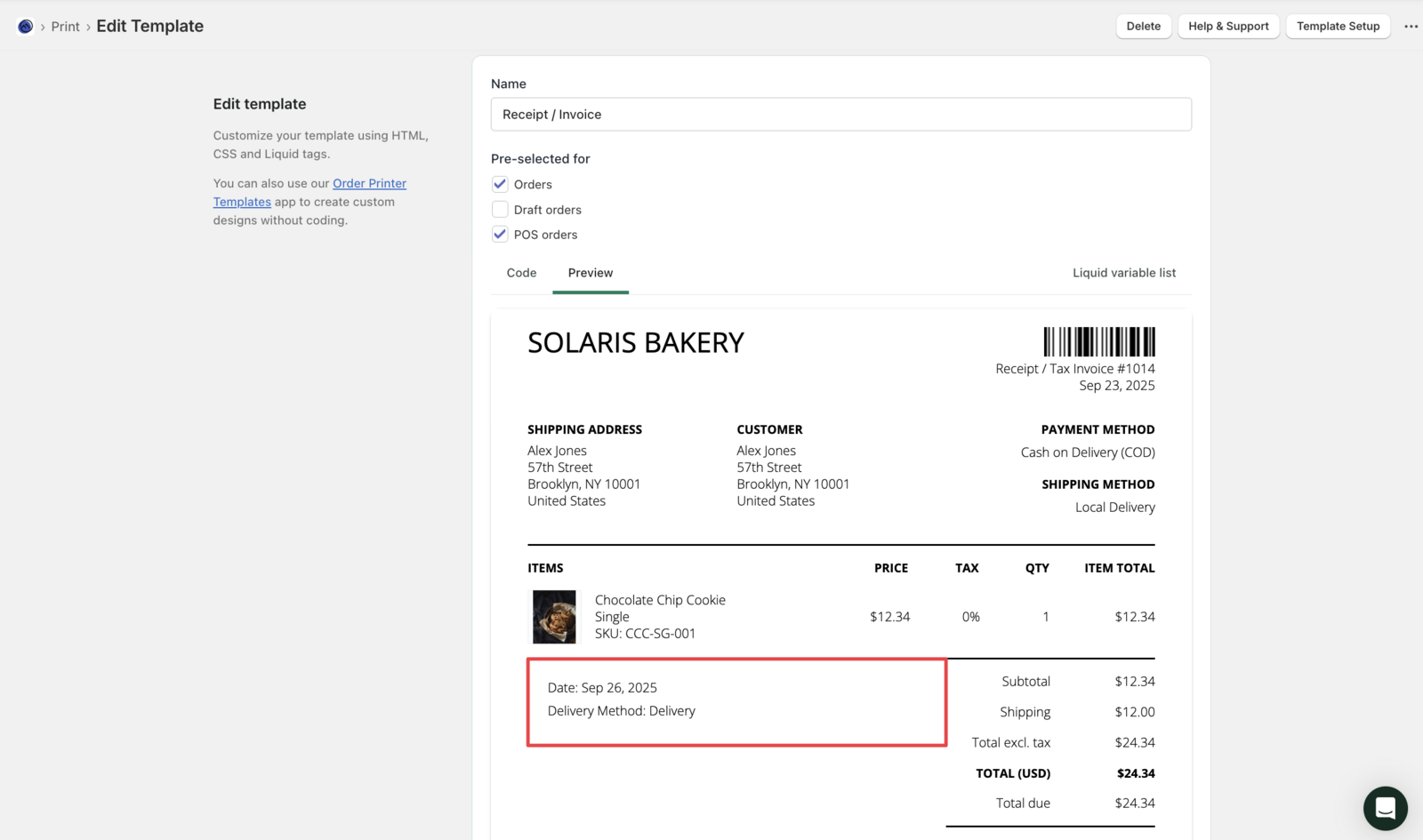
This method requires the Order Printer Pro app and creates a more professional, layout for your delivery information.
Add this code snippet to your packaging slip template:
{% if attributes["Delivery Date"] %}
   <div style="border: 1px solid black; padding: 1.5em; margin: 0 0 1.5em 0;">
      <p>Date: {{ attributes["Delivery Date"] }}</p>
      {% if attributes["Delivery Time"] %}
         <p>Time: {{ attributes["Delivery Time"] }}</p>
      {% endif %}
      {% if attributes["Delivery Method"] %}
         <p>Delivery Method: {{ attributes["Delivery Method"] }}</p>
      {% endif %}
   </div>
{% endif %}
Related Articles
Was this article helpful?
Thanks for your feedback!