
 Widget and Design
Shopify Cart Type
The Bird widget works with every Shopify cart type. A dedicated cart page gives it the most room, so we recommend it.
Your Shopify theme decides what customers see when they add a product to their cart: a short popup, a drawer that slides in from the side, or a full cart page. The Bird widget works with all three, so you don’t have to change anything. We still recommend the cart page: it gives the calendar, time slots and pickup locations the most space and customers aren’t squeezed into a narrow panel.
Cart Types and Bird
You’ll find these options in your theme under Theme settings > Cart > Cart type. Most of Shopify’s free themes offer all three, though some themes name them differently.
| Cart type | What the customer sees | How Bird works with it |
|---|---|---|
| Page (recommended) | A full cart page at /cart
|
The widget sits on the cart page with plenty of room |
| Drawer | A panel that slides in from the side | The widget loads inside the drawer, so customers can pick a date without leaving the page they’re on |
| Popup notification | A short message confirming the product was added | The popup has no room for the widget, so customers click View cart and pick their date on the cart page |
Switch to the Page Cart
- In Shopify admin, go to Online Store > Themes
- Click Customize next to your live theme
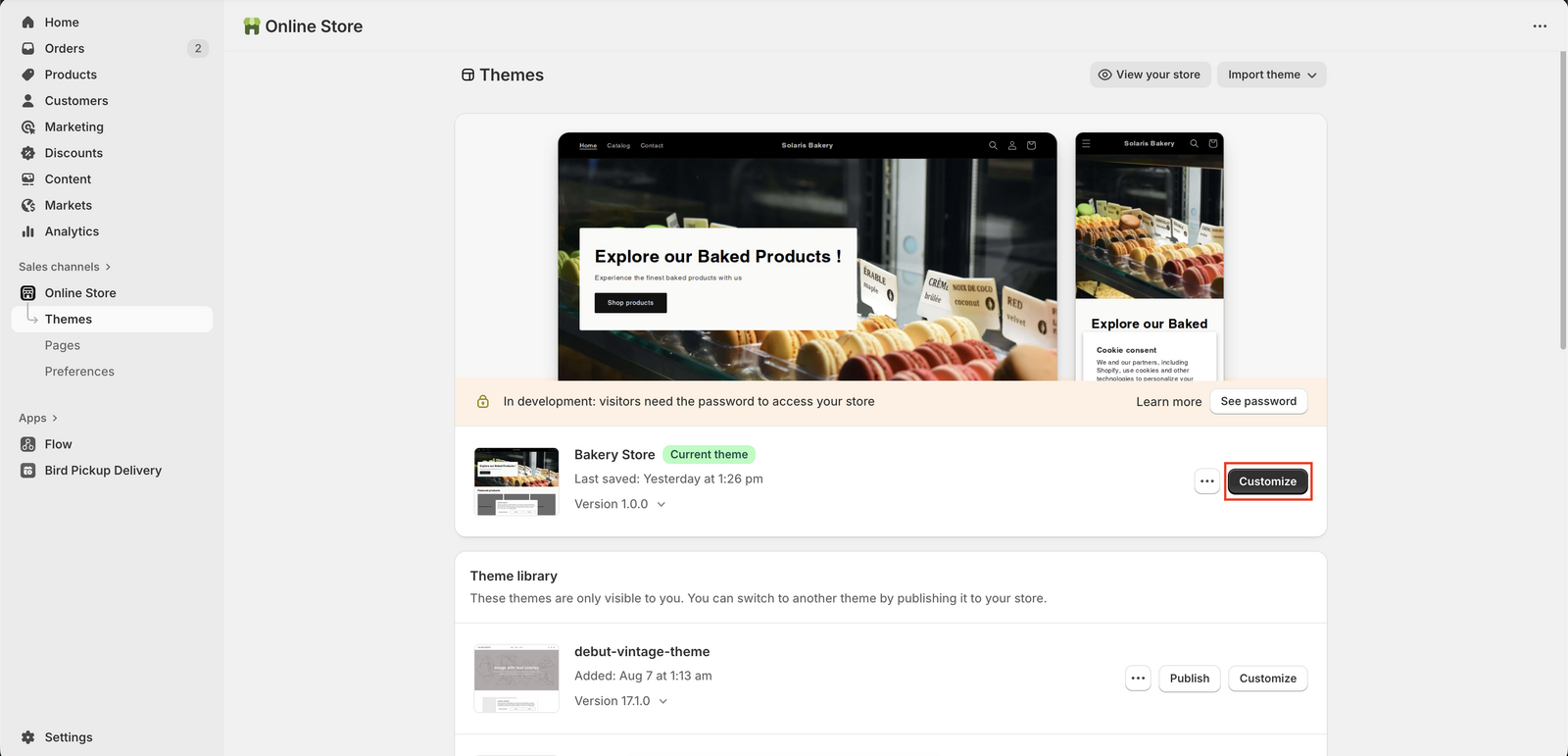
- Open Theme settings (the gear icon) and expand Cart
- Change Cart type to Page
- Click Save
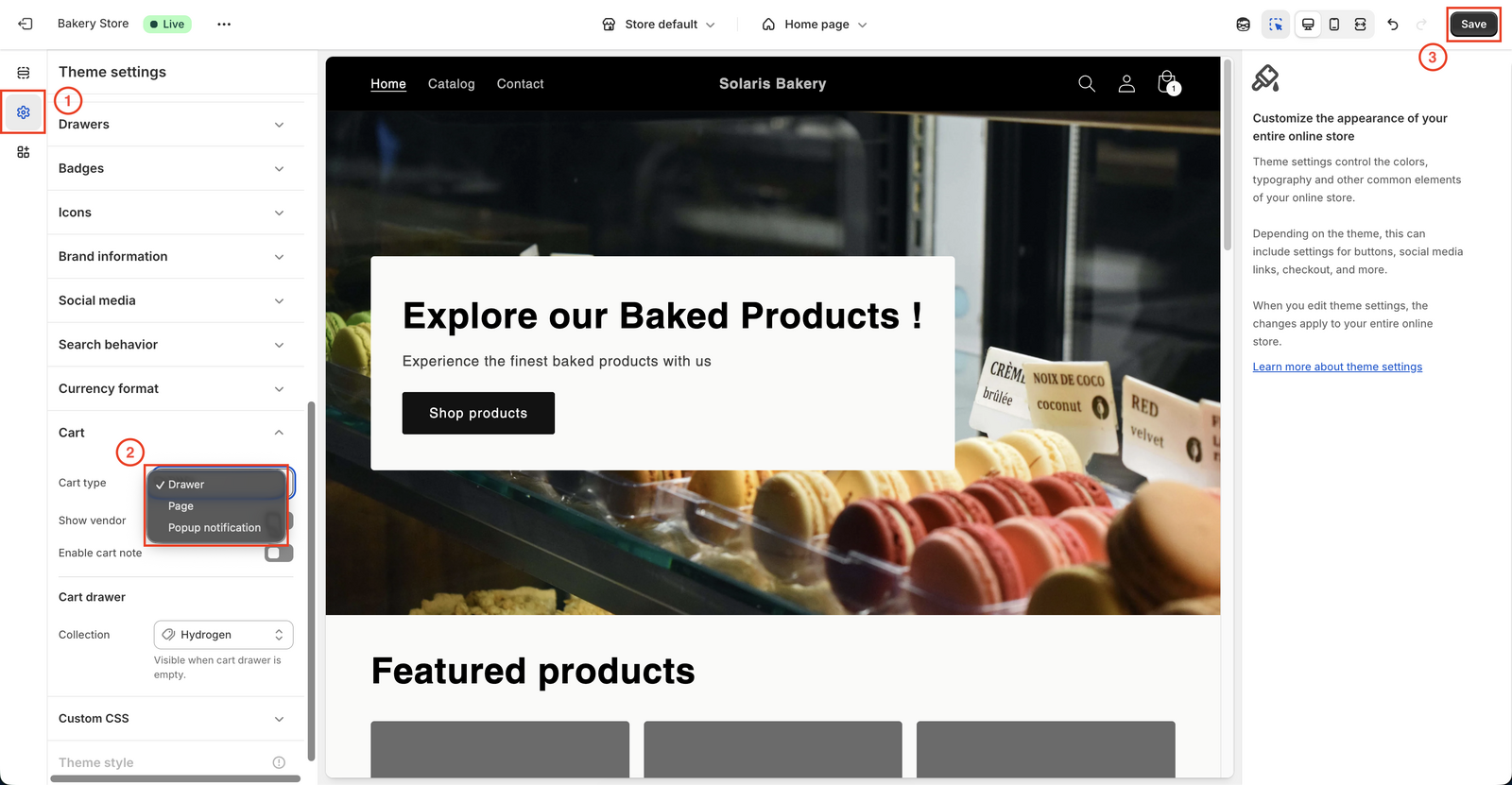
Add a product to your cart to check that the cart page opens with the Bird widget on it.
Something Not Working?
If the widget doesn’t load, looks cut off, or blocks scrolling in your drawer or popup, contact Birdchime Support with your store URL and the cart type you use, and we’ll take a look.
Related Articles
Was this article helpful?
Thanks for your feedback!