
 Order Management
Draft Orders: Save Delivery Details Before Sending an Invoice
If you use Bird Rates with CCS and your customers pay through draft order invoices, save the delivery details on the draft before you send the invoice.
At invoice checkout, your customer can pick a date in the Bird widget, but Shopify doesn’t let apps add that date to the products on a draft order. Bird Rates with CCS reads the date from there, so no delivery rate appears. If fallback rates are off, your customer sees “Your order cannot be shipped to the selected address”.
Not sure which rates engine you use? Check Bird App > Rates > Rates engine.
Send a draft order invoice with delivery details
Step 1: Add the products
Open the draft order in Shopify Admin and add all the products your customer is buying.
Step 2: Open Bird: Order Details
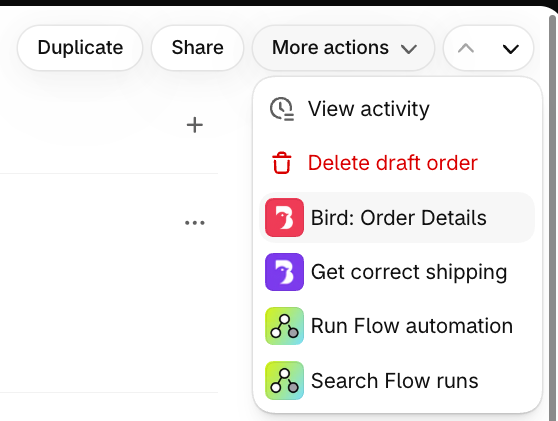
Click More actions → Bird: Order Details.
Step 3: Save the delivery details
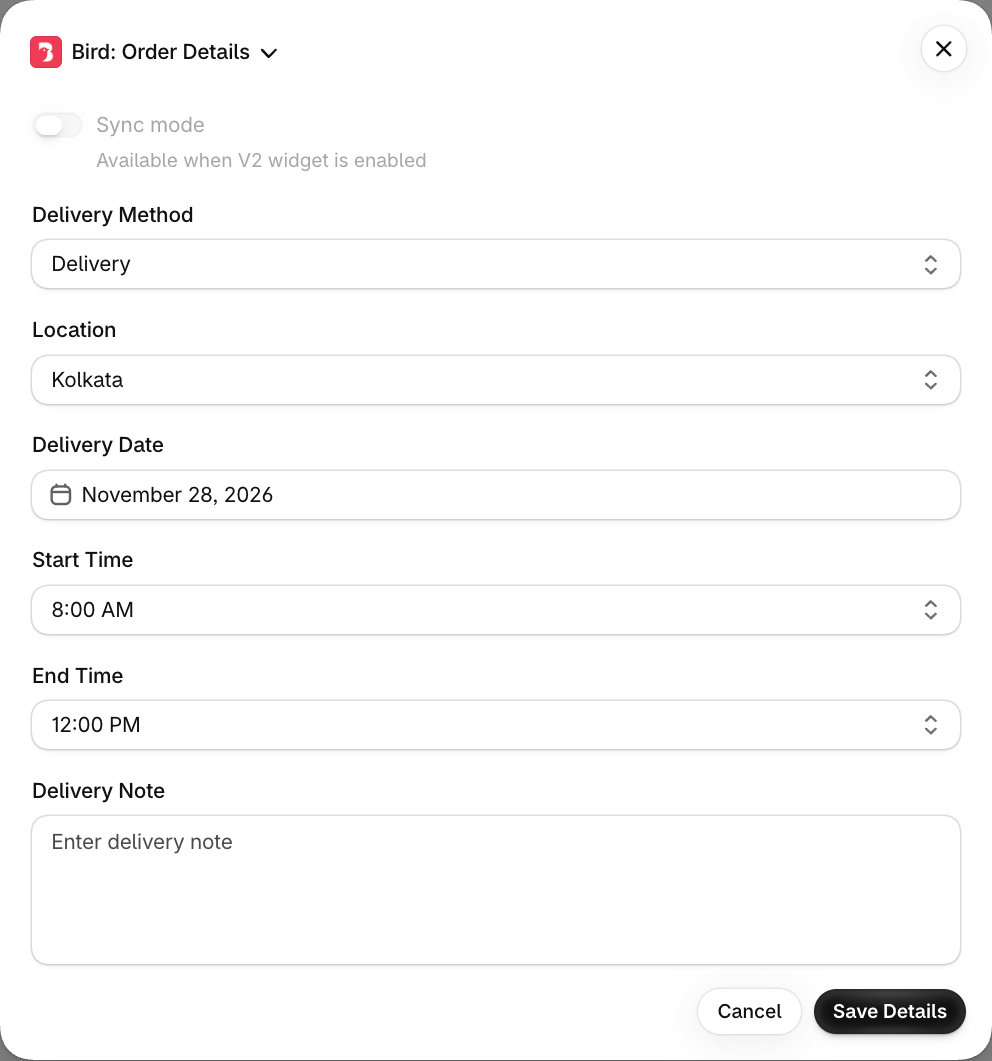
- Select the Delivery Method, Location, and Delivery Date
- Select the Start Time and End Time
- Click Save Details
Step 4: Send the invoice
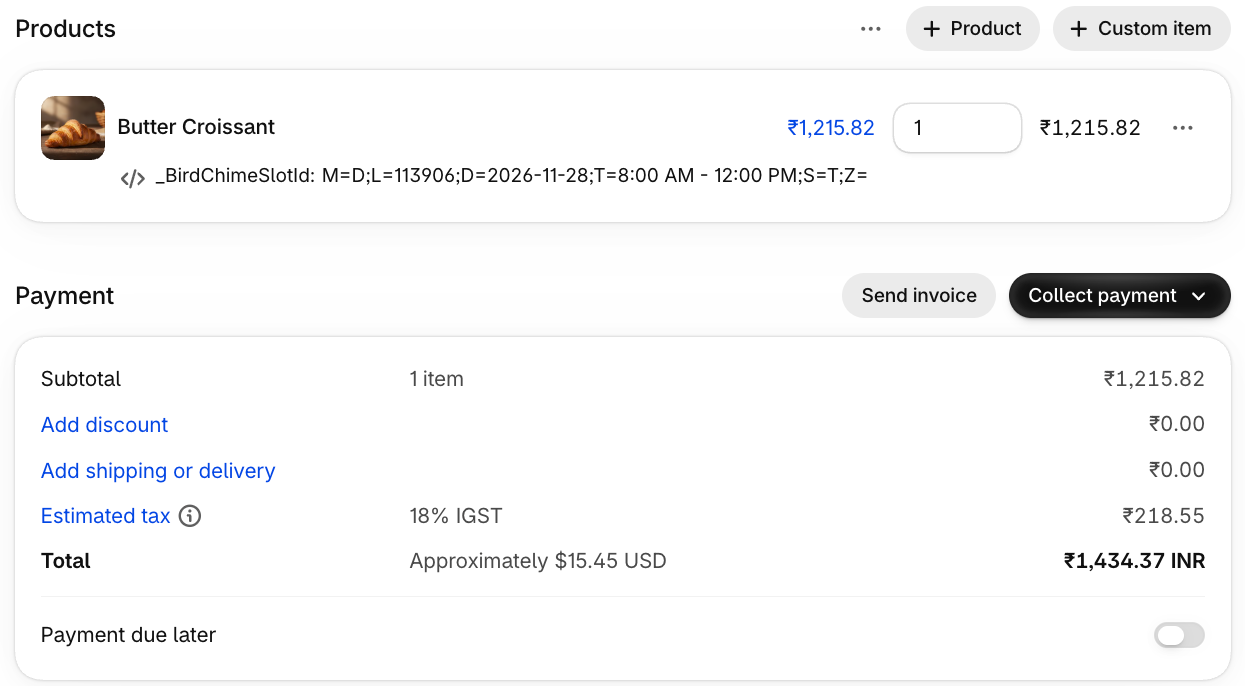
- Check that a
_BirdChimeSlotIdline now shows under the first product. This means the delivery details are saved. - Click Send invoice
When your customer opens the invoice, the delivery rate shows at checkout.
Changed the products after saving? Save Bird: Order Details again before you send the invoice. If you created the draft with Bird’s Draft order button, save it again after you add the products.
Already sent the invoice without delivery details? Follow the steps above, then send the invoice again.
Was this article helpful?
Thanks for your feedback!