
 Notifications
Customer: Automatic Order Reminders with Shopify Flow
B
Written by Bird Pickup & Delivery
Updated November 6, 2026
Send Bird’s order reminder email automatically the day before each pickup or delivery. We have a ready-made Shopify Flow workflow you can import into your store.
To send reminders by hand instead, see Customer: Order Reminder Emails.
Requirements
- Bird Scale plan or above.
- Shopify Flow installed from the Shopify App Store (free).
- Shopify Flow enabled in Bird Settings > Integrations > Shopify Flow. See Shopify Flow.
- Order reminder email turned on in Bird Settings > Email notifications. See Customer: Order Reminder Emails.
Trigger
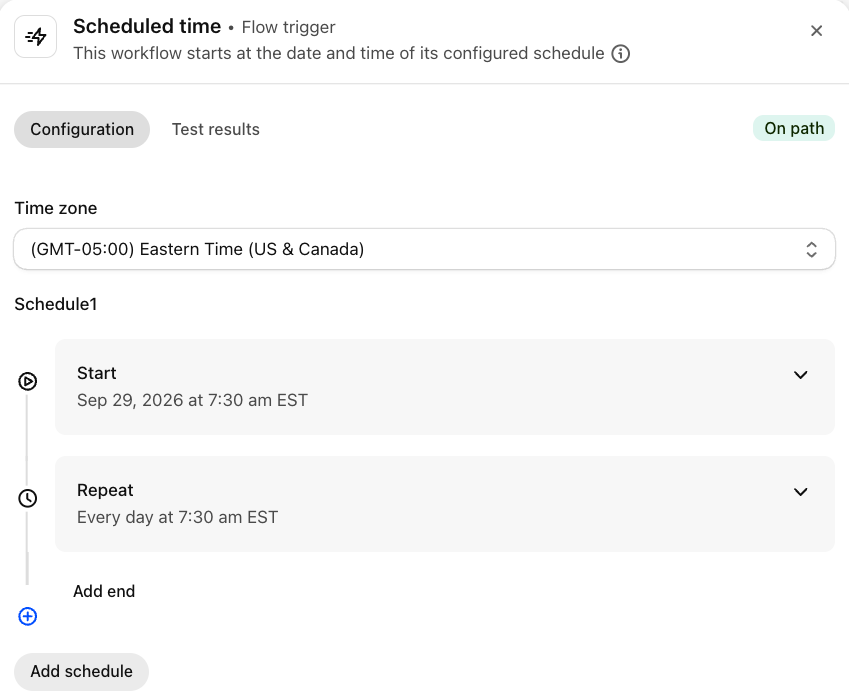
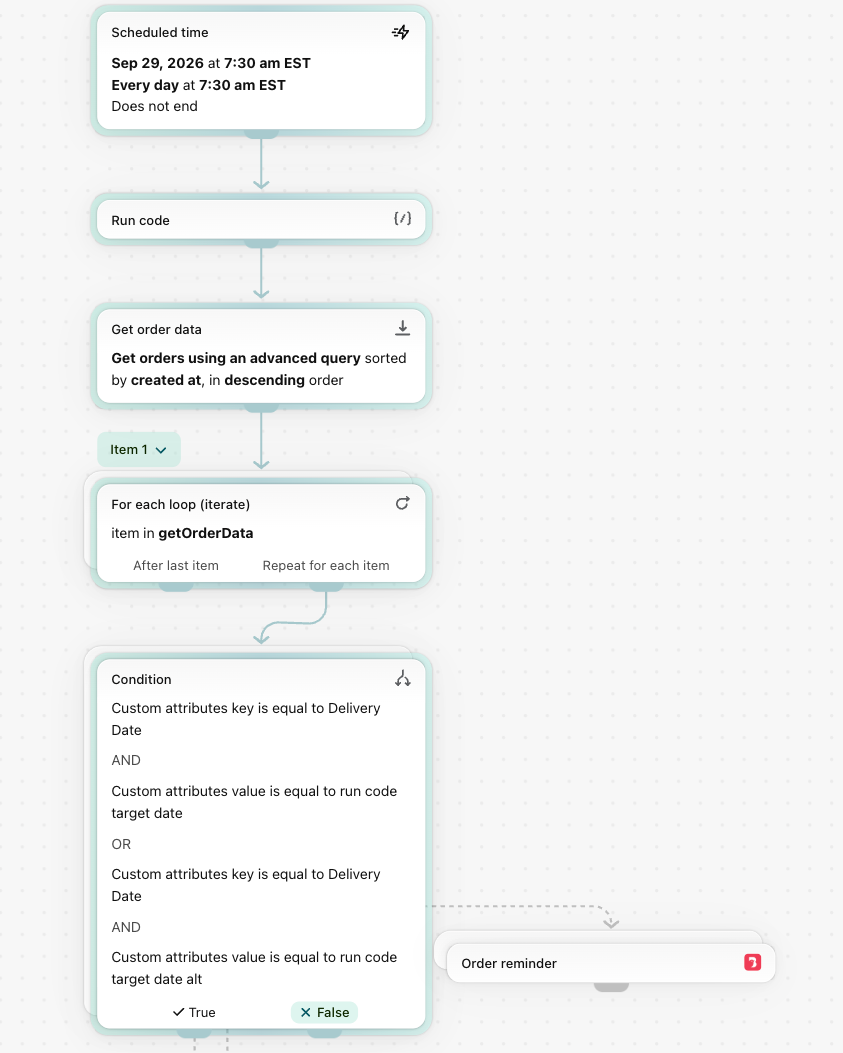
Scheduled time. The workflow runs once a day, at the time you set, and finds the orders scheduled for tomorrow.
Action
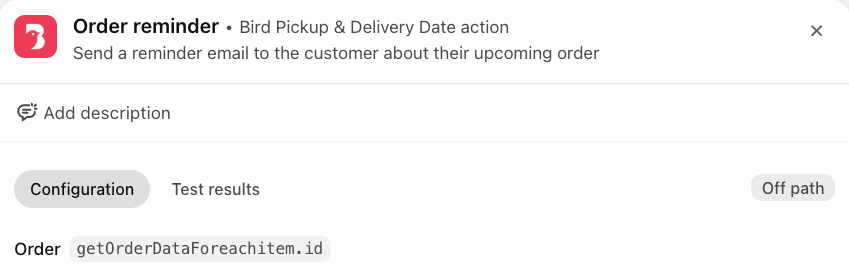
Order reminder, from Bird Pickup & Delivery Date. It sends Bird’s order reminder email to each of those customers. It doesn’t change the order’s status.
How to Import the Workflow
- Download the workflow: Order reminder workflow.
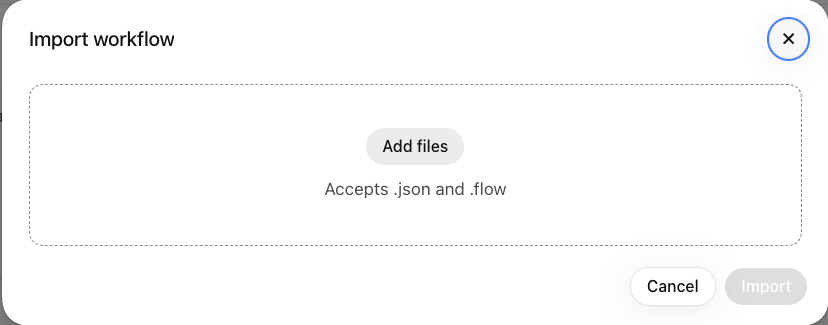
- In Shopify admin, open Shopify Flow and click Import.
- Click Add files, choose the downloaded file, and click Import.
- Click the Scheduled time trigger and set your Time zone and the time reminders should go out.
- Click Turn on workflow.

Prefer not to set it up yourself? Contact us, and we’ll import it into your store.
What You Can Change
- Send time: in the Scheduled time trigger.
-
Days ahead: change
DAYS_AHEADin the Run code step, for example 2 to remind two days before. - Pickup or delivery only: add a Condition on the order’s Delivery Method before Order reminder.
- Orders checked per run: lower the limit in the Get order data step.
Limitations
- Each run checks up to 100 open, unfulfilled orders placed in the last 30 days.
- Reminders are email only. Orders without an email address are skipped.
- Test runs in Shopify Flow don’t send emails. Only scheduled runs do.
Related Articles
Was this article helpful?
Thanks for your feedback!