
 Notifications
Staff: Set Up Notifications via Bird App
B
Written by Bird Pickup & Delivery
Updated October 16, 2026
You’ll learn how to set up automatic staff notifications that include delivery dates, times, and pickup/delivery methods for every new order.
Configure Staff Email Notifications
Set up email notifications for your staff to receive order details instantly.
Step 1: Access Location Settings
- In your Shopify admin, go to Bird Settings > Configure locations (if you use one schedule for all locations, click Edit locations at the top of Bird Settings instead)
- Click on the specific location where you want to enable notifications
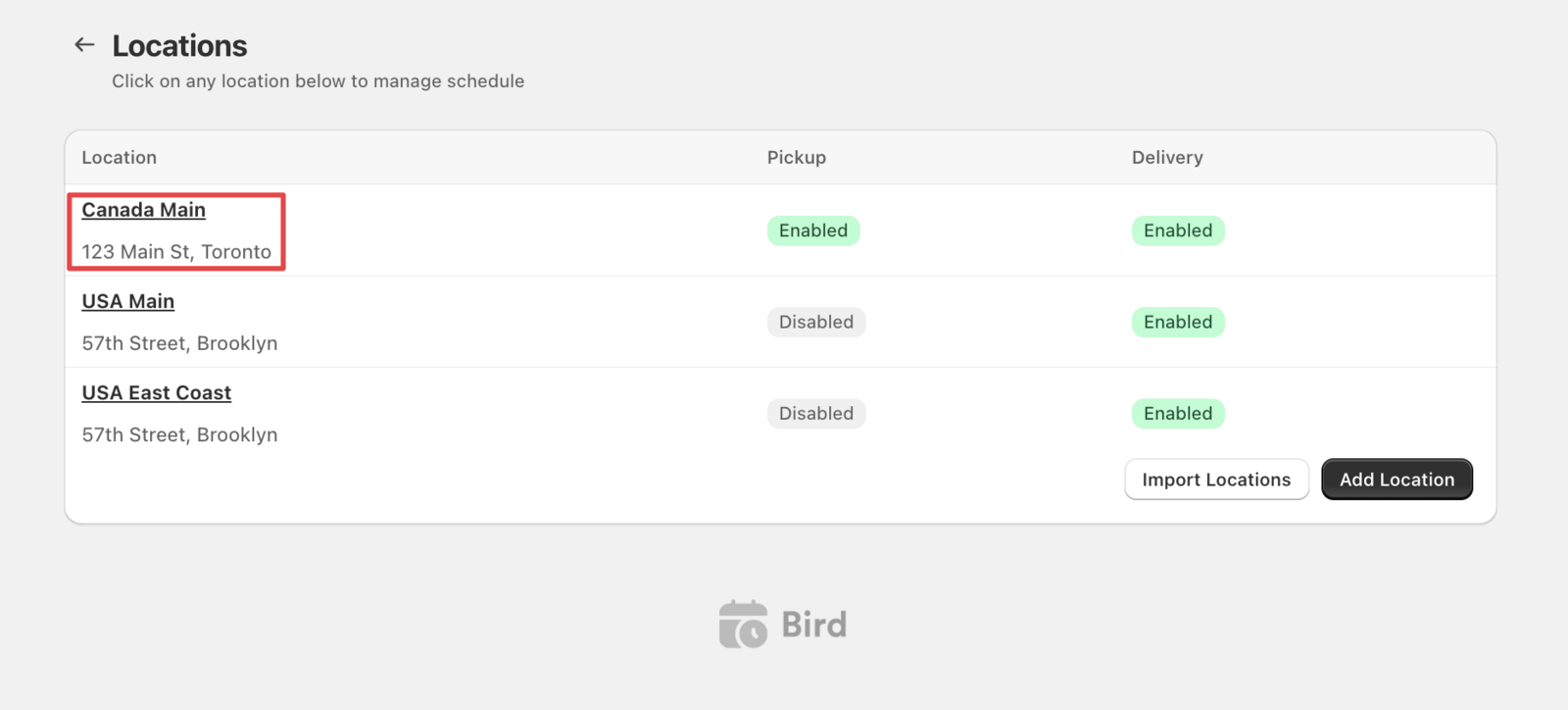
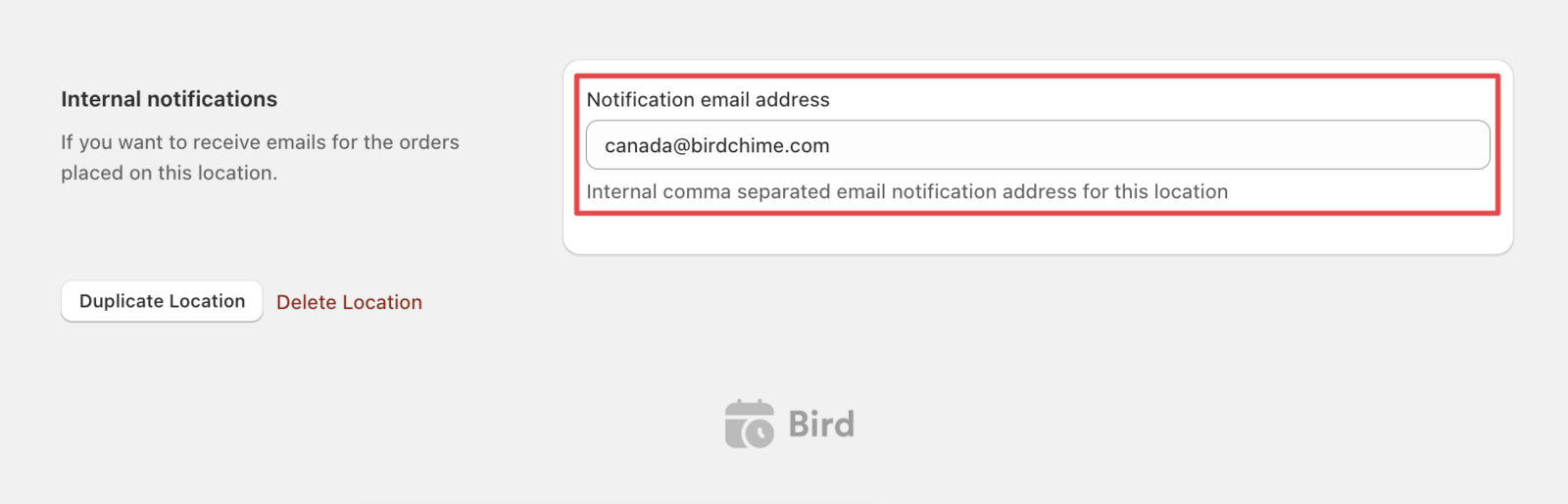
Step 2: Add Staff Email Recipients
- Scroll down to the Internal notifications section
- Enter email addresses for staff members who need order notifications
- Click Save to apply your changes
Step 3: Test Your Setup
- Place a test order with delivery scheduling
- Check that staff emails are received within 5 minutes
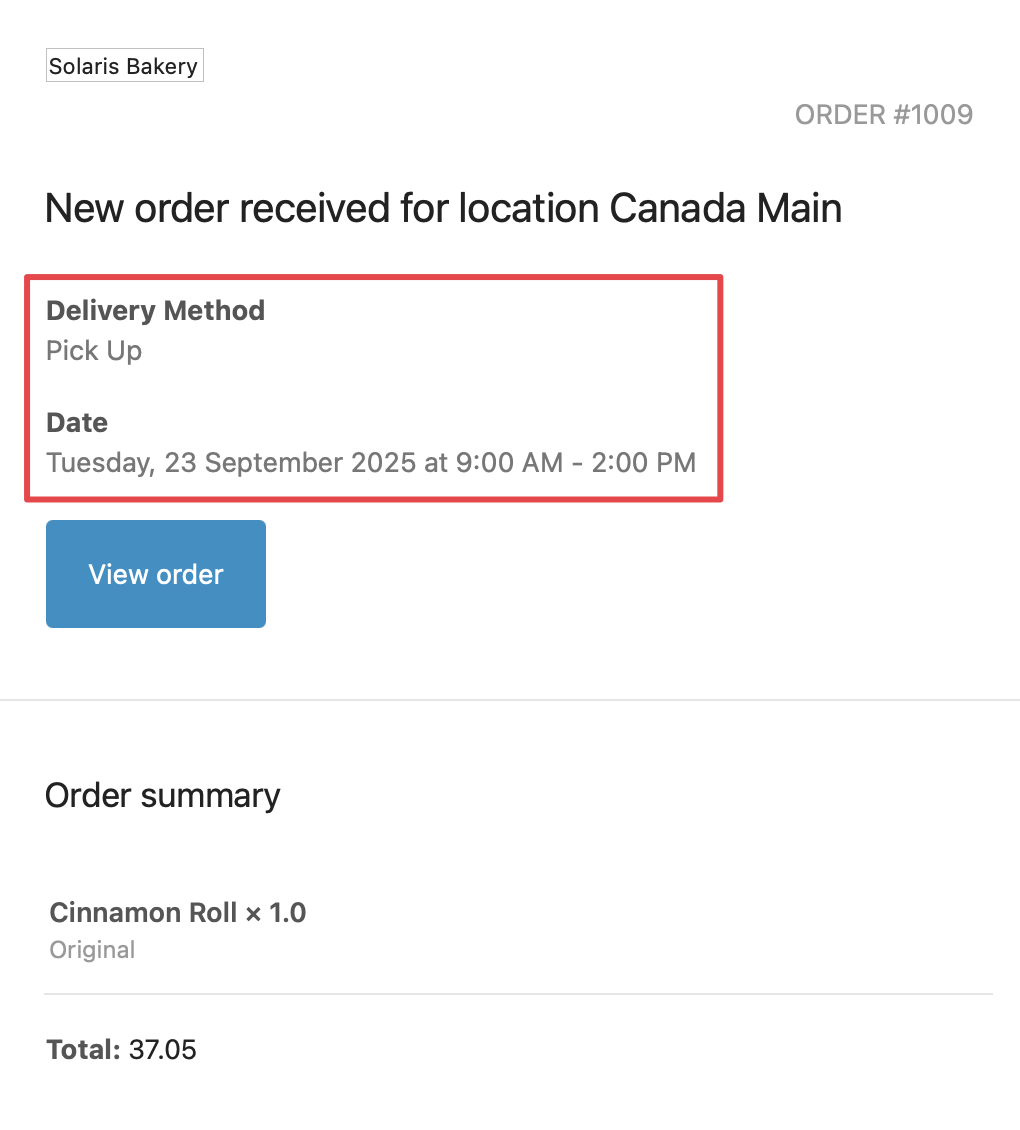
- Verify the email contains delivery date, time, and method
Troubleshooting
- Staff not receiving emails: Check your spam folder and verify email addresses are entered correctly
- Missing delivery details: Ensure Bird App is properly configured for your theme
Customize Email Templates
Modify the appearance and content of staff notification emails to match your brand.
- In your Shopify admin, go to Bird Settings > Email notifications
- Click New order notification email under Staff notifications to customize the email
Note: Delivery dates, times, and methods automatically appear in staff emails. No additional configuration needed.
Sample Staff Email Output
See exactly what your staff will receive when orders are placed. Alternatively, click the Preview button above the email editor.
💡
Prefer to use Shopify’s own staff notification emails instead? See Staff: Set Up Notifications via Shopify.
Related Articles
Was this article helpful?
Thanks for your feedback!