
 Notifications
Staff: Set Up Notifications via Shopify
You’ll learn how to display delivery date, time, and method in your Shopify staff notification emails for complete order visibility.
When customers place orders with delivery scheduling, your staff needs immediate access to all delivery details. This guide shows you how to modify Shopify’s staff notification template to include Bird Pickup & Delivery information.
The Bird widget stores your customer’s delivery selection in the order’s Additional Details (order attributes), and the code snippet below reads it directly. This works for both the current widget and the legacy widget.
If your store stores Bird data in order metafields instead, this snippet won’t populate — contact us and we’ll share the matching snippet.
Add Delivery Information to Staff Emails
Access Staff Notification Settings
- Go to Shopify Admin → Settings → Notifications → Staff Notifications
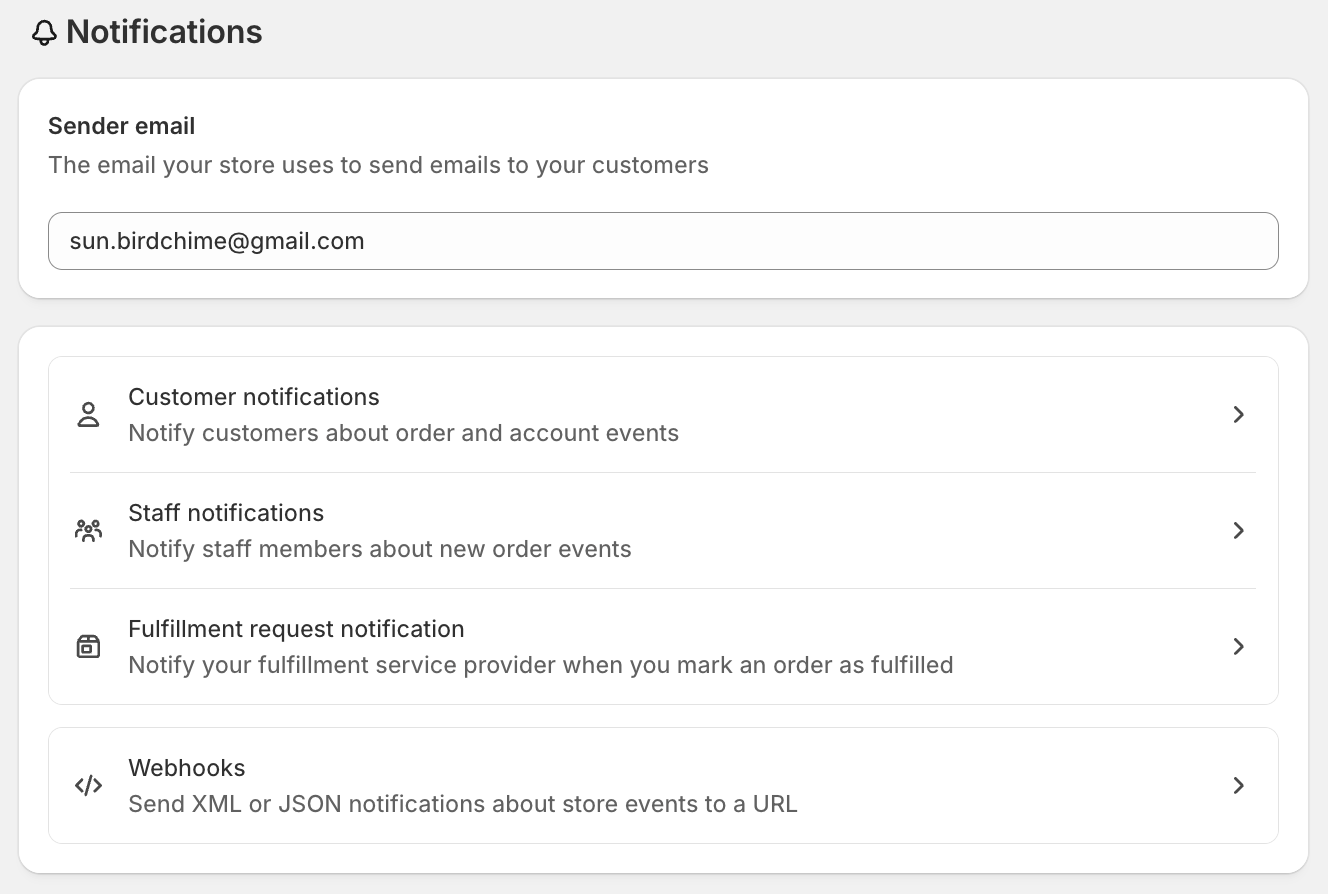
- Click Edit Code
Prefer no code? Bird also sends its own New order notification email to staff (Bird Settings > Email notifications > Staff notifications). It already includes the delivery date, time and method, so you don’t need this snippet there.
Add Delivery Information Code
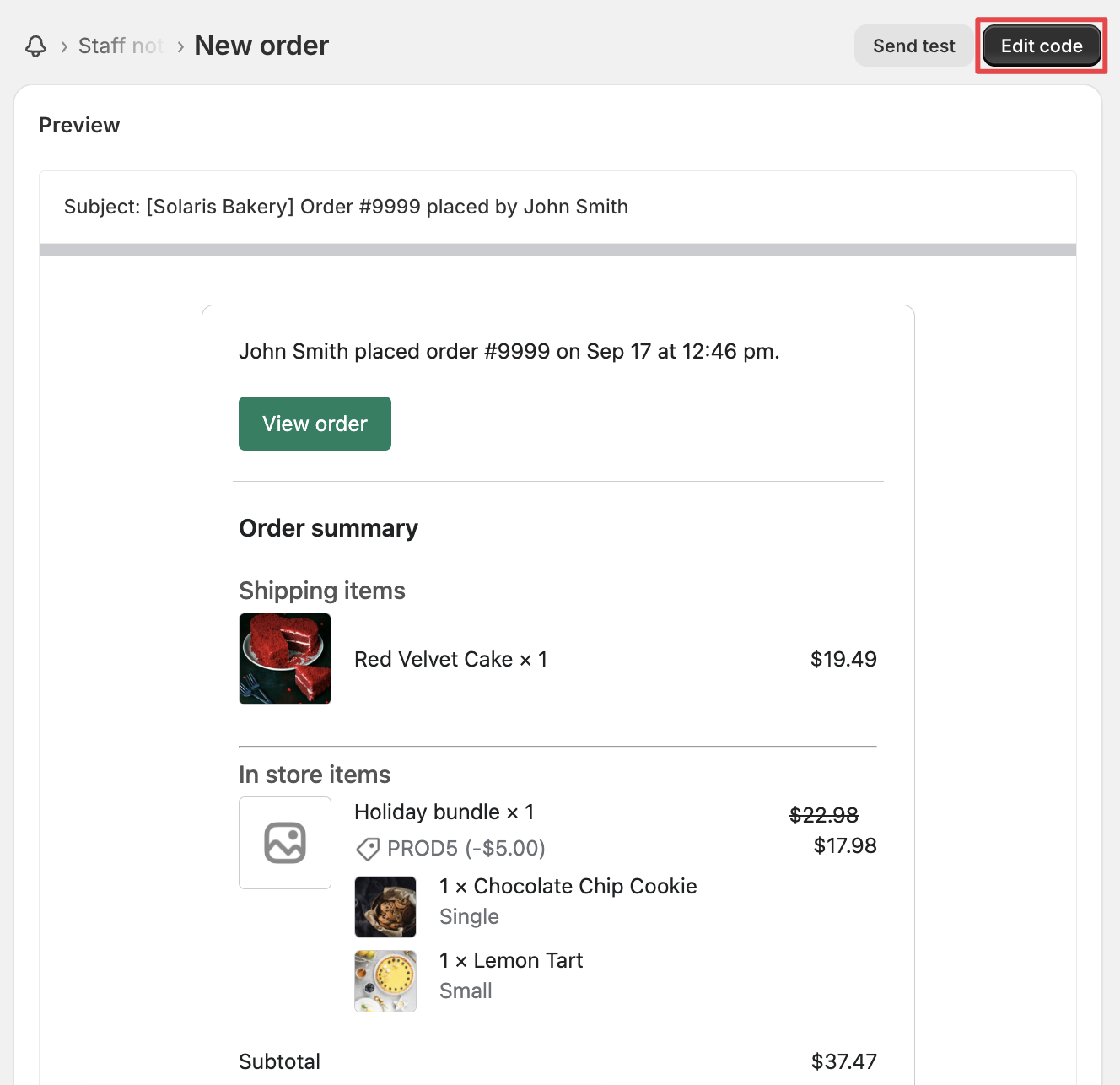
Copy and paste this code above your order summary table:
Copy the whole code block, from the first line to the last. The display part at the bottom only works together with the setup lines above it. If you paste only part of it, nothing shows in your emails.
{%
  ###################################
  # Below code you can edit as per your store language
  ###################################
%}

{% assign translated_method = "Delivery,Pick Up,Shipping"  | split: "," %}
{% assign translated_days = "Sunday,Monday,Tuesday,Wednesday,Thursday,Friday,Saturday"  | split: "," %}

{%
  ###################################
  # Don't change below code
  ###################################
%}

  {% assign keyValuePairs = nil %}
  {% assign Bird_flag = true %}

{% for line_item in line_items %}
  {% for property in line_item.properties %}
   {% if property.first == '_BirdChimeSlotId' and Bird_flag %}
      {% assign Bird_flag = false %}
    {% assign keyValuePairs = property.last | split: ";" %}
      {% for pair in keyValuePairs %}
        {% assign keyAndValue = pair | split: "=" %}
        {% assign key = keyAndValue[0] %}
        {% assign value = keyAndValue[1] %}
        {% case key %}
          {% when 'M' %}
            {% if value == 'D' %}
            {% assign Bird_Method = translated_method[0] %}
            {% elsif value == 'P'%}
              {% assign Bird_Method = translated_method[1] %}
            {% elsif value == 'S'%}
              {% assign Bird_Method = translated_method[2] %}
            {% endif %}
          {% when 'D' %}
            {% assign Bird_Date = value %}
          {% when 'L' %}
            {% assign Bird_Location_Id = value %}
          {% when 'T' %}
            {% assign Bird_Time = value %}
        {% endcase %}
        {% assign bird_index = Bird_Date | date: "%w" | plus: 0 %}
        {% assign Bird_Day =  translated_days[bird_index] %}
      {% endfor %}
    {% endif %}
  {% endfor %}
{% endfor %}

{% if order.attributes['Delivery Method'] and keyValuePairs == nil %}
  {% if order.attributes['Delivery Method']  == 'Delivery' %}
    {% assign Bird_Method = translated_method[0] %}
  {% elsif order.attributes['Delivery Method']   == 'Pick Up'%}
    {% assign Bird_Method = translated_method[1] %}
  {% elsif order.attributes['Delivery Method']  == 'Shipping'%}
    {% assign Bird_Method = translated_method[2] %}
  {% endif %}
  {% assign Bird_Date = order.attributes['Delivery Date'] %}
  {% assign Bird_Time = order.attributes['Delivery Time'] %}

  {% if Bird_Method == translated_method[1]  and order.attributes['Delivery Location'] %}
    {% assign BIRD_LOCATION = order.attributes['Delivery Location'] %}
  {% endif %}

  {% assign bird_index = Bird_Date | date: "%w" | plus: 0 %}
  {% assign Bird_Day =  translated_days[bird_index] %}
{% endif %}

<br>

{% if order.attributes['Translated Delivery Time'] %}
  {% assign Bird_Time = order.attributes['Translated Delivery Time'] %}
{% endif %}

<br>

{%
  ###################################
  # Below code you can edit as per your need
  ###################################
%}

{% if Bird_Method %}
  <table class="container">
    <br/>
    <tr>
      <td>
        <h4>Delivery Method</h4>
        {{ Bird_Method }}<br>
        {{ BIRD_LOCATION }}
        {% if Bird_Date %}
          <h4>Date & Time</h4>
          {{ Bird_Date | date: "%d.%m.%Y" }}
          {% if Bird_Time %}
            {{ Bird_Time }}
          {% endif %}
          {% if Bird_Date %}
            ({{ Bird_Day }})
          {% endif %}
        {% endif %}
        <br/>
      </td>
    </tr>
  </table>
{% endif %}
Place the code above your order summary table for optimal visibility.
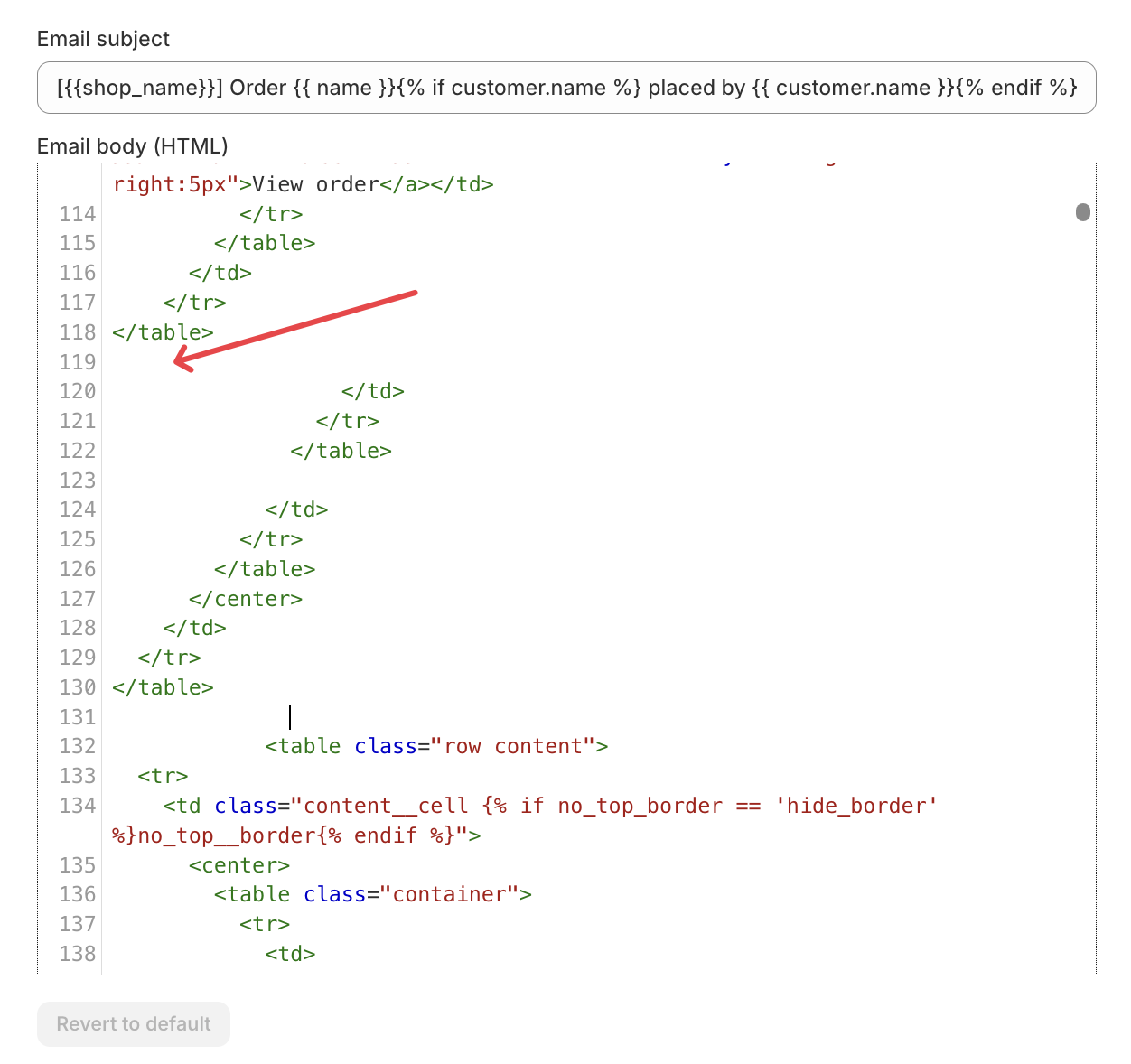
Customize for Your Language
Modify the translation arrays to match your store’s language:
-
translated_method: Change “Delivery,Pick Up,Shipping” to your language -
translated_days: Change “Sunday,Monday,Tuesday,Wednesday,Thursday,Friday,Saturday” to your language
Test Your Configuration
- Save your template changes
- Place a test order with delivery scheduling
- Check the staff notification email
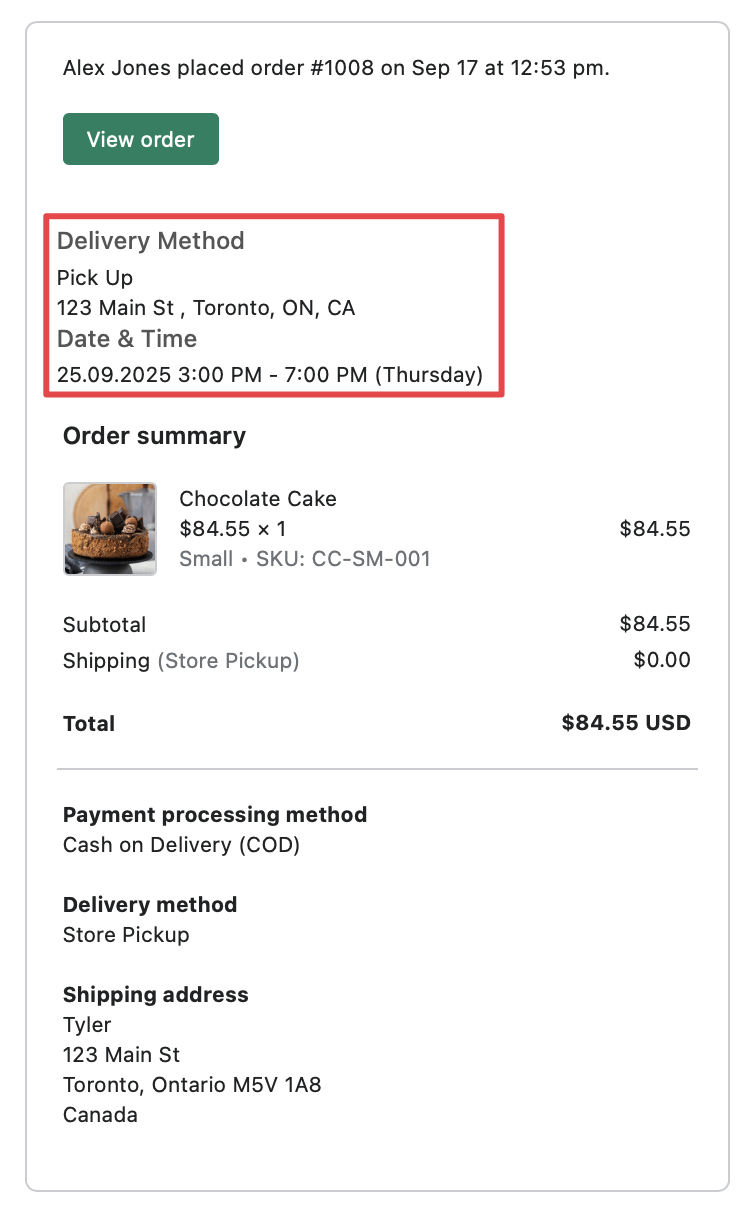
Your staff will now receive emails showing:
- Delivery method (Delivery, Pick Up, or Shipping)
- Pickup location (if applicable)
- Delivery date and time
- Day of the week
Want Bird to manage staff notifications for you instead? See Staff: Set Up Notifications via Bird App — the recommended path.
Related Articles
Was this article helpful?
Thanks for your feedback!