
 Discounts
Discount Conditions
Conditions decide when an automatic discount applies, such as only on weekends, only after 2pm, or only to delivery in one zip code. They work on discounts made with Create in Bird and need the Growth plan.
Add conditions in the discount form under Bird Settings > Discounts. A discount with several conditions only applies when the order meets all of them. For example, “Saturdays and Sundays” plus “after 14:00” means weekend orders after 2pm only.
Weekdays, dates and times all use the date and time slot the customer picked in the Bird widget, not the day they placed the order.
Weekdays or dates, not both. A discount can use Limit to specific weekdays or Limit to specific dates, but only one at a time. While one is on, the other is greyed out. To switch, turn the first one off. If you need both, for example weekends plus a few holidays, create two discounts.
By Day of Week
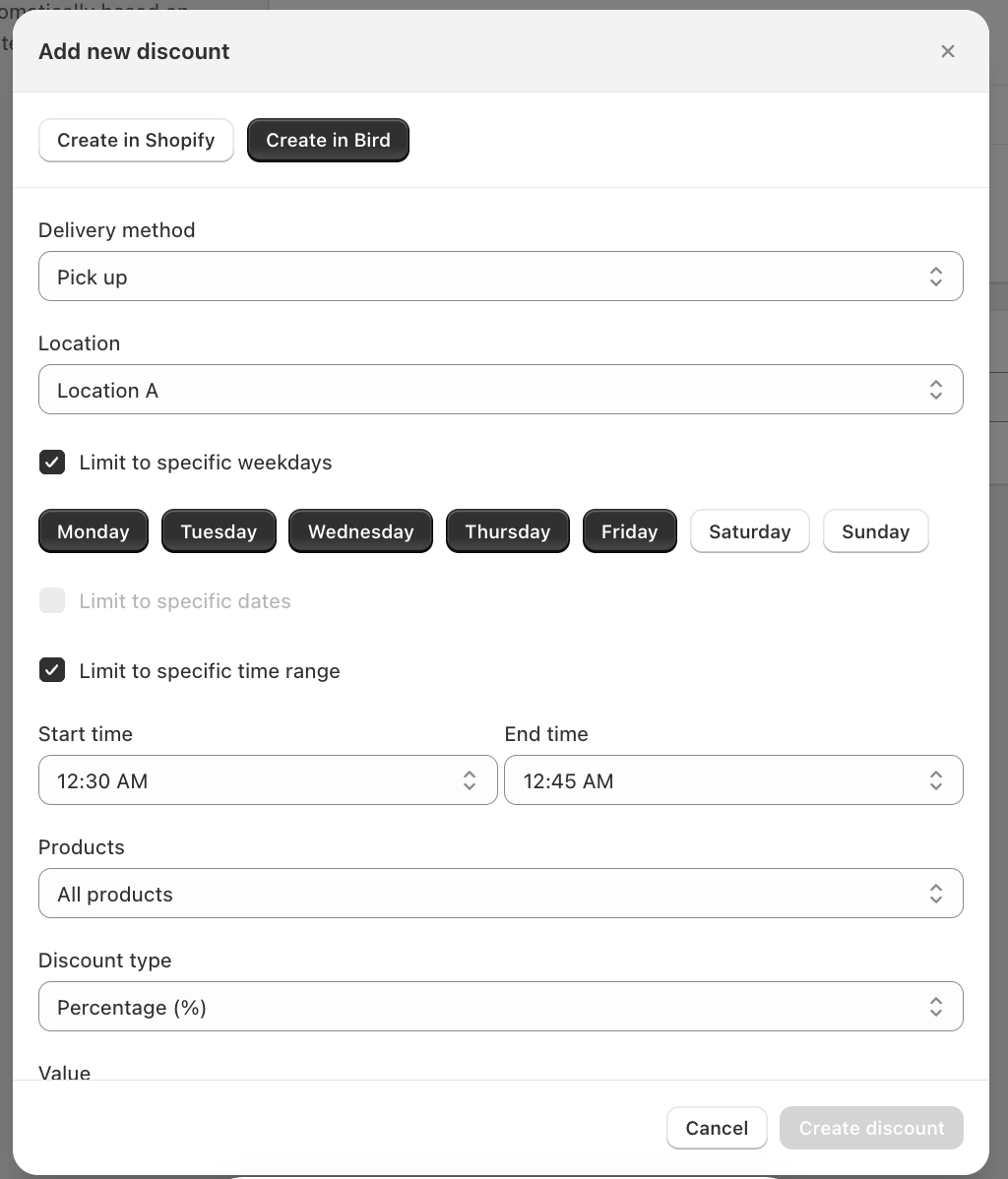
Good for filling slow days, for example 10% off Saturday and Sunday pickups.
- Check Limit to specific weekdays
- Select the days
You can’t turn this on while Limit to specific dates is on. Turn that off first.
By Specific Dates
Good for holidays and seasonal offers, for example free delivery on Black Friday and Cyber Monday.
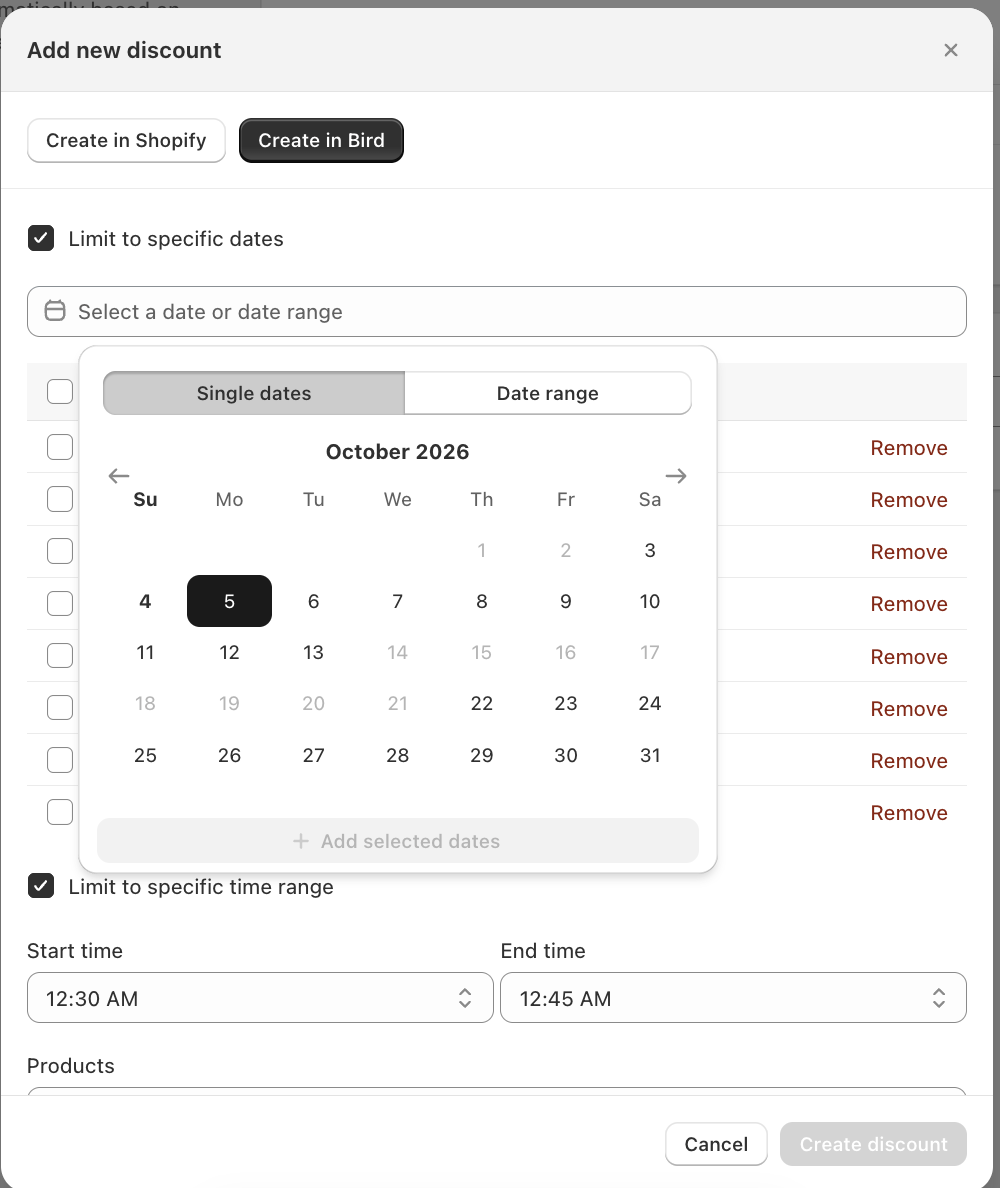
- Check Limit to specific dates
- Click Select a date or date range
- Choose Single dates to pick individual days, or Date range to pick a start and end date
- Click Add selected dates
The dates you add show as a list under the picker. Use Remove to take one off. You can add up to 60 dates.
You can’t turn this on while Limit to specific weekdays is on. Turn that off first.
By Time of Day
Good for quiet hours, for example 10% off pickup after 14:00.
- Check Limit to specific time range
- Enter a Start time and End time (24-hour, HH:MM)
Bird compares the range with the start of the customer’s time slot. A 15:00 to 16:00 slot counts as 15:00. The start and end times are both included.
You can combine a time range with weekdays, or with dates.
By Zip Code (Delivery Only)
Good for growing orders in one area without lowering prices everywhere, for example 15% off delivery to 11219.
- Check Limit to specific zip/postal codes. It only shows when the method is Delivery.
- Enter up to 200 codes, separated by commas
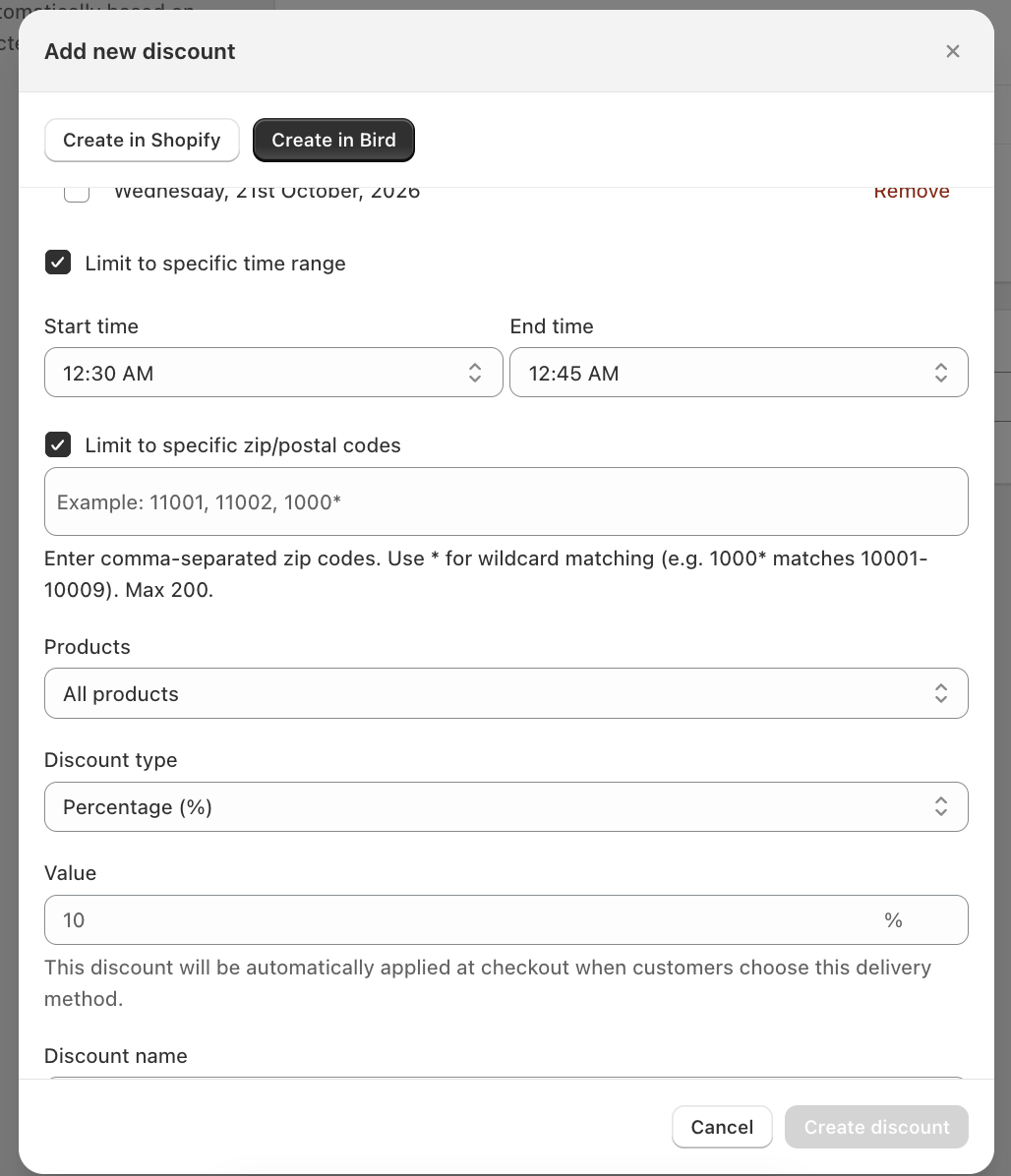
Matching ignores capitals, spaces and hyphens. To cover a range, end a code with *: 1000* matches 10001, 10002 and so on. For UK postcodes, N1_* matches the N1 district but not N10 or N11.
On Shopify Plus stores where customers pick their date at checkout instead of in the cart, zip code discounts don’t apply.
By Collection
Good for giving parts of your catalog different discounts. In the Products field, choose:
| Option | What it does |
|---|---|
| All products | Discounts the whole order (default) |
| Only products in these collections | Discounts only products in the collections you pick |
| All products except these collections | Discounts every product except those in the collections you pick |
Then click Browse collections and pick up to 20 collections.
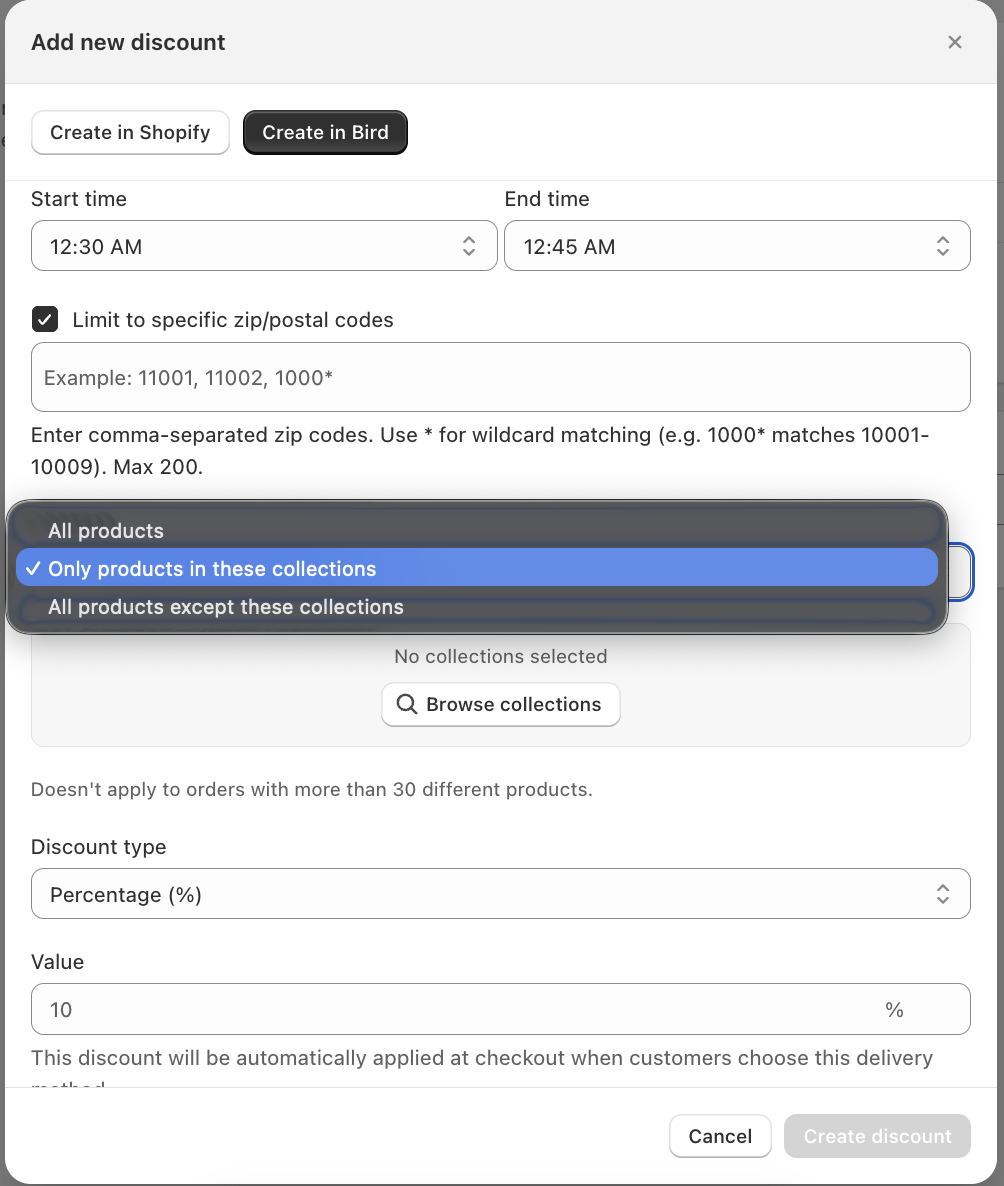
A product counts if it’s in any of them. A fixed-amount discount is shared across the matching products.
Example
A flower shop wants 5% off wedding bouquets and 10% off everything else, both on delivery. It sets up two discounts:
- Discount A: Delivery, 5%, Only products in these collections: Wedding Bouquets
- Discount B: Delivery, 10%, All products except these collections: Wedding Bouquets
A cart with a bouquet and a box of chocolates gets 5% off the bouquet and 10% off the chocolates. Both apply in any Discount application mode, because they cover different products. The mode only picks a winner when two discounts cover the same product.
Collection Limits
- Only 2 discounts per delivery method can use collections. Discounts set to All products don’t count.
- Once any discount for a method uses collections, none of that method’s discounts apply to orders with more than 30 different products. The order still goes through without a Bird discount. Each product or variant counts once, whatever the quantity.
- A method that uses collections can have at most 10 discounts. Going over shows “Too many discounts to use collections”.
- If you move below the Growth plan, your collection choices are removed and need adding again after you upgrade.
Related Articles
Was this article helpful?
Thanks for your feedback!