
 Discounts
Automatic Discounts
Create in Bird gives a percentage or fixed amount off whenever a customer chooses a delivery method, with no code to type. For example, 10% off every pickup order, or $5 off delivery from your downtown store.
Create an Automatic Discount
- In the Bird app, go to Bird Settings > Discounts
- Click Add
- Select Create in Bird. The form opens on Create in Shopify, so switch it first.
- Choose the Delivery method: Pick up, Delivery or Shipping
- Choose a Location, or leave All locations. Shipping discounts always cover every location.
- Optional: add conditions or limit the discount to certain collections. You can limit a discount to weekdays or to specific dates, but not both.
- Choose the Discount type: Percentage (%) or Fixed amount
- Enter the Value, for example
10for 10% off or $10 off - Optional: enter a Discount name (up to 80 characters)
- Optional: enter a Minimum order value
- Click Create discount
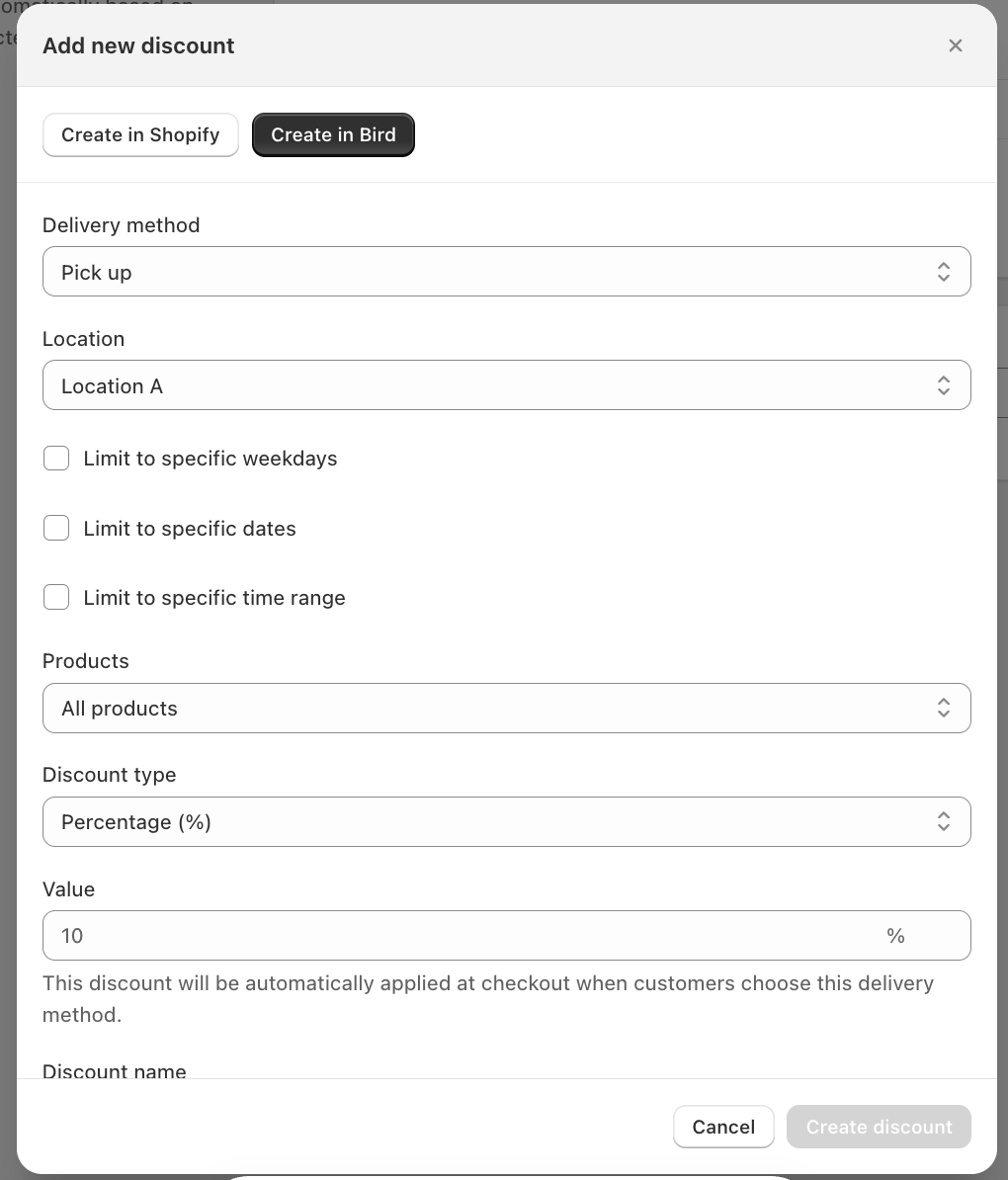
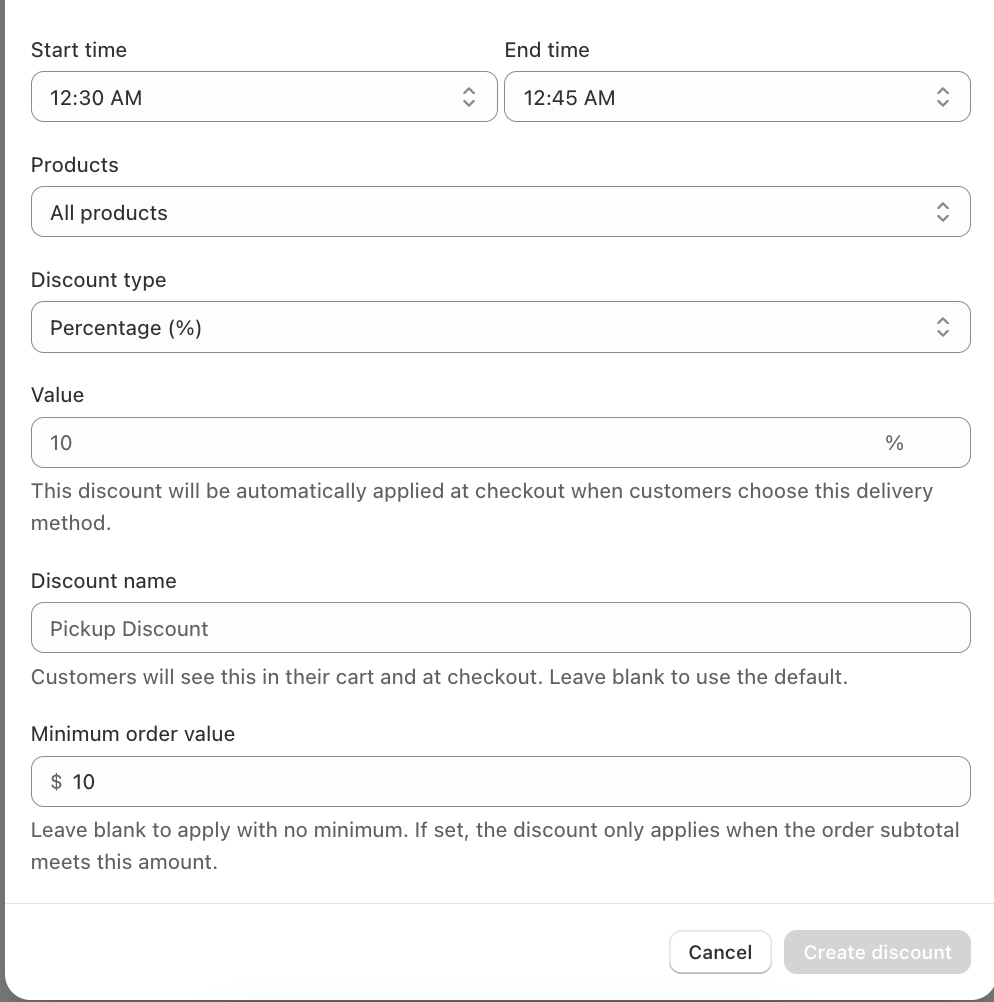
The discount now appears in the list with the source Created in Bird.
What Customers See
Once the customer picks the matching method in the Bird widget, the discount shows in their cart and at checkout under your Discount name. If you leave the name blank, it shows as Pickup Discount, Delivery Discount or Shipping Discount.
The discount comes off the order subtotal, not the shipping or delivery fee. Gift cards are never discounted. If you limit it to collections, it only comes off the matching products.
Minimum Order Value
With a minimum, the discount only applies once the order subtotal reaches that amount, for example 10% off pickup orders over $160. If the discount is limited to collections, only the matching products count towards the minimum.
This is different from Minimum Order Value, which stops customers checking out below a set amount.
Good to Know
- You can have up to 25 Bird discounts.
- Bird discounts need the Essential plan. Conditions and collections need Growth.
- To change or remove a discount, use Edit or Delete in its row on the Discounts page.
Related Articles
Was this article helpful?
Thanks for your feedback!