
 Last Mile Delivery
Gophr

Gophr is a same-day courier service in the UK. Connect your Gophr account to Bird and delivery orders are priced at checkout and dispatched to Gophr.
For help with Gophr pricing, coverage, or anything about your Gophr account, contact the Gophr team.
Requirements
- A Gophr account and API key
- A store with pickup locations in the UK
- Bird’s Essential plan or higher
- Multi-location turned on in Bird
- Local Delivery set up, with delivery days and time slots
Connect Gophr
- Go to Bird Settings > Integrations and open the Last Mile Delivery tab.
- Find Gophr and open it.
- Enter your API key and click Connect.
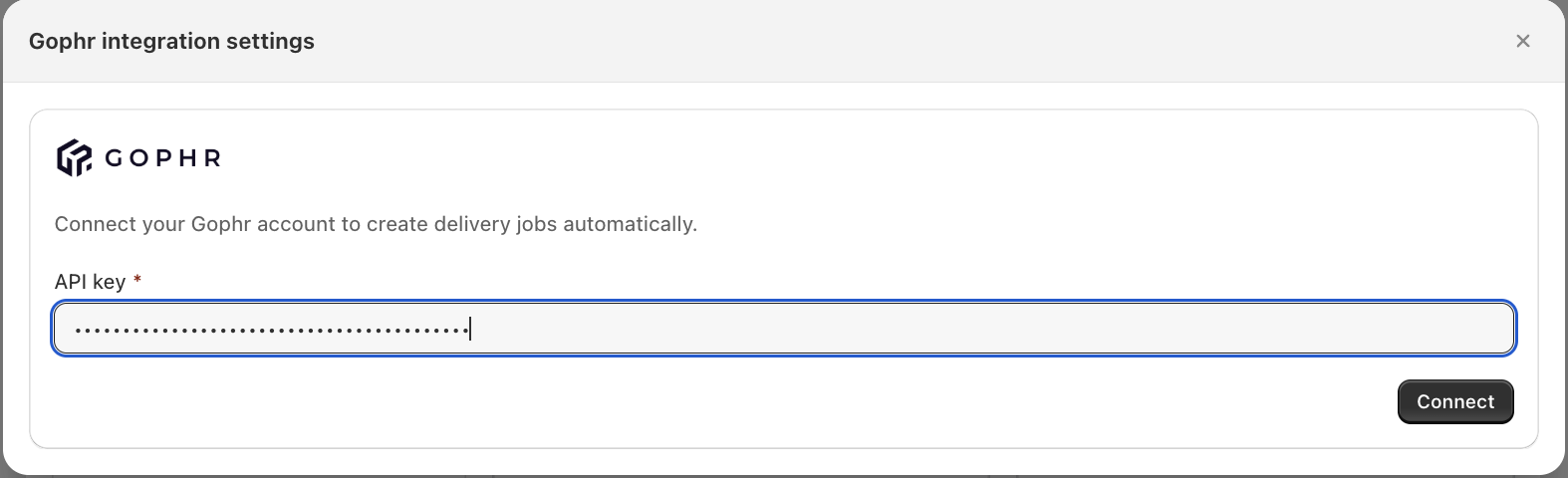
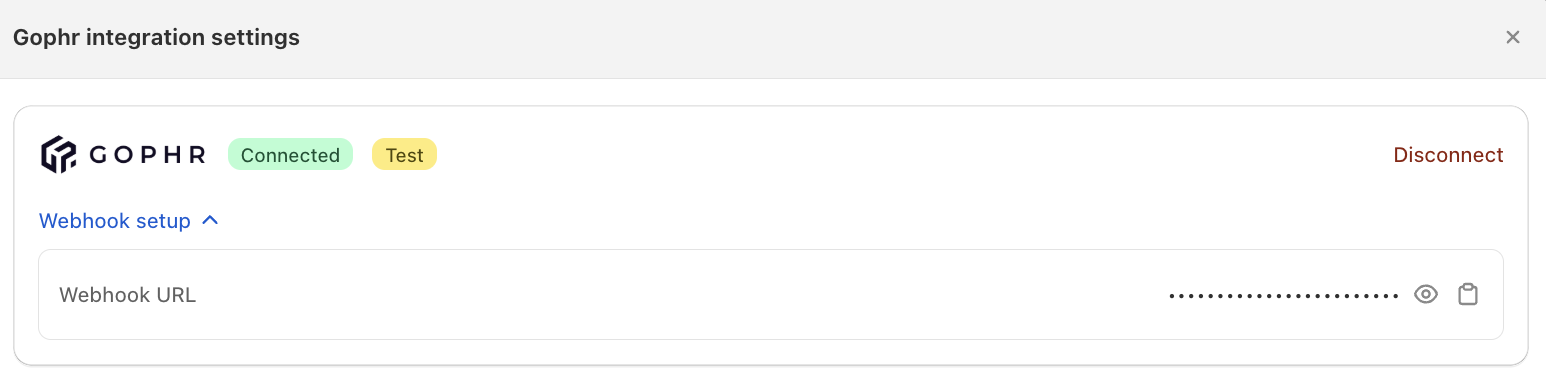
Bird checks the key with Gophr. If it belongs to a Gophr test account, a Test badge shows next to Connected. The remaining settings appear once you’re connected.
Set up the webhook
The webhook lets Gophr tell Bird when a courier collects or delivers an order.
- In Bird, expand Webhook setup and copy the Webhook URL.
- In your Gophr booking portal, open Developer Hub and find your API key.
- Paste the URL into the Status update webhook field and save.
If you skip this, deliveries still dispatch and statuses still update, just more slowly.
Configure settings
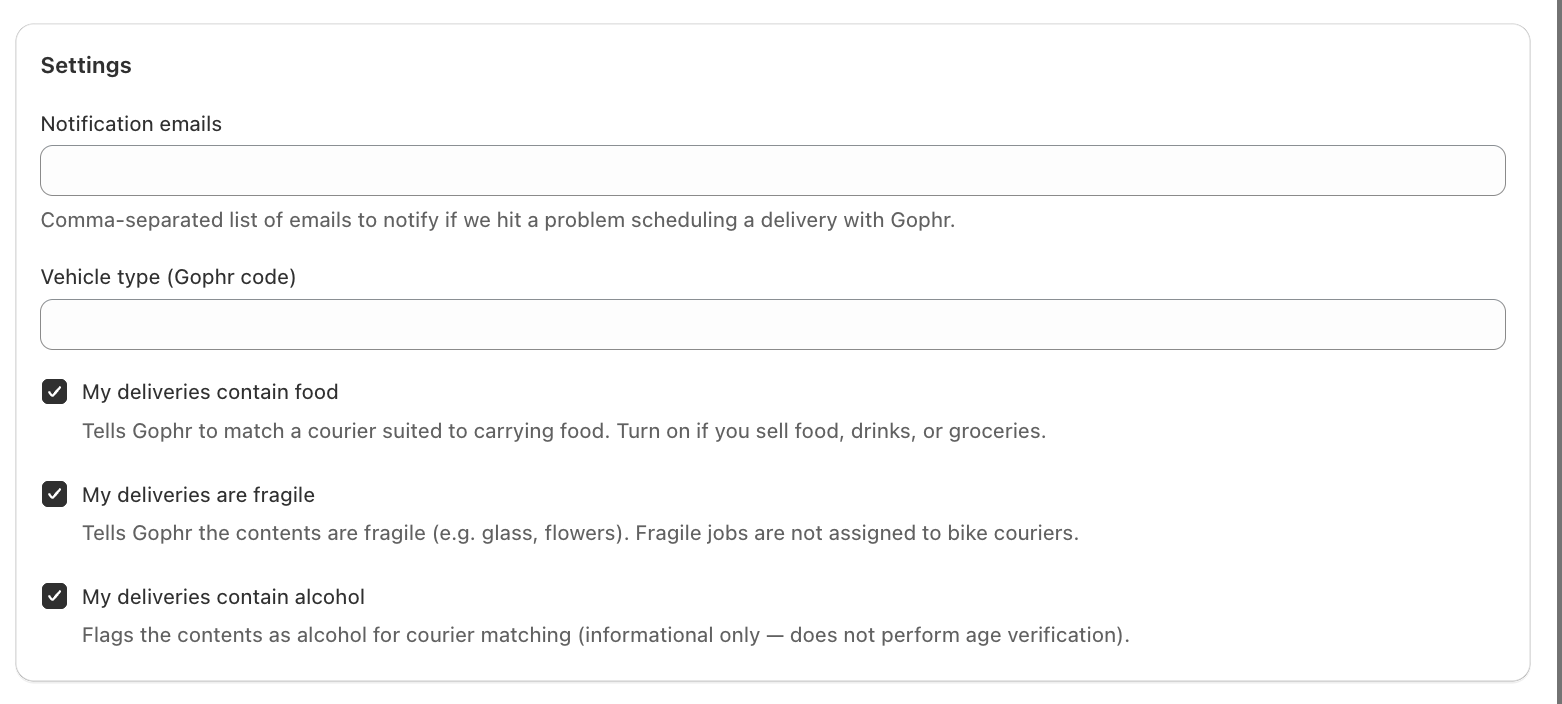
Notification emails
Add the emails to alert if Bird can’t schedule a delivery with Gophr. Separate them with commas.
You’re only emailed when a delivery can’t be scheduled. Temporary problems are retried automatically.
Delivery options
- Vehicle type (Gophr code): leave this blank and Gophr picks a vehicle from the parcel size. Only enter a code if Gophr has given you one.
- My deliveries contain food: tick this if you deliver food.
- My deliveries are fragile: tick this to keep fragile orders off bike couriers.
- My deliveries contain alcohol: tick this if you deliver alcohol. Gophr doesn’t run an age check at the door.
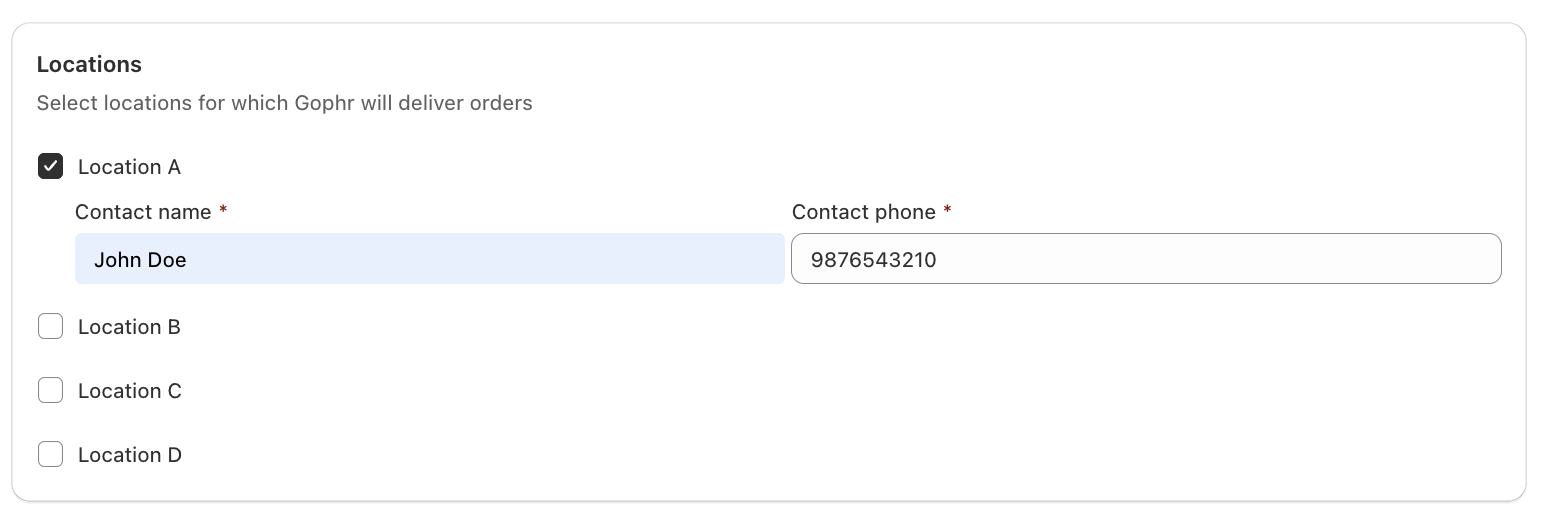
Locations
- Tick the locations Gophr delivers for. You don’t have to tick them all.
- Add a Contact name and Contact phone to every ticked location.
A location can only use one courier. Locations already set up with another courier are greyed out.
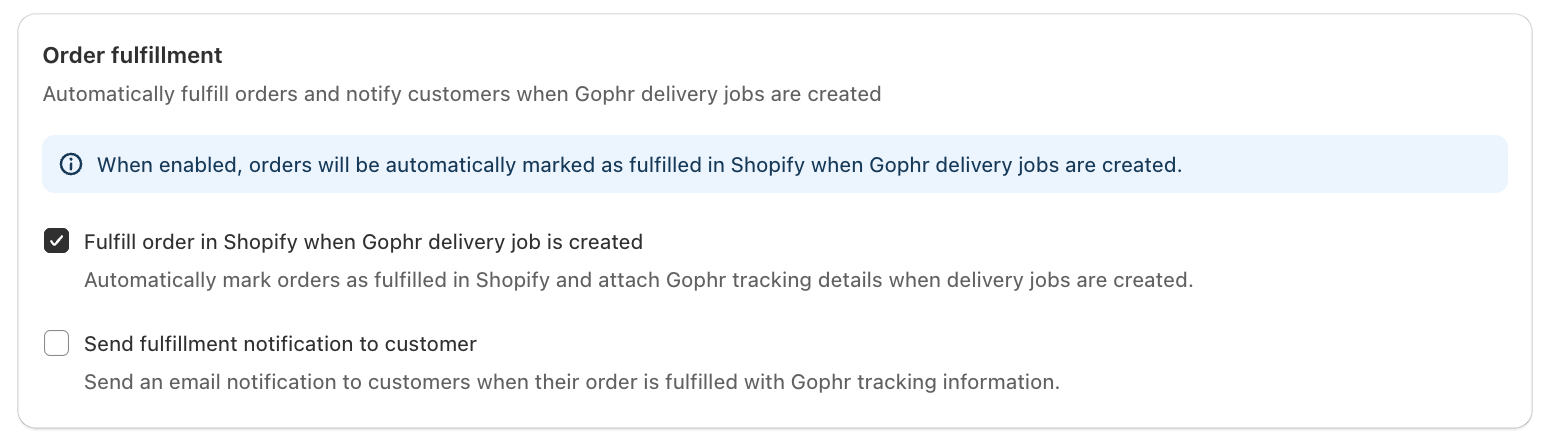
Order fulfillment
- Tick Fulfill order in Shopify when Gophr delivery job is created to mark orders fulfilled and attach Gophr tracking.
- Tick Send fulfillment notification to customer to email that tracking to the customer.
- Leave both off to fulfill orders yourself.
Packaging
Choose a Default package size. You can’t save until one is picked. Gophr uses it to choose the vehicle and price the delivery.
To use a different size for heavier orders, click Add rule and set a Min weight, Max weight (in kg) and the package to use.

Configure Gophr delivery rates
Want Gophr’s own rate, not a flat Bird rate, to show at checkout? Here’s how.
Limitation: This requires Shopify’s Carrier-Calculated Shipping (CCS), which lets Shopify show a live rate at checkout. Without CCS, Gophr’s price can never reach checkout, however Gophr itself is set up.
- Turn on Bird Rates with CCS under Bird Settings > Rates > Rates engine. You need CCS on your Shopify plan. See Shopify’s carrier-calculated shipping documentation.
- Under Rates, turn on Enable Gophr rates. Until CCS is on, this toggle stays disabled.
- Set the Rate name and Rate description your customers see at checkout.
- Optionally, turn on Free delivery above a Minimum order value, and add a Handling fee (a percentage, a flat amount, or both) on top of Gophr’s quote.
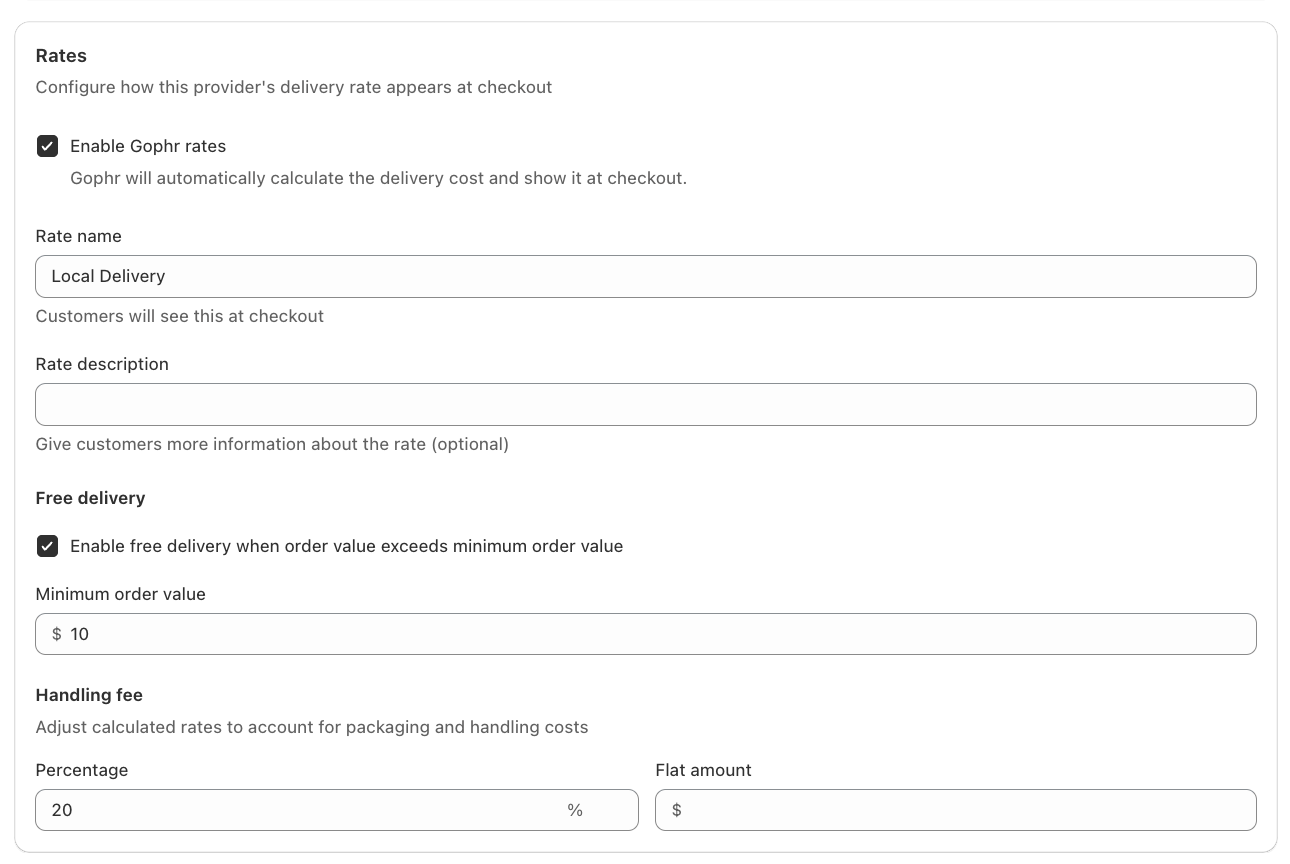
A live Gophr rate replaces your static delivery rates for those locations. If Gophr can’t quote, no rate shows.
Click Save.
Dispatching an order
- The customer picks a delivery date and time, and sees the Gophr rate.
- Mark the order Dispatched in Bird. This is what sends it to Gophr. Creating the order does not.
- Bird asks Gophr to collect from the start of the customer’s time slot and deliver by the end of it.
- Bird stores the Gophr tracking link on the order, and fulfills it in Shopify if you turned that on.
Disconnect Gophr
- Go to Bird Settings > Integrations and open the Last Mile Delivery tab.
- Find Gophr and open it.
- Click Disconnect and confirm.
Bird stops quoting and dispatching right away. Deliveries already with Gophr are unaffected.
Notes
- Cancelling an order in Shopify cancels the Gophr delivery if it was already dispatched. Refunds and status changes in Bird don’t cancel it.
- Products with no weight in Shopify are sent to Gophr as 0.5 kg each.
- Editing an order after dispatch does not update it at Gophr. Make the change directly in your Gophr account.
Troubleshooting
No Gophr rate at checkout. Confirm:
- Enable Gophr rates and Bird Rates with CCS are both on (see Configure Gophr delivery rates above)
- The location is ticked and has a contact name and phone
- The location is in the UK
Statuses change slowly. The webhook isn’t set up in Gophr yet. Follow Set up the webhook above.
Nothing reached Gophr. Check your notification emails. Bird emails the reason when a dispatch fails, usually a bad drop-off address or a rejected API key. If there is no email, confirm the order was marked Dispatched in Bird.
Related Articles
Was this article helpful?
Thanks for your feedback!