
 Last Mile Delivery
Uber Direct
Uber Direct is Uber’s on-demand delivery network, available in Australia, Canada, France, New Zealand, the United Kingdom, and the United States. Connect your own Uber Direct account to Bird and delivery orders are priced at checkout and dispatched to Uber.
For help with Uber Direct pricing, coverage, or anything about your Uber Direct account, contact Uber Direct support.
Requirements
- An active Uber Direct account with billing set up (sign up)
- Your Customer ID, Client ID, and Client Secret from the Uber Direct dashboard
- A store in a country Uber Direct serves
- Local Delivery set up, with delivery days and time slots
- A complete address on every location Uber Direct collects from
Connect Uber Direct
- Click Settings, then Integrations.
- Find Uber Direct and open it.
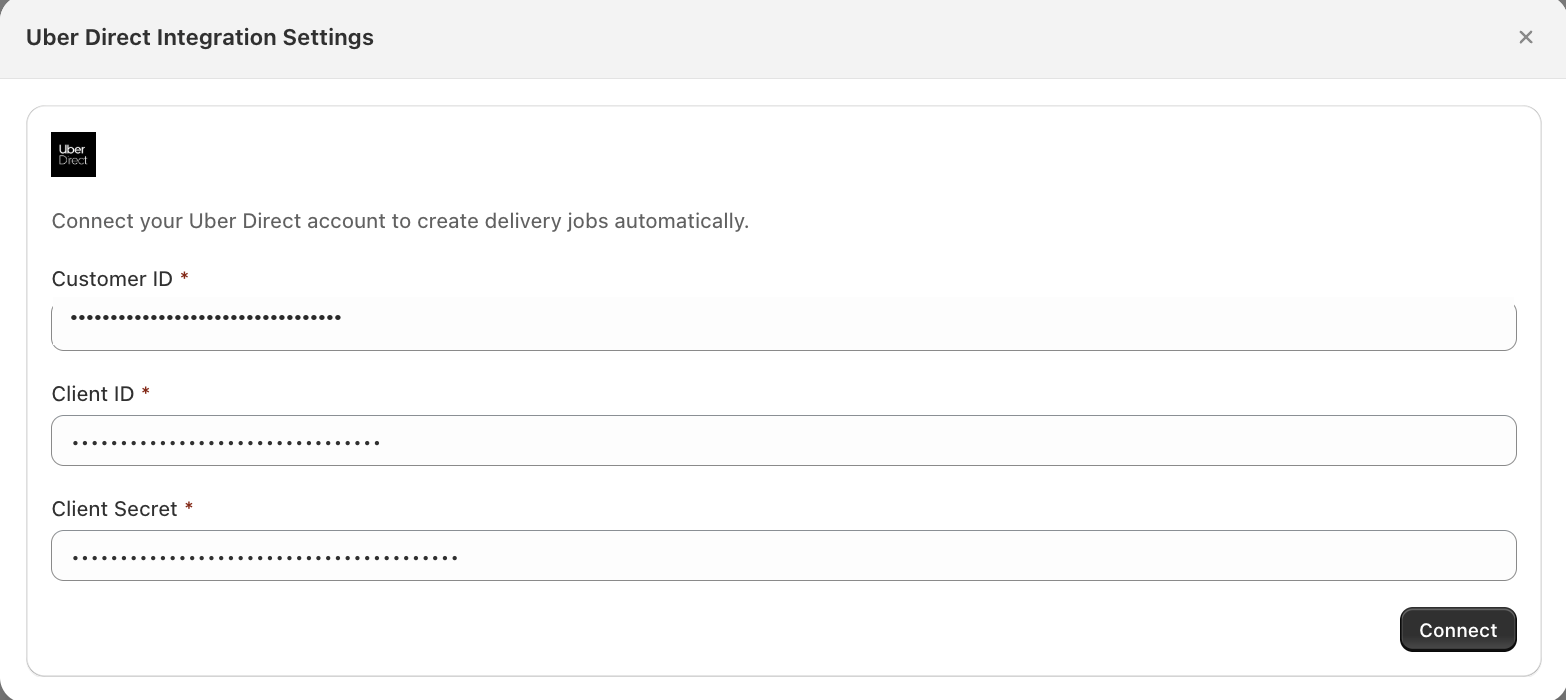
- Enter your Customer ID, Client ID, and Client Secret, and click Connect.
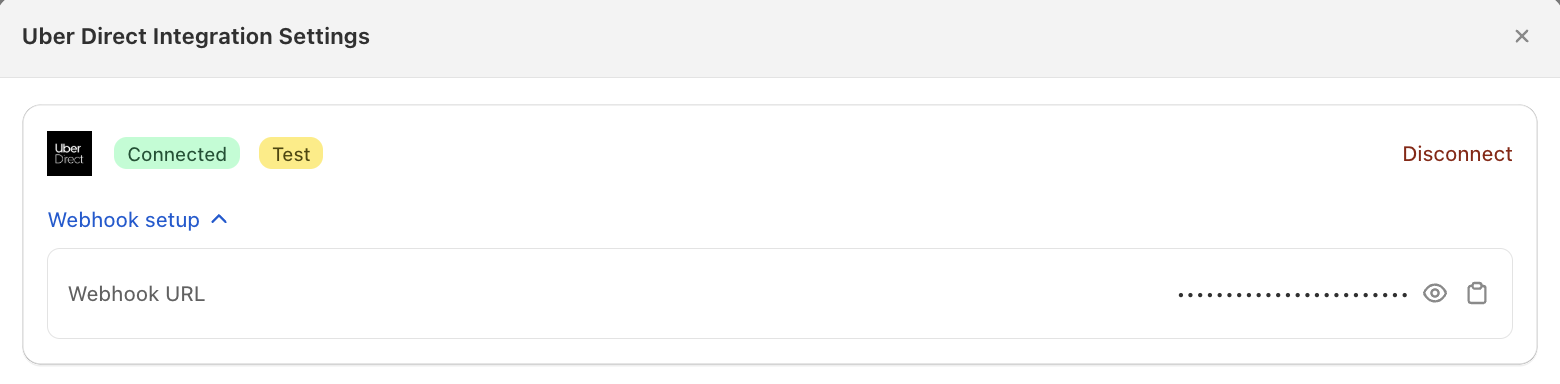
Bird checks these credentials with Uber. The remaining settings appear once you’re connected.
Configure how deliveries work
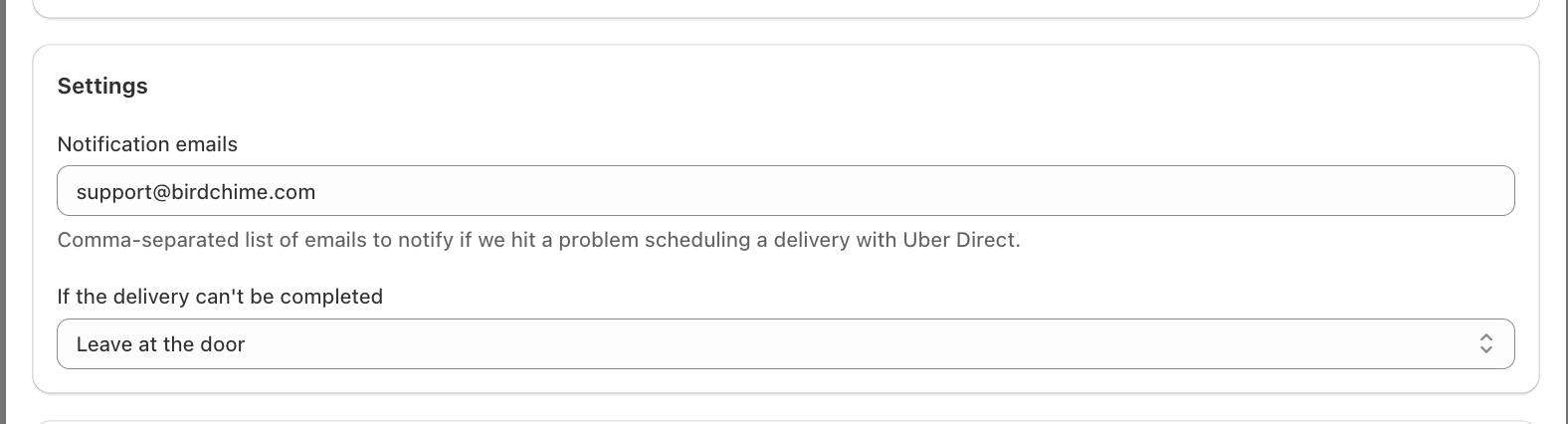
Notification emails
Add the emails to alert if Bird can’t schedule a delivery with Uber Direct. Separate them with commas.
If a delivery can’t be completed
Choose what Uber Direct should do if a delivery attempt fails:
- Leave at the door: the default.
- Return to pickup: the courier brings it back to your location.
- Discard: the courier disposes of it.
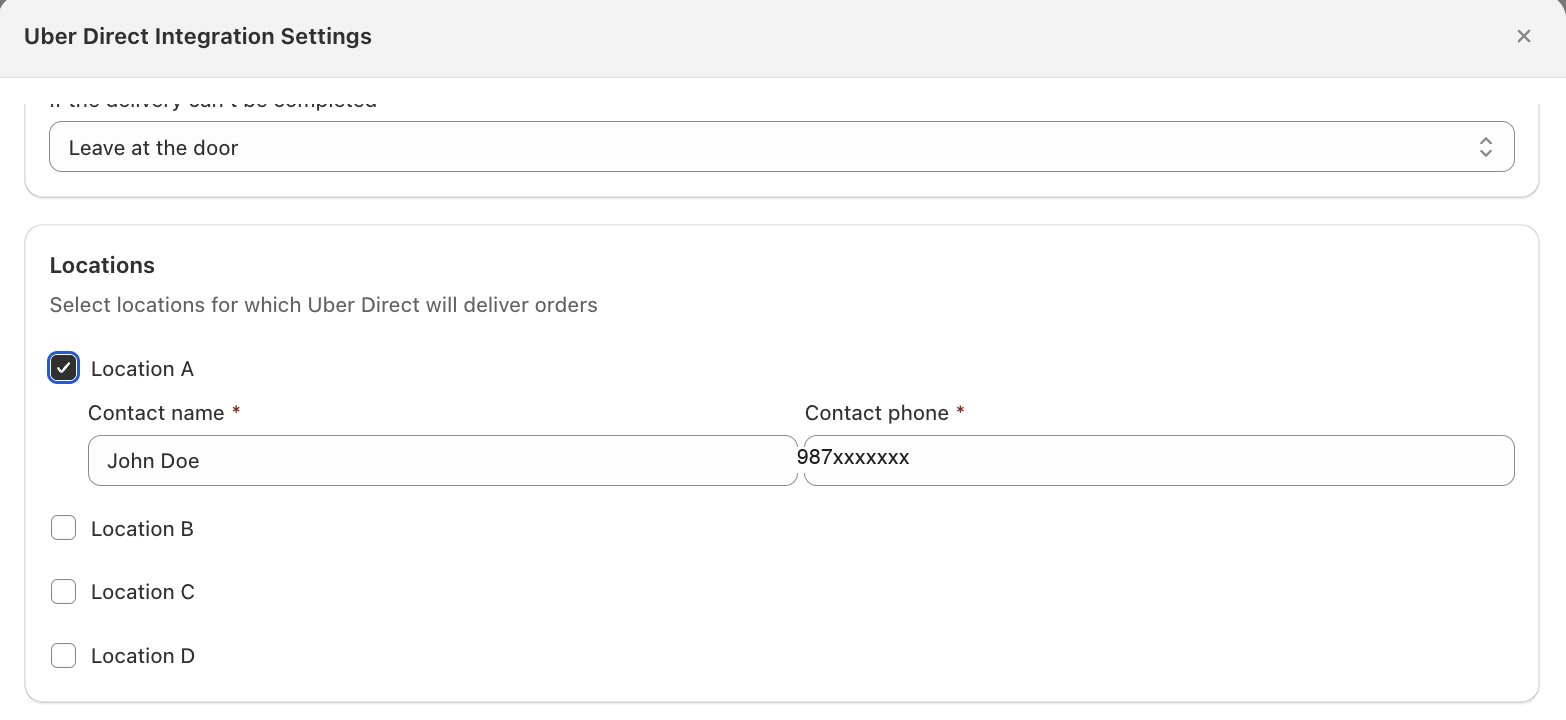
Locations
- Tick the locations Uber Direct delivers for. You don’t have to tick them all.
- Add a contact name and contact phone to every ticked location, so a driver can reach someone at pickup.
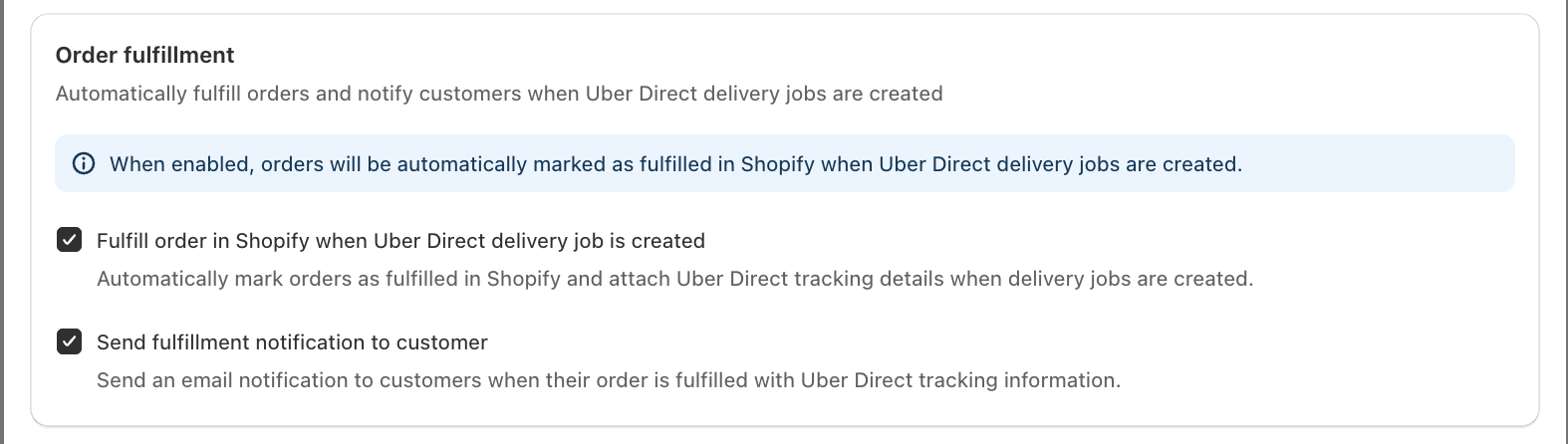
Order fulfillment
- Tick Fulfill order in Shopify when Uber Direct delivery job is created to mark orders fulfilled and attach Uber tracking.
- Tick Send fulfillment notification to customer to email that tracking to the customer.
- Leave both off to fulfill orders yourself.
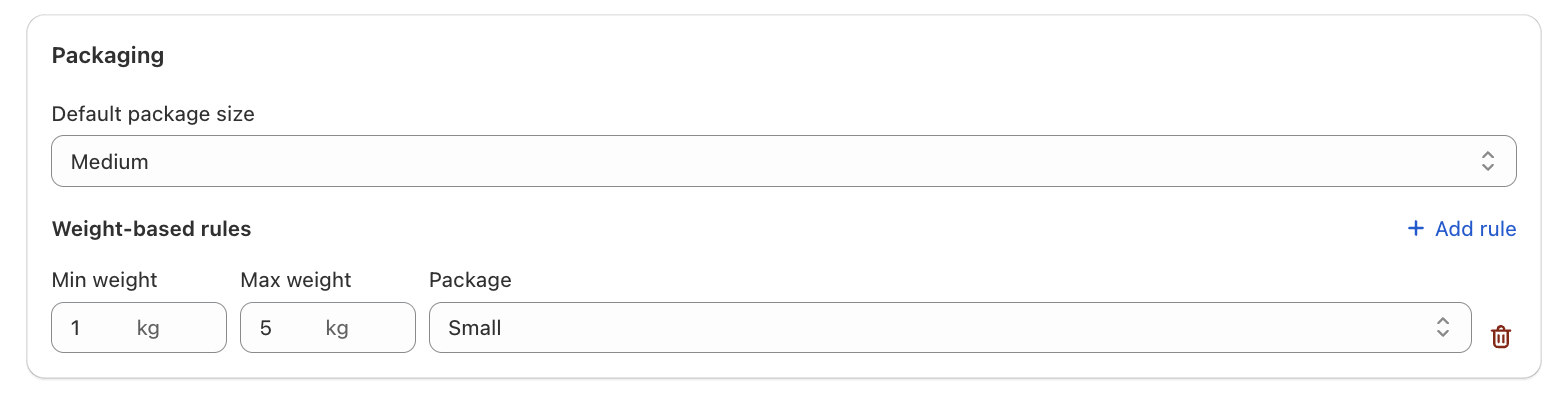
Packaging
Pick a default package size (Small, Medium, Large, or XLarge) if you want one. Uber Direct’s own dashboard treats this as optional too, so you can leave it as Not specified and still get quotes and dispatches.
Configure Uber Direct delivery rates
Want Uber Direct’s own rate, instead of a flat Bird rate, to show at checkout? Here’s how.
Limitation: This requires Shopify’s Carrier-Calculated Shipping (CCS), the feature that shows Uber Direct’s live rate at checkout. Without it, Uber Direct’s price never reaches checkout, regardless of how Uber Direct itself is set up.
- Turn on Bird Rates with CCS under Rates > Rates engine. You need CCS on your Shopify plan. See Shopify’s carrier-calculated shipping documentation.
- Under Rates, turn on Enable Uber Direct rates. Until CCS is on, this toggle stays disabled.
- Set the rate name and description your customers see at checkout.
- Optionally, turn on free delivery above a minimum order value, and add a handling fee (percentage and/or flat amount) on top of Uber’s quote.

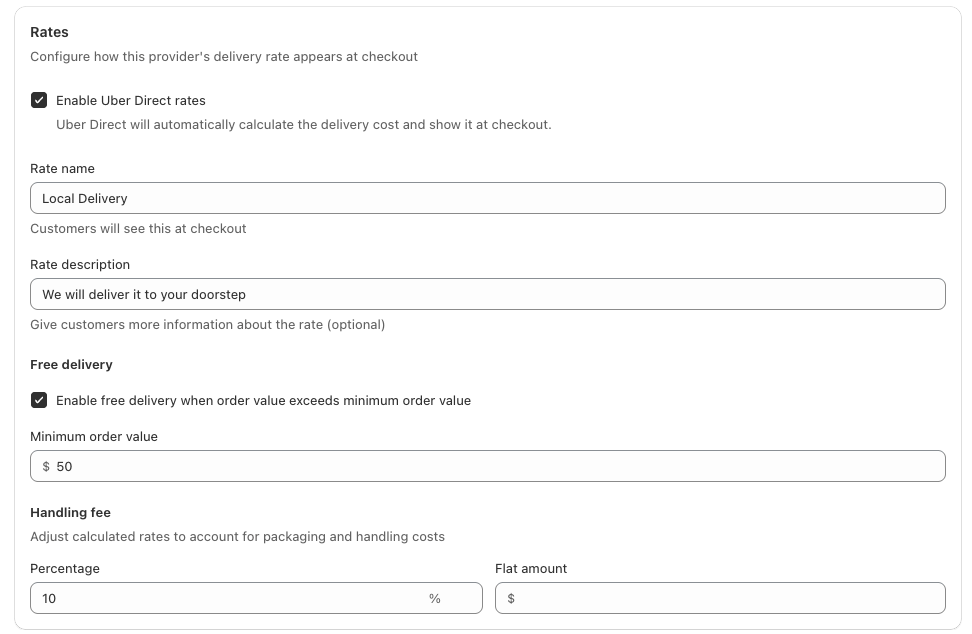
A live Uber Direct rate replaces your static delivery rates for those locations. If Uber can’t quote, no rate shows.
Dispatching an order
- The customer picks a delivery date and time, and sees the Uber Direct rate.
- Mark the order Dispatched in Bird; this is what sends it to Uber. Creating the order does not.
- Uber Direct collects from your location and delivers inside the window the customer chose.
- Bird stores the tracking link on the order, and fulfills it in Shopify if you enabled that.
Disconnect Uber Direct
- Click Settings, then Integrations.
- Find Uber Direct and open it.
- Click Disconnect and confirm.

Bird stops quoting and dispatching right away. Deliveries already with Uber are unaffected.
Notes
- Cancelling an order in Shopify cancels the Uber Direct delivery.
- Marking the same order Dispatched twice won’t create a second delivery.
- Editing an order after dispatch does not update it at Uber. Change it there, or cancel and re-dispatch.
- Package size is optional. Uber Direct will quote and dispatch without one.
- You can only connect one Uber Direct account per store, even if you deliver in more than one Uber-serviceable country.
Troubleshooting
Connection fails even though the credentials look right. Add a payment method in the Uber Direct dashboard.
No Uber Direct rate at checkout. Confirm:
- Enable Uber Direct rates and Bird Rates with CCS are both on (see Configure Uber Direct delivery rates above)
- The location is ticked
- The address is inside Uber Direct’s coverage
Nothing reached Uber Direct. Check your notification emails: Bird emails the reason when a dispatch fails, usually a bad drop-off address, a missing phone, or a rejected credential. If there is no email, confirm the order was marked Dispatched in Bird.
Related Articles
Was this article helpful?
Thanks for your feedback!