
 Shopify Configuration
How to Mark Products as Physical Products in Shopify
B
Written by Bird Pickup & Delivery
Updated June 12, 2026
Mark your products as physical products to enable shipping, delivery scheduling, and pickup options through Bird Pickup & Delivery.
Physical products require delivery or pickup arrangements. Digital products and services don’t need this setting. Marking products as physical enables delivery date selection, delivery rates, and pickup scheduling in your store.
Method 1: Individual Product Edit
Edit individual products to mark them as physical products.
- Navigate to Products in your Shopify admin
- Click on the product you want to modify
- Scroll down to the Shipping section
- Enable “This is a physical product”
- Click Save
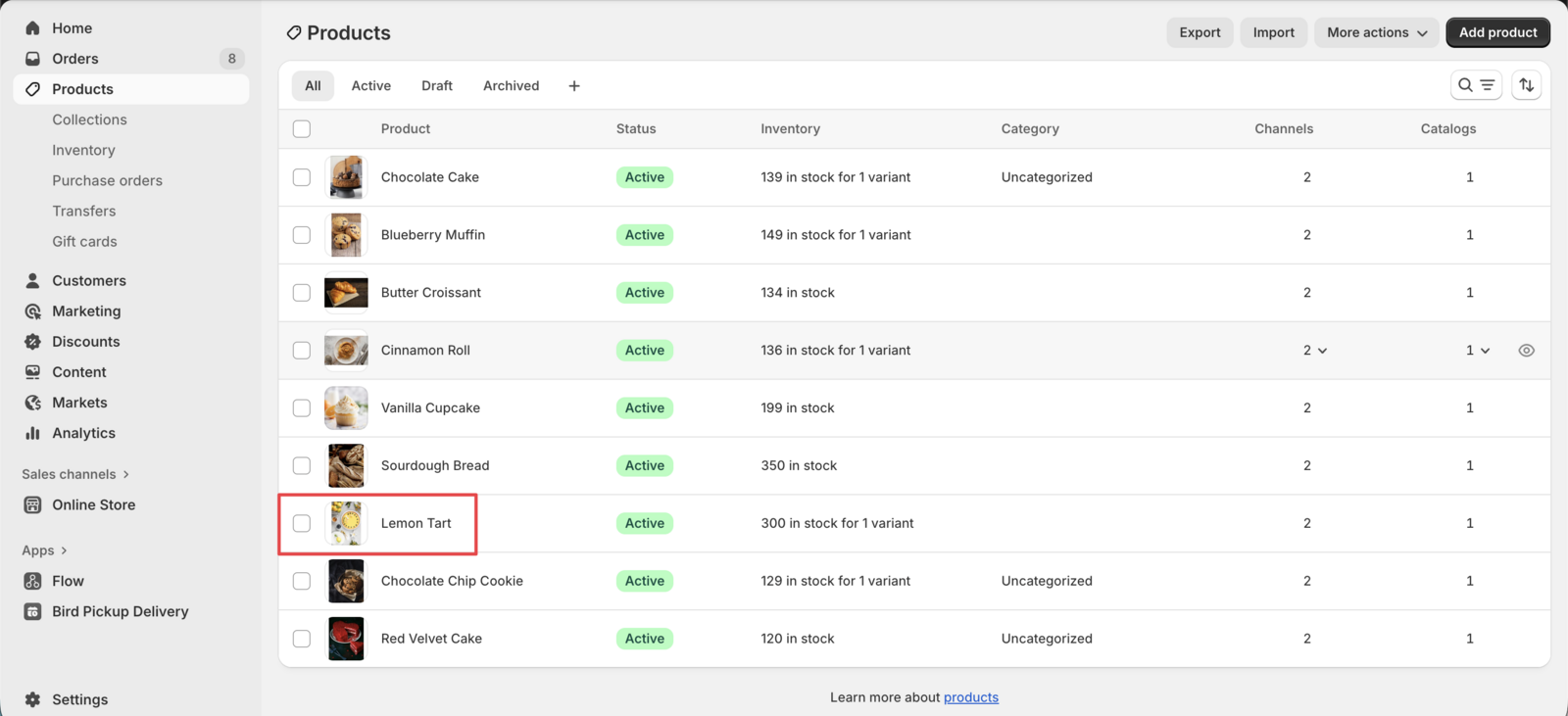
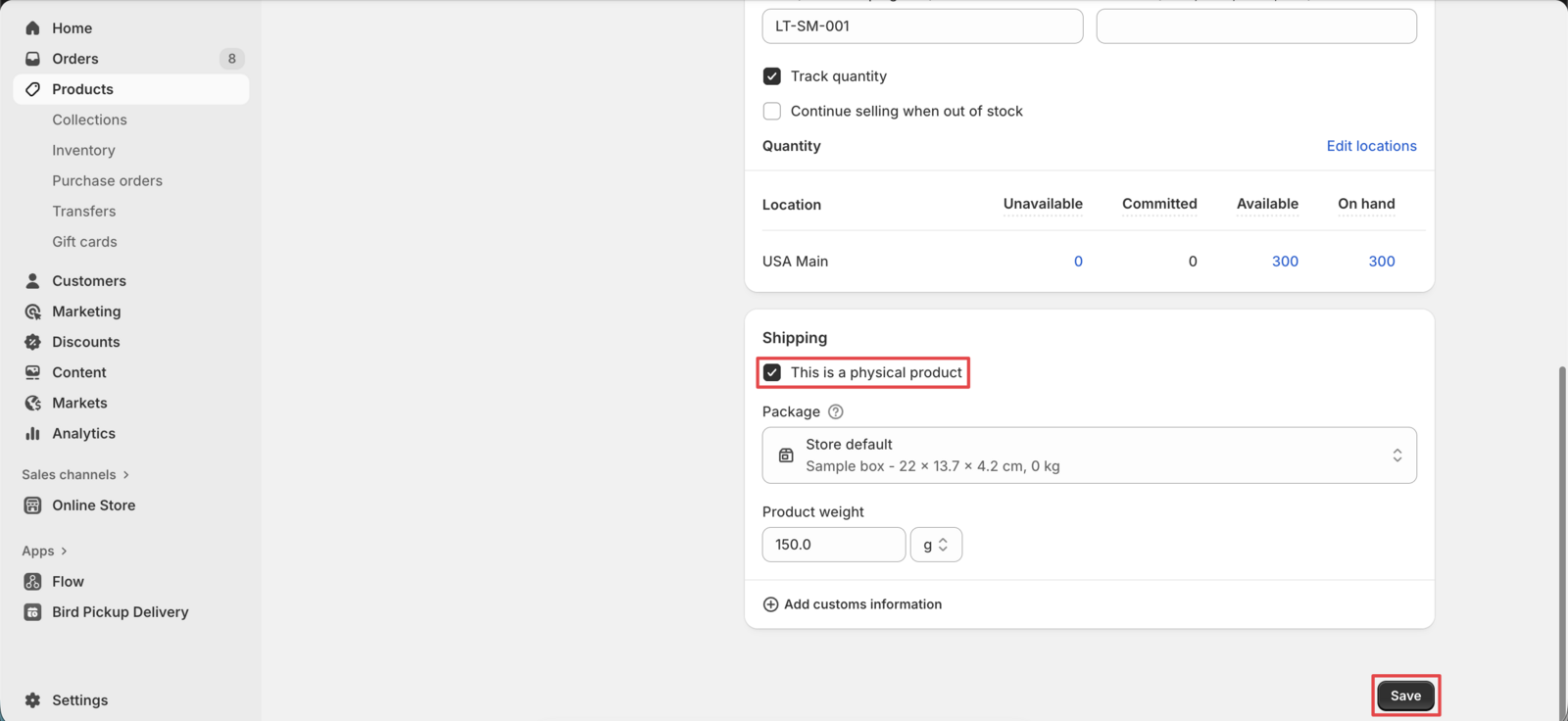
You’re done! The product now requires shipping or pickup arrangements.
Method 2: Bulk Product Edit
Update multiple products simultaneously to save time.
- Go to Products in your Shopify admin
- Select all products you want to mark as physical
- Click Bulk edit
- Click Columns to customize the view
- Scroll to the Shipping section
- Enable Physical Product column
- Mark all checkboxes under Physical Product
- Click Save
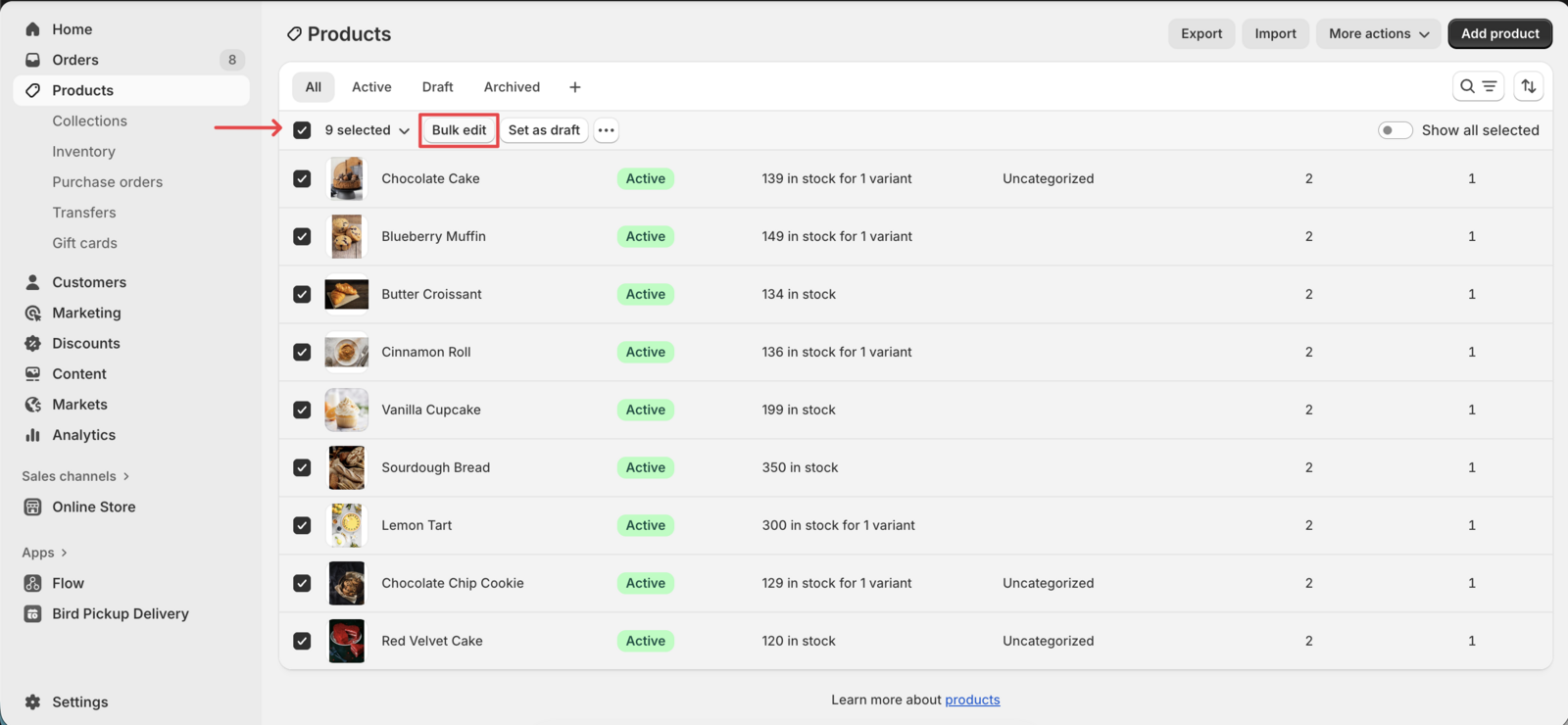
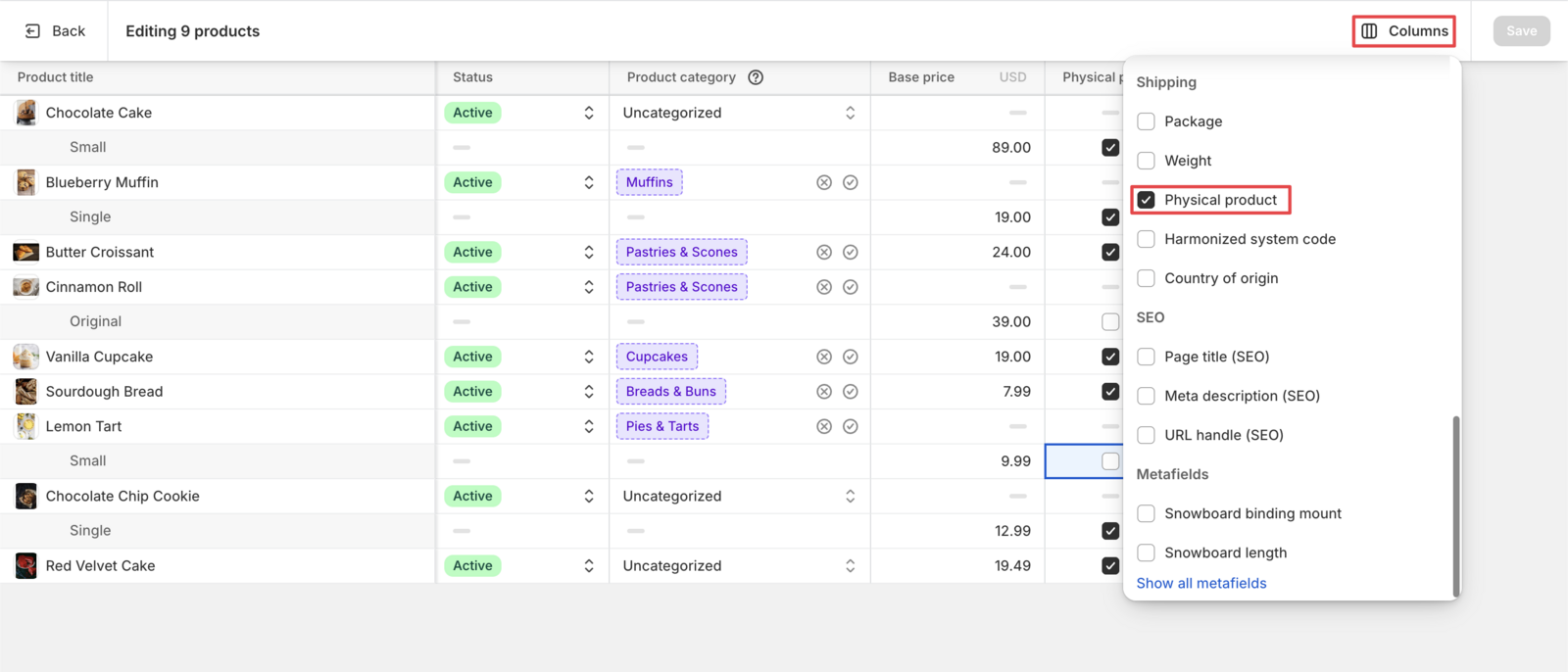
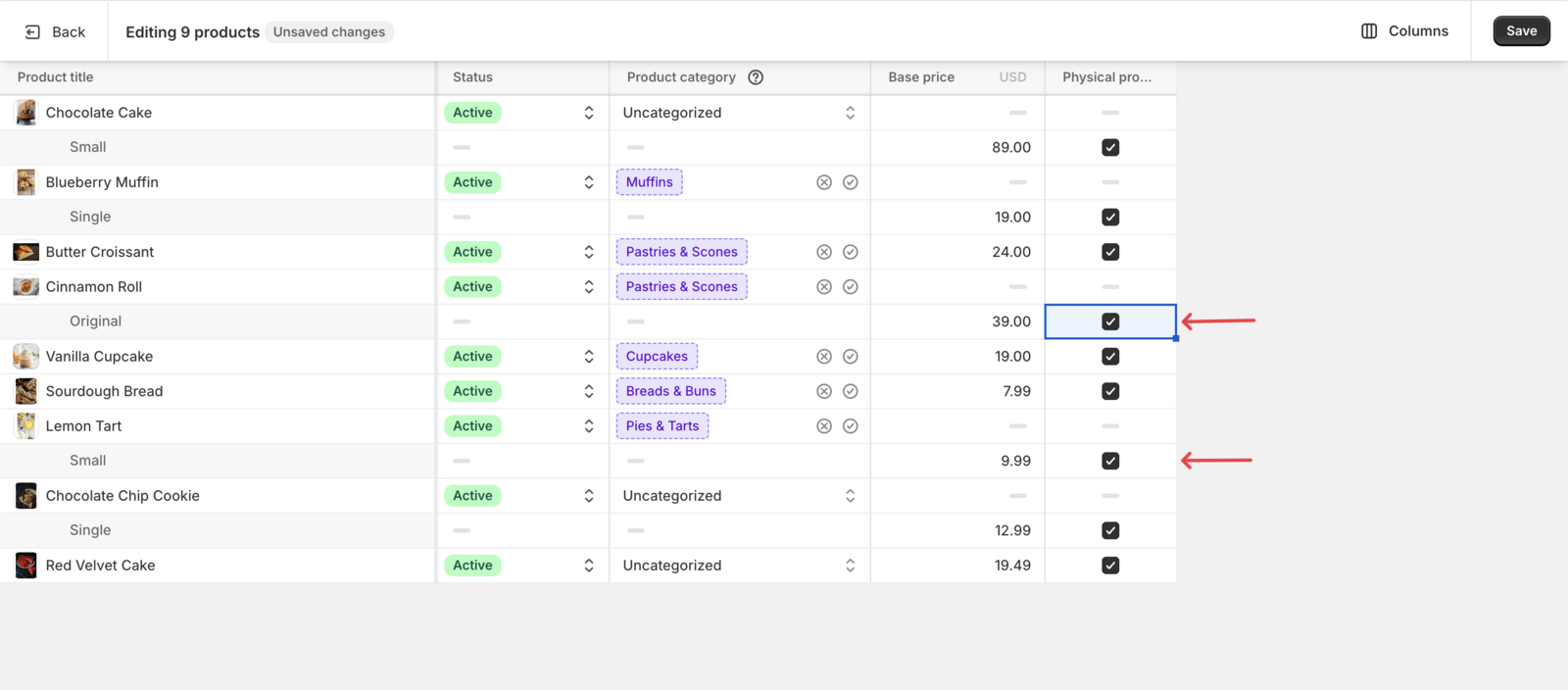
That’s it! All selected products now require shipping or pickup arrangements.
Why Mark Products as Physical?
- Enable Delivery Scheduling: Customers can select delivery dates and times
- Activate Delivery Rates: Configure delivery costs based on location and weight
- Enable Pickup Options: Offer store pickup with time slot selection
Related Articles
Was this article helpful?
Thanks for your feedback!