
 Shopify Configuration
Shopify Collaborator Request
B
Written by Bird Pickup & Delivery
Updated November 2, 2026
Our support team may send a collaborator request so we can check your store setup. You don’t need a code. Approve the request in any of these places:
- The notification in your Shopify Admin
- The email from Shopify
- Shopify Admin > Settings > Users and permissions > Collaborators
Approve From Settings
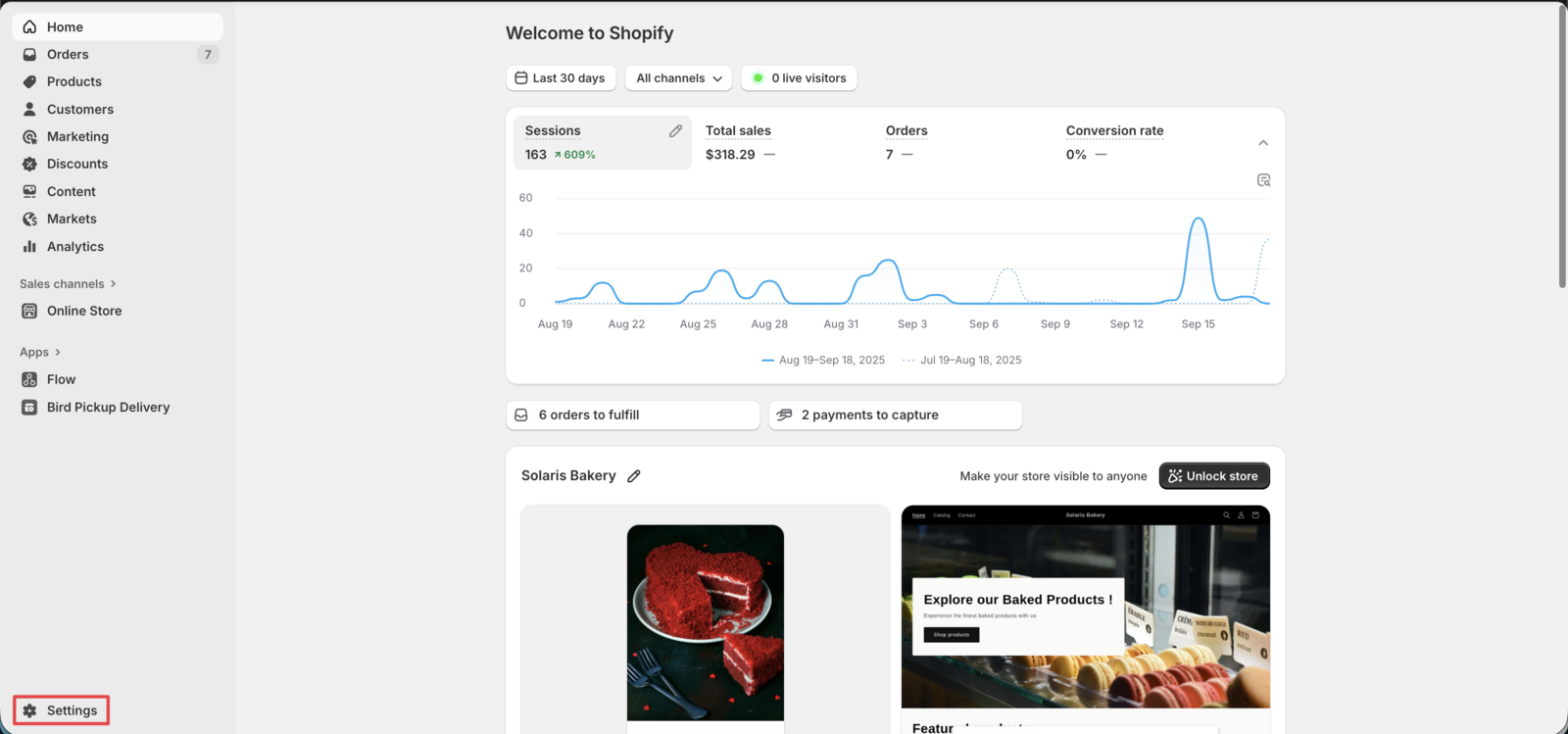
- In your Shopify Admin, click Settings.
- Click Users and permissions, then go to Collaborators.
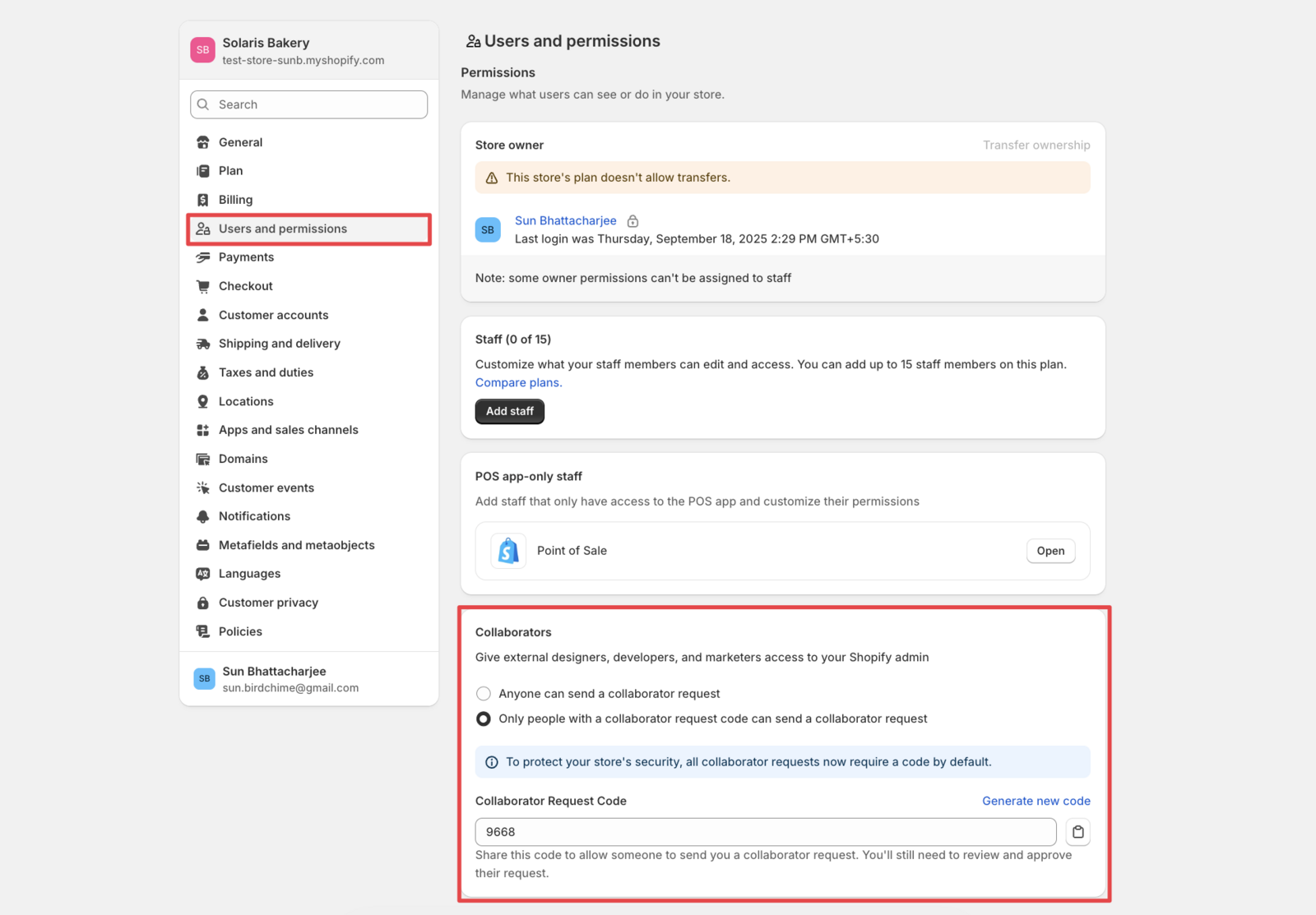
- Open our request, choose what we can access, and approve it.
Good to Know
- You can remove our access at any time from the same page.
Related Articles
Was this article helpful?
Thanks for your feedback!