
 Shopify Configuration
Fix Missing Shipping Forms: Mark Products as Physical Items
You’ll learn how to resolve missing shipping and delivery address forms in your checkout page by properly configuring your products in Shopify.
If your checkout page doesn’t show shipping or delivery address forms, this guide will help you fix it. The issue typically occurs when products aren’t marked as physical items in the Bird app.
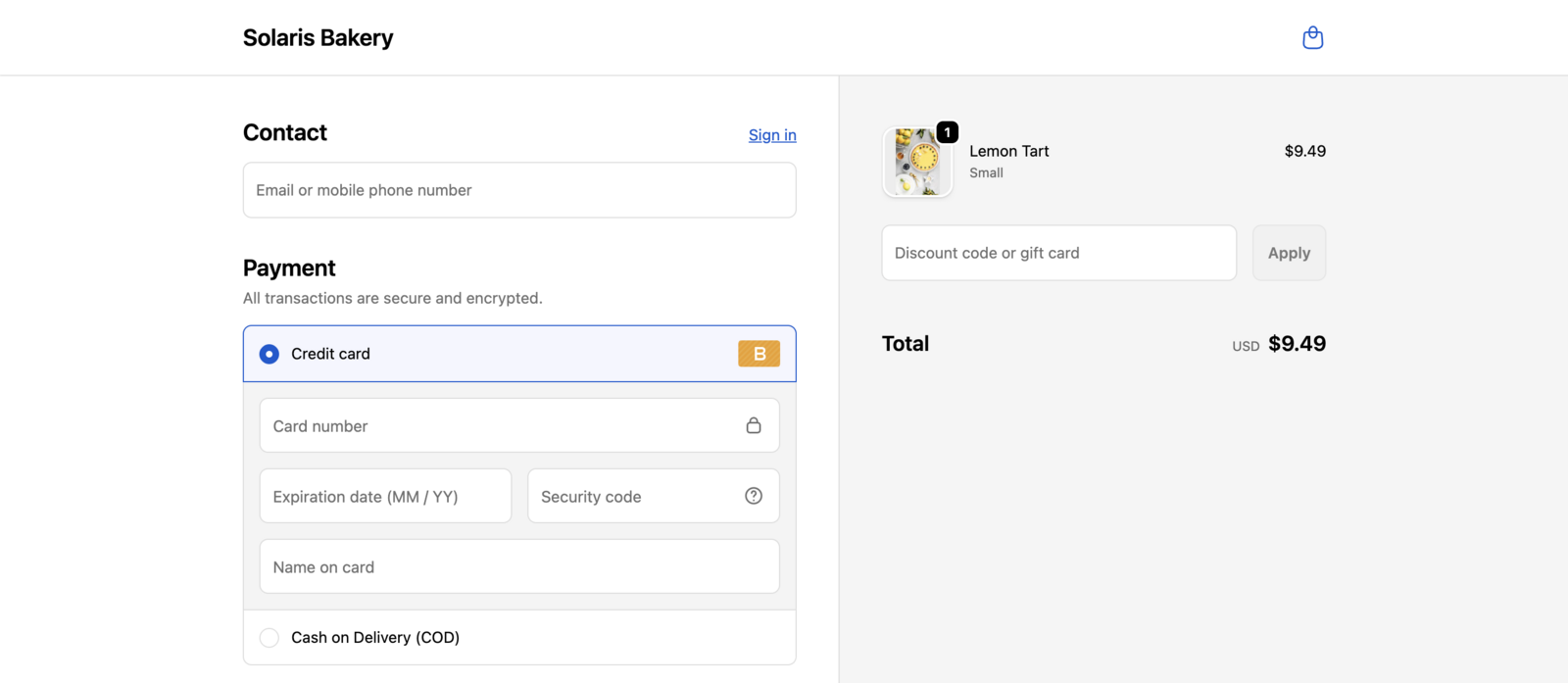
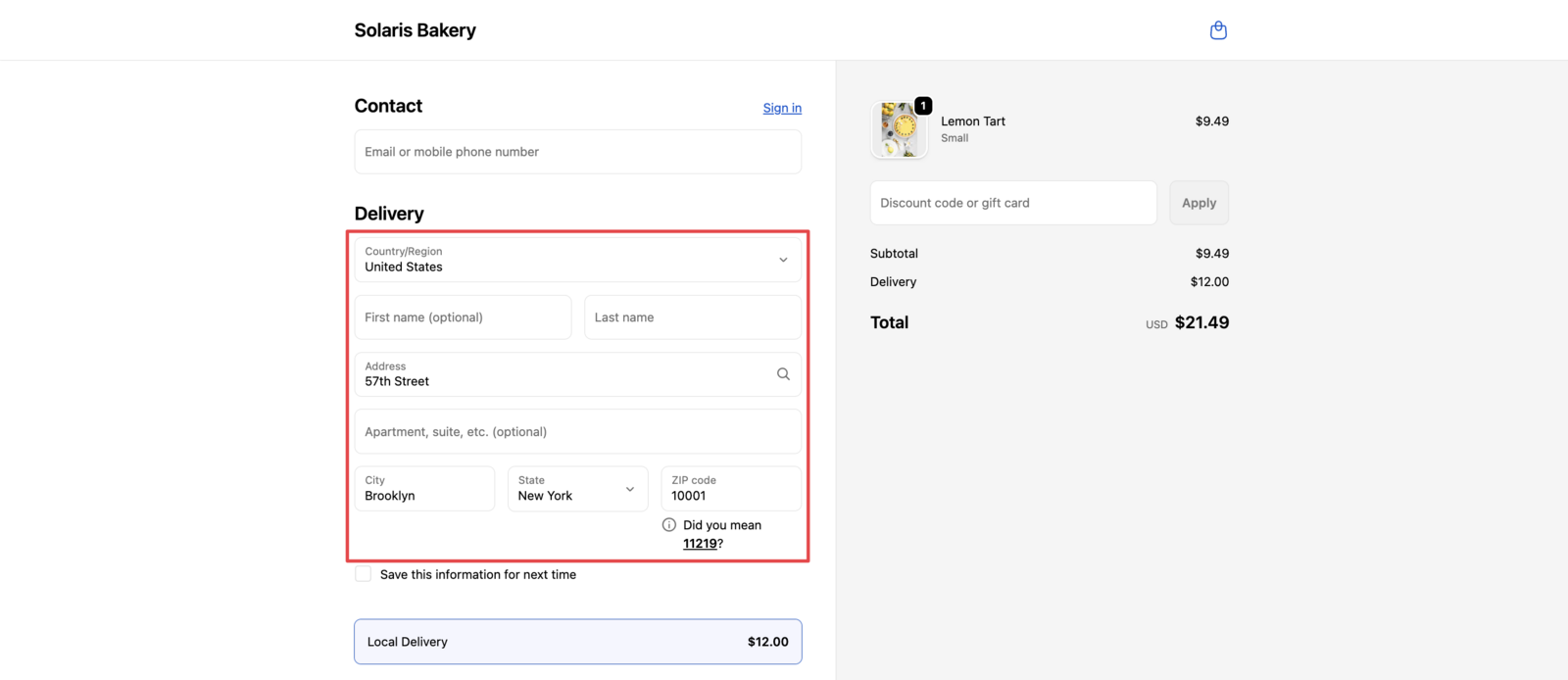
Mark Products as Physical Items
Follow these steps to enable shipping and delivery options for your products:
- Open your Bird app dashboard
- Look for the “View Products” button or alert box on the homepage
- If you don’t see the alert box: Go to Shopify Admin → Products in the main navigation
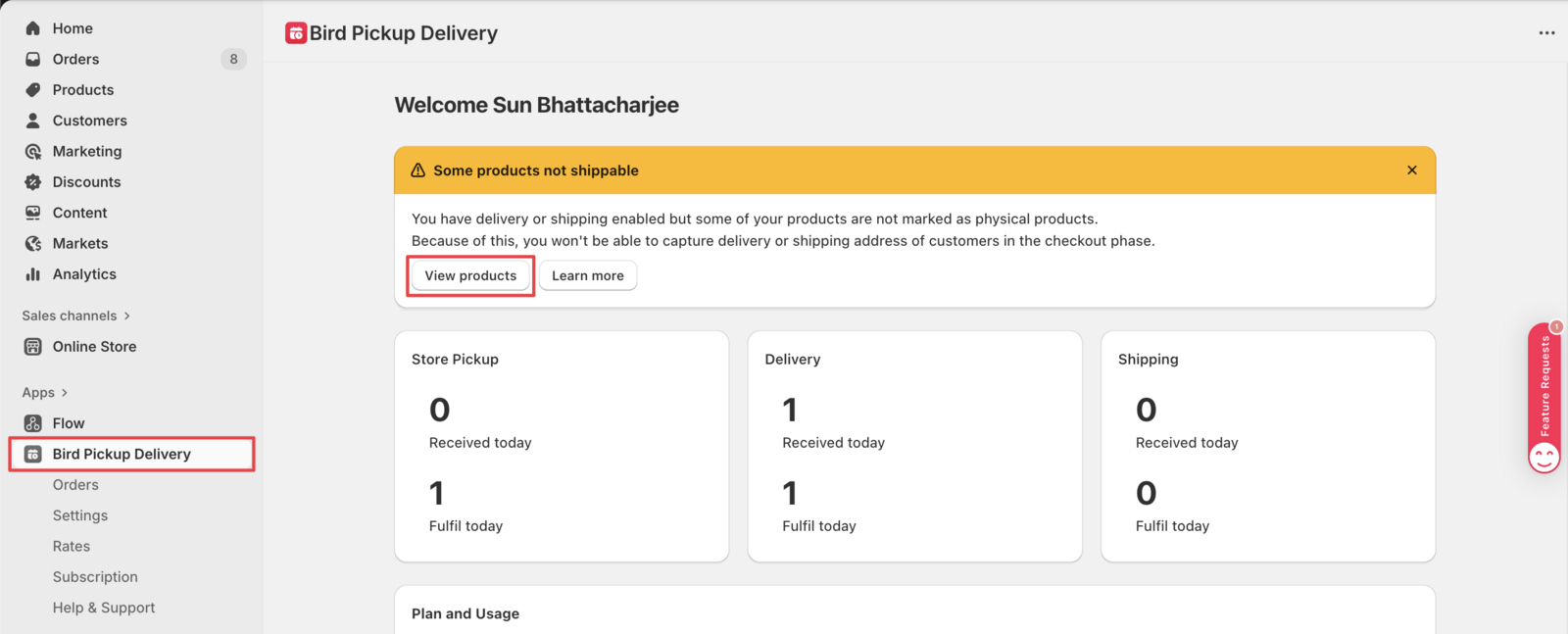
-
Configure Product Settings
- Mark each product as physical items
- This enables shipping and delivery options
- Save your changes after configuration
Product Configuration Options
Single Variant Products
For products with only one variant, mark the entire product as physical items:

Multiple Variant Products
For products with multiple variants, configure each variant individually:
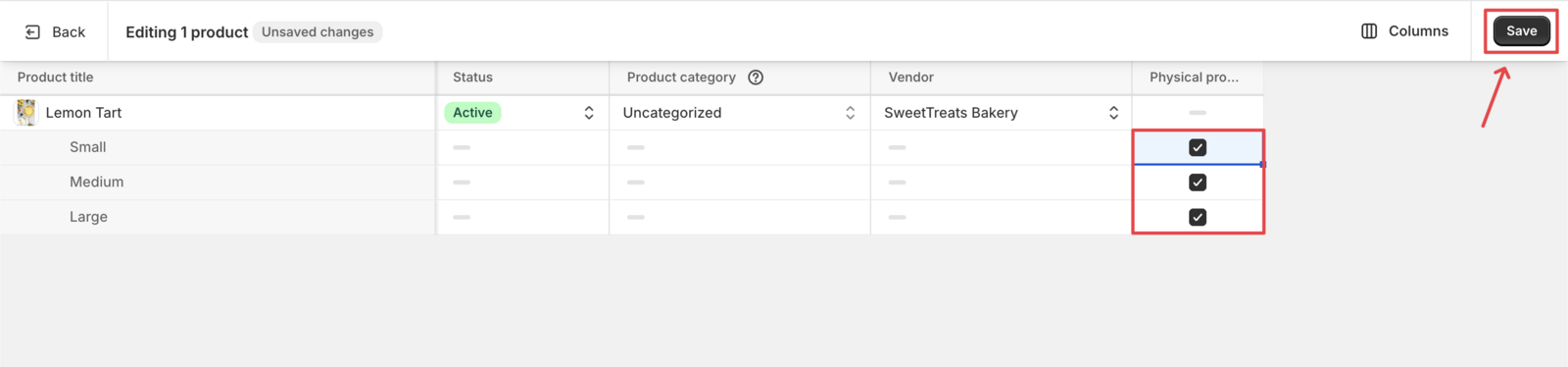
What Happens Next
After marking your products as physical items and saving:
- Shipping and delivery address forms appear in checkout
- Customers can select delivery methods and dates
- Your Bird Pickup & Delivery app functions properly
That’s it! Your products are now properly configured for shipping and delivery.
Related Articles
Was this article helpful?
Thanks for your feedback!