
 Order Management
Customer View: Display Date & Time in Customer Accounts
B
Written by Bird Pickup & Delivery
Updated October 1, 2026
In order to show delivery date and time in customer accounts page you will need to install Bird Order Details block to the customer accounts page
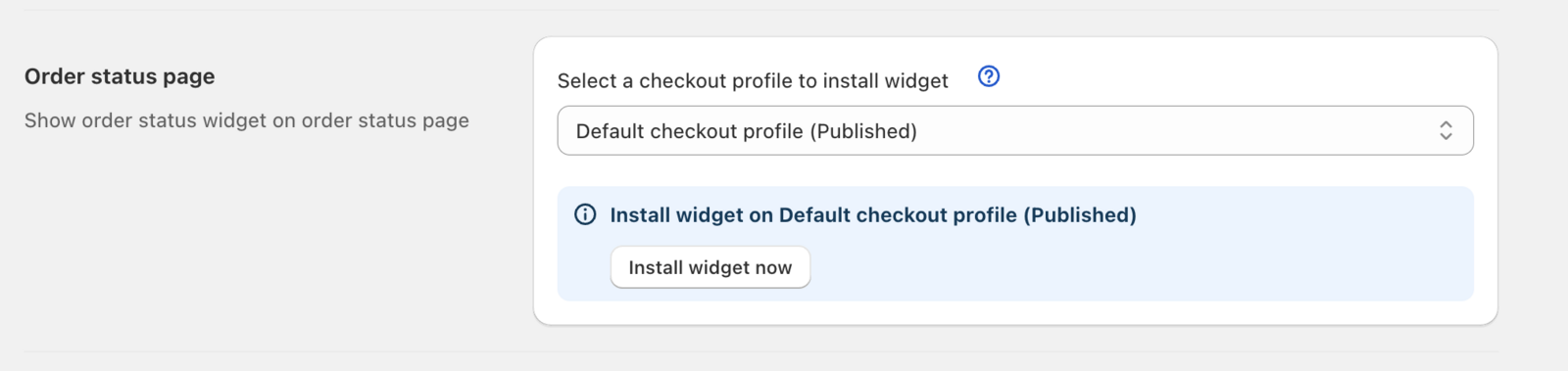
Navigate to Bird Settings > Widget placement > Order status page and click Install widget now
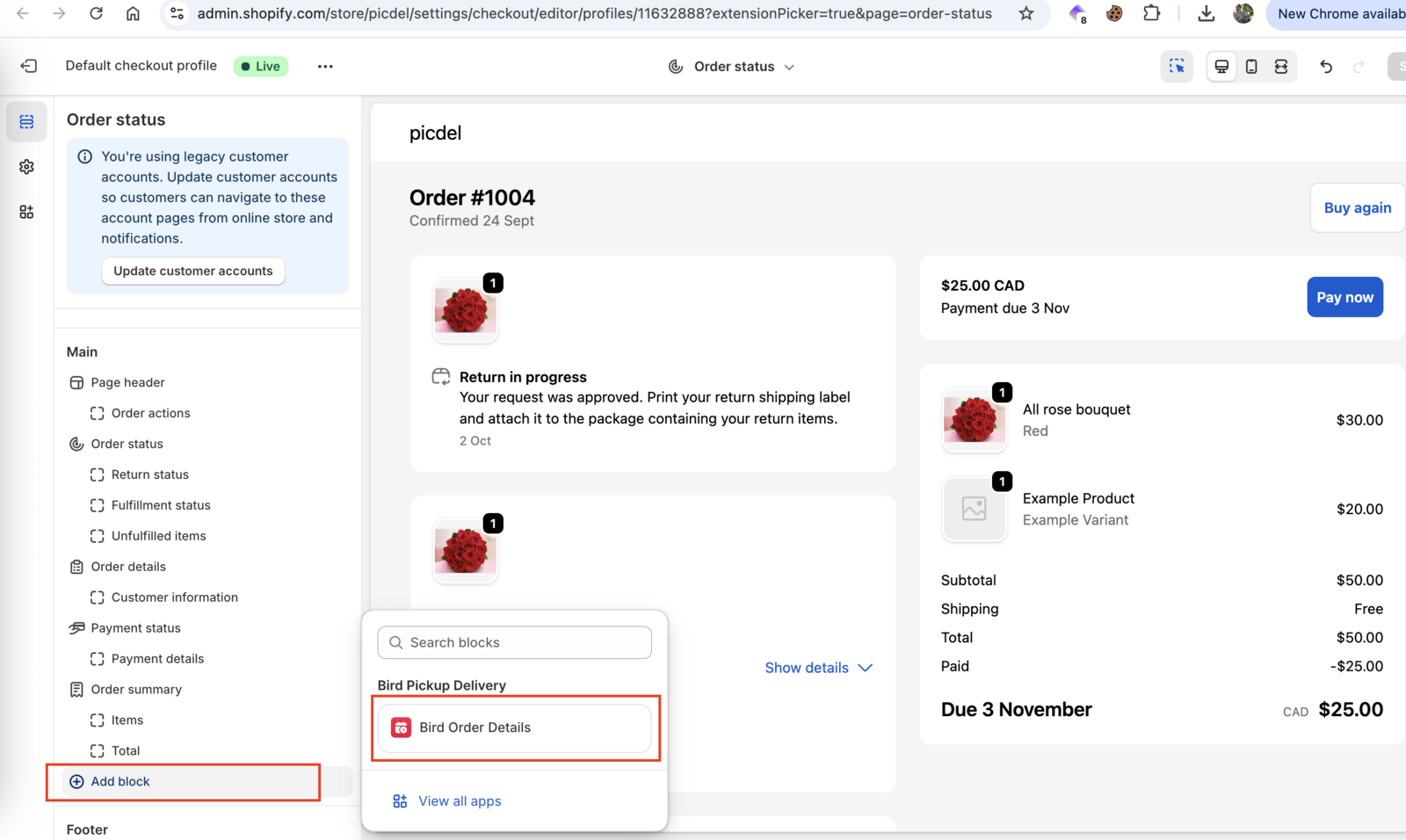
 Then in the new window :
- Click on Add block
- Select Bird Order Details block
- Drag and adjust the position of the block where you want it to be.
- Hit Save
Need Help?
If you are facing issues with the setup like the slot picker not appearing or the slots not working as per your requirement. We provide setup assistance for free. Please ping us via in-app chat bubble or mail us at [email protected] for setup assistance.
Related Articles
Was this article helpful?
Thanks for your feedback!