
 Local Delivery
Local Delivery: Delivery Note
Collect additional information from customers during delivery checkout, such as delivery notes. Configure optional fields that appear in the delivery section of the widget to gather details about the delivery location or special instructions.
Table of Contents
Customer Delivery Note
Adds a text field in the delivery section of the widget where customers can enter special instructions for their delivery orders (e.g., “gate code”, “leave at back door”). Notes appear in order details and can be made required or optional.
Step-by-Step Configuration
- Go to Bird Settings > (Advance) > Delivery
- Toggle Enable delivery note to ON
- Optionally toggle Make delivery note required to ON to force customers to enter a note before checkout
- Click Save
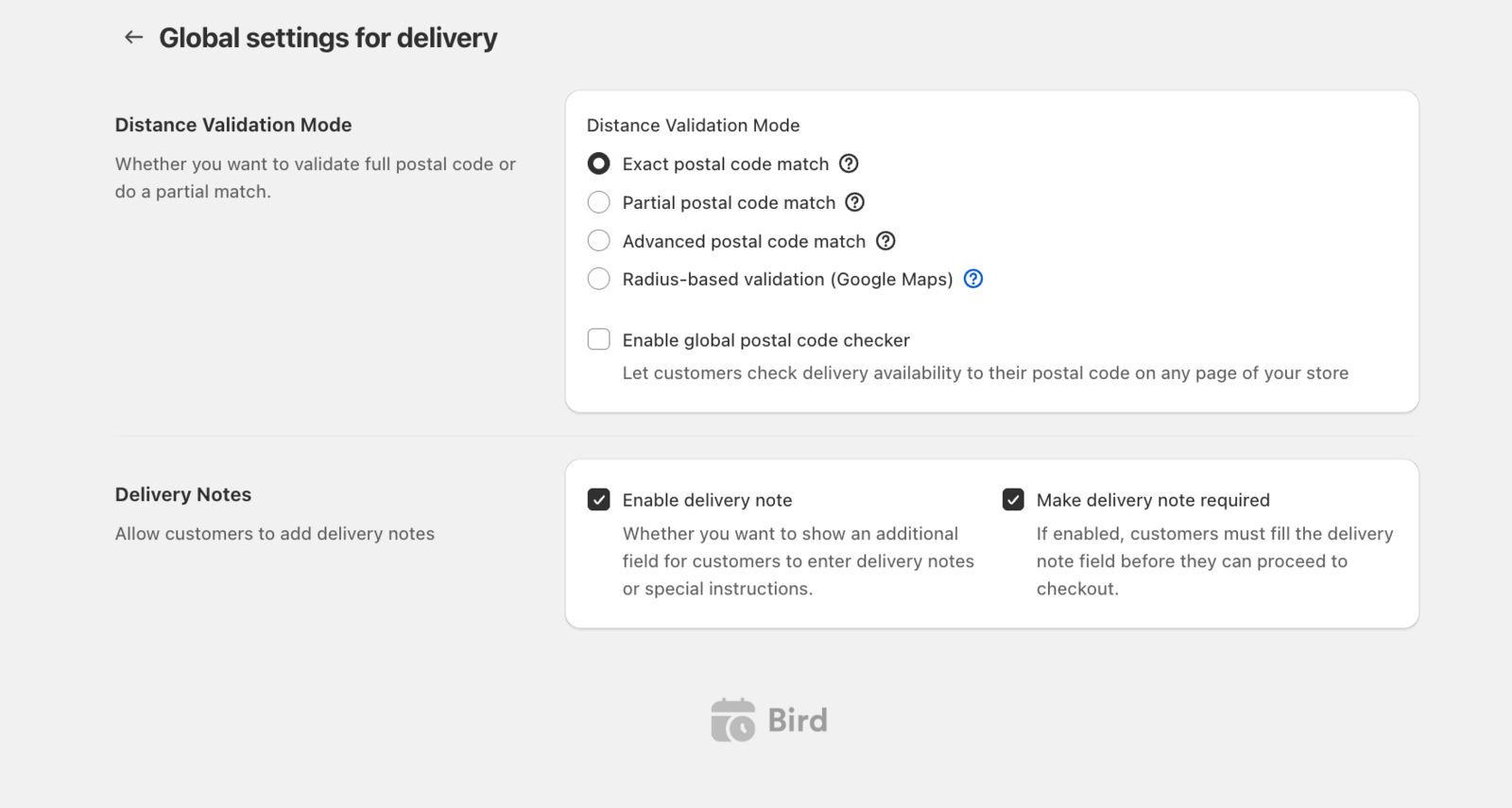
That’s it! Customers will now see a note field in the delivery section of the widget.
Common Questions
Where do I see the delivery notes?
Delivery notes appear in the Shopify order details section alongside other Bird app’s additional details.
Can I use delivery notes instead of Shopify order notes?
Delivery notes are specific to delivery orders while Shopify order notes are general order notes visible across all fulfillment methods.
Quick Reference
Additional Information from Customers:
- Enable delivery note: Adds customer instructions field (optional by default)
- Make delivery note required: Forces customers to enter note before checkout
- Navigation: Bird Settings > (Advance) > Delivery
Tip: Use descriptive field labels if your theme allows to help customers understand what information you need.
Related Articles
Was this article helpful?
Thanks for your feedback!