
 Order Management
Orders: Update Delivery Details via Shopify Admin
B
Written by Bird Pickup & Delivery
Updated October 17, 2026
Add a delivery date to an order that doesn’t have one, or change an existing order’s delivery method, date, or time, without leaving the Shopify order page.
- Open Shopify Admin
- Click Orders in the left sidebar
- Select the order from your orders list
- Click More actions (three dots icon)
- Select Bird: Order Details
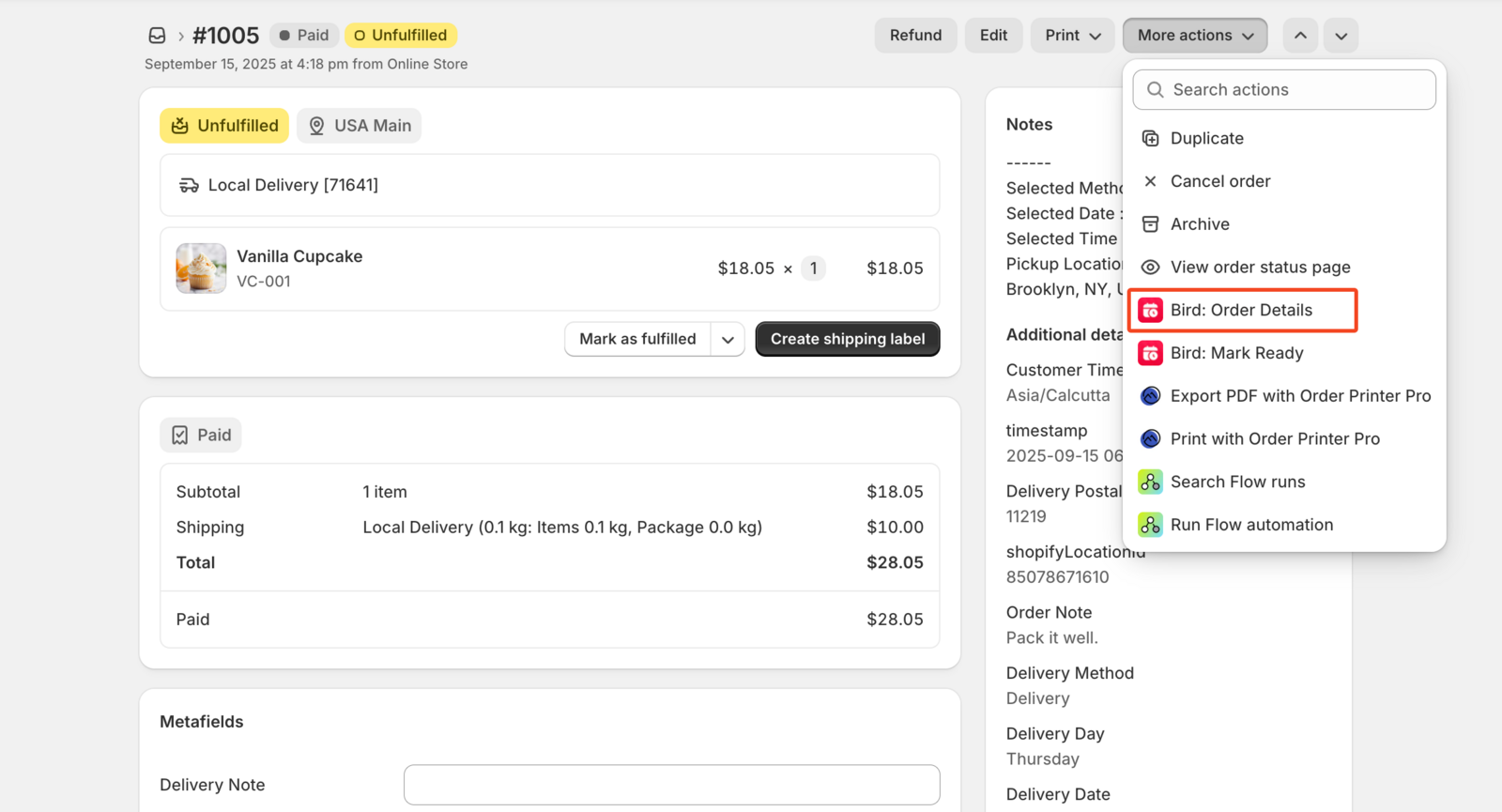
- Review the current delivery method, date, and time in the popup
- Add or change them as needed
- Select Notify customer if you want them emailed about the change
- Click Save Details
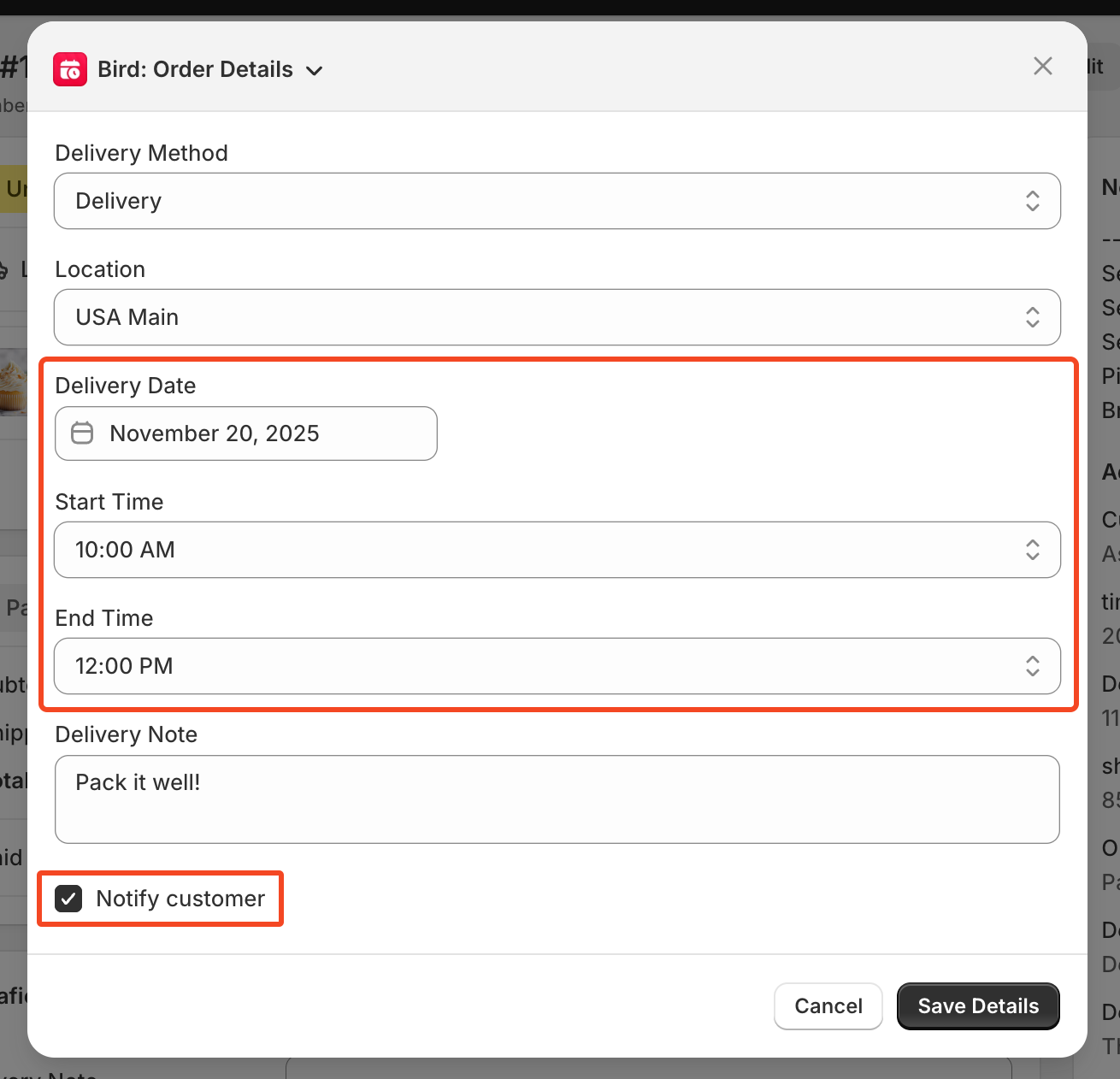
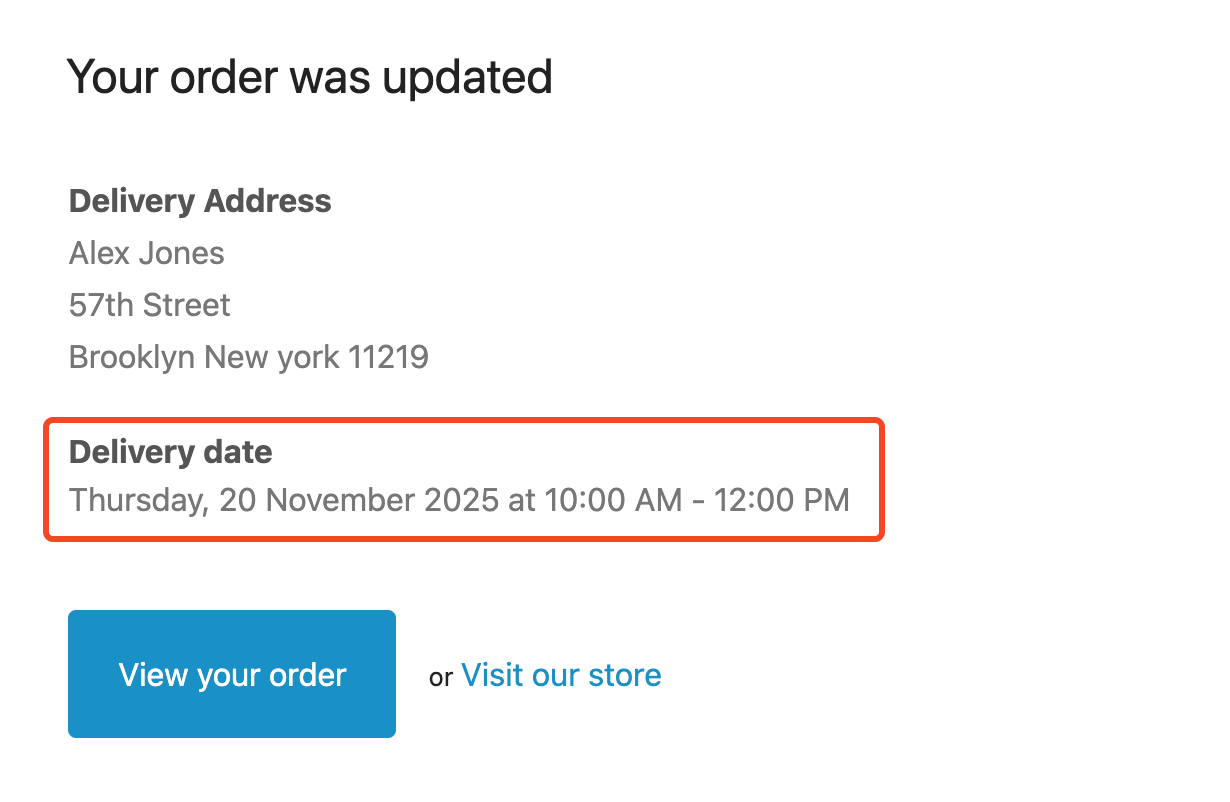
The order updates immediately and, if you selected Notify customer, sends them an Order Edited email.
If you’d rather make this change from the Bird app instead, see Orders: Update Delivery Details via Bird.
Related Articles
Was this article helpful?
Thanks for your feedback!