
 Order Management
Orders: Update Delivery Details via Bird
B
Written by Bird Pickup & Delivery
Updated October 17, 2026
Add a delivery date to an order that doesn’t have one, or change an existing order’s delivery method, date, or time, from the Orders page in the Bird app.
- Open the Bird App dashboard
- Click Orders in the navigation menu
- Locate the order in your orders list
- Click the pencil icon on the order line to add delivery details to an order that doesn’t have any
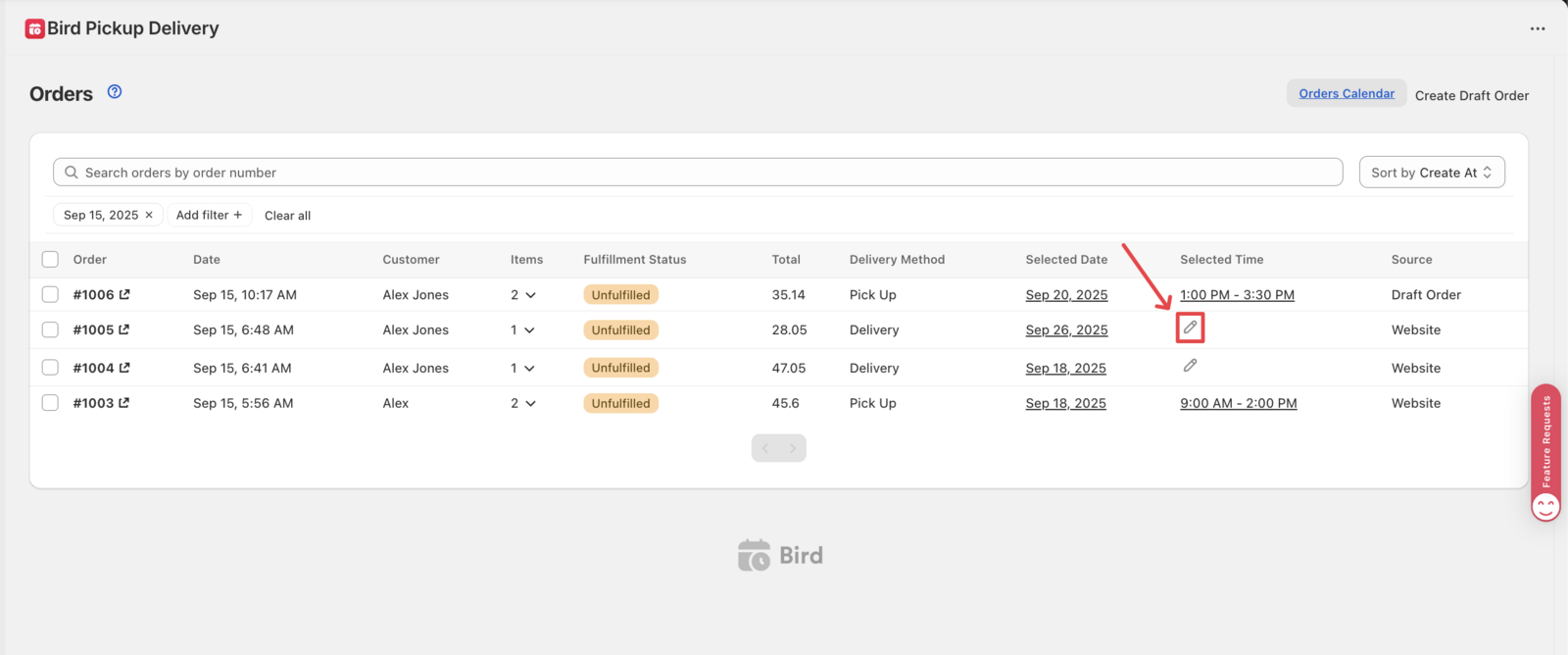
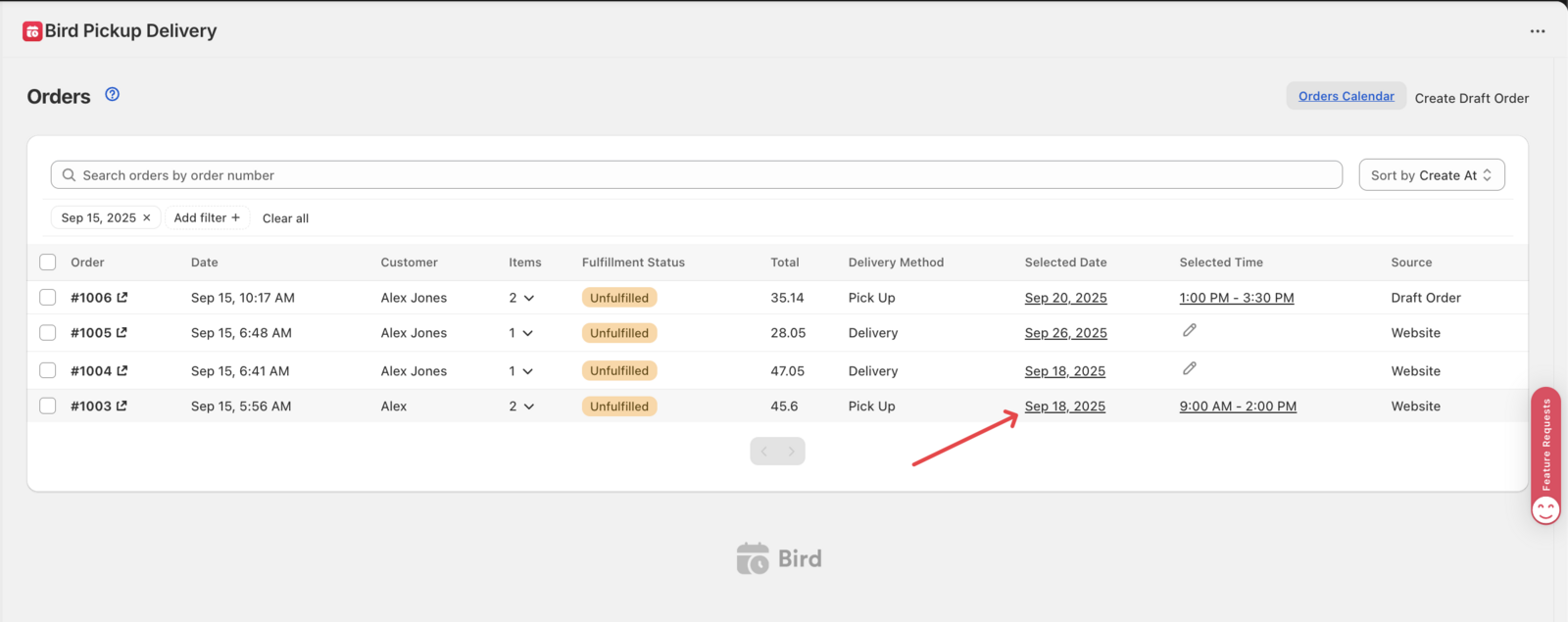
- Or click directly on the existing date to update an order that already has delivery details
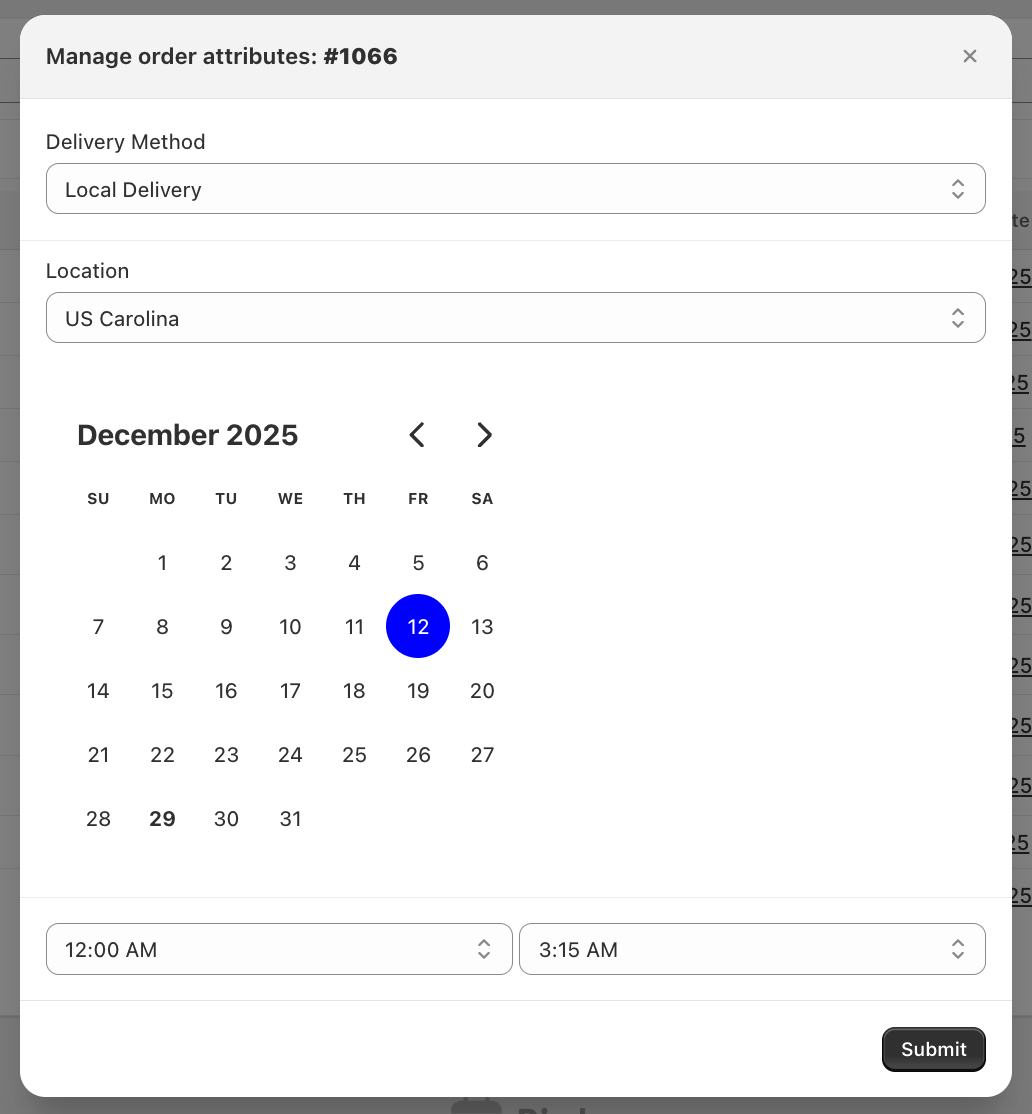
- In the Manage order attributes window, choose or change the Delivery method, Location (not shown for Shipping), date, and time
- Check Send notification to customer if you want them emailed about the change (shown only when the order has a customer email)
- Click Submit
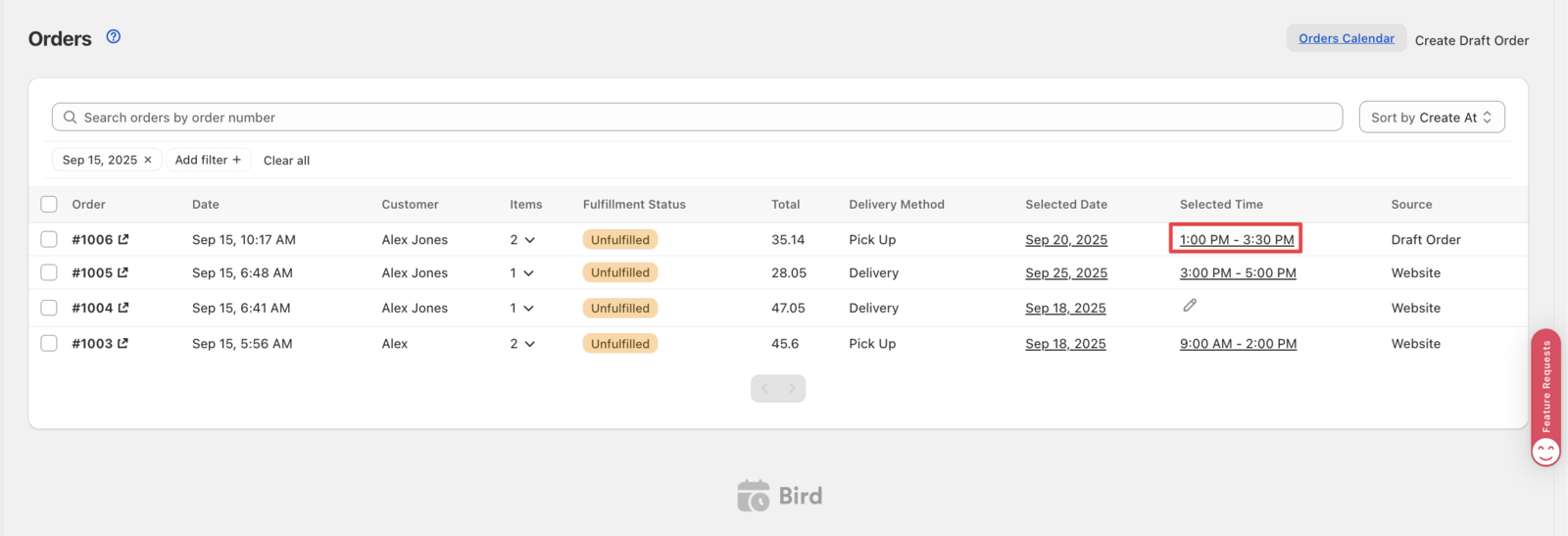
The order updates immediately; reload the page if it doesn’t reflect right away.
ℹ️
Bird syncs orders with Shopify in near real time, so this change also shows up on the order in Shopify Admin. Occasional minor delays can happen.
If you’d rather make this change from the Shopify order page instead, see Orders: Update Delivery Details via Shopify Admin.
Related Articles
Was this article helpful?
Thanks for your feedback!