
 Integrations
Delivery Date in Order Metafields via Shopify Flow
B
Written by Bird Pickup & Delivery
Updated October 30, 2026
Automatically attach delivery dates to order metafields using Shopify Flow for advanced order management and automation.
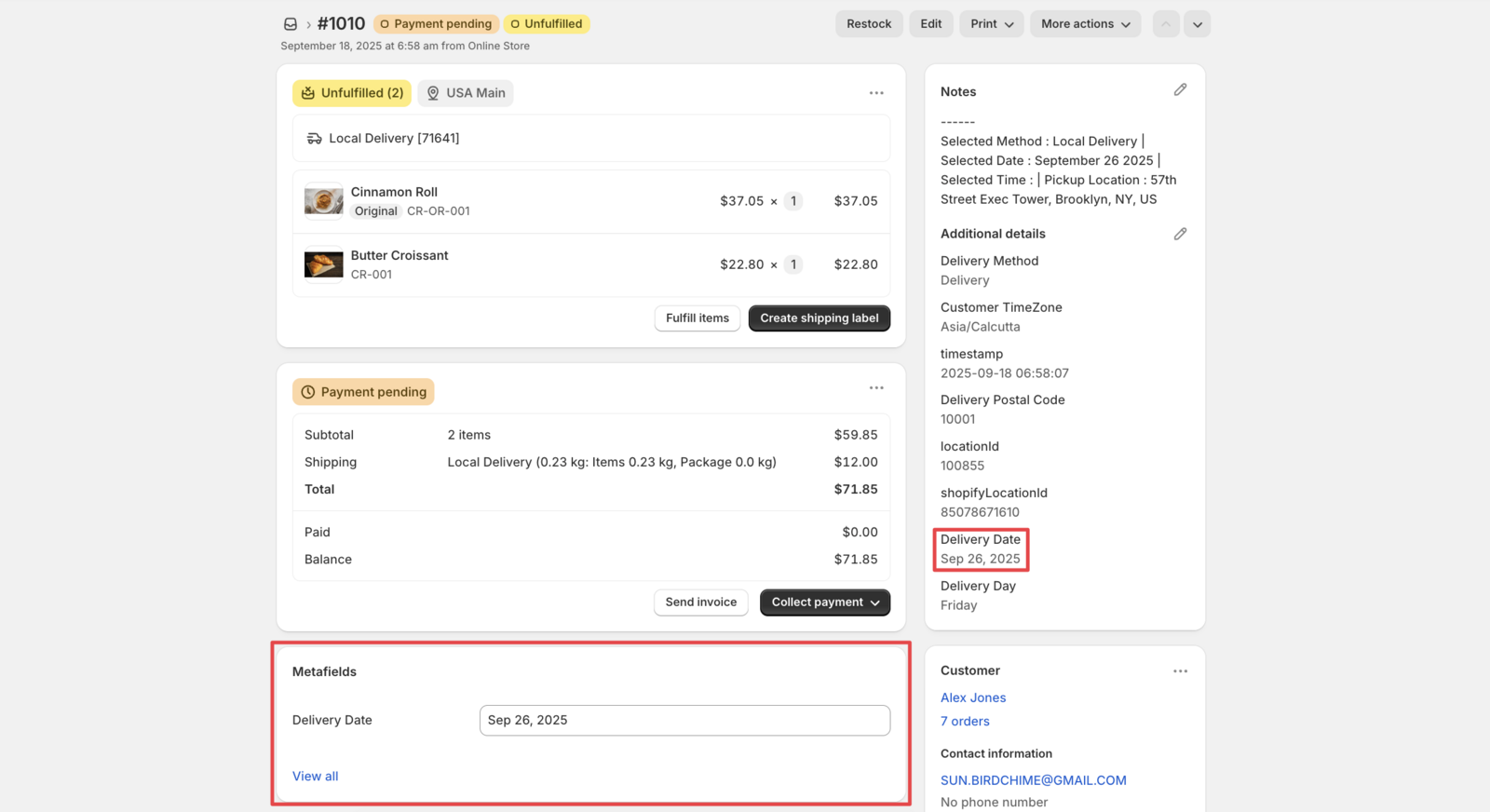
Bird stores delivery dates in the order’s Additional details by default. If you need them in an order metafield for automation, Shopify Flow can copy them over automatically.
Prerequisites
- Bird Pickup & Delivery app installed and configured
- Shopify Flow app installed
Step 1: Create Order Metafield
- Navigate to Settings → Metafields and metaobjects
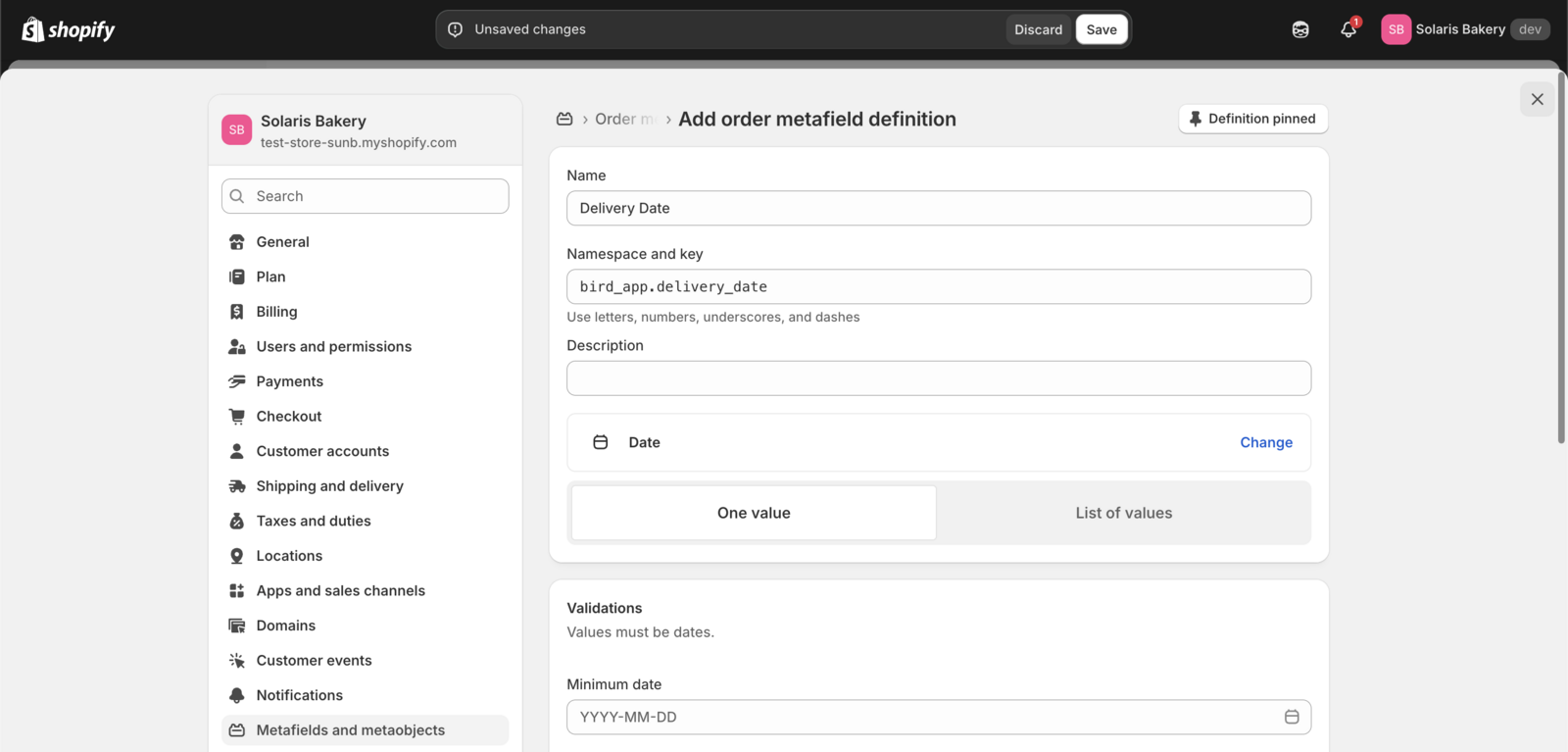
- Under Metafield definitions, click Orders, then Add definition
- Configure the metafield with the settings shown below:
- Click Save
Step 2: Download Flow Template
- Download the pre-created Flow template
- Save the
.flowfile to your computer
Step 3: Import and Configure Flow
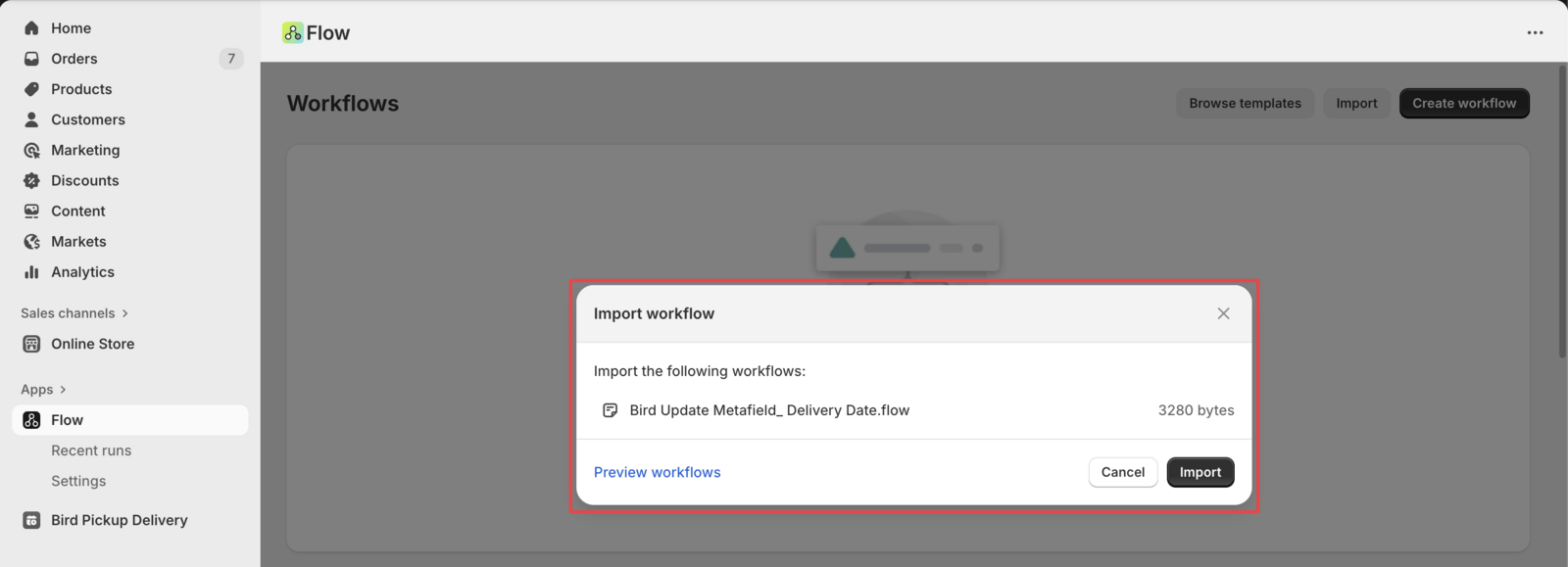
- Open Shopify Flow app
- Click Import
- Upload the downloaded
.flowfile - Review and customize the flow settings for your store requirements
- Click Activate to enable the automation
Related Articles
Was this article helpful?
Thanks for your feedback!