
 Integrations
How to Attach Delivery Date to Order Metafield via Shopify Flow
B
Written by Bird Pickup & Delivery
Updated September 5, 2026
Automatically attach delivery dates to order metafields using Shopify Flow for advanced order management and automation.
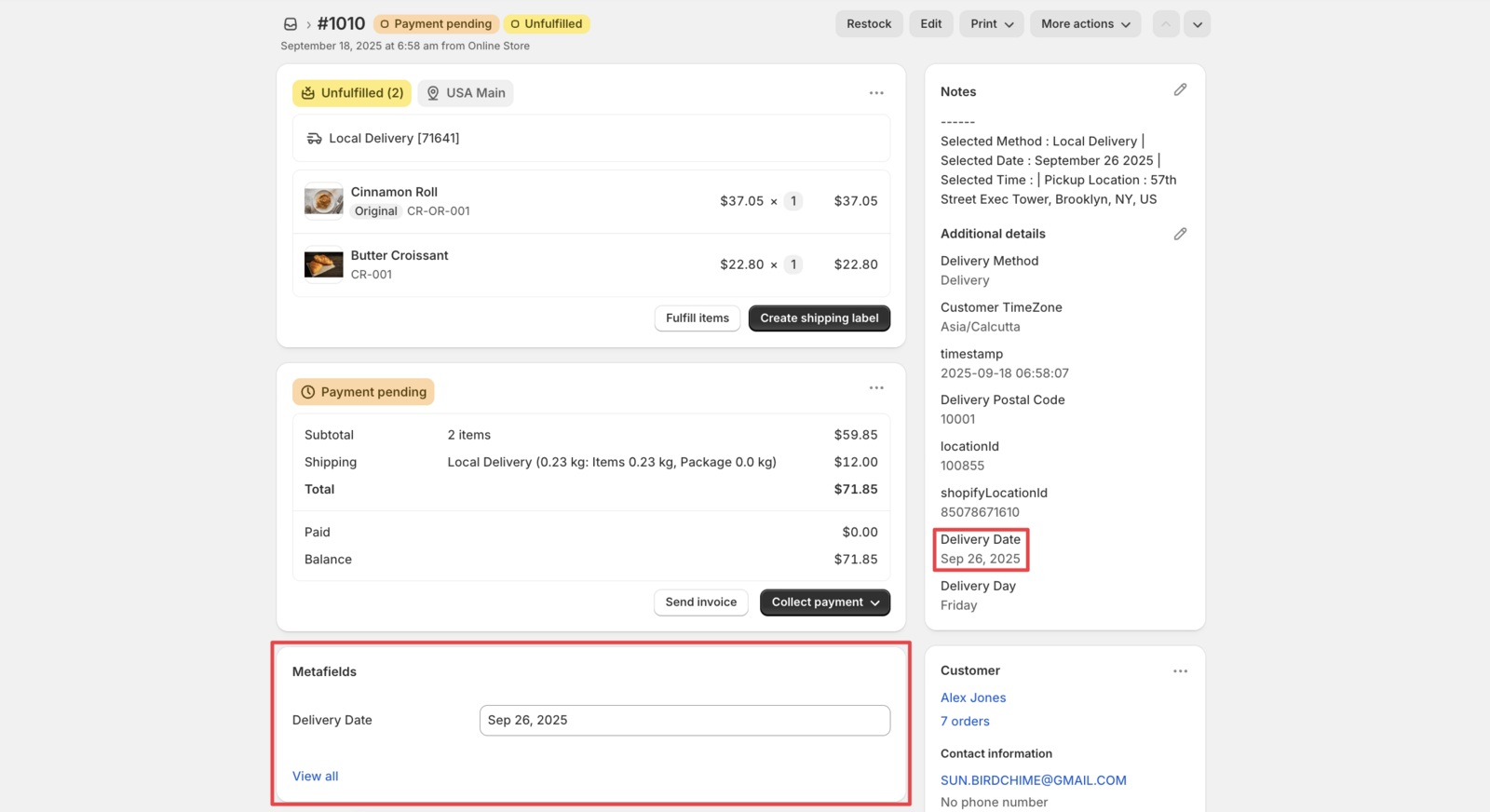
Bird Pickup & Delivery V1 widget stores delivery dates in order additional details by default. When you need delivery dates in order metafields for advanced automation, Shopify Flow creates this connection automatically.
Prerequisites
- Bird Pickup & Delivery app installed and configured
- Shopify Flow app installed
Step 1: Create Order Metafield
- Navigate to Settings → Metafields and Metaobjects
- Click Add Definition beside Metaobject Definitions
- Configure the metafield with the settings shown below:
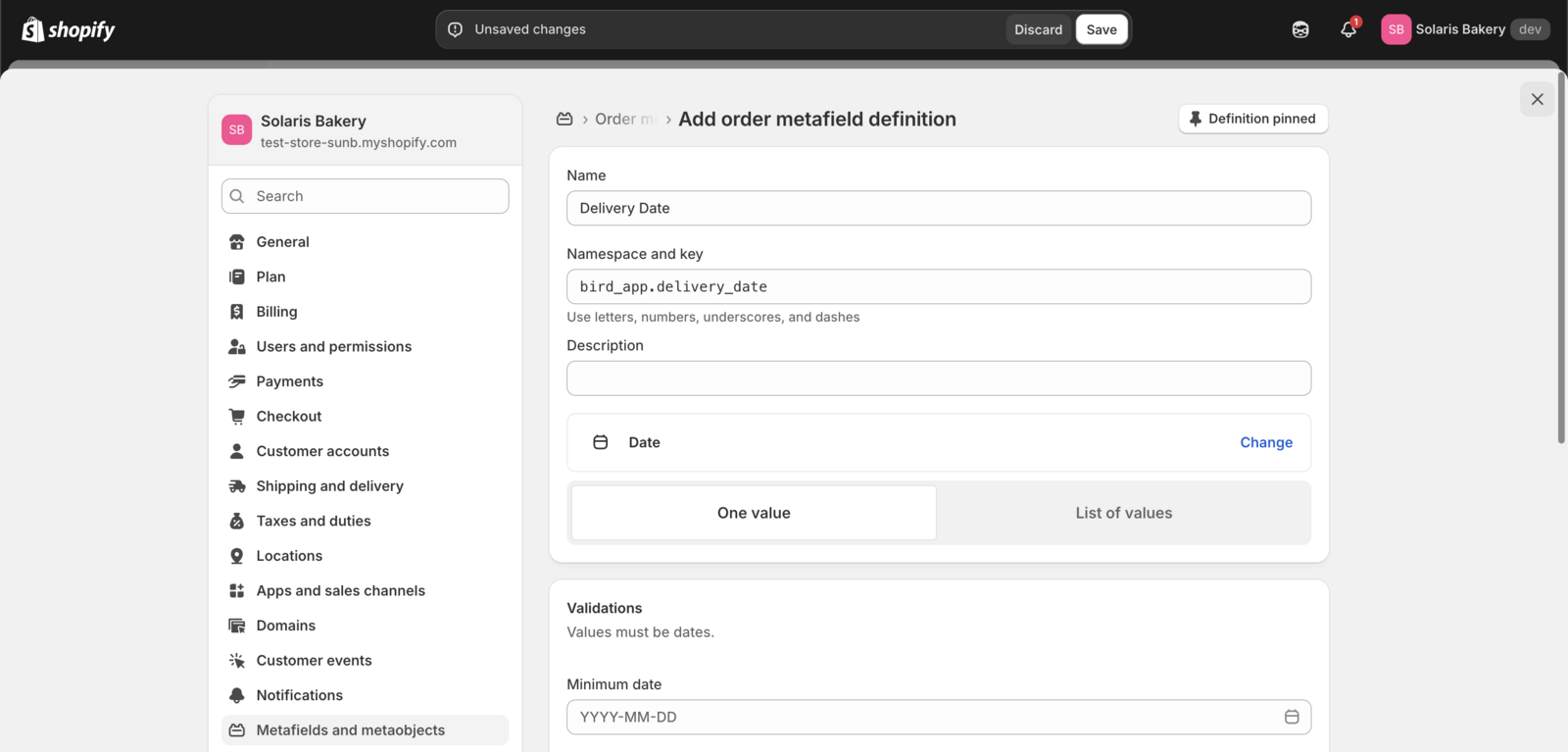
- Click Save
Step 2: Download Flow Template
- Download the pre-created Flow template
- Save the
.flowfile to your computer
Step 3: Import and Configure Flow
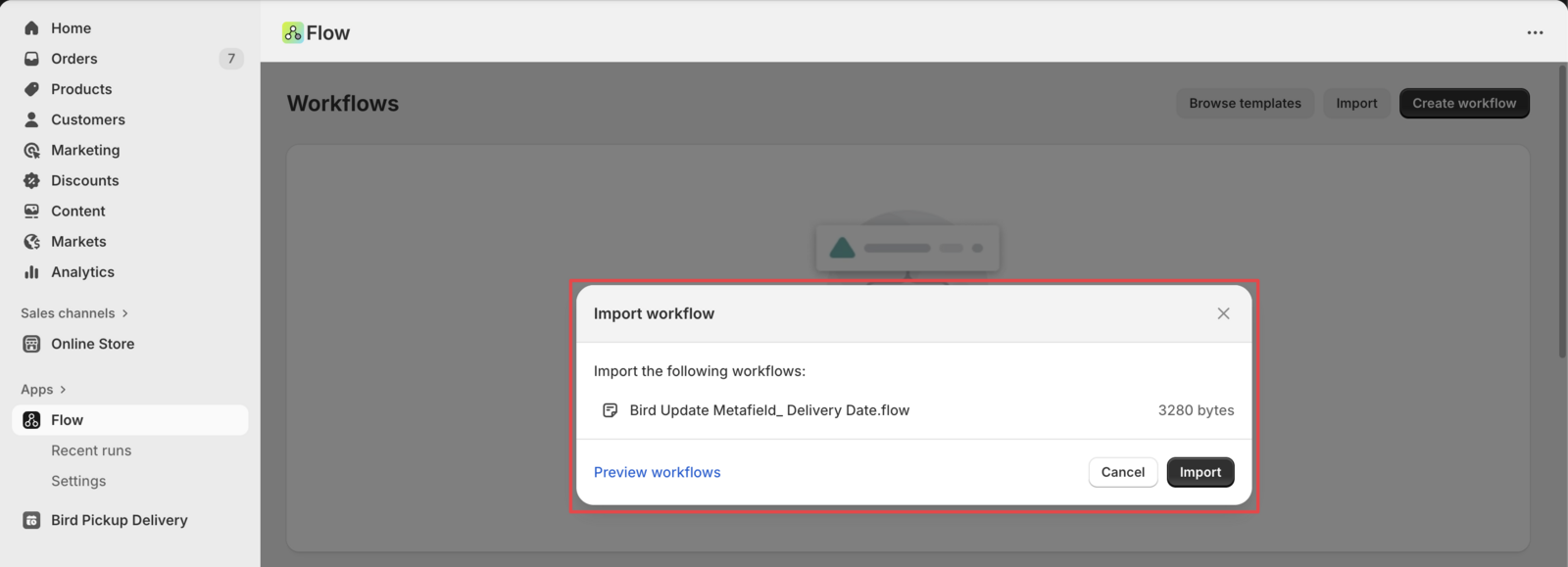
- Open Shopify Flow app
- Click Import
- Upload the downloaded
.flowfile - Review and customize the flow settings for your store requirements
- Click Activate to enable the automation
Related Articles
Was this article helpful?
Thanks for your feedback!