
 FAQs
FAQs
How do I turn on Shopify cart notes and change their label?
B
Written by Bird Pickup & Delivery
Updated October 5, 2026
Turn on the cart note in your Shopify theme editor, then rename it under Edit default theme content. Both are Shopify theme settings, not Bird settings.
The cart note is Shopify’s free-text box on the cart page, used for messages like “Leave at the side door”. Whatever the customer types is saved as the order note.
Turn on the cart note
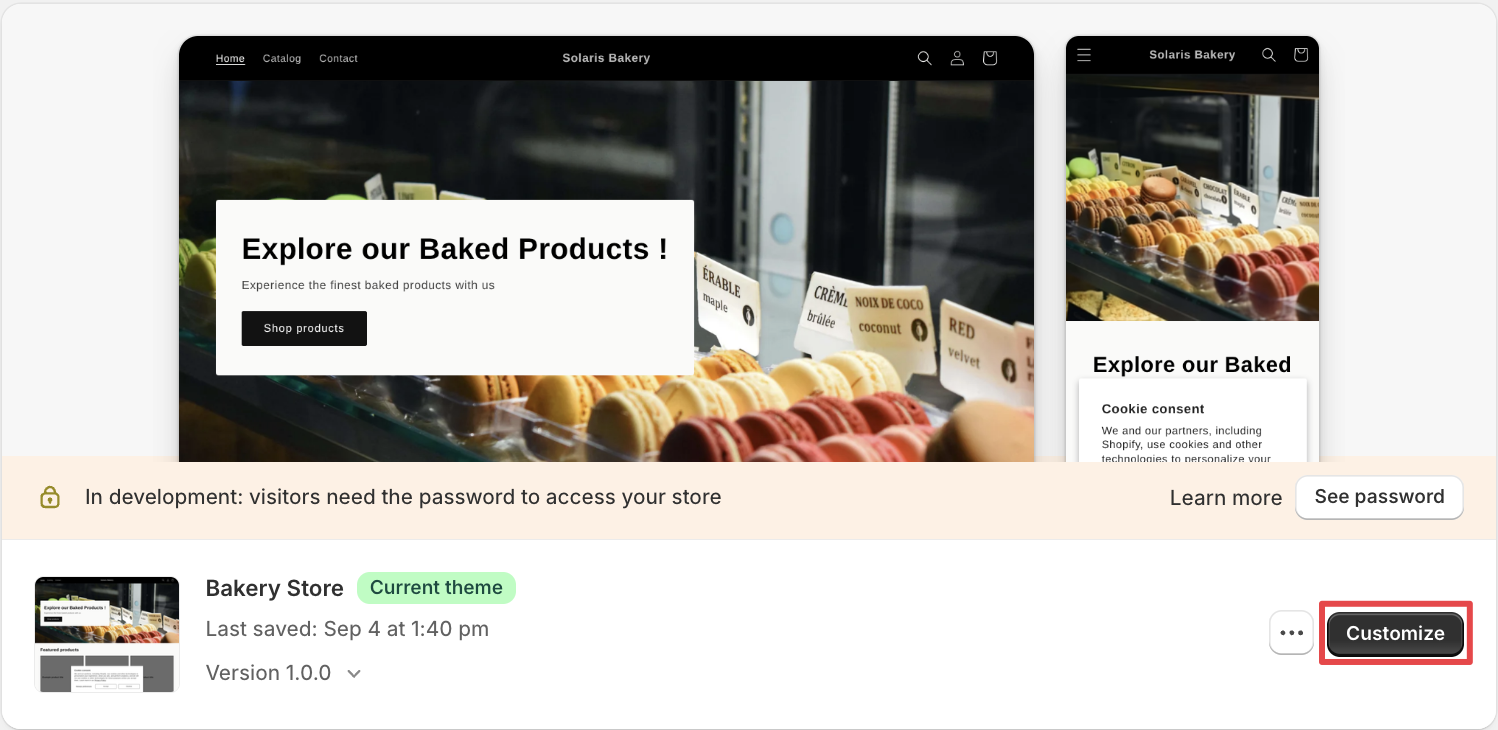
- In your Shopify admin, go to Online Store > Themes and click Customize on your current theme.
- Use the page selector at the top to open the Cart page.
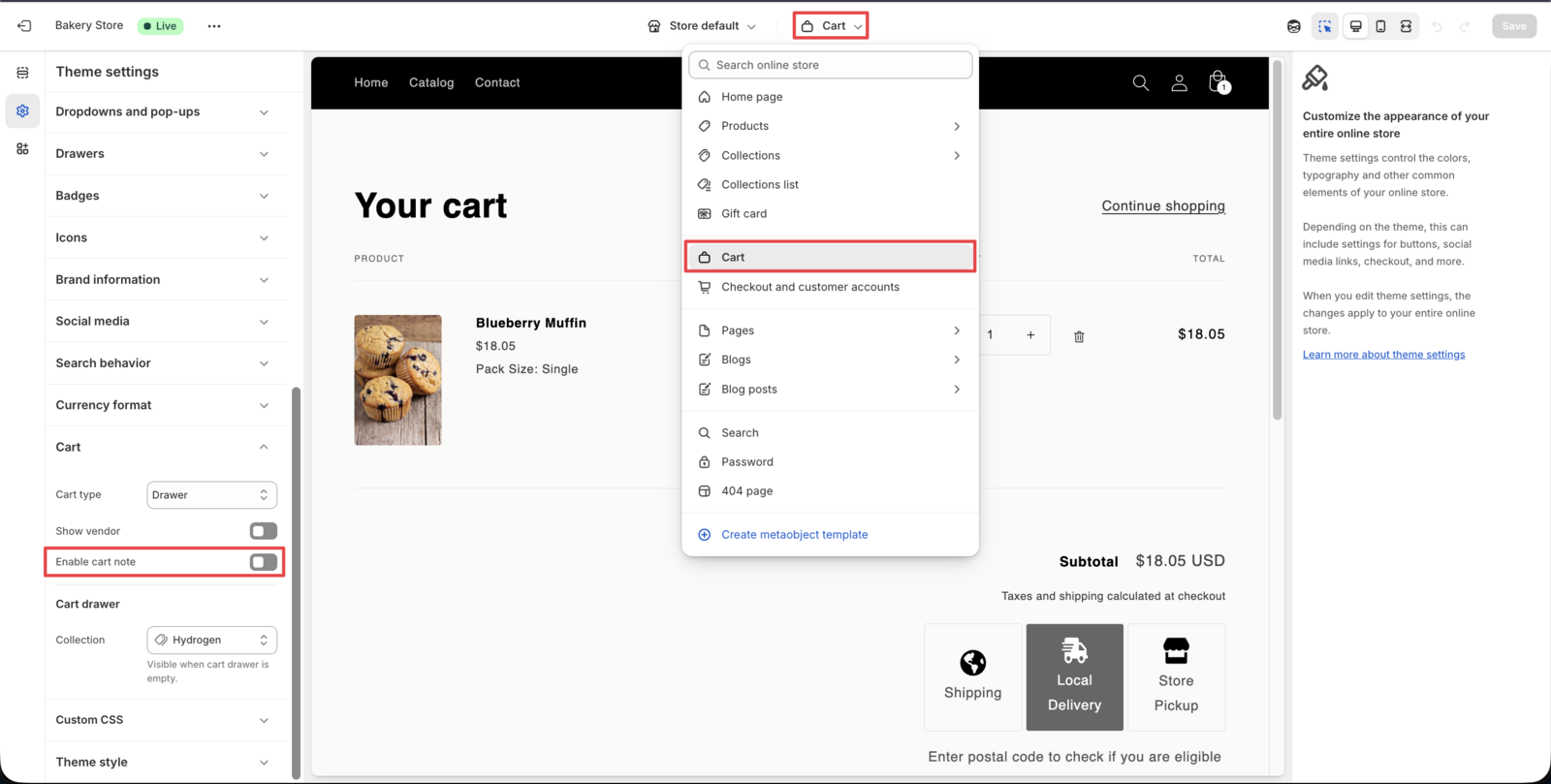
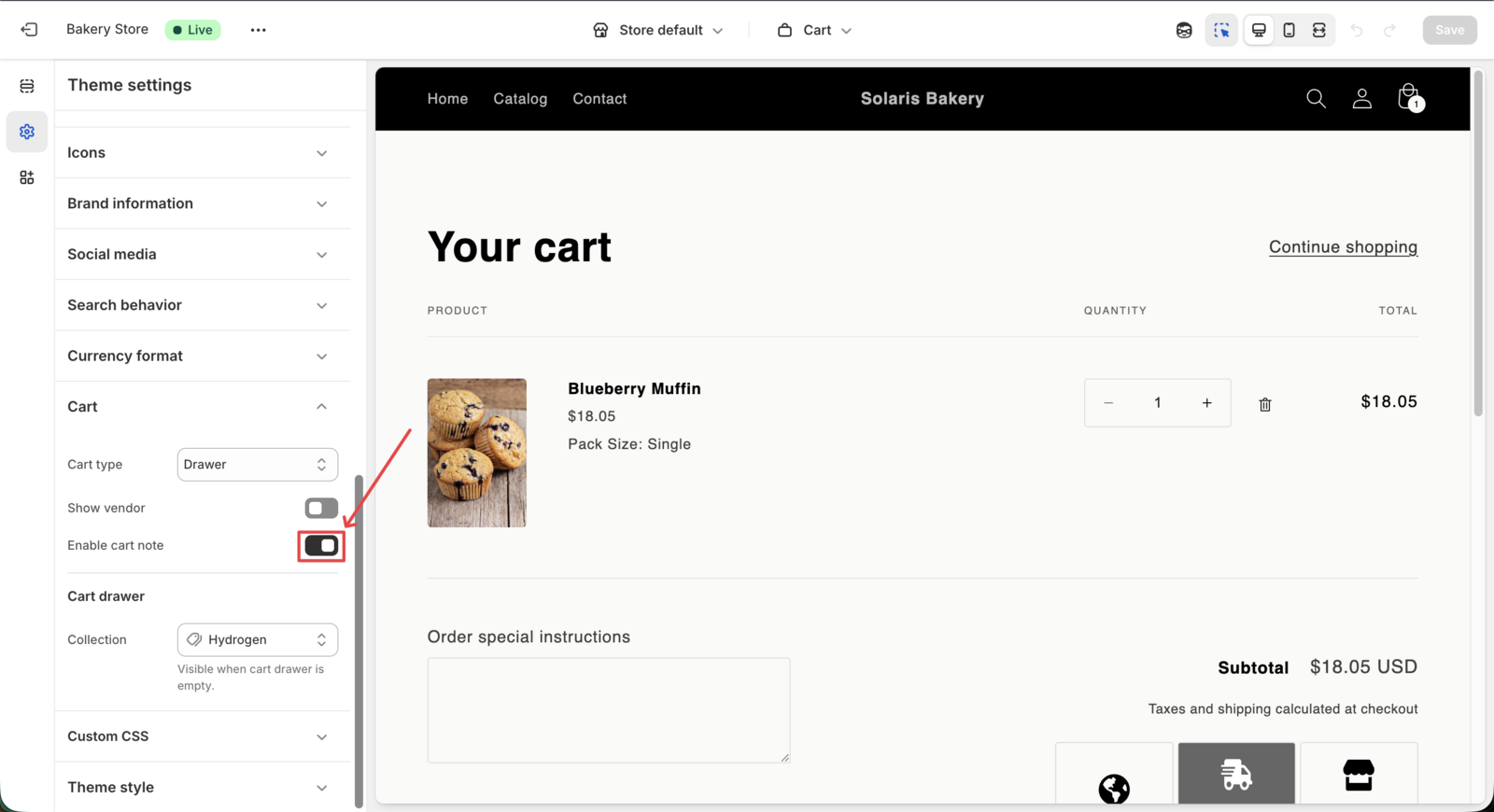
- Find the Cart note setting and turn it on. Where it sits depends on your theme. It is usually in the cart section’s settings, or under Theme settings > Cart for cart drawers.
- Click Save.
Change the cart note label
- Go to Online Store > Themes.
- Click the … button next to Customize, then Edit default theme content.
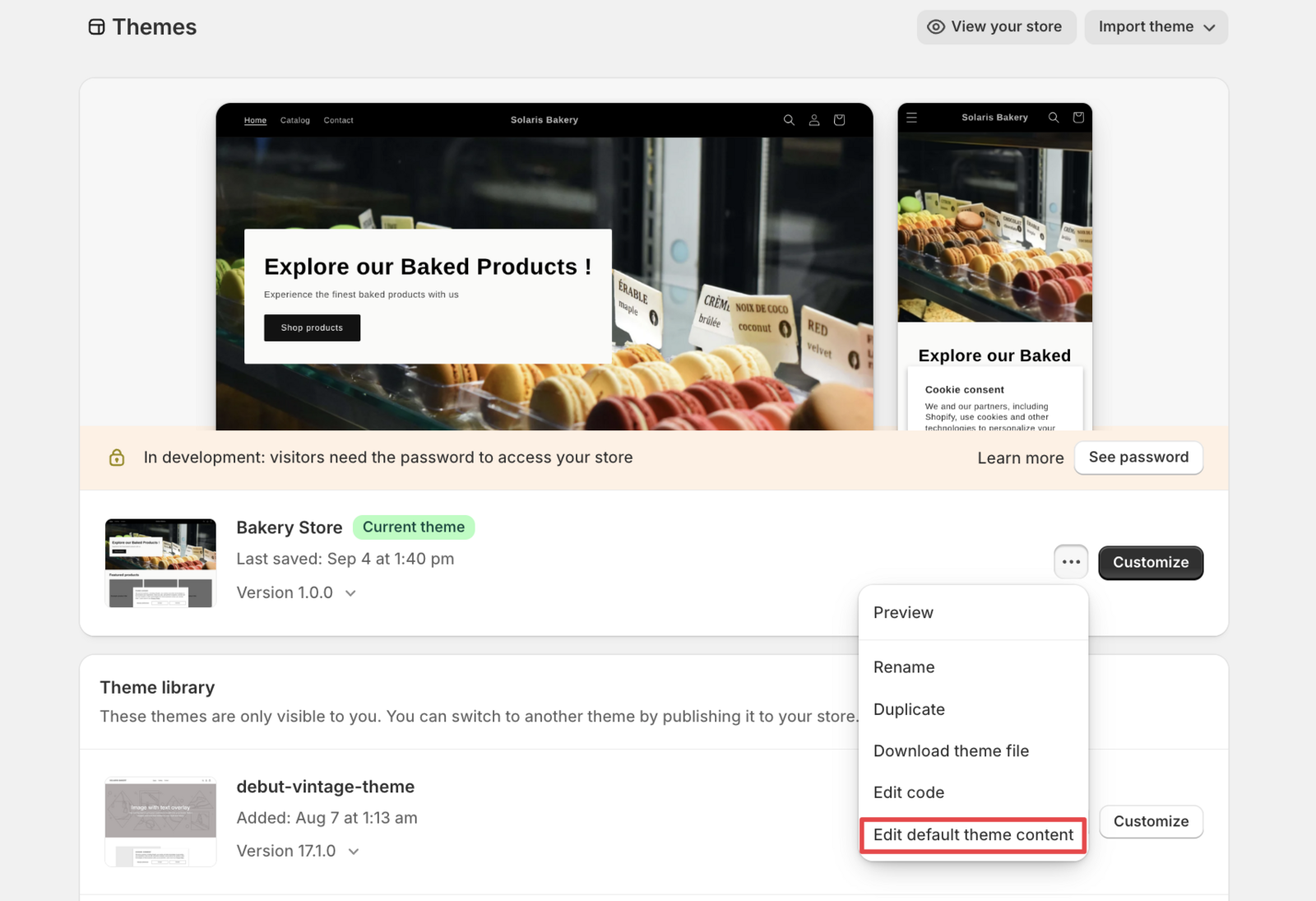
- Search for note.
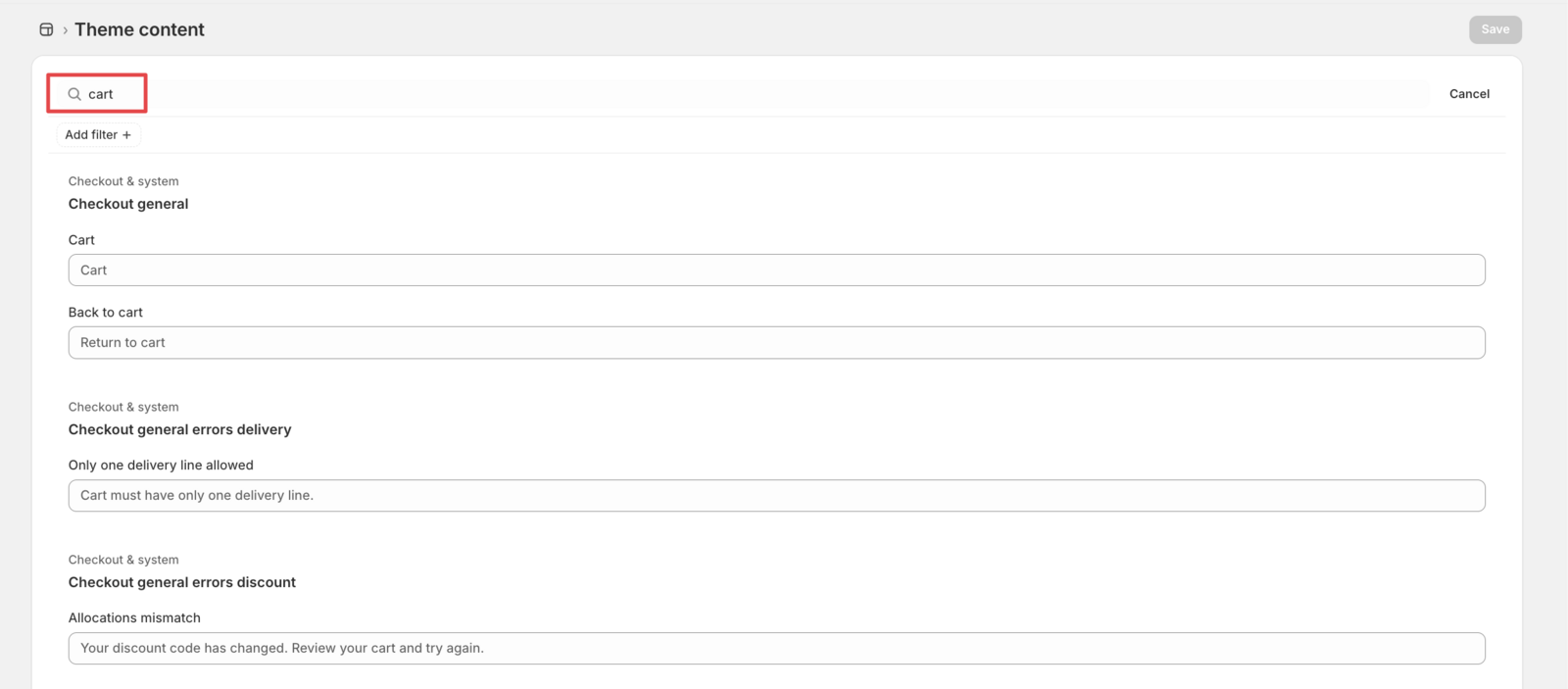
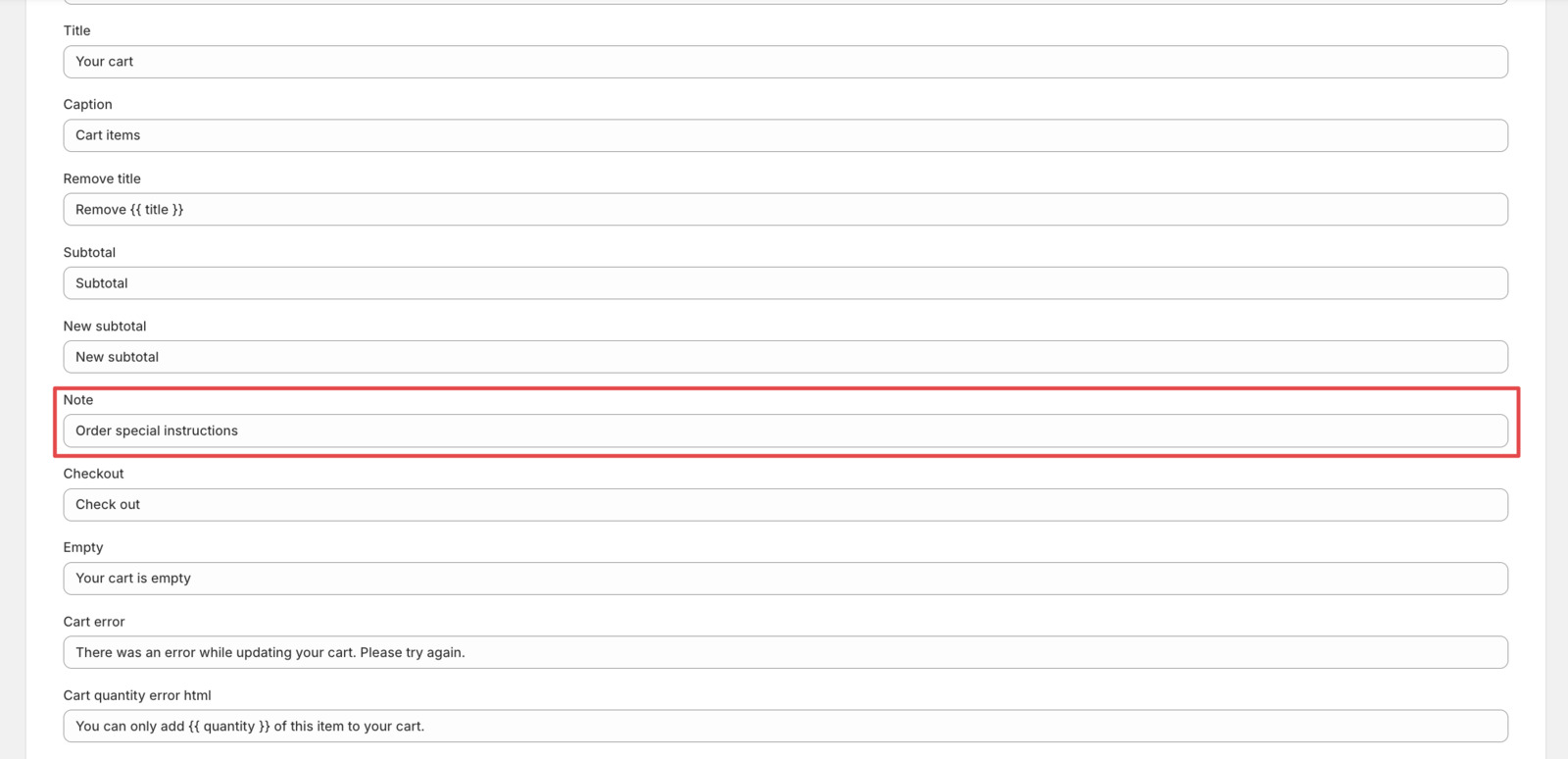
- Change the cart note text, for example to “Delivery instructions”.
- Click Save.
💡
Need separate notes for pickup and delivery? Bird has its own pickup and delivery note fields inside the widget. See How do I add special instructions or notes fields for customers?
Related Articles
Was this article helpful?
Thanks for your feedback!
Related articles
How can I hide my store's location/address in the cart widget?
Can customers change their delivery/pickup selection after ordering?
How do I create time slots for pickup or delivery?
Why do my pickup and local delivery orders show as "Shipping"?
How do I notify customers when their order is ready for pickup?