
 Order Management
How to Let Customers Edit Date and Time After Placing an Order
Updated June 12, 2026
Overview
Our app now allows the customer after they have placed their order from thank you & order status page . This feature gives more flexibility for the end users as well as gives you the peace of mind from doing it manually.
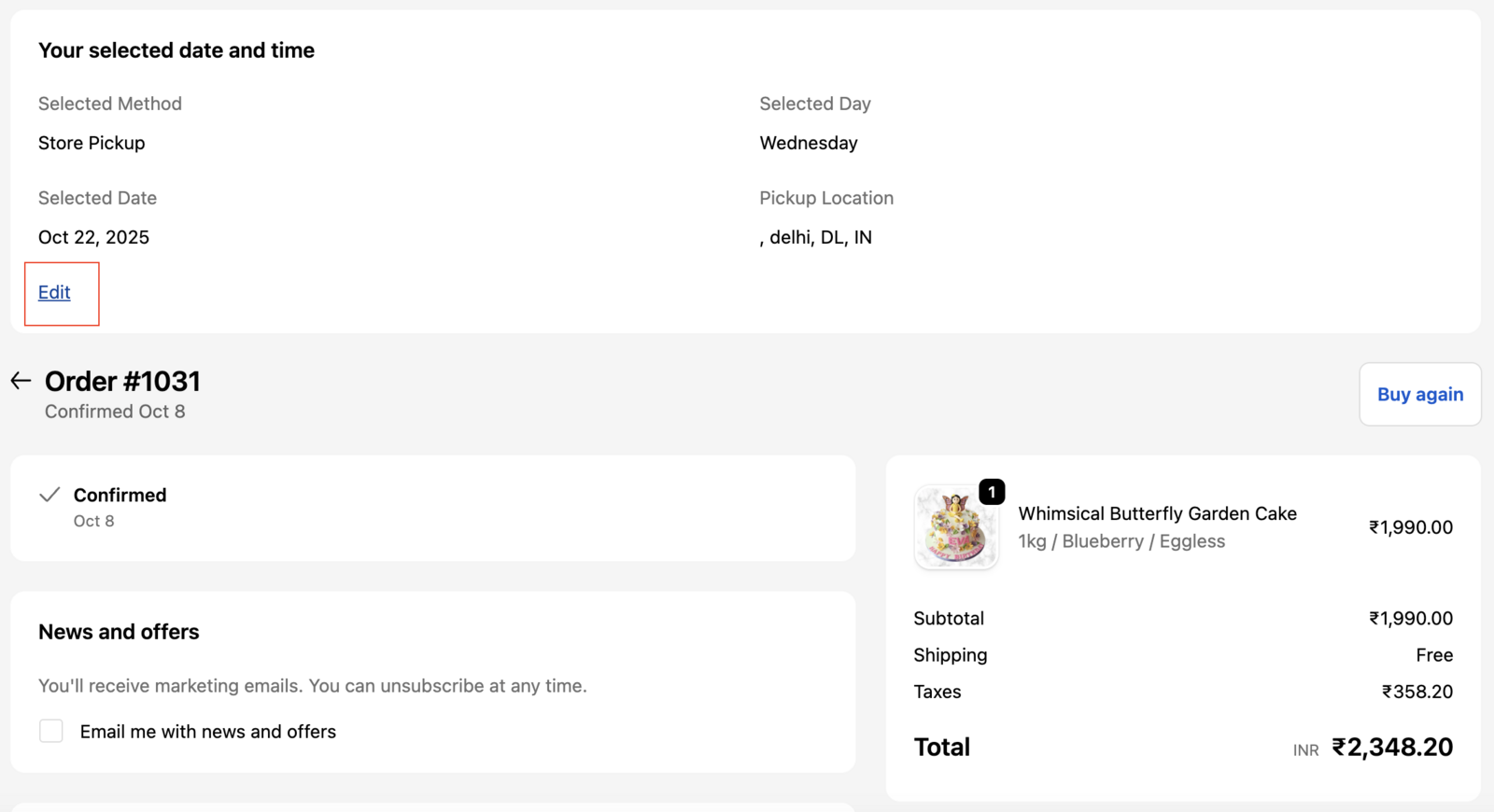
Steps to allow the users to edit date/time
Step 1: Access Order Management Settings
- Go to Settings in Bird App.
- Click Order Management under Advanced
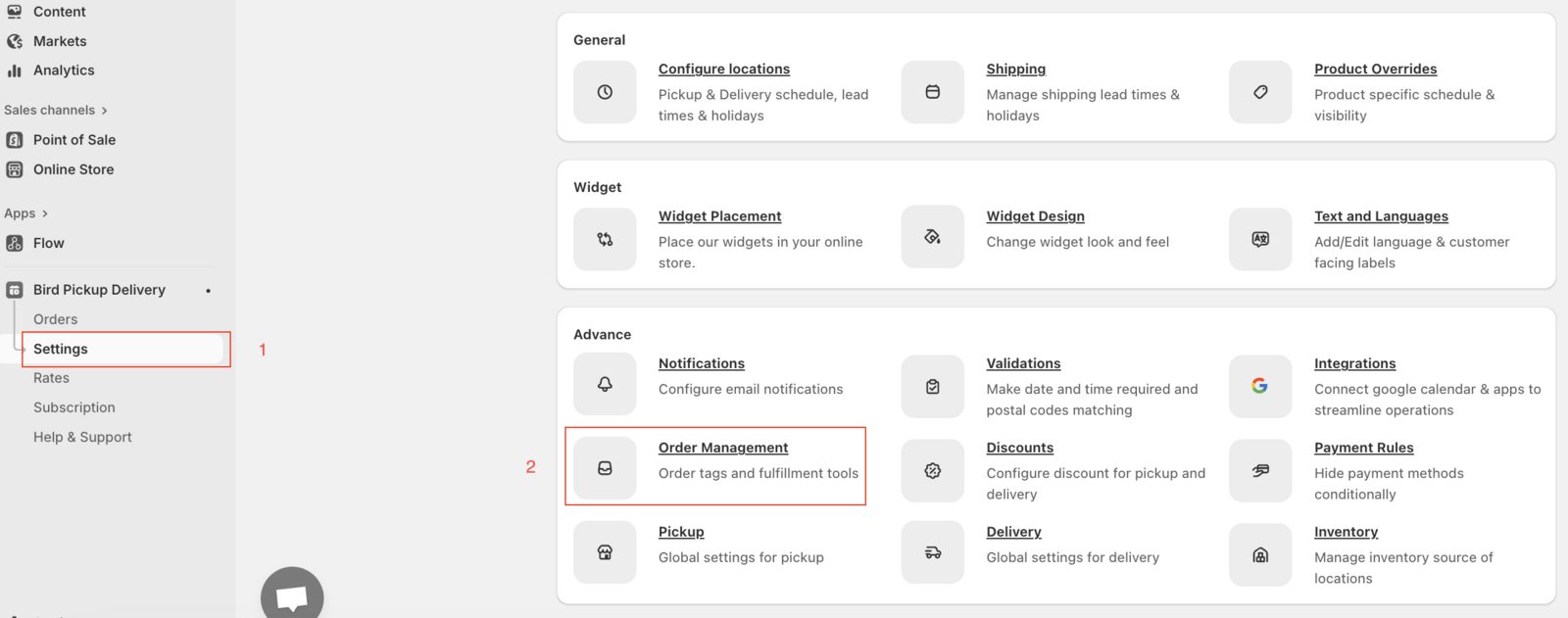
Step 2: Enable Date/Time Editing
- Check the edit date/time option

Additional Steps and Checks
- Make sure you have enabled our How to Display Delivery Date and Time on Thank You and Order Status Pages widget.
Related Articles
Was this article helpful?
Thanks for your feedback!