
 Order Management
How to Generate Production Reports in Bird App
Generate comprehensive production reports to optimize your daily operations and inventory planning.
The production report delivers a CSV file containing all items you need to produce within a specific timeframe. This feature streamlines workflow with clear production requirements at a glance.
What’s Included in Your Report
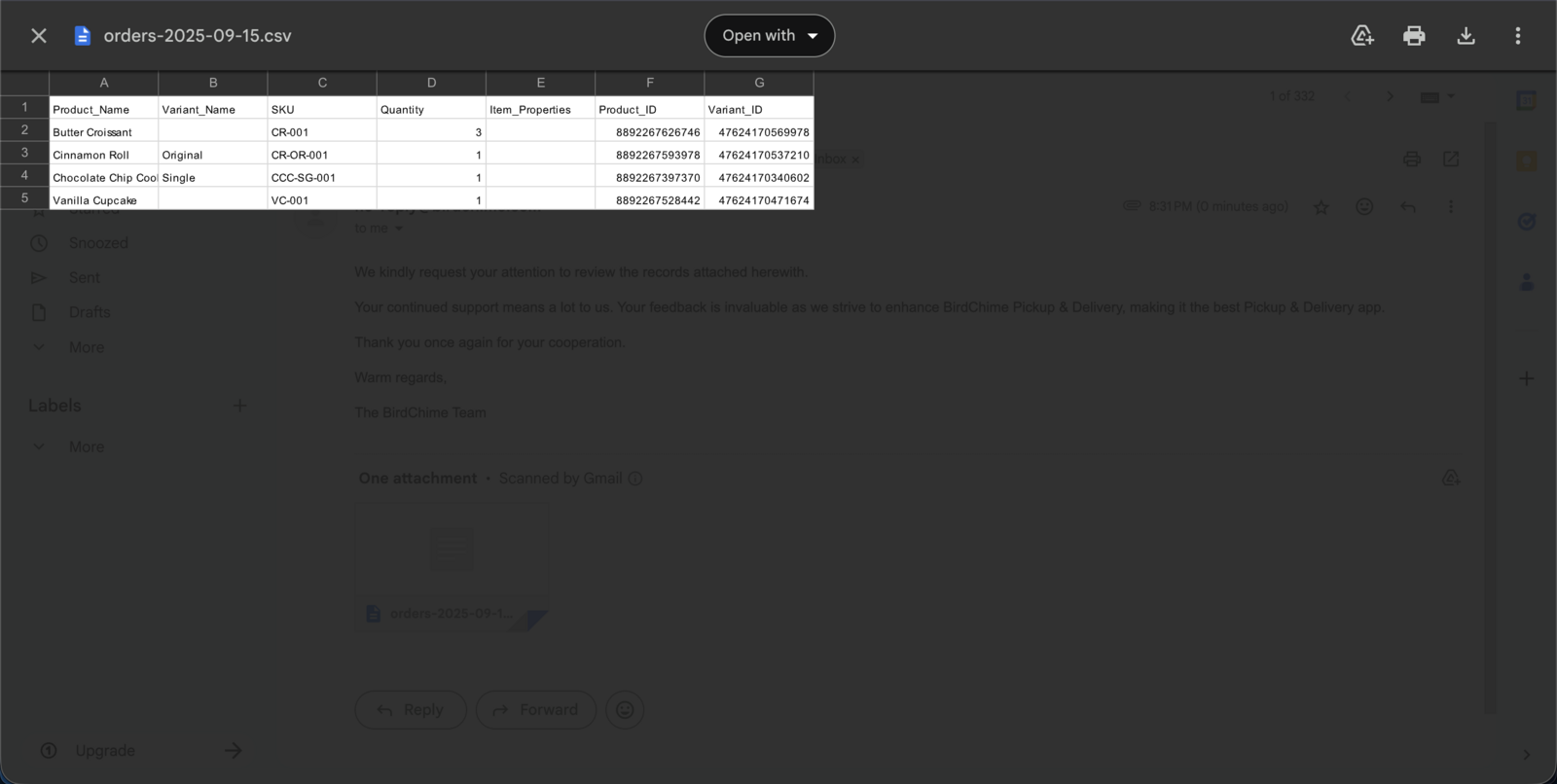
Your production report contains essential production data:
- Product quantity - Exact amounts needed
- Product name - Clear item identification
- Variant name - Product variation name
- Variant ID - Specific product variations
- Product ID - Unique product identifiers
Perfect for Production Planning
Start each day or week with a clear production roadmap.
As a bakery owner, restaurant manager, or any business with production needs, you can generate reports for specific time periods. This helps plan resources, manage inventory, and coordinate your team efficiently.
Generate Your Production Report
Follow these steps to create and download your production report:
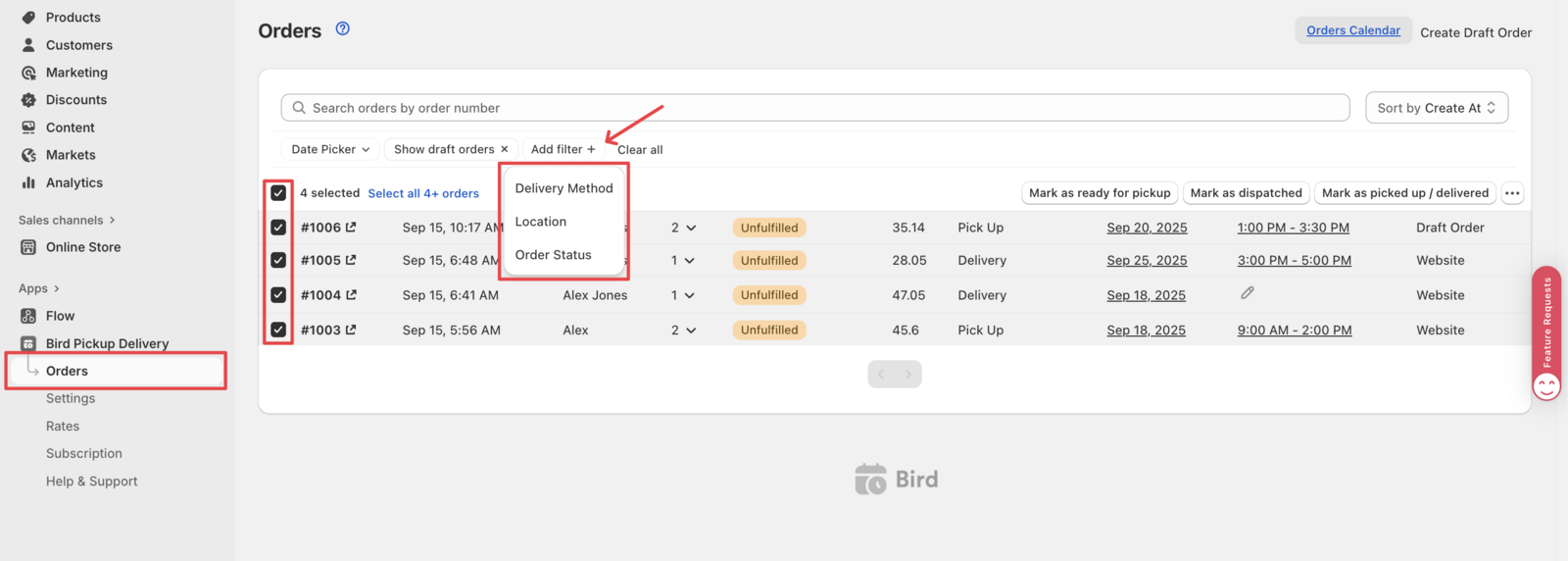
1. Access the Orders Section
Navigate to Dashboard > Orders in your Bird app dashboard.
2. Select Your Orders
Choose the specific orders to include in your report. Use the available filters:
- Date range - Select start and end dates
- Delivery method - Filter by pickup or delivery orders
- Order status - Filter by order status (pending, confirmed, etc.)
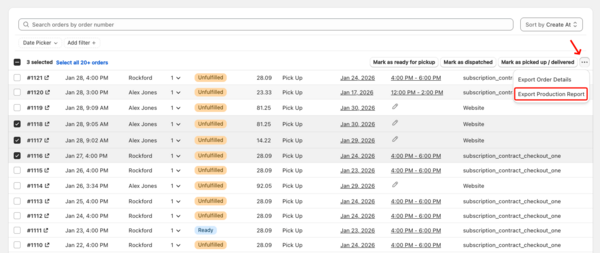
4. Export Production Report
Select “Export Production Report” from the dropdown menu.
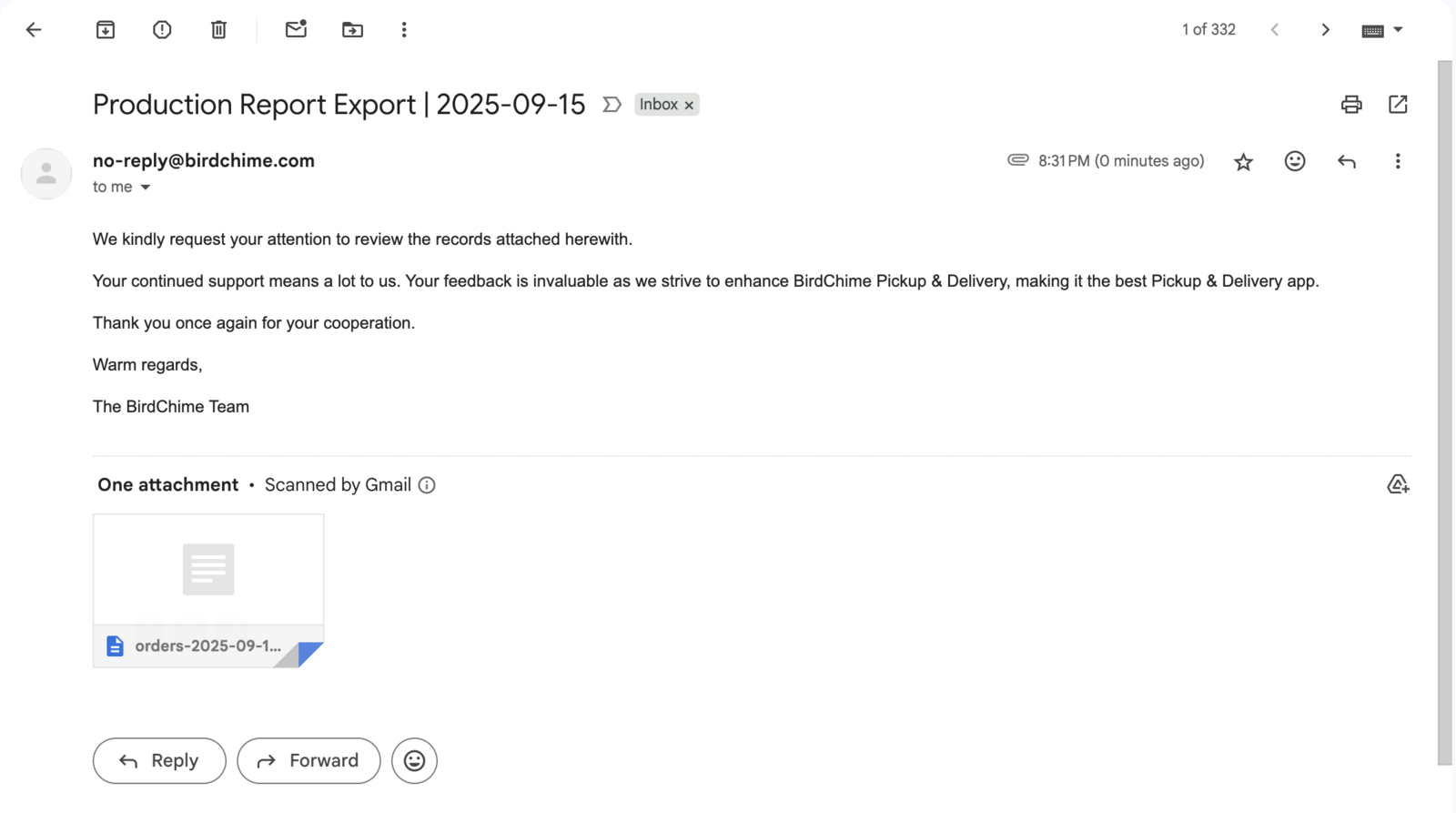
5. Check Your Email
The system automatically sends your production report to your registered email address.
6. Download and Review
Download the CSV file and open it to view your detailed production requirements.
That’s it! Your production report is ready to help plan and execute daily operations efficiently.
Related Articles
Was this article helpful?
Thanks for your feedback!