
 Order Management
Post-Purchase: Let Customers Edit Date & Time After Ordering
Updated September 11, 2026
Overview
Our app now allows the customer after they have placed their order from thank you & order status page . This feature gives more flexibility for the end users as well as gives you the peace of mind from doing it manually.
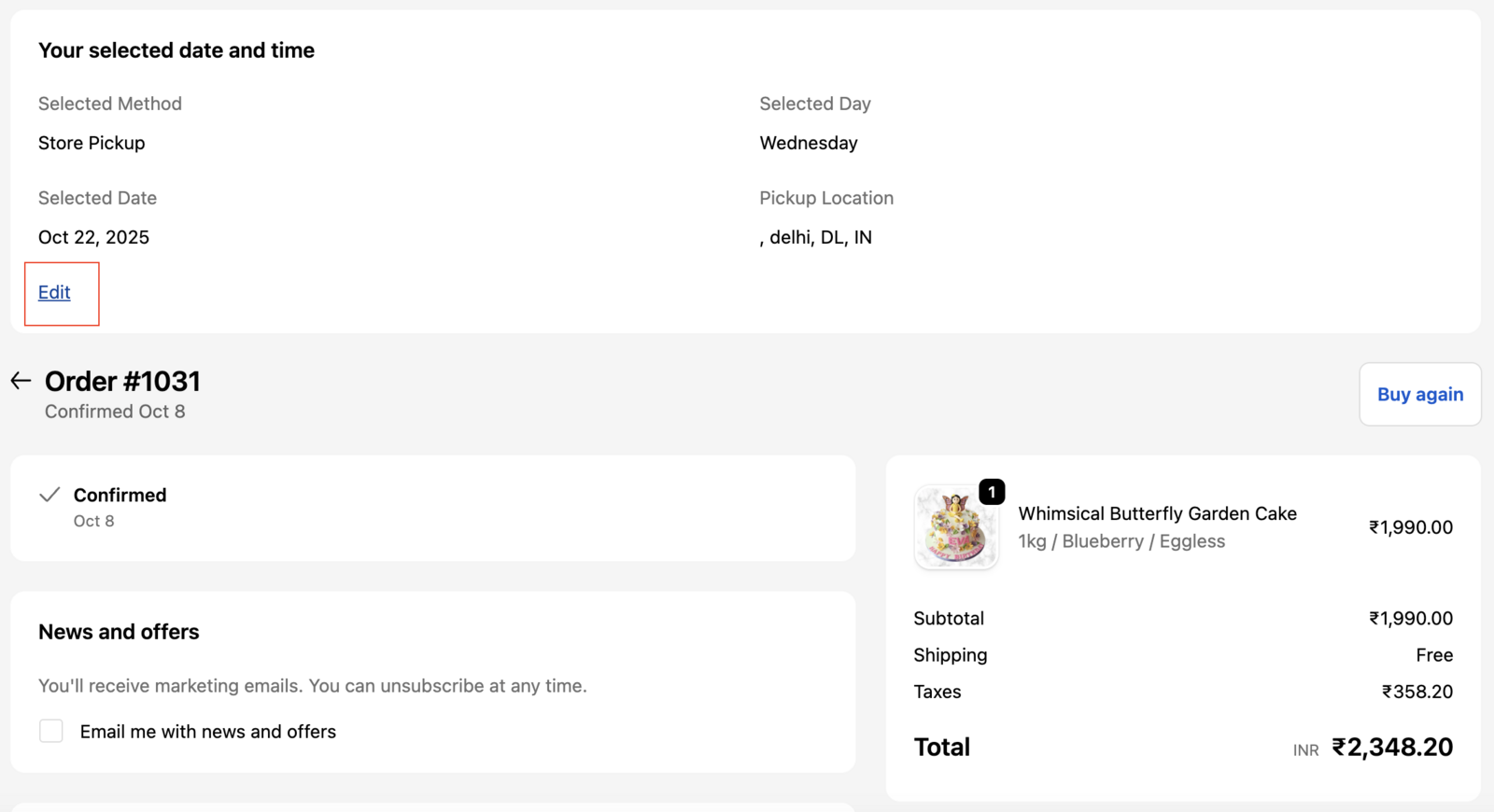
Steps to allow the users to edit date/time
Step 1: Access Order Management Settings
- Go to Settings in Bird App.
- Click Order Management under Advanced
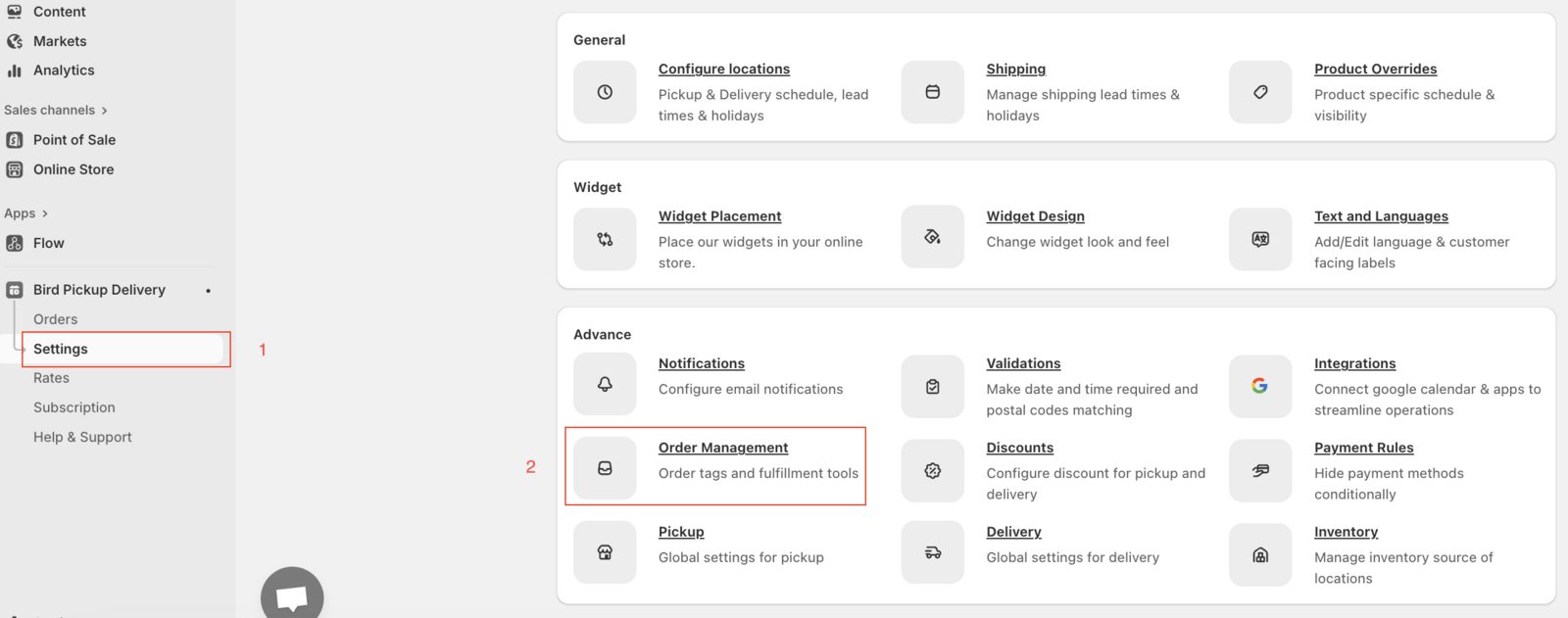
Step 2: Enable Date/Time Editing
- Check the edit date/time option

Additional Steps and Checks
- Make sure you have enabled our Post-Purchase: Display Date & Time on Thank You & Order Status Pages widget.
Related Articles
Was this article helpful?
Thanks for your feedback!