
 Advanced Features
How to Manually Add the Widget Code to Your Cart Page
You’ll learn how to manually integrate the Birdchime delivery slots box into your cart page for complete theme control.
The Birdchime slots box displays available delivery and pickup time slots directly on your cart page. This manual integration gives you full control over placement and styling when automatic placement doesn’t meet your needs.
Step-by-Step Integration
Important: The slots box will only display delivery times if your app is fully configured with delivery zones and availability settings. If you see an empty box, check your app settings first.
1. Access Your Theme Files
Navigate to Online Store in your Shopify admin sidebar.
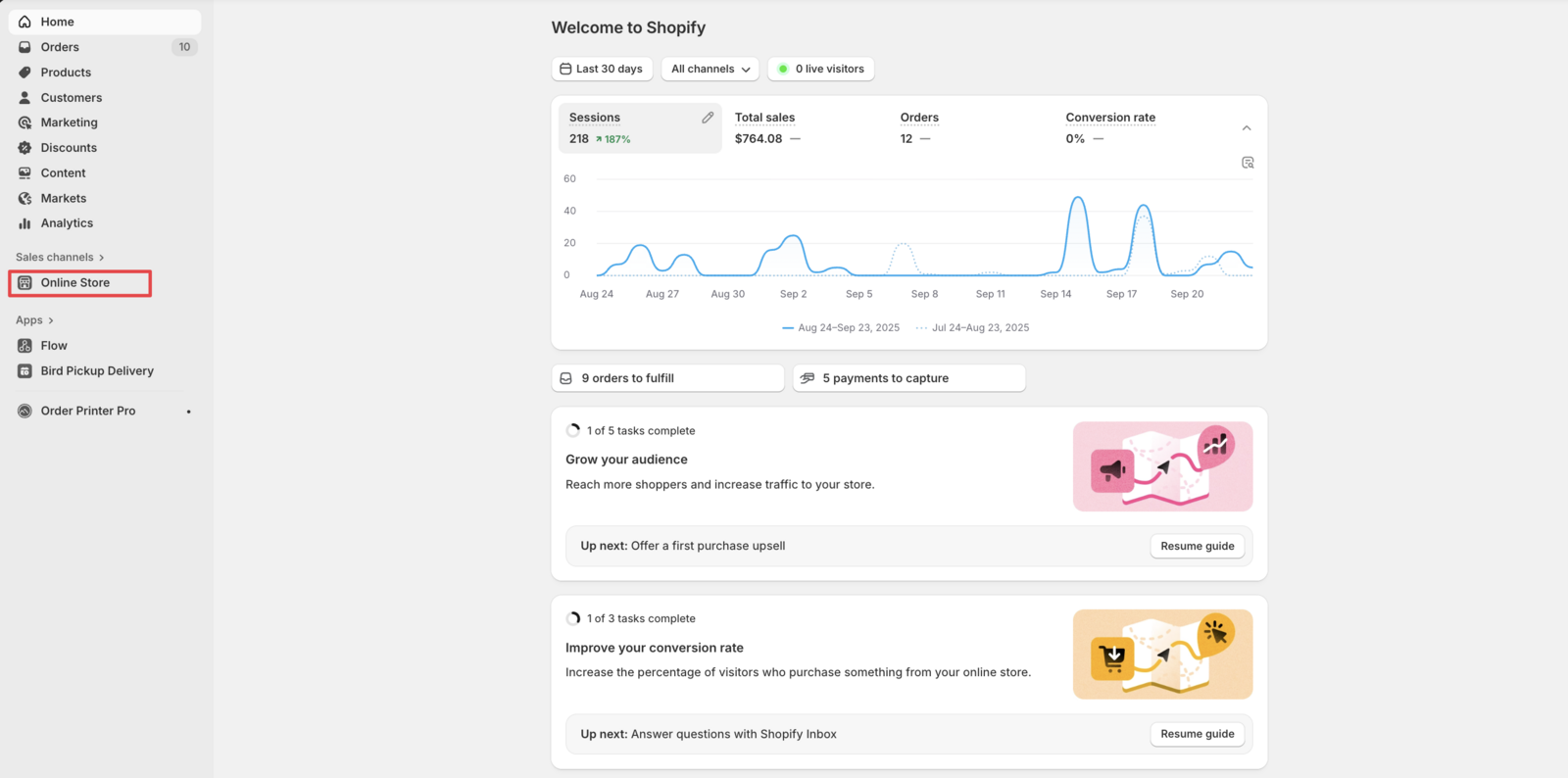
2. Select Your Active Theme
Click on your active theme and select the … menu option.
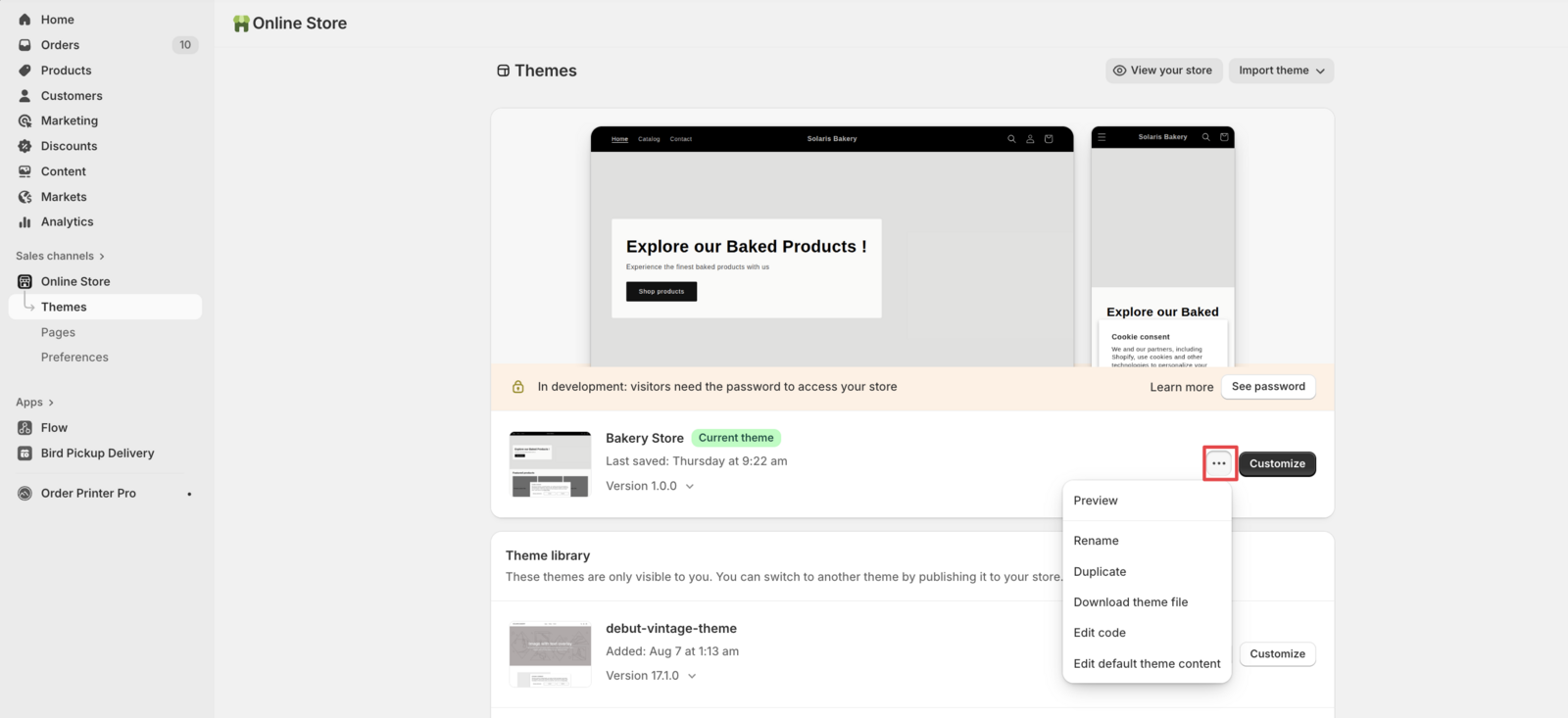
3. Open Theme Editor
Click Edit Code to access your theme’s source files.
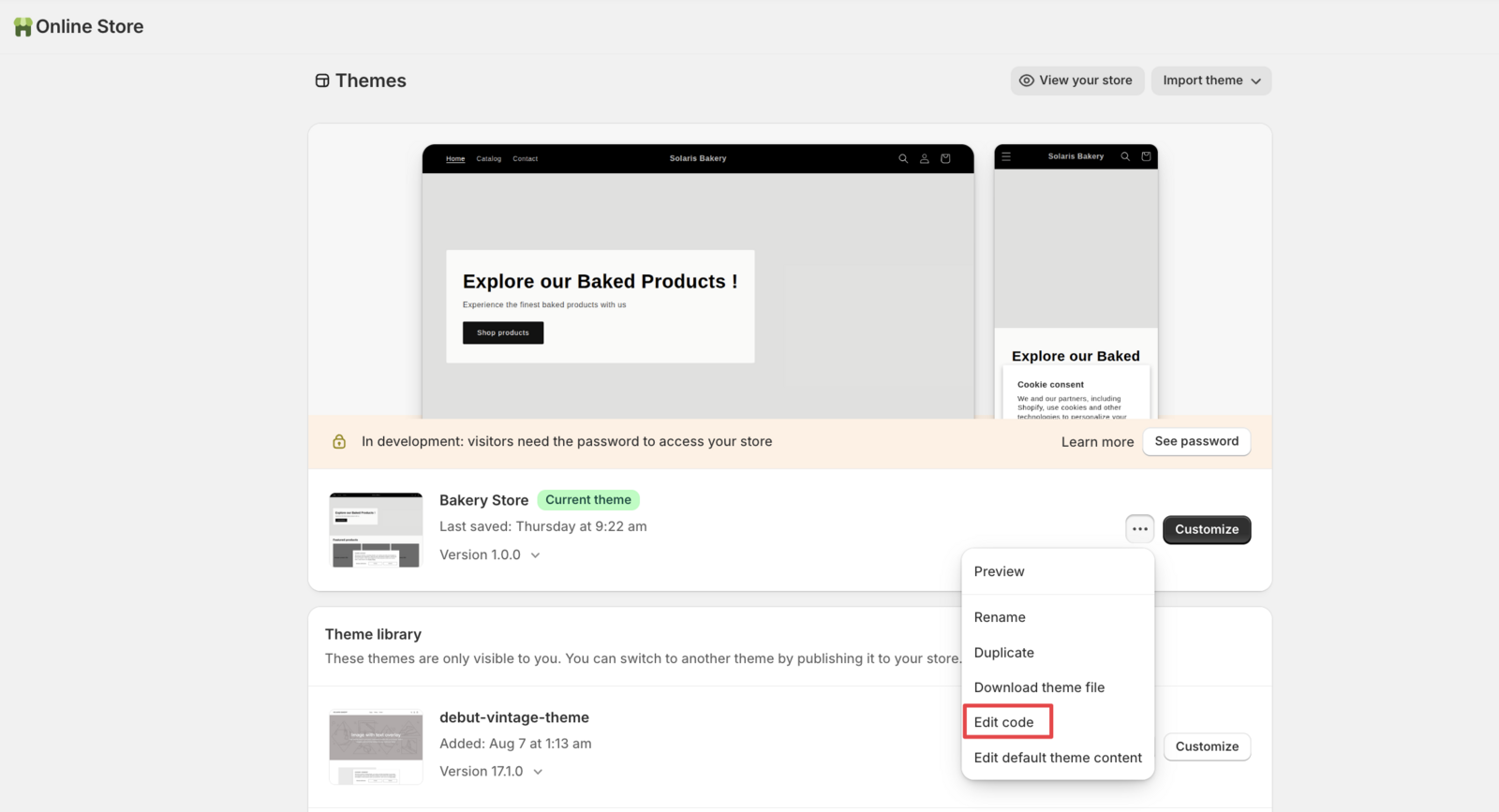
4. Locate Your Cart Template
Search for your cart template file. Common names include:
cart.liquidcart.template.liquidcart-drawer.liquidmain.cart.liquid
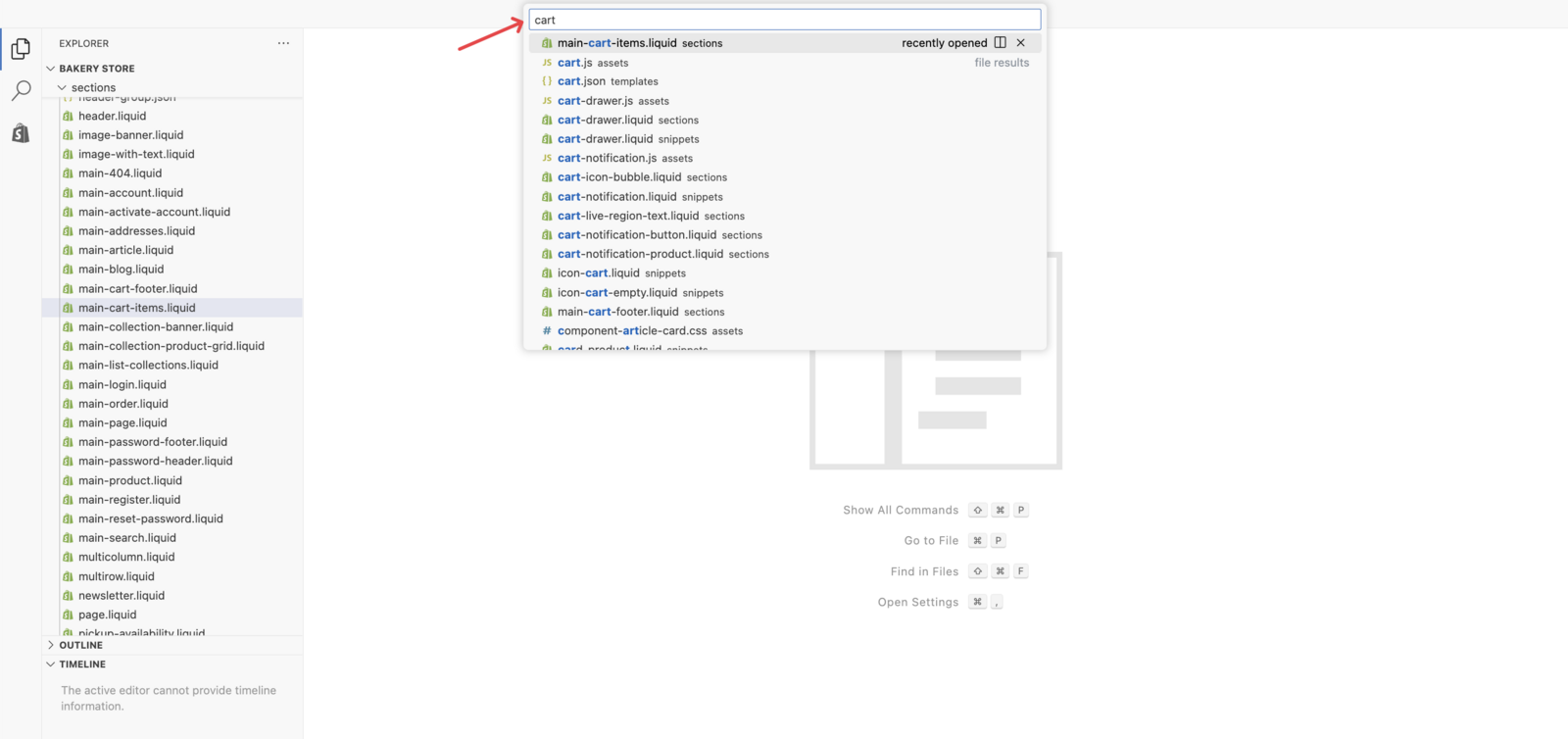
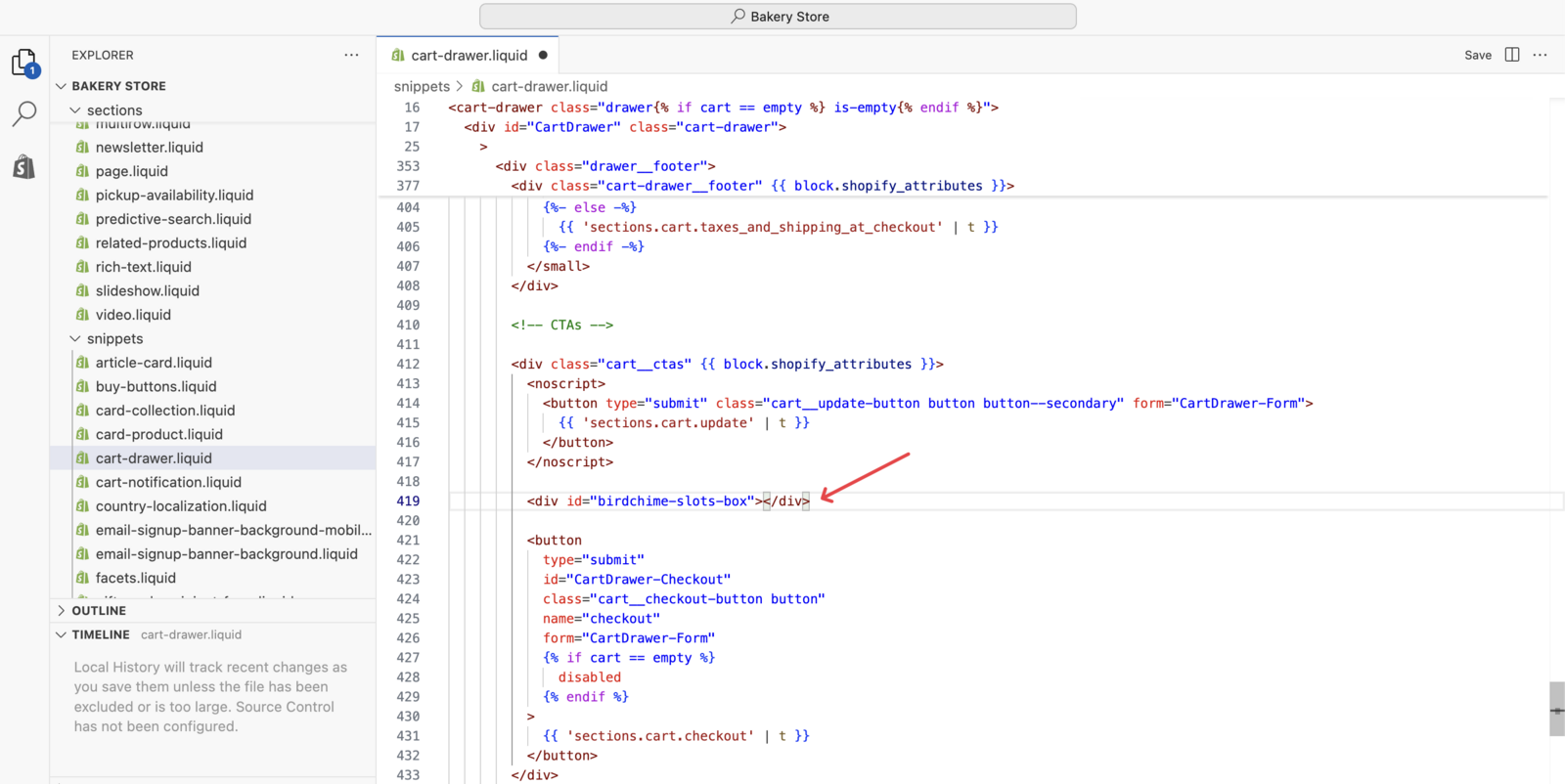
5. Add the Slots Box Code
Insert this HTML code above your checkout button:
<div id="birdchime-slots-box"></div>
Placement: Above the checkout button for optimal user experience.
Troubleshooting
Slots Box Not Displaying
- Check file location: Ensure you’re editing the correct cart template
- Verify app status: Confirm Bird Pickup & Delivery is active
- Clear cache: Refresh your store and clear browser cache
Empty Slots Box - Check These Settings First
- App configuration: Verify delivery zones and availability are set up
- Product settings: Check if products have delivery methods enabled
- Location settings: Ensure your store location is configured
Related Articles
Was this article helpful?
Thanks for your feedback!