
Feature
Generate time slots automatically in availability settings
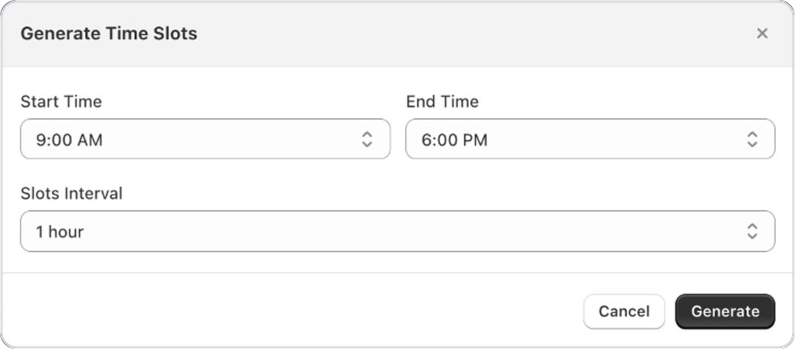
Good news for Bird Pickup & Delivery merchants: you can now create a whole day of time slots in one go. Choose a start time, an end time and how long each slot lasts, and Bird adds them all to the day.
Where to set it
Bird Settings > Pickup & delivery, then under Time Slots for a day, open the Add Slot menu and choose Generate Slots.
Example
A bakery open from 9 AM to 6 PM picks a 1 hour interval and gets nine slots, from 9 to 10 AM through to 5 to 6 PM, in one click.
Things to know
- New slots are added after any slots the day already has.
- Use Copy from to reuse one day’s slots on another day.