
Hit your order limit? No problem! Per-order billing keeps you selling
We’re excited to introduce Per-Order Billing in the Bird Pickup and Delivery App—ensuring Shopify merchants can continue to offer pickup, local delivery, and shipping schedules even after reaching their monthly order limit.
What is Per-Order Billing?
Previously, exceeding your monthly order limit (e.g., 1,000 orders in the Advance Plan) could disrupt service. With Per-Order Billing, you can choose to continue processing extra orders by setting a custom limit and enabling per-order charges at $0.05 per order. This ensures uninterrupted service while giving you full control over additional billing—nothing happens automatically, and you decide how much you want to extend your limit.
Why It Matters:
✅ No Disruptions: Keep the Bird App active even after reaching your monthly order limit.
✅ Seamless Scheduling: Continue offering pickup and delivery date selection during peak sales.
✅ Cost-Effective: Pay only for extra orders rather than upgrading to a higher plan.
✅ Full Control: Set and update your own monthly limit to manage spending and prevent unexpected charges.
✅ Transparent Billing: Nothing is charged automatically—you must opt-in and set your own limits.
Example:
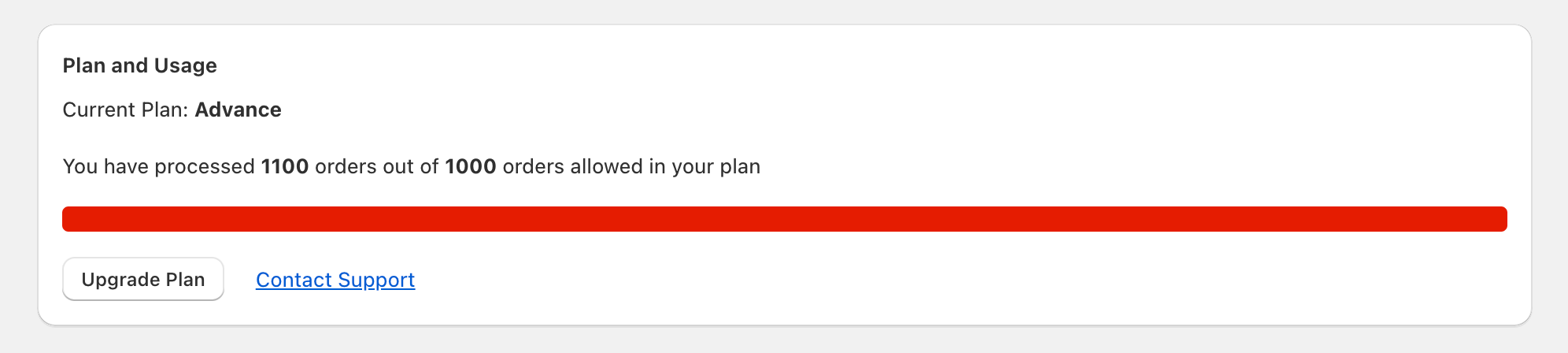
A merchant on the Advance Plan (1,000 orders/month) processes 1,100 orders in December. The additional 100 orders incur a total charge of $5—seamless, predictable, and affordable.
How to Enable It:
-
Open the Bird Pickup and Delivery App.
-
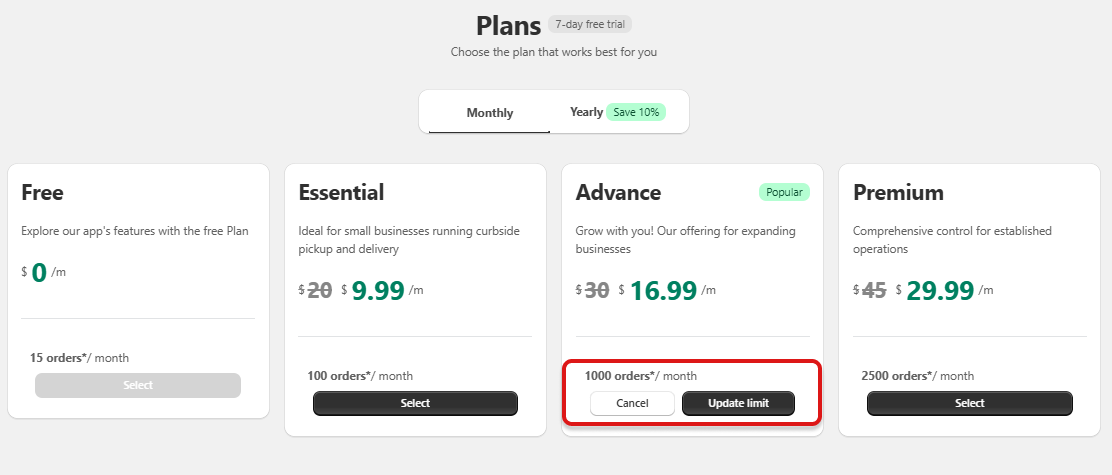
Navigate to the Subscriptions page. If you have already reached 85% of your order limit, you will see the update limit feature.
-
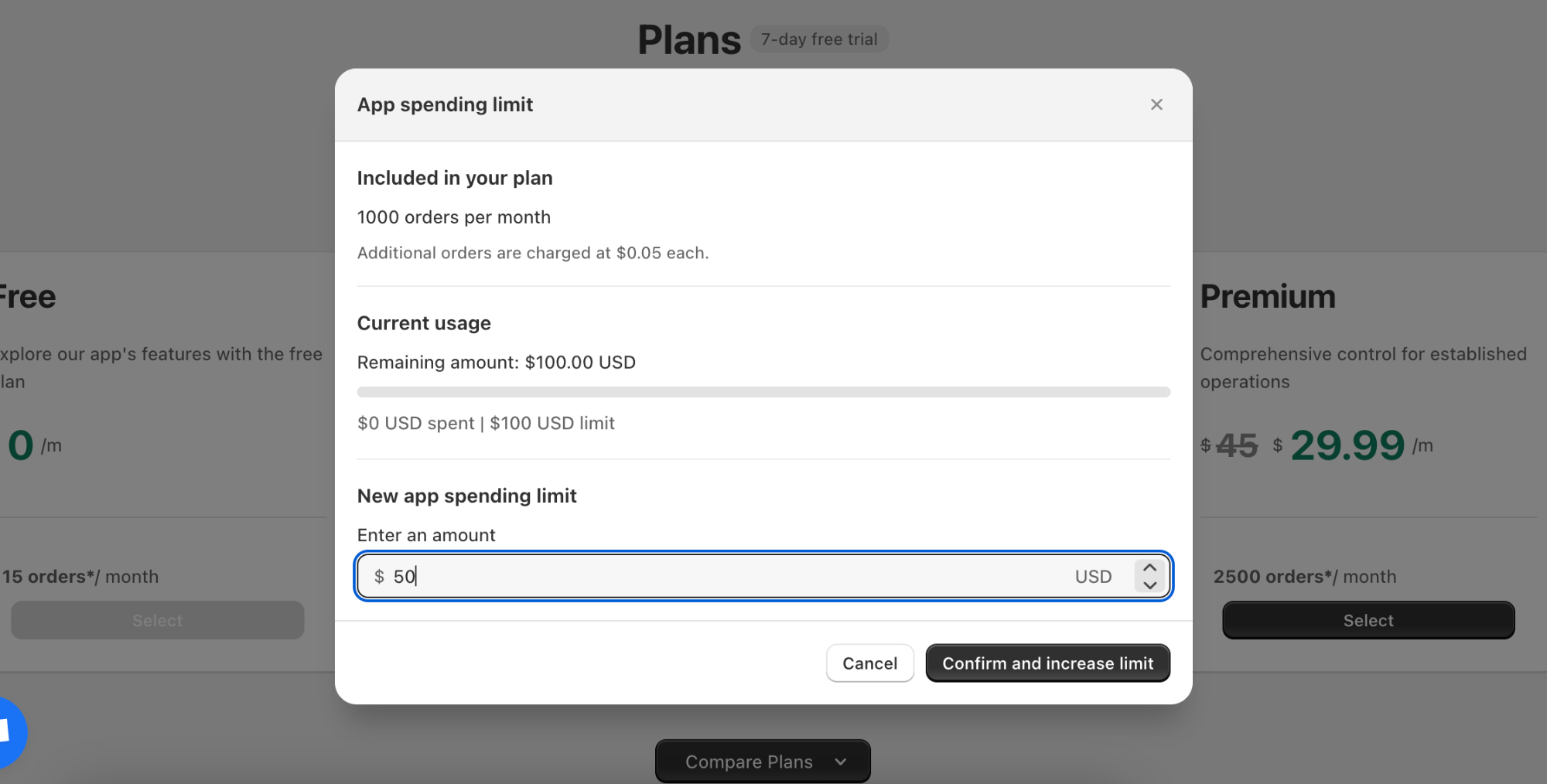
Enable the feature and set your preferred monthly limit to stay in control of your budget.
-
You can increase or decrease the app spending limit at any given time.
- Alternatively, you can reach out to support to get it enabled.
Get Started Today
Activate Per-Order Billing now and keep your Shopify store running smoothly, even during peak sales.
Have questions? Contact us—we’re here to help!