
 FAQs
FAQs
Subscription Delivery Dates with Shopify Flow
Build a Shopify Flow workflow that runs Bird’s Increment delivery date action each time a subscription renews. Bird moves the renewal order’s delivery date forward by the interval you set.
On the Scale plan with Appstle or Recharge? Connect it directly in Bird instead. There’s no workflow to build. See Appstle Subscriptions or Recharge Subscriptions.
Before You Start
- Bird Growth plan or above. Bird’s Shopify Flow integration starts on Growth.
- Shopify Flow installed from the Shopify App Store (free).
- Bird’s Shopify Flow integration enabled. Go to Bird Settings > Integrations > Shopify Flow and click Enable Shopify Flow. Bird’s actions only show up in Shopify Flow after this. See Shopify Flow.
- A subscription app that has a Shopify Flow trigger for successful renewals, such as Appstle Subscriptions.
Set Up the Workflow (Appstle Example)
- In Shopify admin, open Shopify Flow and click Create workflow.
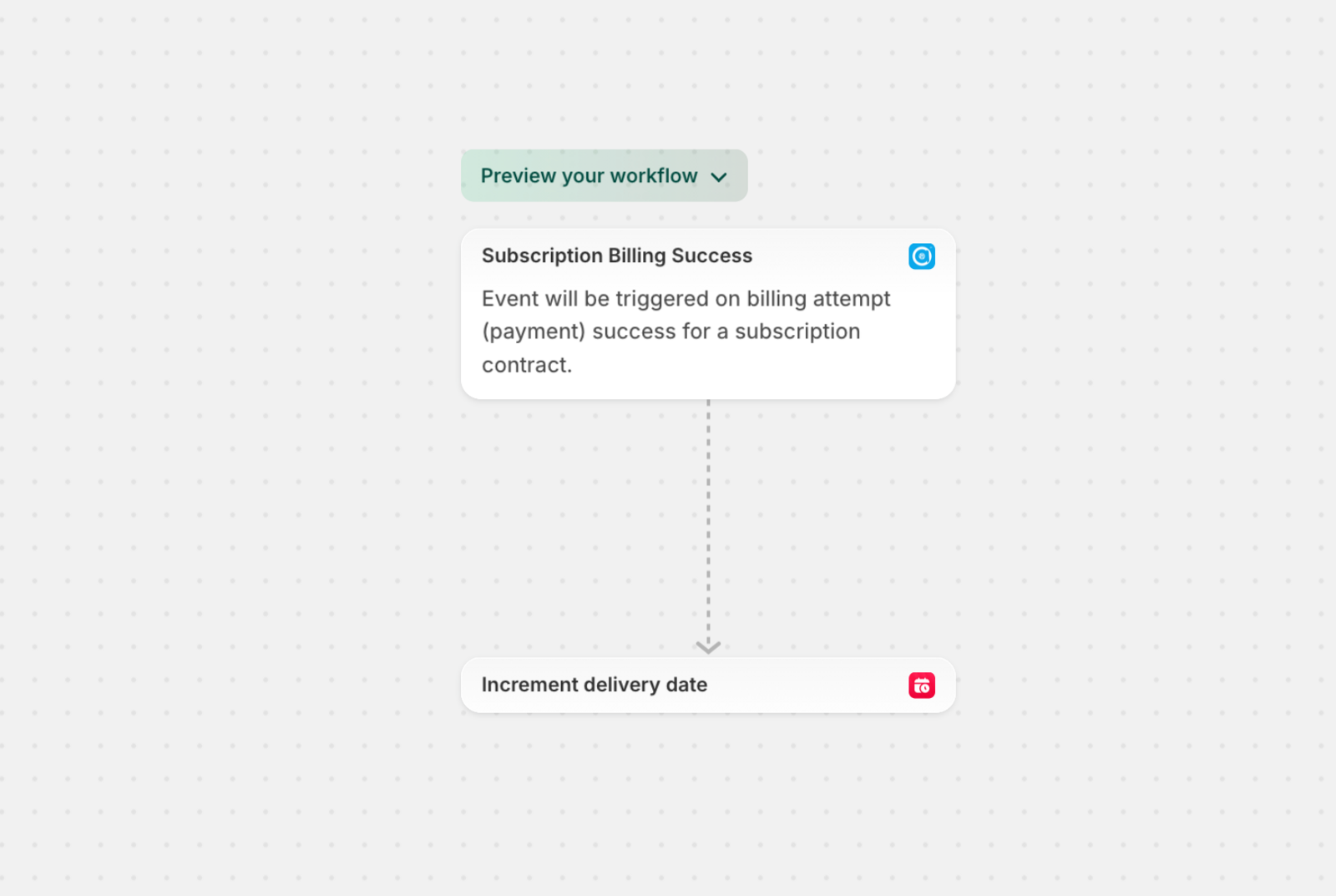
- Click Select a trigger, search for Appstle Subscription, and select Subscription Billing Success.
- Click Then, search for Bird Pickup Delivery, and select Increment delivery date.
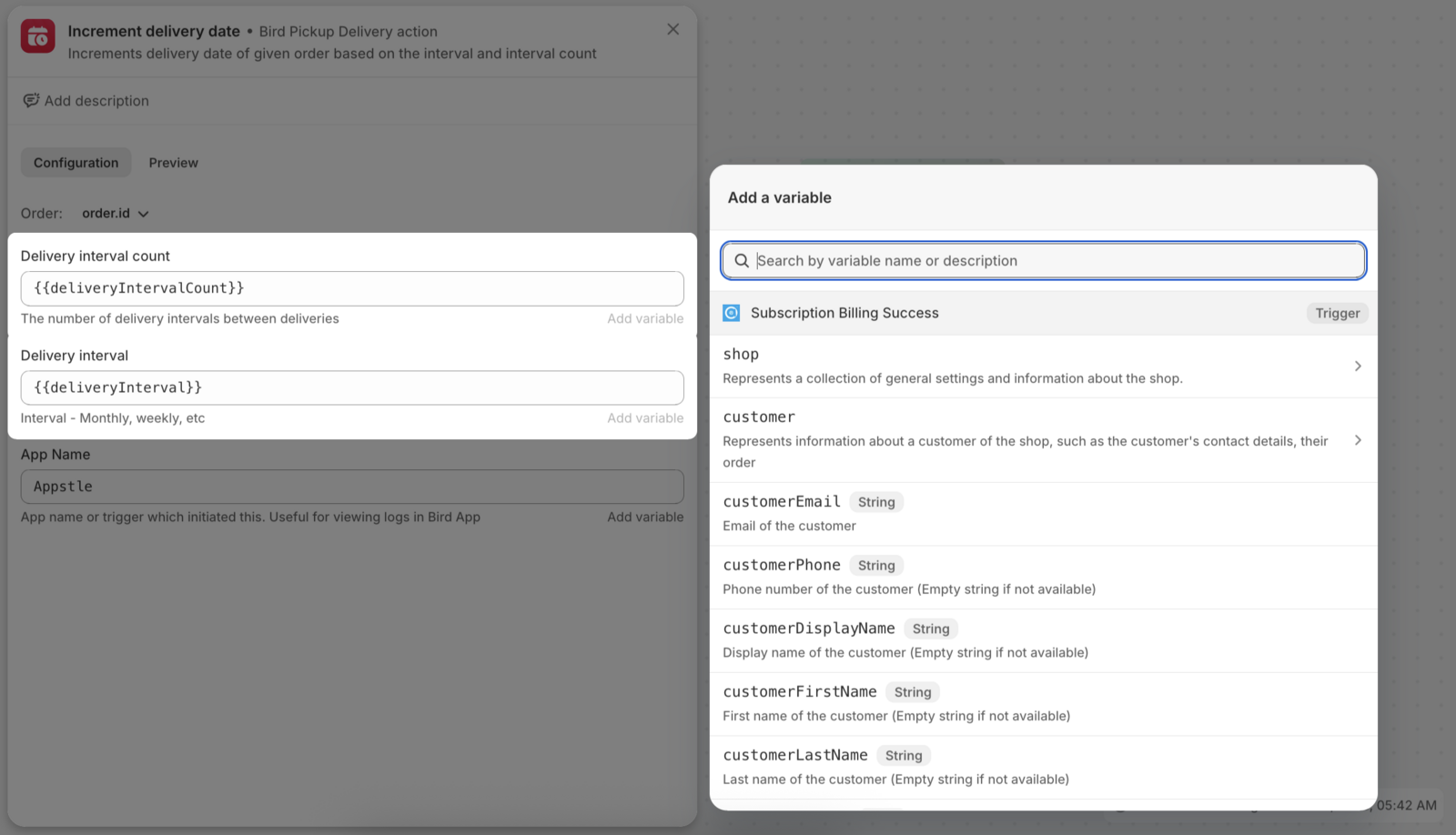
- Click the Increment delivery date step and fill in its fields:
| Field | What to enter |
|---|---|
| Order |
order.id from the trigger’s variables |
| Delivery interval count | The variable {{deliveryIntervalCount}}, or a number such as 1
|
| Delivery interval | The variable {{deliveryInterval}}, or a unit such as Weekly or Monthly
|
| App Name |
Appstle. This label appears next to each date change in Bird’s logs. |
- Click Turn on workflow.
Tip: Click Add variable in the step to see every field the Appstle trigger offers.
How the Interval Works
The date moves forward by Delivery interval count multiplied by Delivery interval:
| Subscription | Delivery interval count | Delivery interval | Date moves |
|---|---|---|---|
| Weekly | 1 |
Weekly |
1 week |
| Every 2 weeks | 2 |
Weekly |
2 weeks |
| Monthly | 1 |
Monthly |
1 month |
Bird reads day, week, month and year units, in any capitalization (for example DAY, Weekly or months).
Use the delivery interval, not the billing interval. On a prepaid plan that bills every 3 months and delivers monthly, enter 1 and Monthly.
The first Appstle order (tagged appstle_subscription_first_order) is skipped, so it keeps the date the customer chose at checkout.
Check That It’s Working
Each date change is listed under Subscription logs in Bird Settings > Integrations > Shopify Flow, labeled with the App Name you entered. If a renewal’s date didn’t move:
- Check that the workflow is turned on and look at its run history in Shopify Flow for errors.
- Check that the trigger is Subscription Billing Success.
- Check that Order is mapped to
order.id. - Check that Bird’s Shopify Flow integration is enabled and you’re on Growth or above.
Use one method per app. If you later connect Appstle or Recharge directly in Bird, turn this workflow off. Otherwise a renewal’s date can be moved twice.
Related Articles
Was this article helpful?
Thanks for your feedback!