
 Getting Started
Set Up Different Schedules for Multiple Store Locations
Configure unique delivery and pickup schedules for each store location to optimize operations and improve customer experience.
This is the default and recommended setup for Bird. Set independent operating hours, preparation times, and product availability for every location — it gives you complete control over how each store handles customer orders, and any location can share or diverge from the others as your business grows.
When to Use Different Schedules
Choose this option if:
- Your locations have different operating hours or holidays
- You want to offer different delivery/pickup methods at each location
- You need location-specific preparation times, blockout dates, or product availability
If you’d rather run one shared schedule across every location, see Set Up the Same Schedule for All Store Locations.
Step 1: Select Schedule Mode
- Go to Settings in Bird App.
- Select I have different schedule for different store locations.

Step 2: Configure Locations
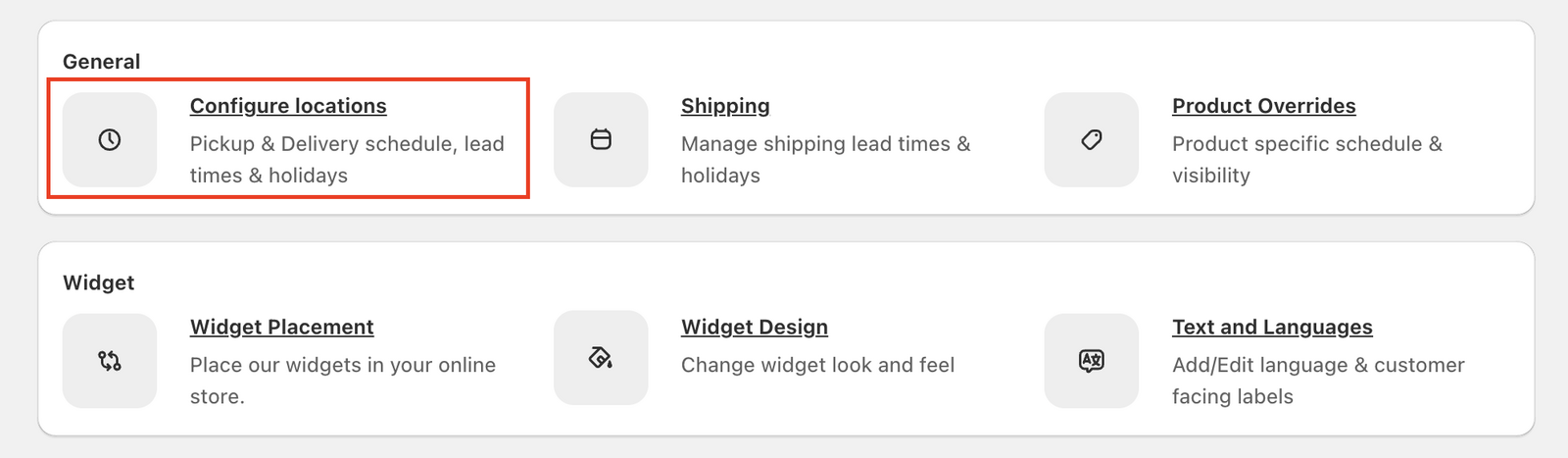
- Click Configure locations under General.
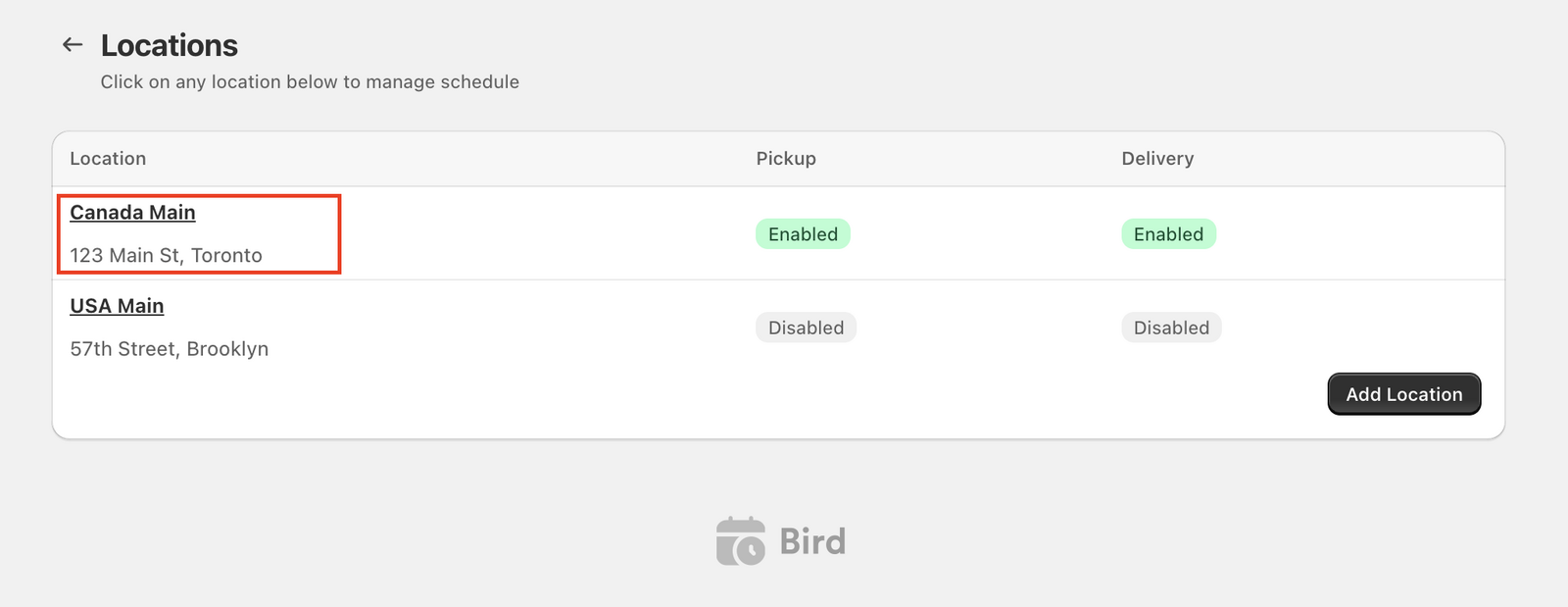
- Review the list of all your store locations.
- Click on a location to manage its schedule, methods, and settings.
Step 3: Enable Delivery Methods per Location
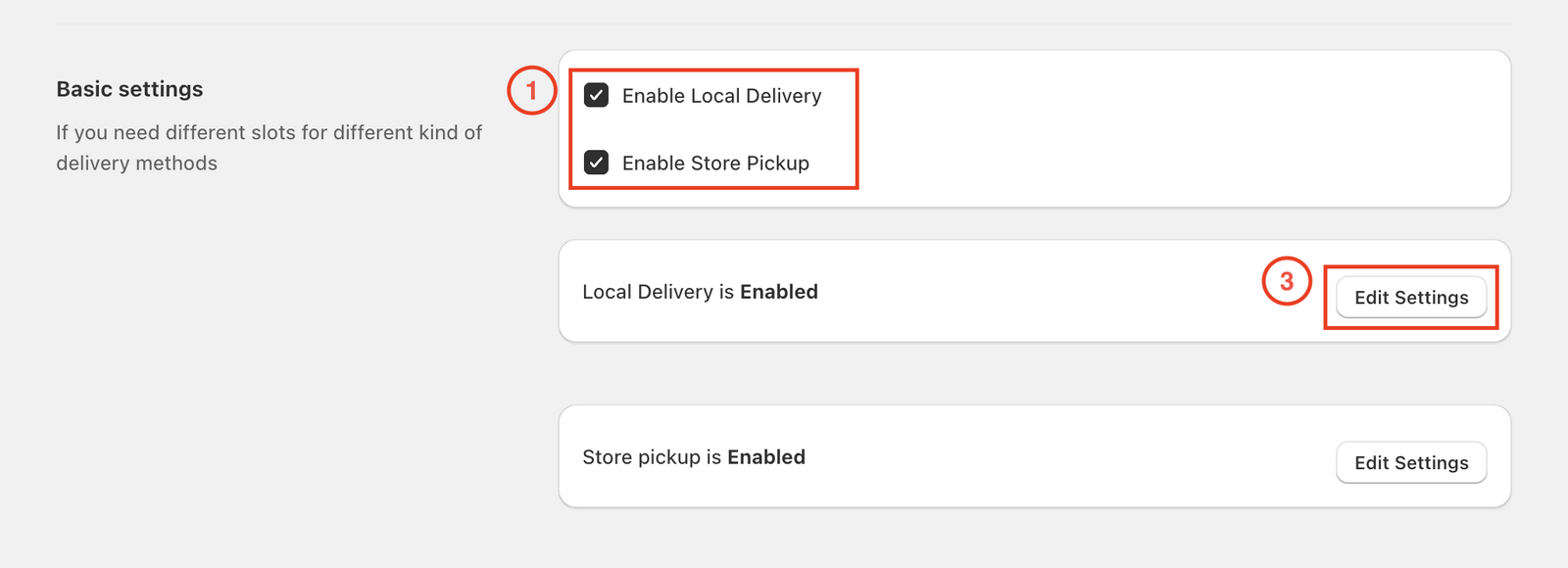
- For each location, enable Local Delivery and/or Store Pickup as needed.
- Enable or disable methods independently for each location.
- Click Edit Settings to configure the schedule for each method.
Essential Configuration Settings
Configure these critical settings for each location:
-
Configure Availability
- Set location-specific operating hours and time slots for delivery, pickup, and shipping
-
Preparation Time & Cut-off Time
- Set lead times and daily cut-off times for each location
-
Blockout Dates
- Mark holidays or unavailable dates for each location
-
Product Availability
- Include or exclude specific products for each delivery method and location
Location-Specific Customization
Each location requires individual configuration for delivery methods, schedules, and settings. You can set different products for delivery or pickup at each location using product availability rules.
To set up notifications for each location, add internal email addresses in the location settings to receive order notifications for that specific location.
Verification Checklist
- Different schedule mode selected
- All locations reviewed and configured
- Delivery/pickup/shipping methods enabled per location
- Availability, preparation, and blockout dates set
- Product availability rules applied
Related Articles
Was this article helpful?
Thanks for your feedback!