
 Shopify Configuration
Shopify Plus: Checkout Integration
To add a delivery date picker to Shopify Plus checkout, add Bird’s Checkout Date Time Picker block in the Shopify checkout editor. Customers choose their pickup or delivery date and time slot inside checkout, using the same schedule, time slots and rates you set in Bird.
Watch the Demo
See our Checkout Extension in action:
How to Enable the Checkout Extension
Step 1: Access the Checkout Editor
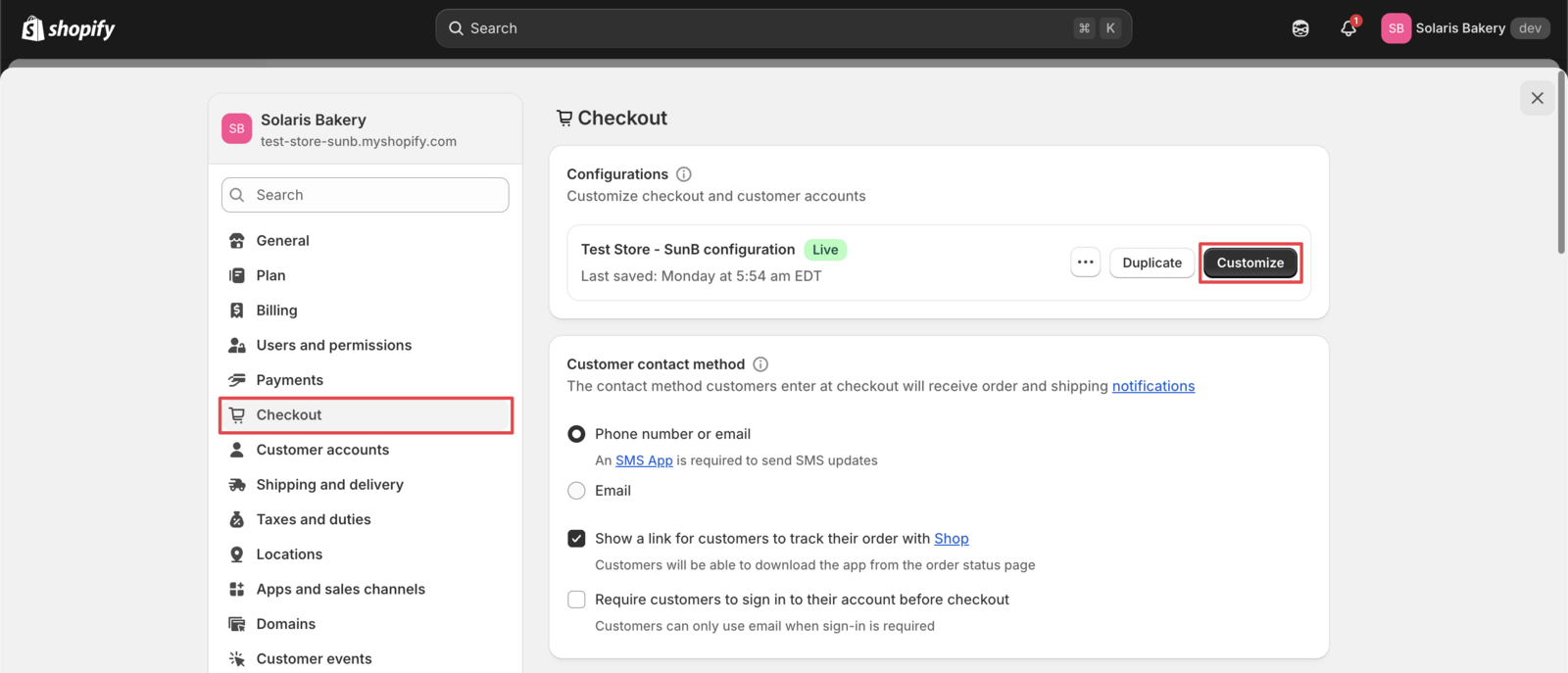
Go to your Shopify admin. In the address bar, modify the URL by adding /admin/settings/checkout/editor?extensionPicker=true&page=checkout&context=apps after your store’s URL.
Your URL will look similar to https://admin.shopify.com/store/mystore-name (replace mystore-name with your actual store name). Remove anything that appears after /store/mystore-name in your current URL, then add the extension path above.
This will open the Checkout Editor, which works much like your theme customizer.
Step 2: Find Bird Pickup & Delivery Extension
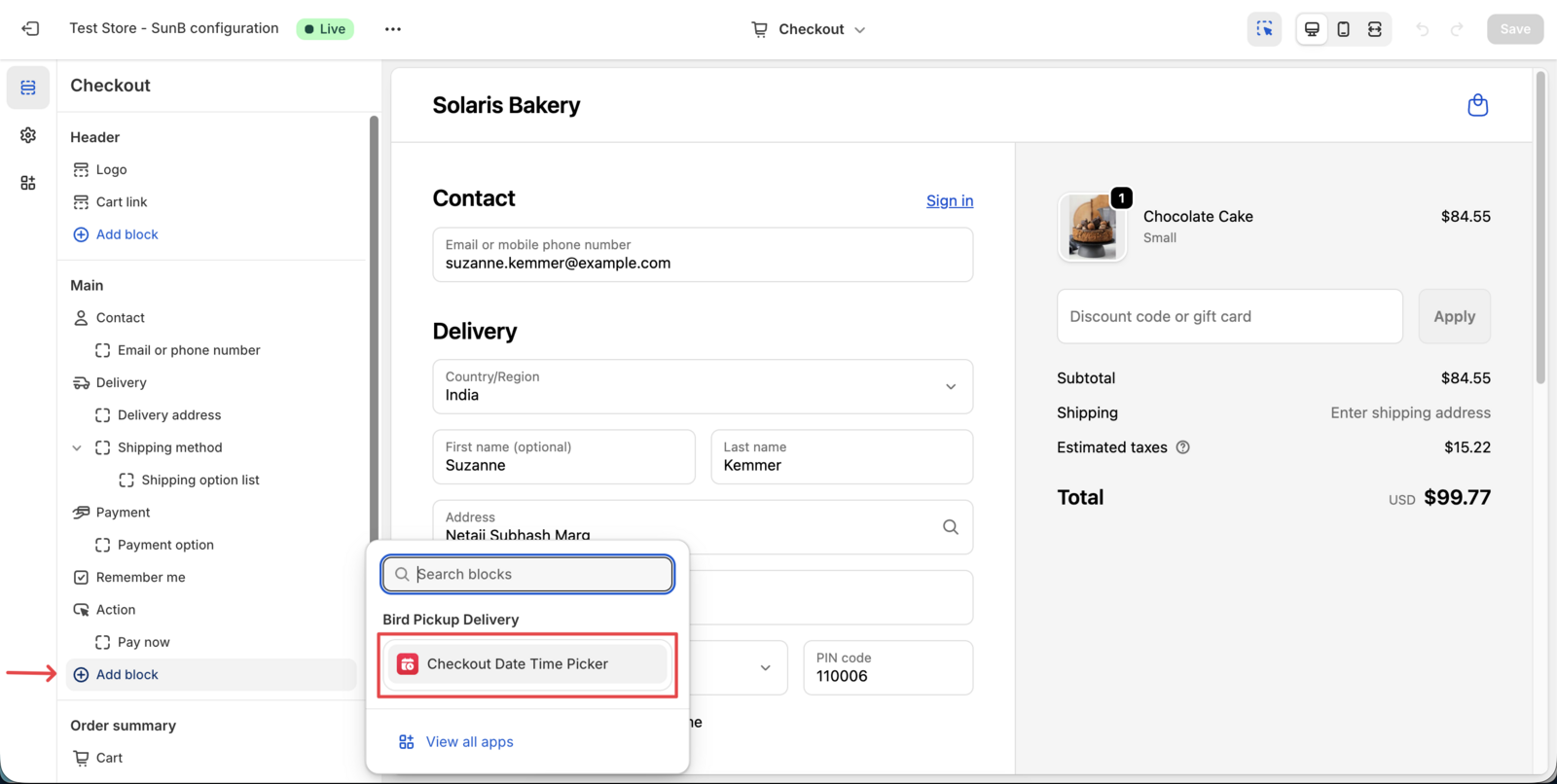
Look for our extension in the available extensions list. You’ll see it listed as “Bird Pickup & Delivery” or similar.
Step 3: Add Extension to Checkout
Click on the extension that says “Checkout Date Time Picker” and add it to your checkout form by clicking the “+” sign beside it.
You can then drag and drop it to your desired location.
Step 4: Configure Extension Settings
Click on the “Manage App” option below the extension in the Checkout Editor to open its configuration panel.
In Bird settings you can, configure:
- Available delivery dates
- Delivery time slots
- Minimum order values
- Specific delivery methods to enable/disable
Refer to How to Set Up the Bird Pickup & Delivery Widget to learn how to configure schedule and rates.
Step 5: Test the Integration
Place a test order to verify the extension works correctly.
Check that:
- Delivery date picker appears in checkout
- Selected dates transfer to orders
- Email notifications include delivery information (optional)
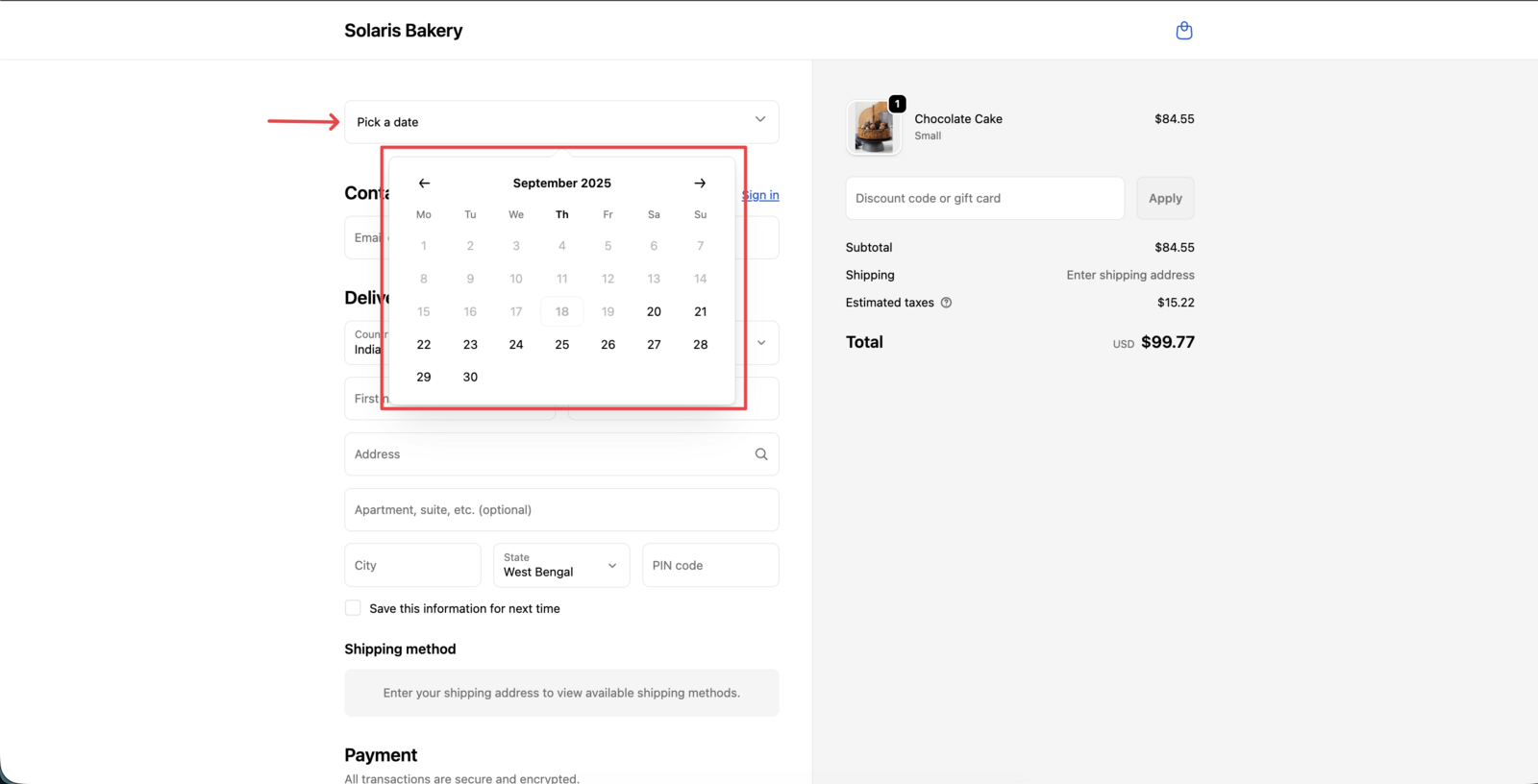
Important: This feature is exclusive to Shopify Plus stores due to Shopify’s checkout extension requirements. The checkout extension works with all Shopify Plus supported payment methods and gateways.
Related Articles
Was this article helpful?
Thanks for your feedback!