
Introducing the Bird app widget preview
We’re thrilled to announce a new feature that makes customizing your Bird Pickup and Delivery App simpler and faster. With our Widget Preview, you can now see how your widget and calendar look in real time—right from the app settings—without constantly reloading your cart or going through a test checkout.
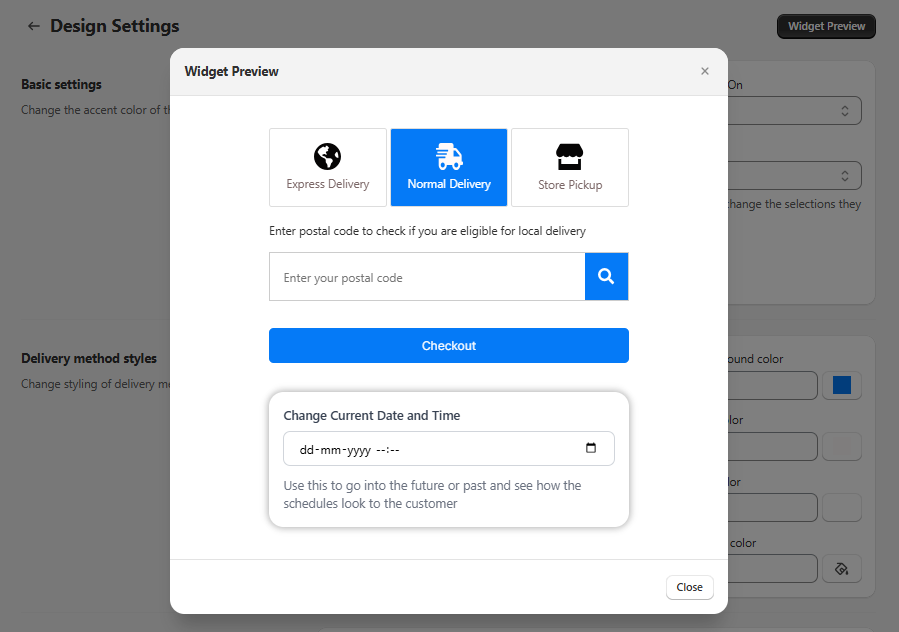
Why You’ll Love It?
- Real-Time Updates : Any change you make—like updating preparation times, blocking specific dates, or tweaking the widget design—shows up immediately in the preview. No more guesswork!
- Future Date & Time Simulation : If you use preparation times , you can jump ahead to any date or time to see how your schedule, lead times, and cutoff times will affect order availability.
- Product Overrides : Got different rules for specific products? Instantly test them in the preview. This way, you’ll know exactly which dates or slots appear for each product without placing test orders.
Where to Find the Widget Preview?
You can access the Widget Preview from the top right corner of the Bird App dashboard on the following pages:
- Availability Configuration – Adjust your delivery schedules, lead times, and cutoff times.
- Product Overrides – Test unique product schedules and check how overrides apply.
- Widget Design Settings – Preview changes to your widget’s look and feel in real time.
- Text and Language Settings – See text and language updates instantly.
What’s Next?
We’re continually improving the Bird Pickup and Delivery App, and the Widget Preview feature will keep getting better. Stay tuned for more enhancements designed to make your delivery, pickup, and shipping processes smoother and more satisfying for both you and your customers!
Give the Widget Preview a try today and experience a faster, easier way to configure your Bird App settings. If you have any questions or feedback, we’re here to help!