
Feature
Location Insights dashboard for multi-location stores
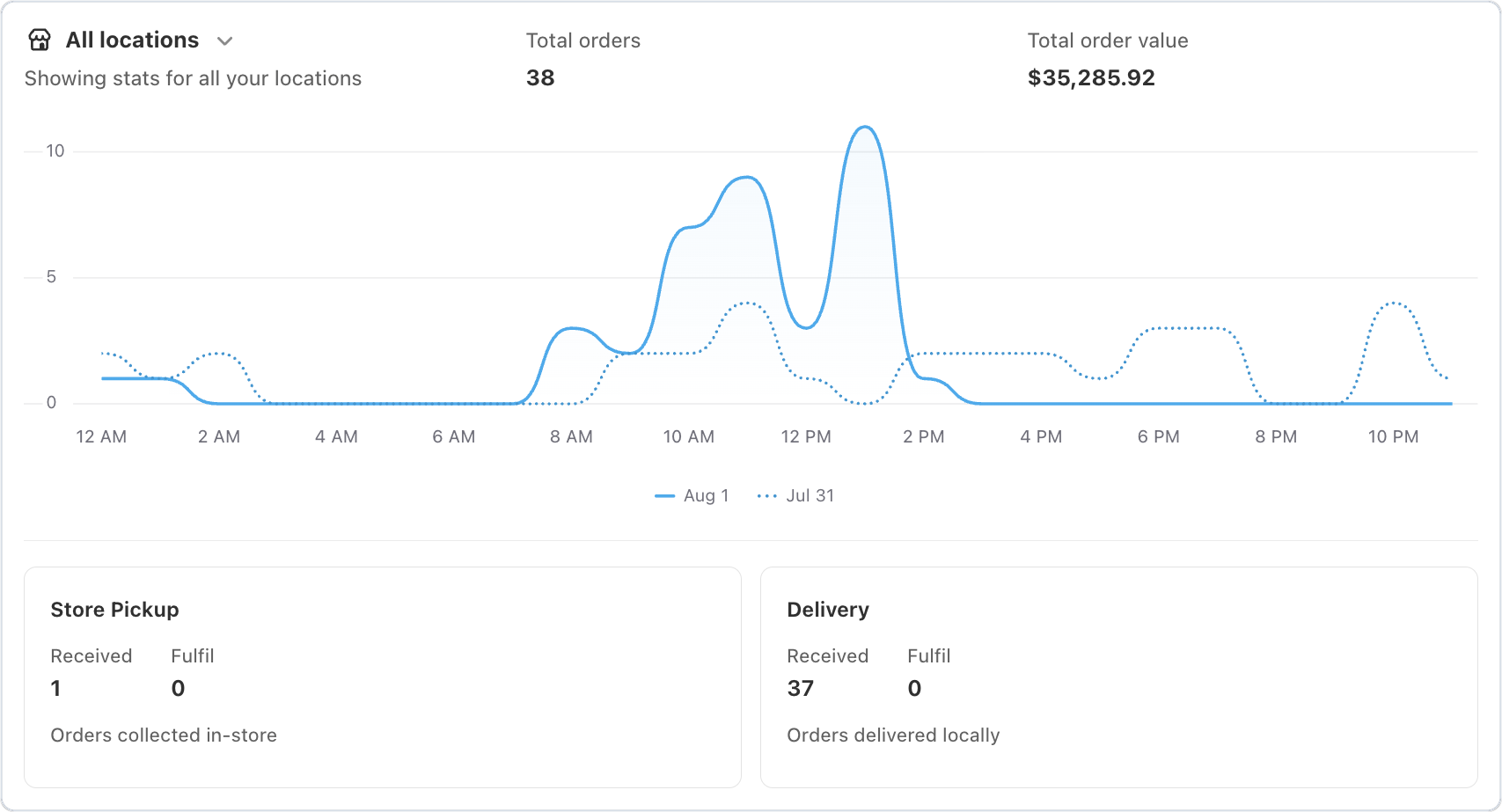
New for Bird Pickup & Delivery merchants with more than one store: Location Insights shows how busy each of your locations is, right on the Bird home page. See all your stores at a glance, or pick one location to see just its numbers.
Where to set it
Open Bird from Apps in your Shopify admin. Location Insights is on the Bird home page, under Order insights.
Example
A florist with three shops checks Location Insights on the morning of Mother’s Day, sees one shop already has far more deliveries to fulfil than the others, and moves a driver there.
Things to know
- See total orders, total order value and an hourly chart for today or yesterday, with the day before shown as a dotted line.
- Each pickup and delivery method has its own card, showing orders received and orders to fulfil that day.
- Click any number to open the matching orders.
- Numbers refresh every 10 minutes, so a brand-new order can take a few minutes to appear.
- Stores with one location see a simpler Order insights summary.