
Improvement
Manage delivery postal codes with chip-style input
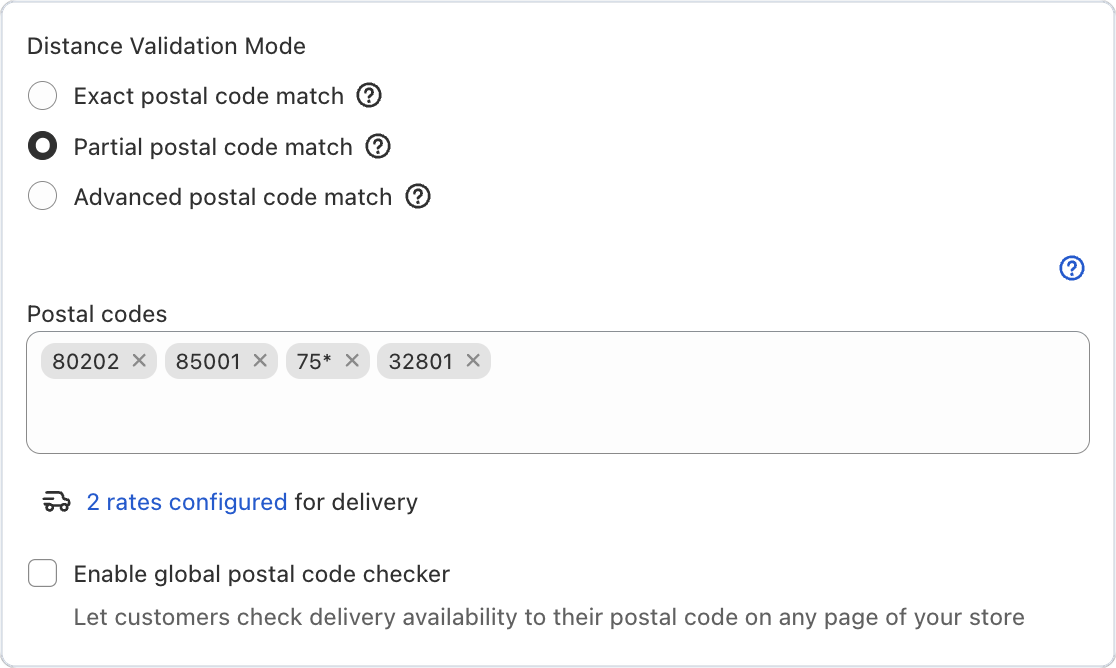
Good news for Bird Pickup & Delivery merchants who deliver by postal code: each code now sits in its own tag, so adding or removing one takes a single click. No more editing a long comma-separated list and hoping the formatting is right.
Where to set it
Bird Settings > Configure locations > choose a location > Edit settings > Local delivery zip/postal codes
Example
A florist in Denver adds 80203 to their delivery area. They type the code, it appears as its own tag next to 80202, and a second customer neighbourhood is covered.
Things to know
- Remove any code with the × on its tag.
- Wildcards like 75* still work when your store uses partial postal code matching.