
Feature
Rate presets and live checkout preview in rate settings
New for Bird Pickup & Delivery merchants: setting up same-day and next-day delivery rates now takes one click. Pick a preset and Bird fills in the days for you, and a checkout preview shows exactly how the rate will look to customers before you save.
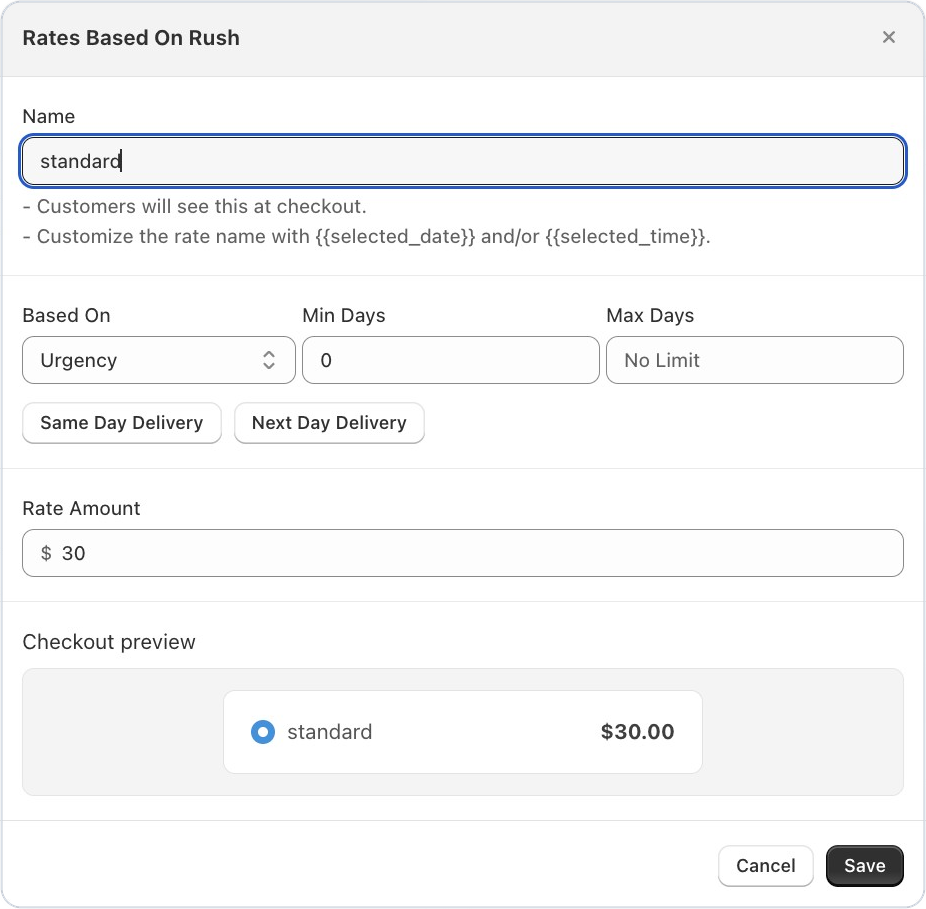
Where to set it
Bird Settings > Rates > Delivery > Add rate, then choose Urgency in Based on
Example
A florist adds a “Same day” rate for $30. They click Same Day Delivery, enter the amount, and the preview shows “Same day $30.00” just as customers will see it.
Things to know
- The preview updates as you type the rate name and amount.
- Enter 0 as the amount to offer the rate for free.