
Feature
Schedule sync for draft orders
Bird Pickup & Delivery merchants can now schedule draft orders the same way customers book at checkout. Turn on Sync mode in the Bird: Order Details panel, and the dates, time slots and locations come straight from your Bird availability.
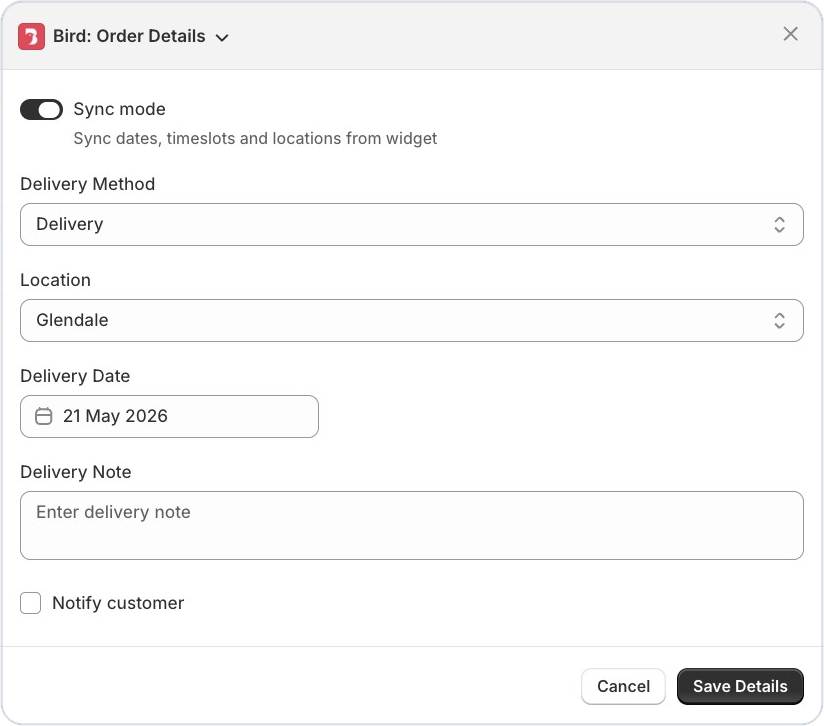
Where to set it
In your Shopify admin, open the draft order, then More actions > Bird: Order Details.
Example
A bakery in Melbourne takes a phone order for a wedding cake. They create a draft order, turn on Sync mode and pick a pickup slot that’s really open, before sending the invoice.
Things to know
- Sync mode shows the same dates, time slots and locations your customers see in the widget.
- It works with the current Bird widget.
Learn more: Draft Orders: Create with Delivery Date & Time →