
 Order Management
How to Sort and Filter Orders in Shopify Admin
Updated June 5, 2026
Filter your orders by delivery dates and methods directly within Shopify admin for efficient organization.
Bird Pickup & Delivery automatically tags orders with delivery information. Enable Order Tagging to unlock powerful filtering capabilities in your Shopify order management system.
Prerequisites
Turn on order tagging before filtering:
- Go to Bird App Settings > Order Management
- Enable Order Tagging
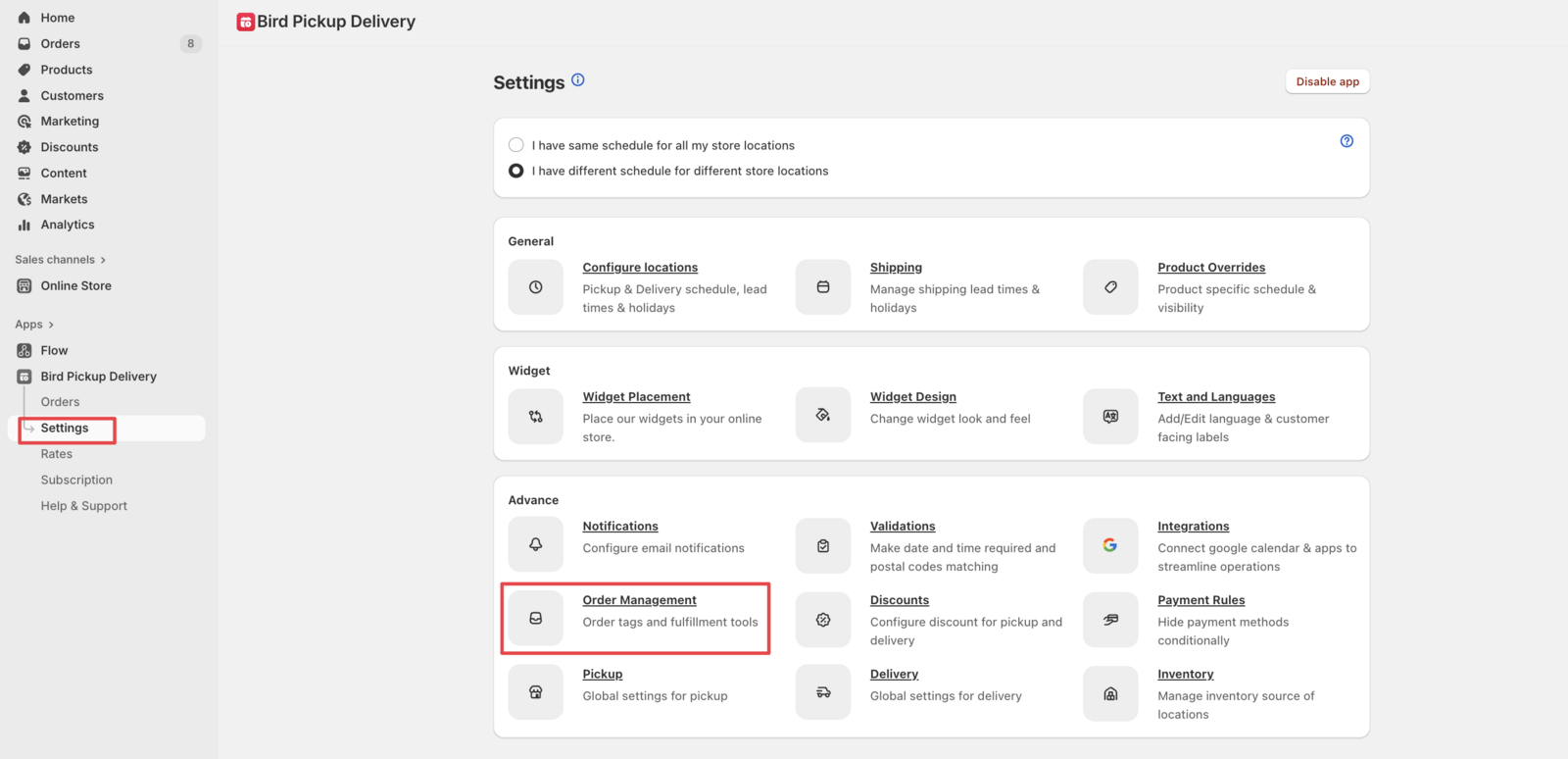
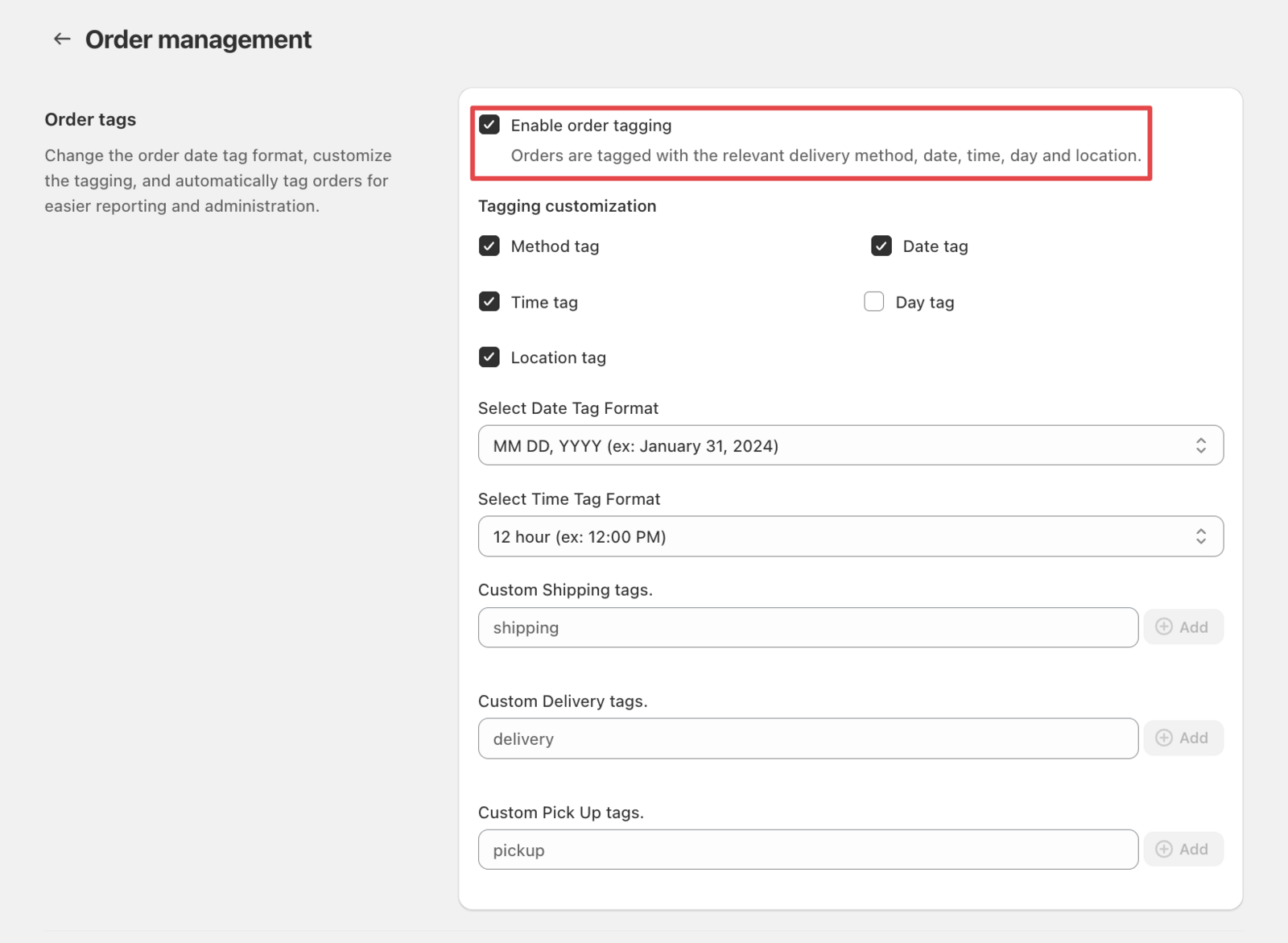
From now on, all new orders will get tags automatically for easy filtering.
Filter Orders by Delivery Date
Method 1: Filter by Specific Date
- Navigate to Orders > All orders in your Shopify admin
- Click the Search and filter icon
- Select Add filter
- Choose Tagged with from the dropdown options
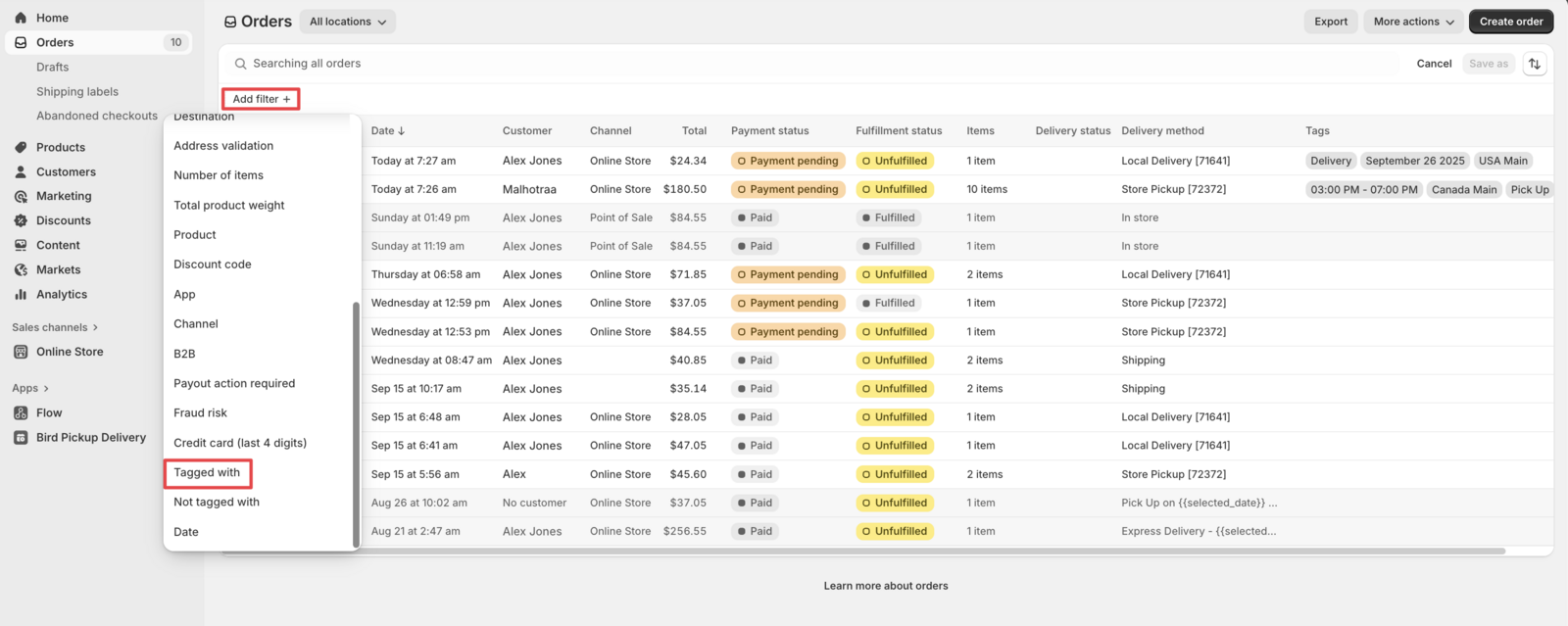
- Select the delivery date tag under Tagged with. You can type to search, then select the suggested tag.
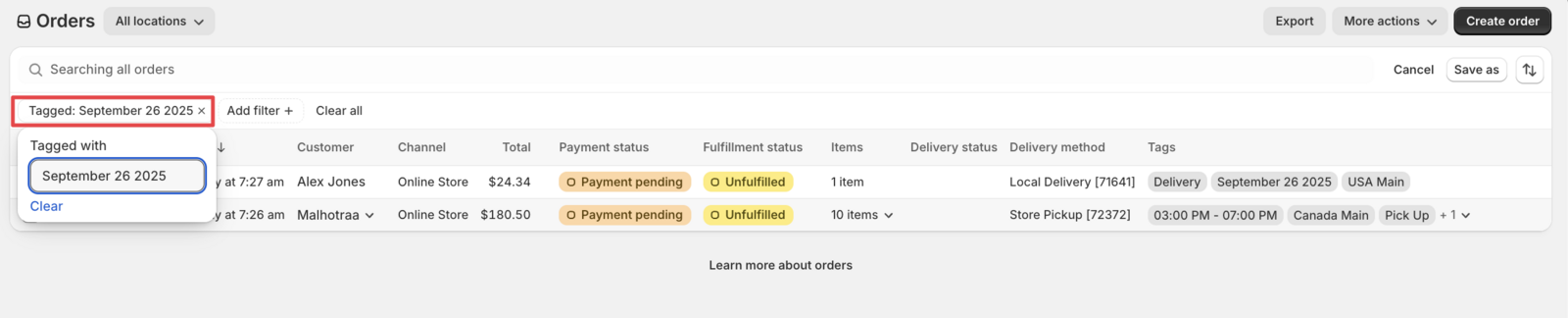
All orders scheduled for that delivery date display immediately.
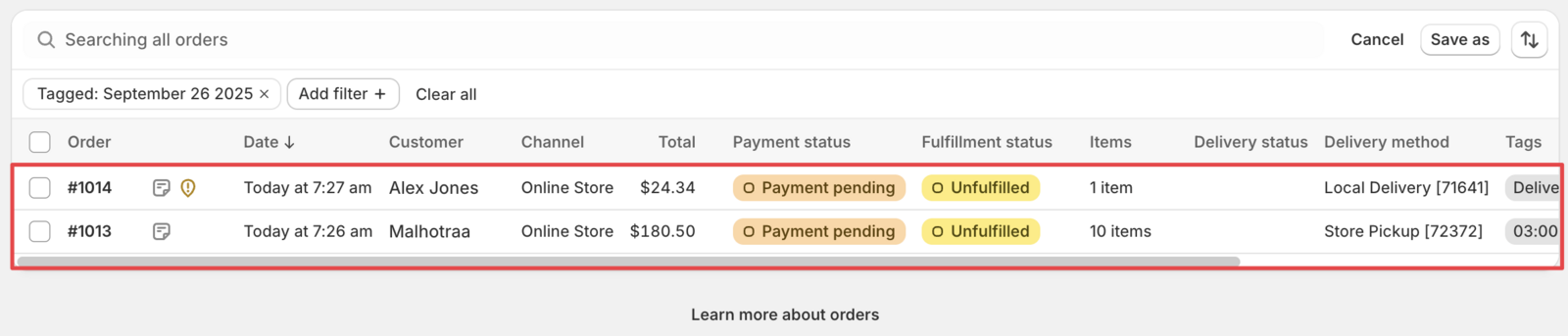
Method 2: Filter by Delivery Month
- Navigate to Orders > All orders in your Shopify admin
- Click the Search and filter icon
- In the search box, type the month name (e.g., December or December 2024) and press Enter, or select it when it appears as a suggestion.
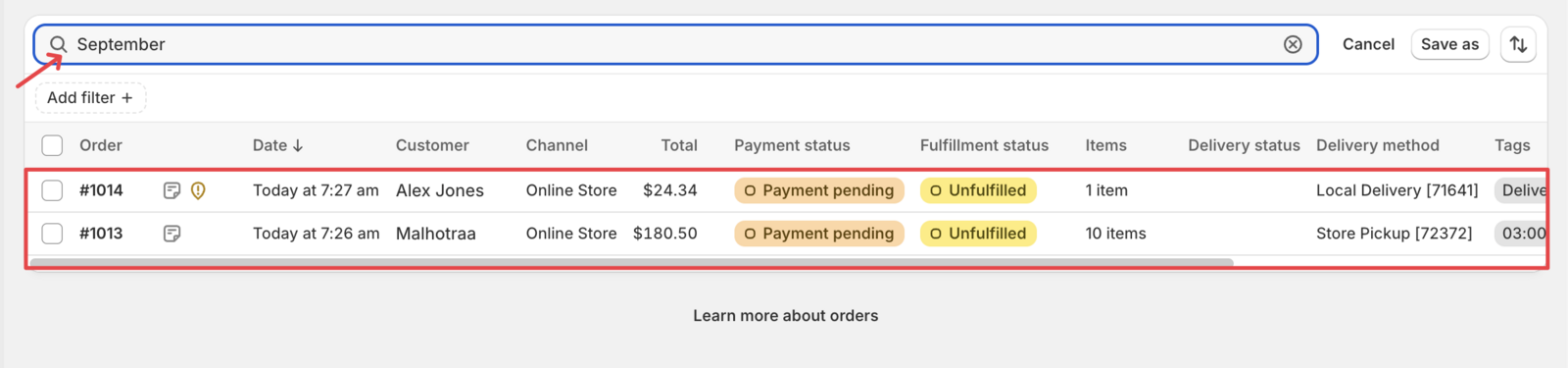
Filter Orders by Delivery Method
Method 1: Use Delivery Method Filter
- Navigate to Orders > All orders in your Shopify admin
- Click the Search and filter icon
- Select Add filter
- Choose Delivery method from the dropdown
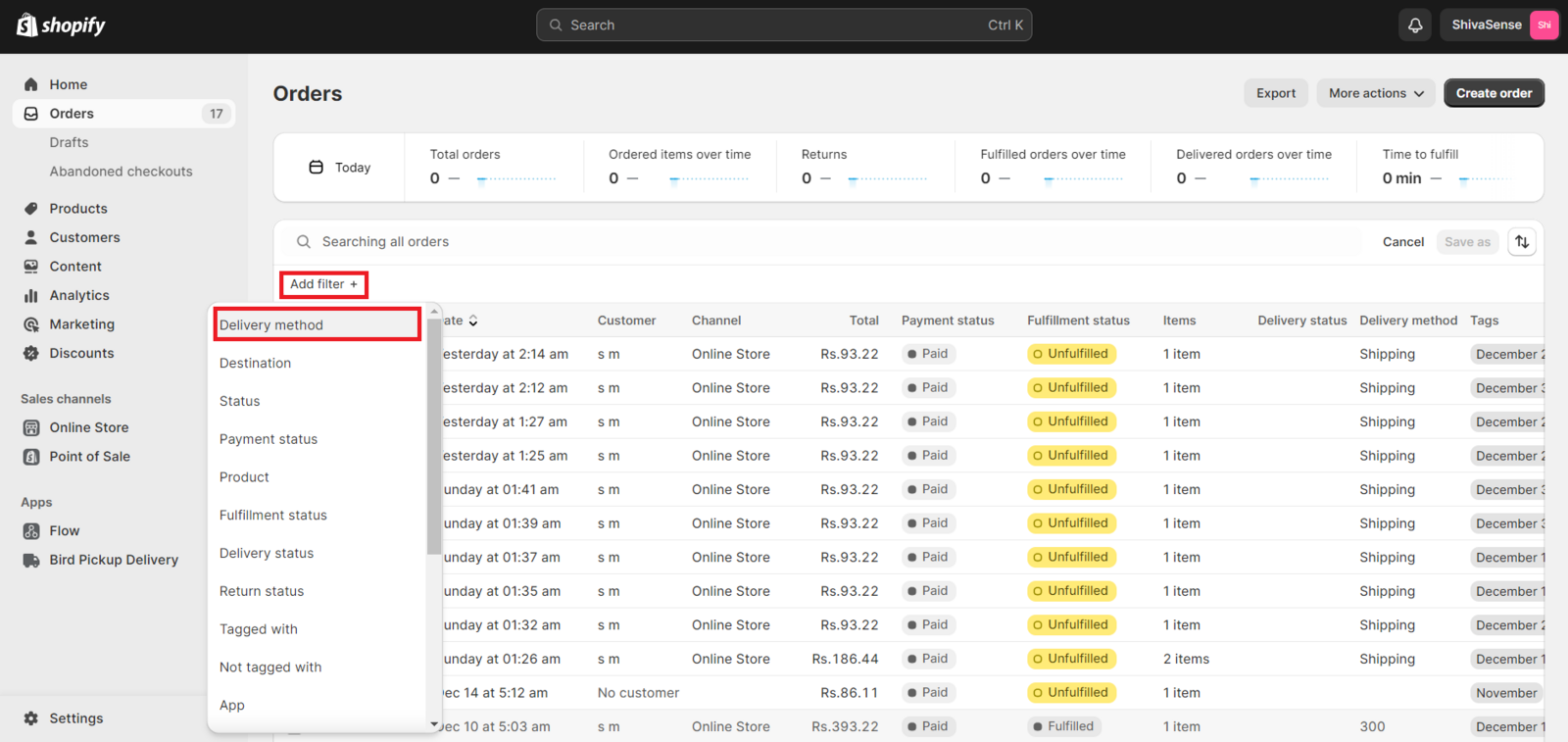
- Select your delivery method: Local Delivery, Store Pickup, or Shipping
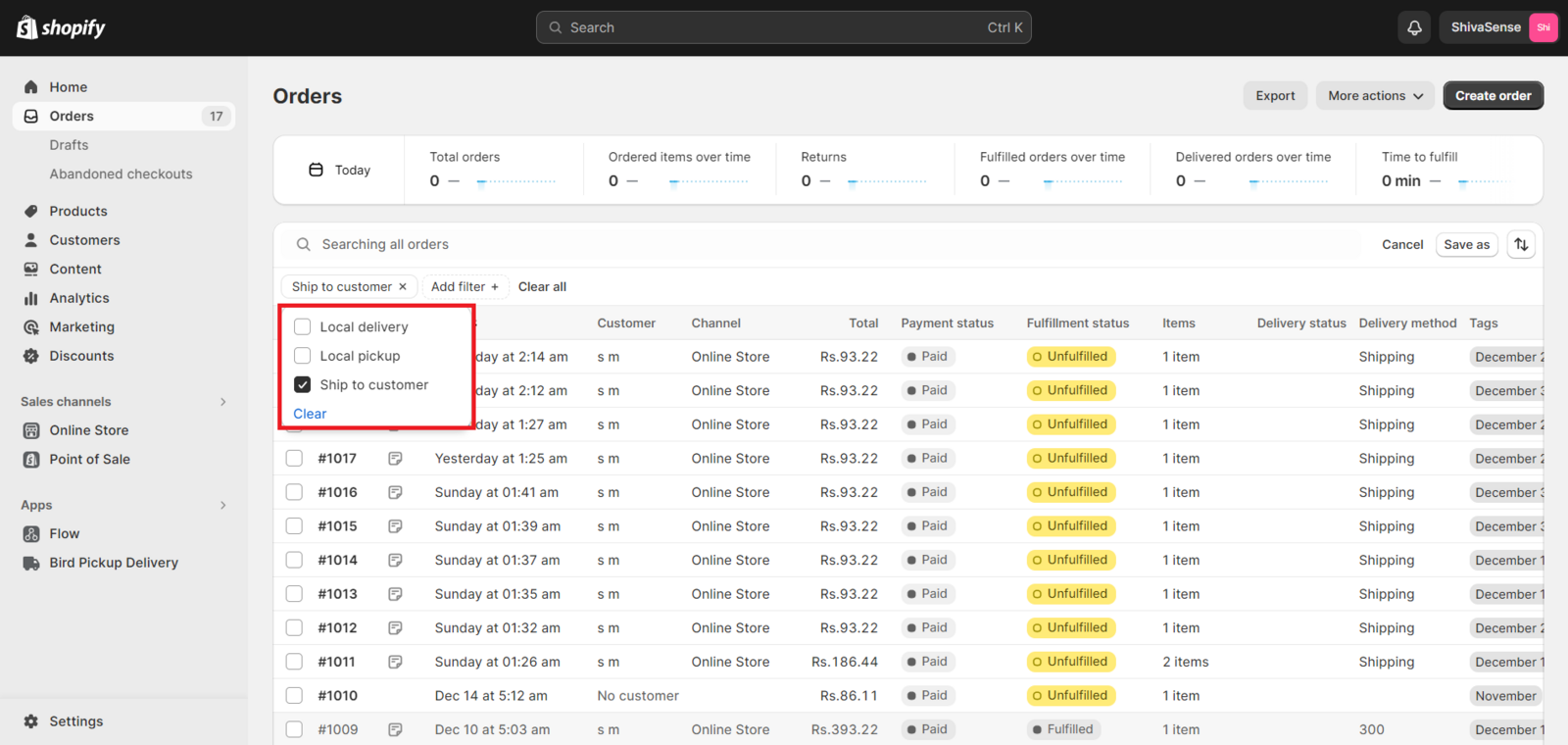
Orders filter instantly by your selected delivery method.
Method 2: Use Tagged With Filter
- Navigate to Orders > All orders in your Shopify admin
- Click the Search and filter icon
- Select Add filter
- Choose Tagged with from the dropdown
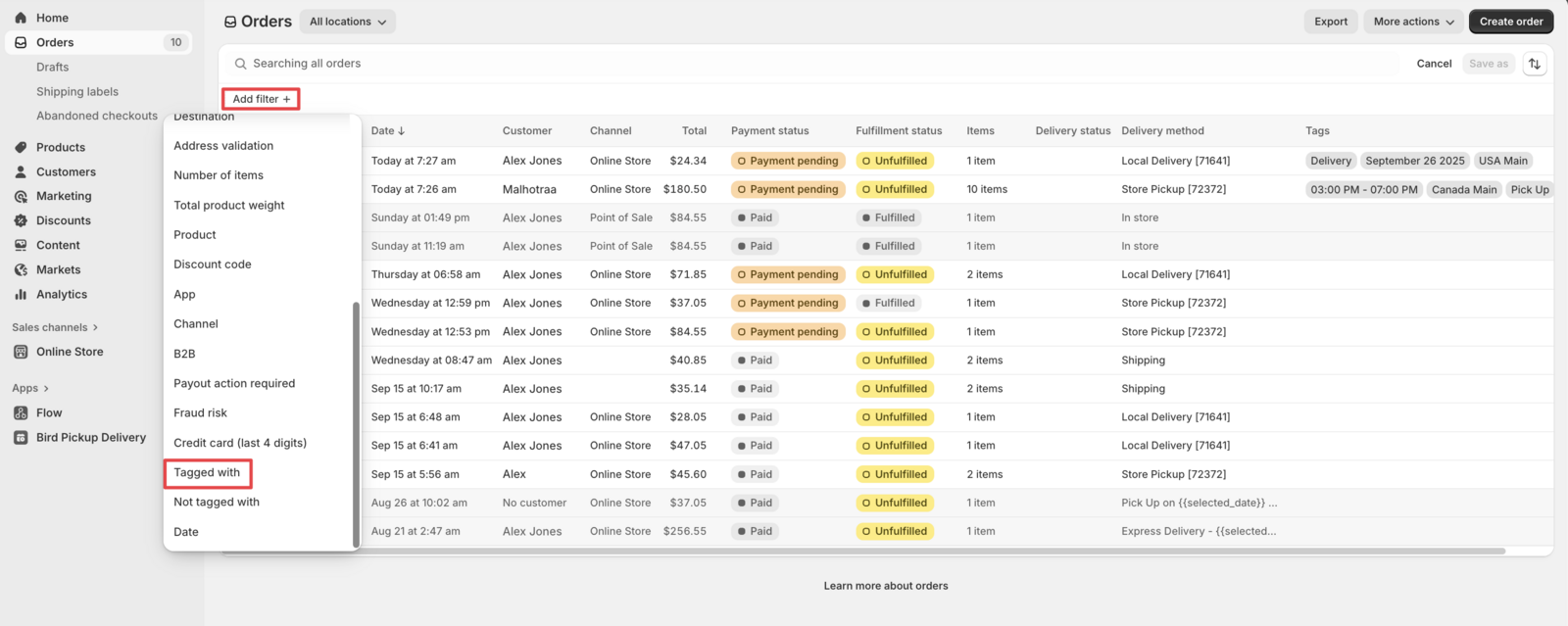
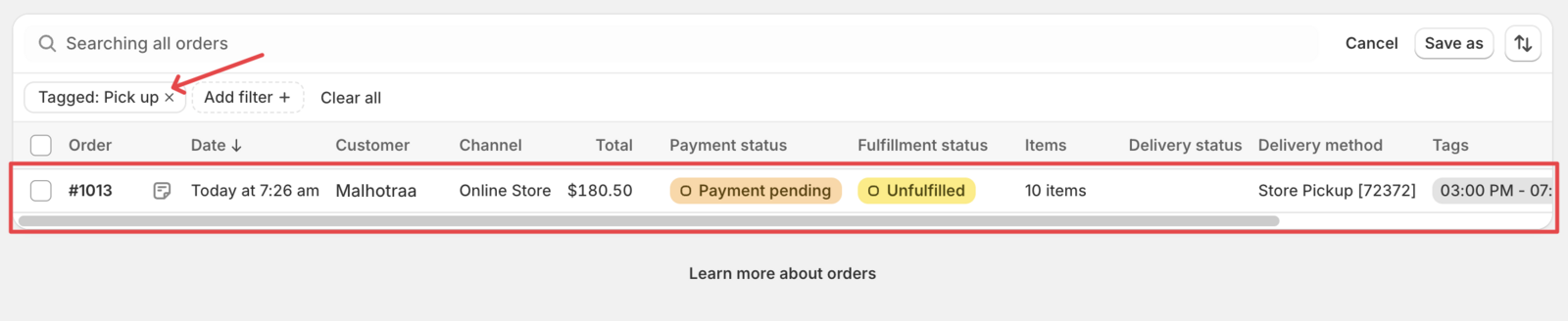
- Select the delivery method tag in Tagged with (pickup, delivery, or shipping). You can type to search, then select the suggested tag. All orders using that delivery method display immediately.
Related Articles
Was this article helpful?
Thanks for your feedback!