
 Integrations
Seal Subscriptions
Connect Seal Subscriptions to Bird Pickup & Delivery so each renewal order Seal creates gets its delivery date moved forward automatically.
Requirements
- You need to be on the Bird Scale plan.
- You need Seal Subscriptions installed on your store.
Step 1: Create an API Token in Seal
- In Bird, go to Bird Settings > Integrations, open the Subscription tab, and click Seal.
- Under the API token field, click Seal’s settings, then go to General settings > API.
- Tick Enable API and click Save settings.
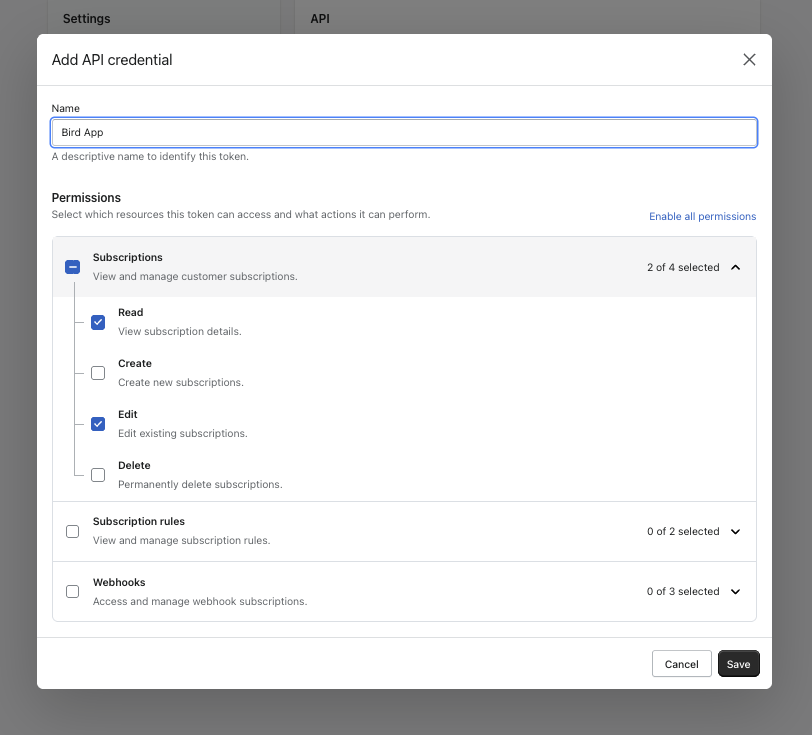
- Click Add API credentials and give it a name, such as
Bird Pickup & Delivery. - Under Subscriptions, tick Read and Edit, then click Save.
- Click Copy next to API token.
Keep your API token private. Paste it only into Bird, never into emails or support chats. If a token has been shared, delete the credential in Seal and create a new one.
Step 2: Connect Seal
- In Bird, paste the token into API token.
- Click Connect Seal. You’ll see a “Seal connected” message.
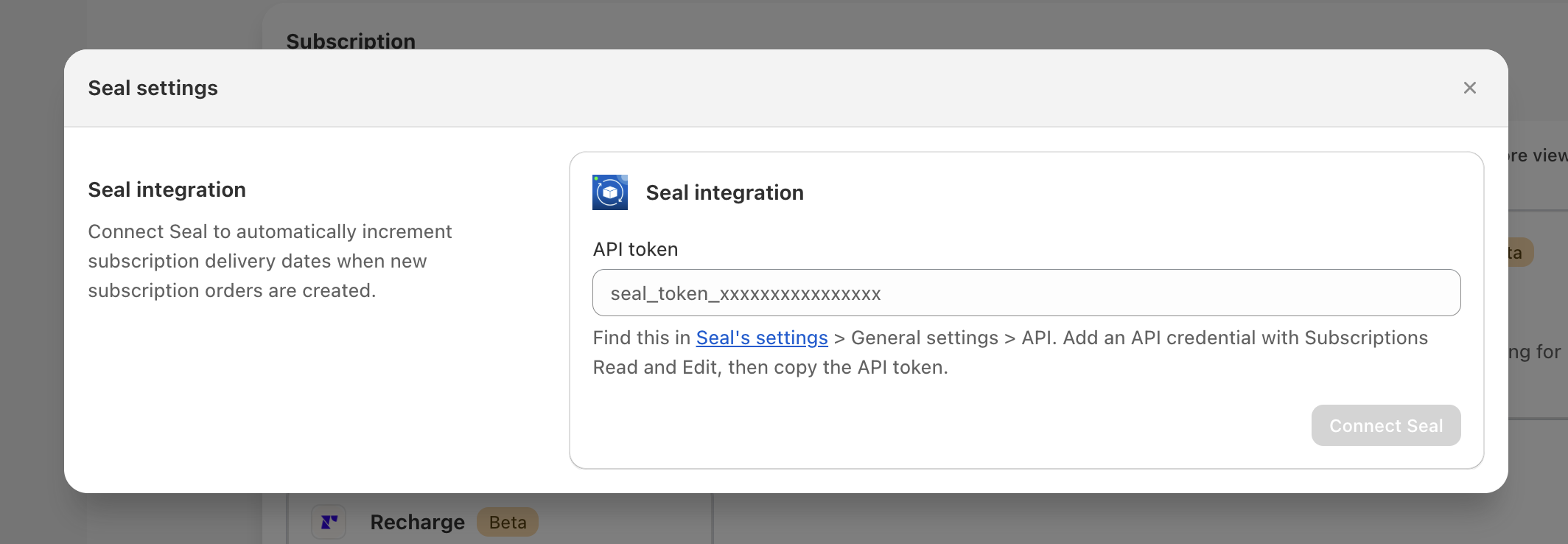
Token not accepted? Check that you copied the API token, not the API secret, and that it has Read and Edit for Subscriptions.
Already using Shopify Flow for Seal dates? Turn that workflow off after connecting, or a renewal’s date can move twice. On the Growth plan, use Shopify Flow instead.
Step 3: Email Customers (Optional)
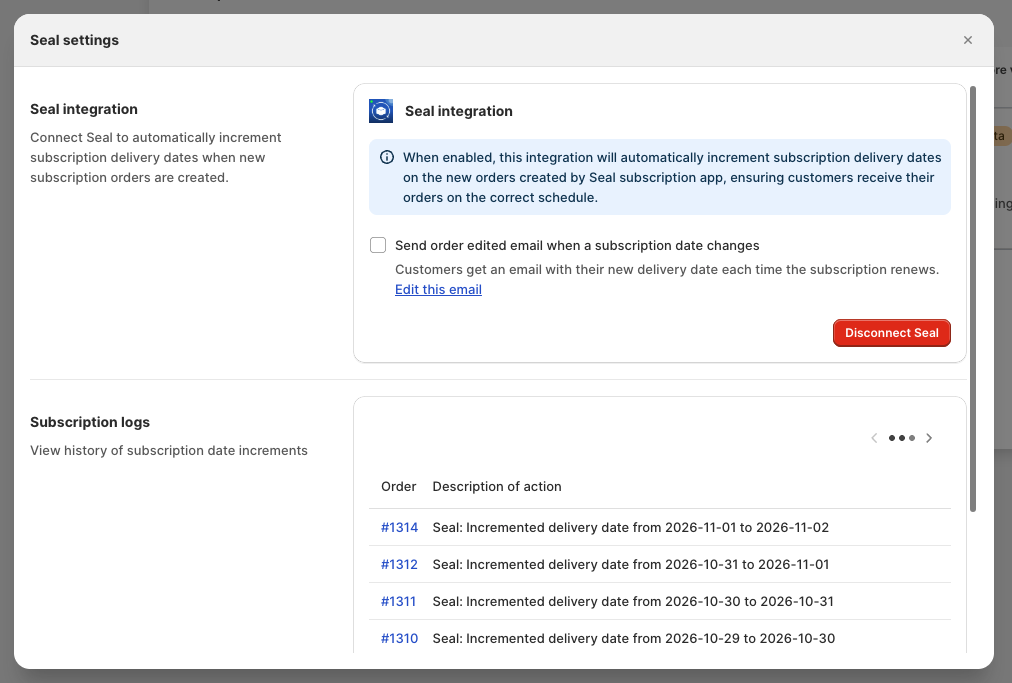
Tick Send order edited email when a subscription date changes to email customers their new delivery date each time their subscription renews. Click Edit this email to change the wording.
Step 4: Review Subscription Logs
Subscription logs list every date change. Each entry shows:
- Order: the order number, which opens the order in Shopify
- Description of action: what changed, e.g. “Seal: Incremented delivery date from 2026-10-30 to 2026-10-31”
- Timestamp: when it happened
Tip: Logs start with the first renewal. The first checkout order has no entry, because its date doesn’t change.
Disconnect Seal
Click Disconnect Seal at any time to stop moving delivery dates.
Related Articles
Was this article helpful?
Thanks for your feedback!