
Improvement
Orders page redesigned for clarity
The Bird Pickup & Delivery Orders page now shows exactly which filters are on, so you always know why an order is or isn’t in your list. Each filter sits in its own pill under the search bar, ready to change or remove in one click.
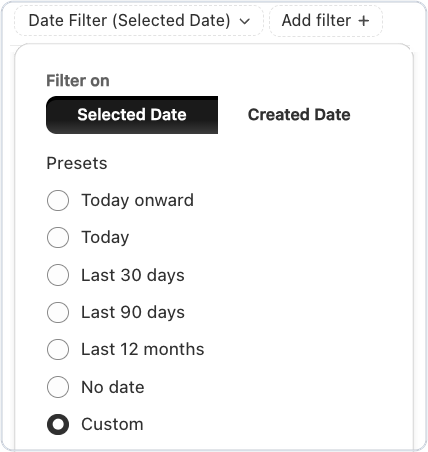
Where to set it
Bird > Orders, using the filter pills under the search bar
Example
A grocer needs last month’s orders for a report. They switch the date filter to Created date, pick Last 30 days, and export exactly that list.
Things to know
- Filter by the day an order is due (Selected date) or the day it was placed (Created date), with quick picks from Today to Last 12 months, or your own dates.
- Remove any filter with its ×, or click Clear all to start over.
- Click the Selected Date or Created Date column to sort the list.
- Exports include only the orders in your filtered list, and you confirm who gets them before anything is sent.