
 Rates
Rates
Delivery Customization: Store Pickup
Updated June 12, 2026
What exactly is delivery customization?
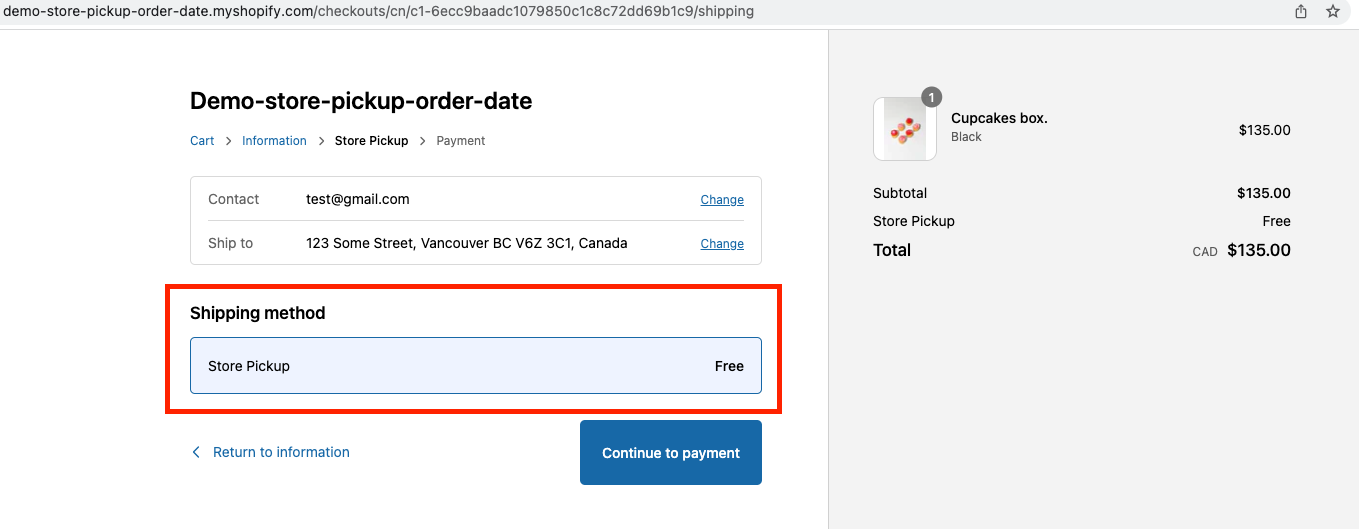
Delivery customisation is used to show the Store Pickup rate in the checkout as shown below, when customer has selected store pickup option in our widget.
Follow the steps below to set it up
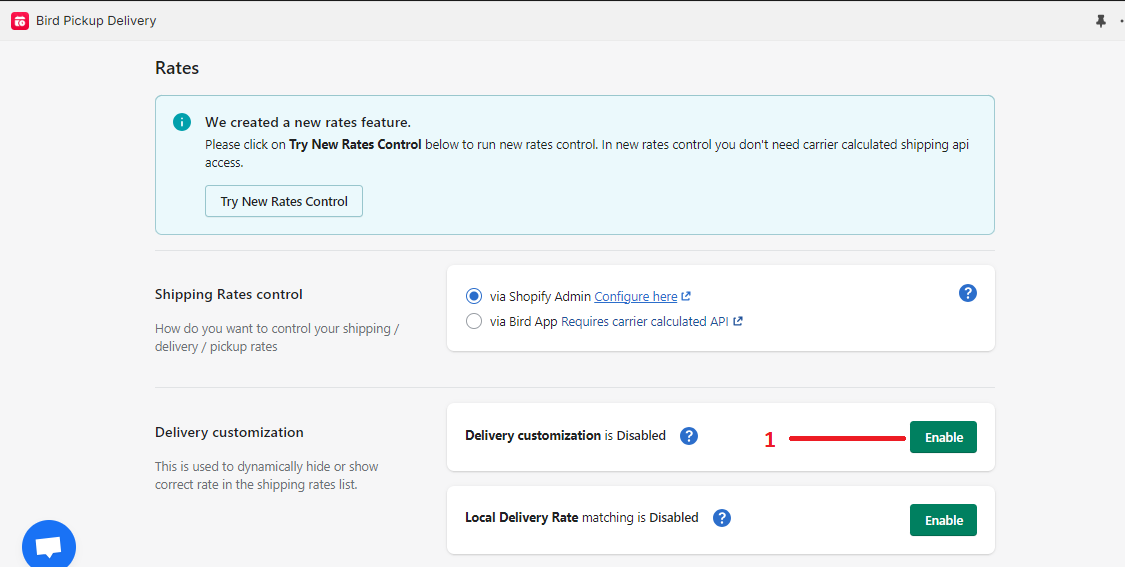
- Enable delivery customisation from rates page of our app.
- Once enabled, you may see the following warning message.
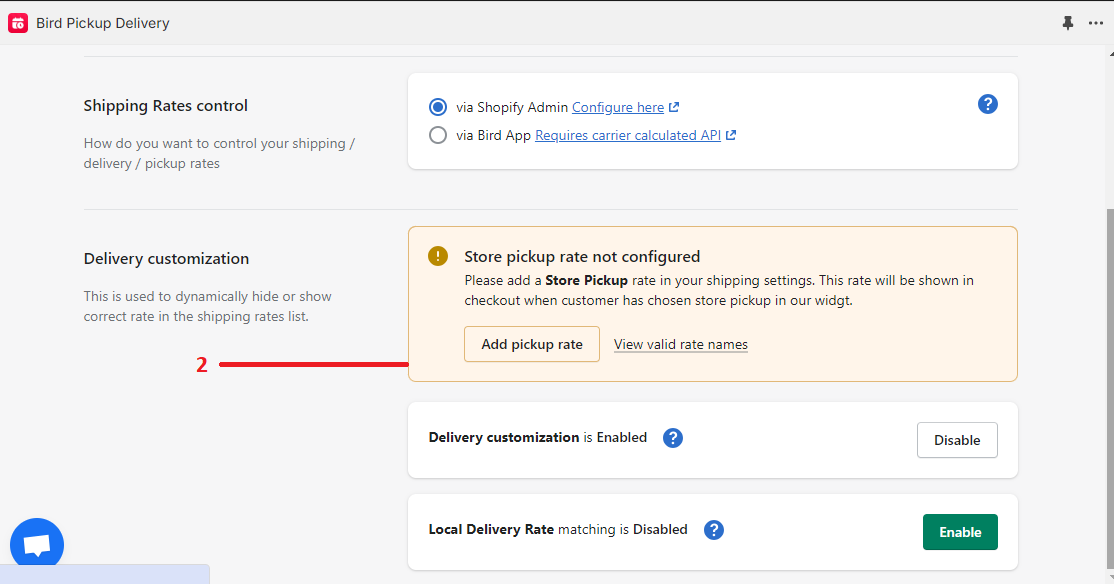
- If you see the warning above click on Add pickup rate. This will take you to Shopify Shipping and delivery settings.
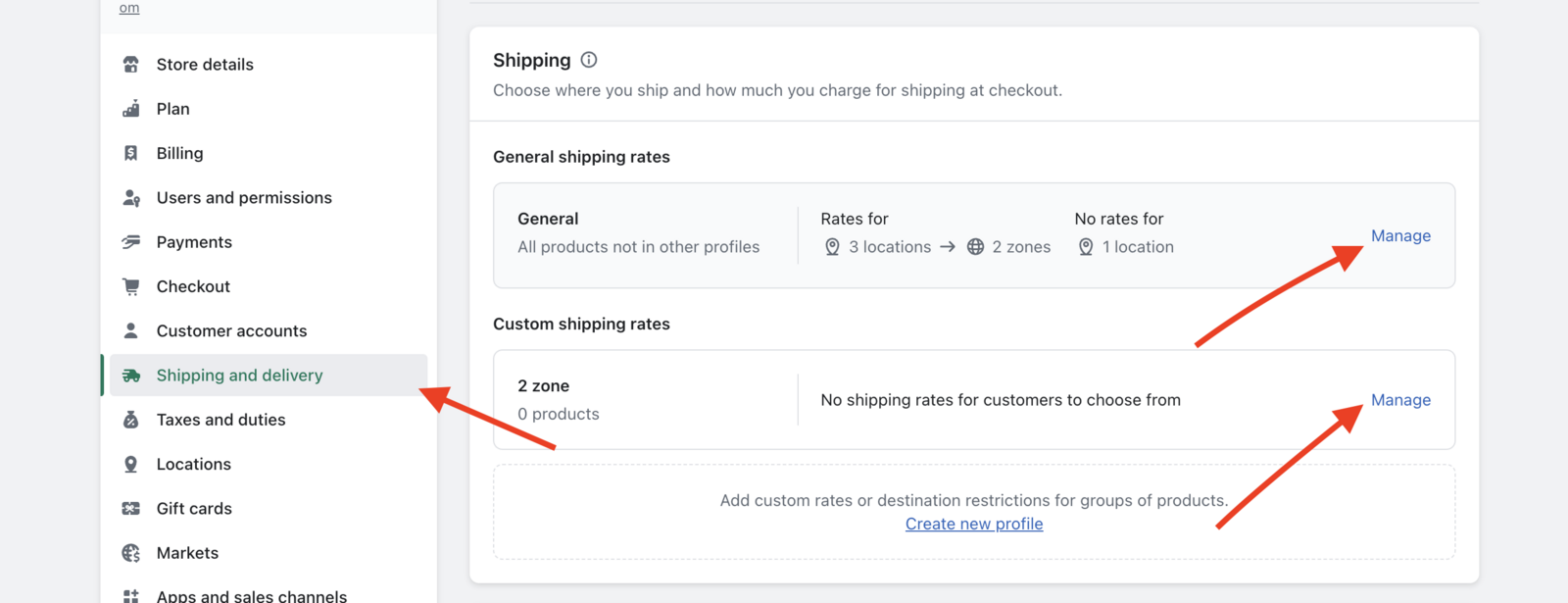
- Click on the manage button. Scroll down and click on the Add rate button, as shown below.
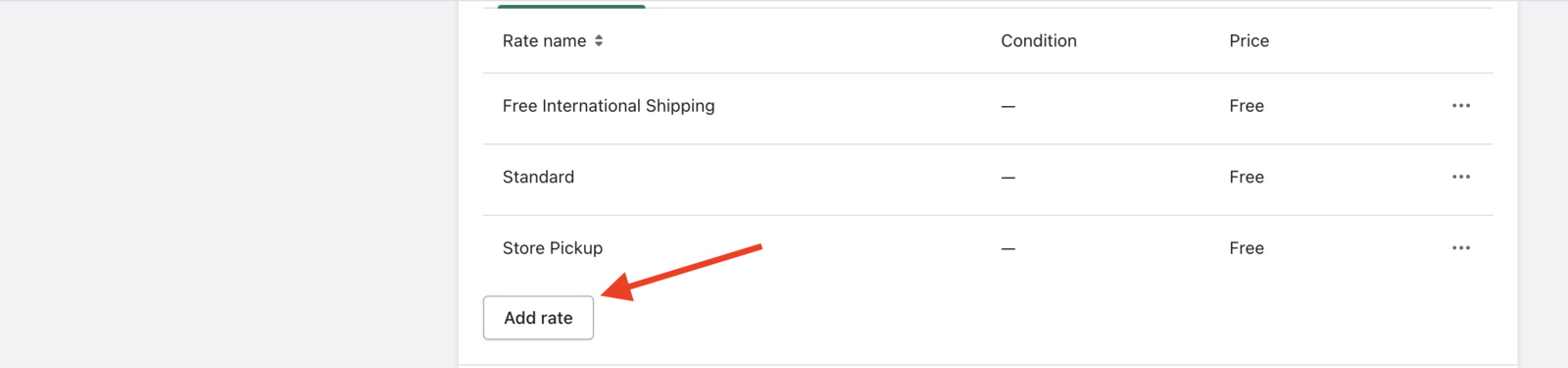
- After that enter the store pickup rate name as shown below then click Done and then click Save on top right.
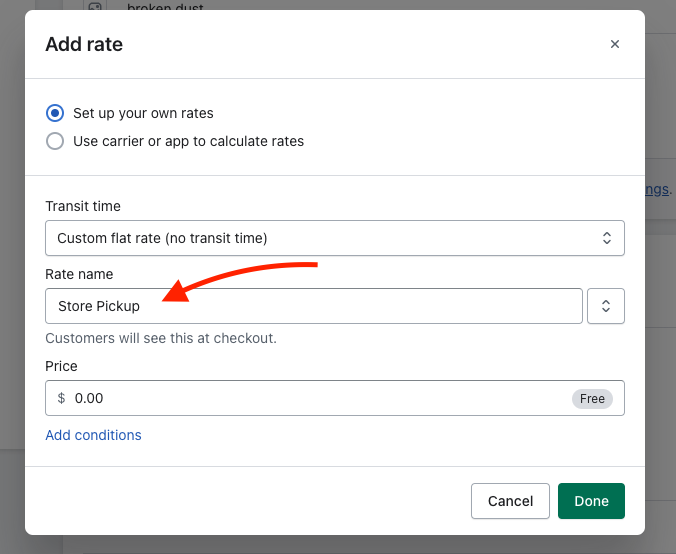
Following is the list of allowed names to be entered instead of the Store Pickup
- Store Pickup
- store pickup
- Collection
- Pickup
- pickup
- pick up
- Pick Up
- Pick up
- Pickup at store
- Click & Collect
- Local Pickup
- Afhentning i butik
- Recoger en tienda
- Abholung im Geschäft
- Cueillette au magasin
- Cliquez et collectez
- area di ritiro
- Atsiėmimas parduotuvėje
- Afhalen
- 到店自取
- 门店自提
- Ritiro in Sede
- Odbiór w sklepie
If you would like to add the rate name in a different language, let us know, we will be happy to add it to the list :)
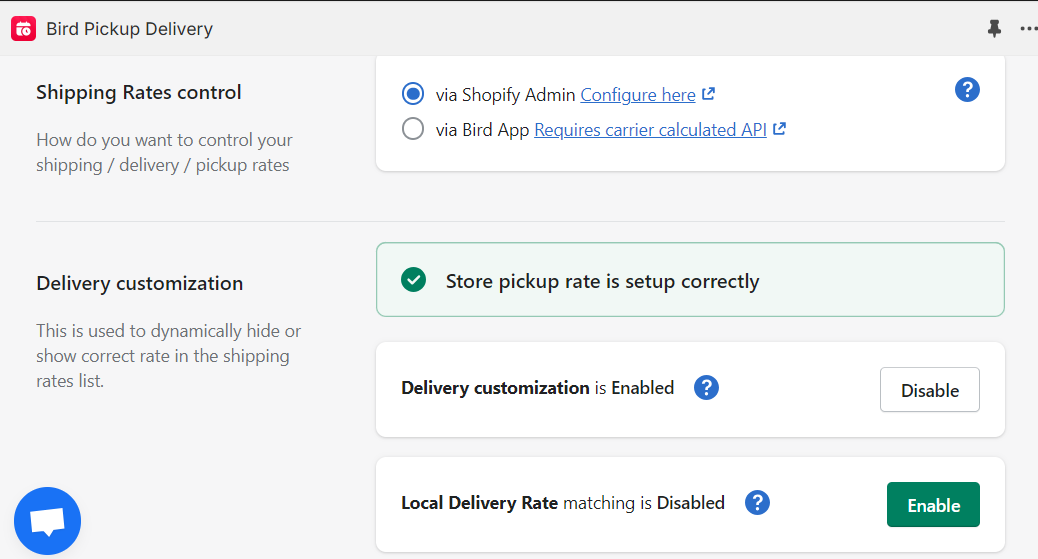
- Reload the rates page in our app and you will see the following message, if you have added the store pickup rate correctly.
ℹ️
Related Document: Delivery customization- local delivery rate matching
Was this article helpful?
Thanks for your feedback!