
 Shopify Configuration
How to Disable Shopify's Built-in Store Pickup
Disable Shopify’s built-in store pickup to use Bird Pickup & Delivery exclusively.
This applies to the cart-page widget. If you’re on Shopify Plus using Bird’s checkout extension, you don’t need to disable Shopify’s built-in pickup — selection happens inside checkout.
Shopify’s native store pickup feature conflicts with Bird Pickup & Delivery. If it’s left on, customers who already chose pickup in the Bird cart widget are asked to select pickup a second time at Shopify’s checkout. Disabling it lets Bird handle pickup through the shipping system — the pickup location’s address is pre-filled as the shipping address and your Bird pickup rate is applied, so customers move through a single checkout flow.
Disable Store Pickup Location
Follow these steps to turn off Shopify’s built-in pickup functionality:
-
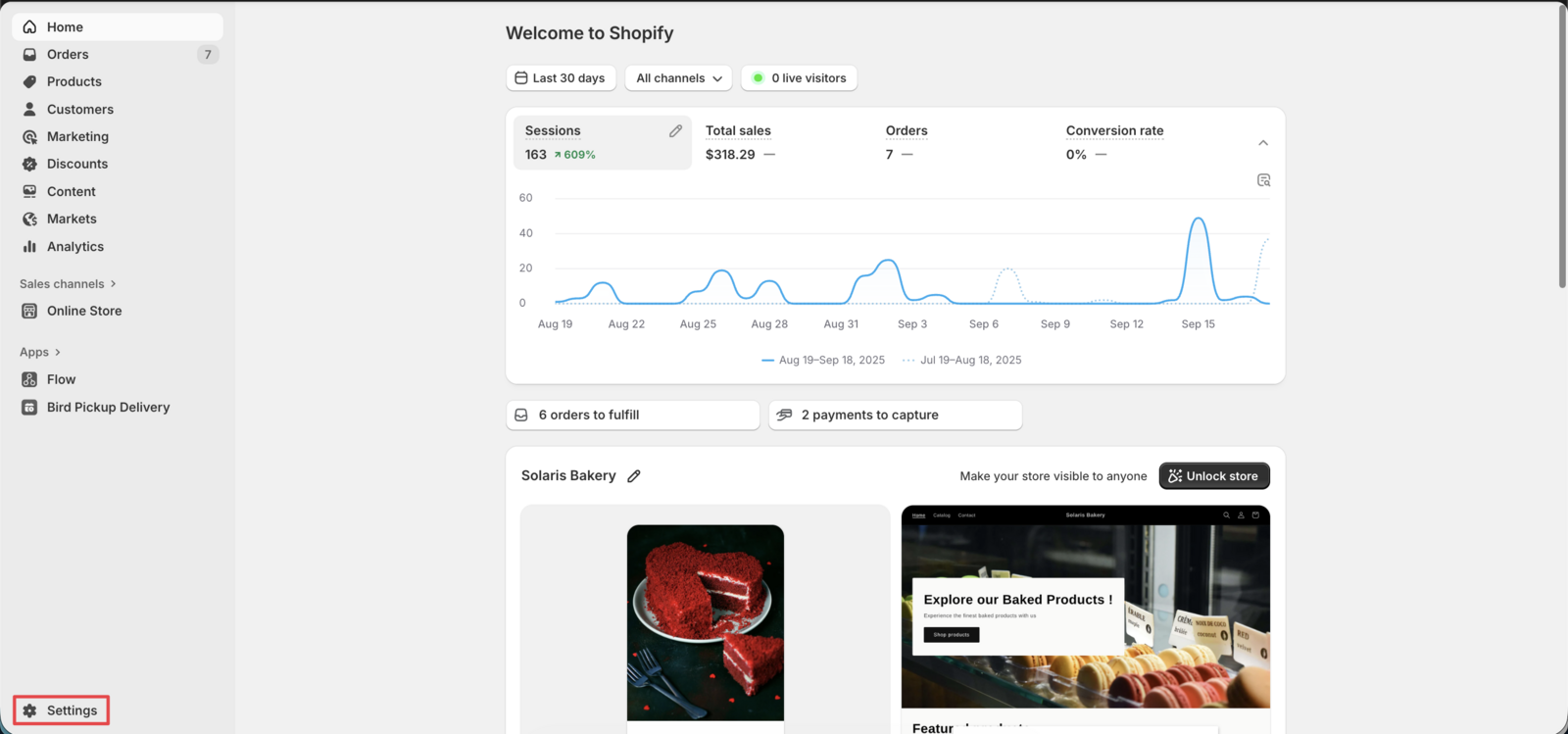
Navigate to Settings
- Go to your Shopify admin dashboard
- Click Settings in the left sidebar
-
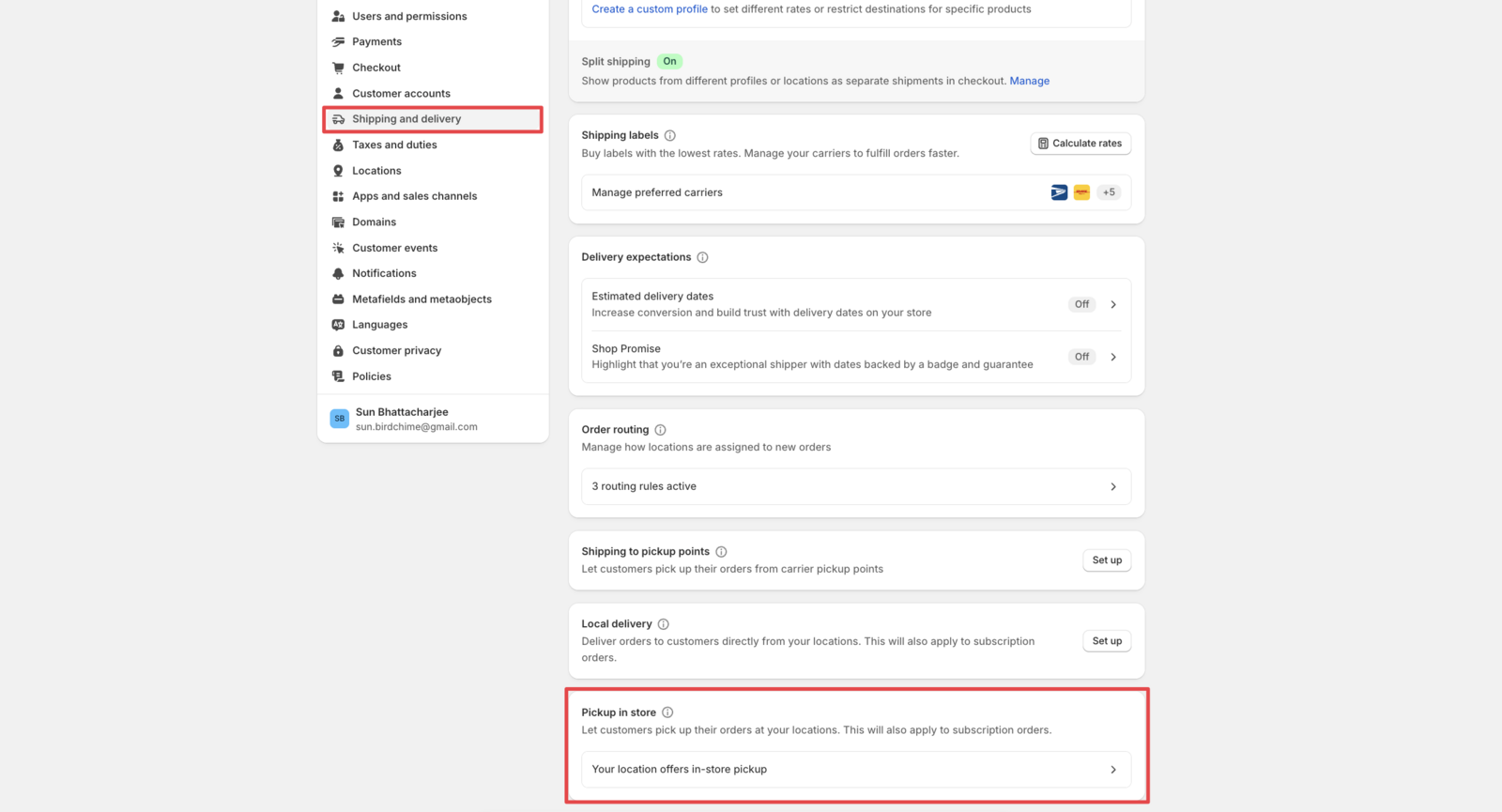
Access Shipping and Delivery
- Click Shipping and delivery from the Settings menu
- Scroll down to find the Pickup in store section
-
Configure Pickup Settings
- Click “Your location offers in-store pickup”
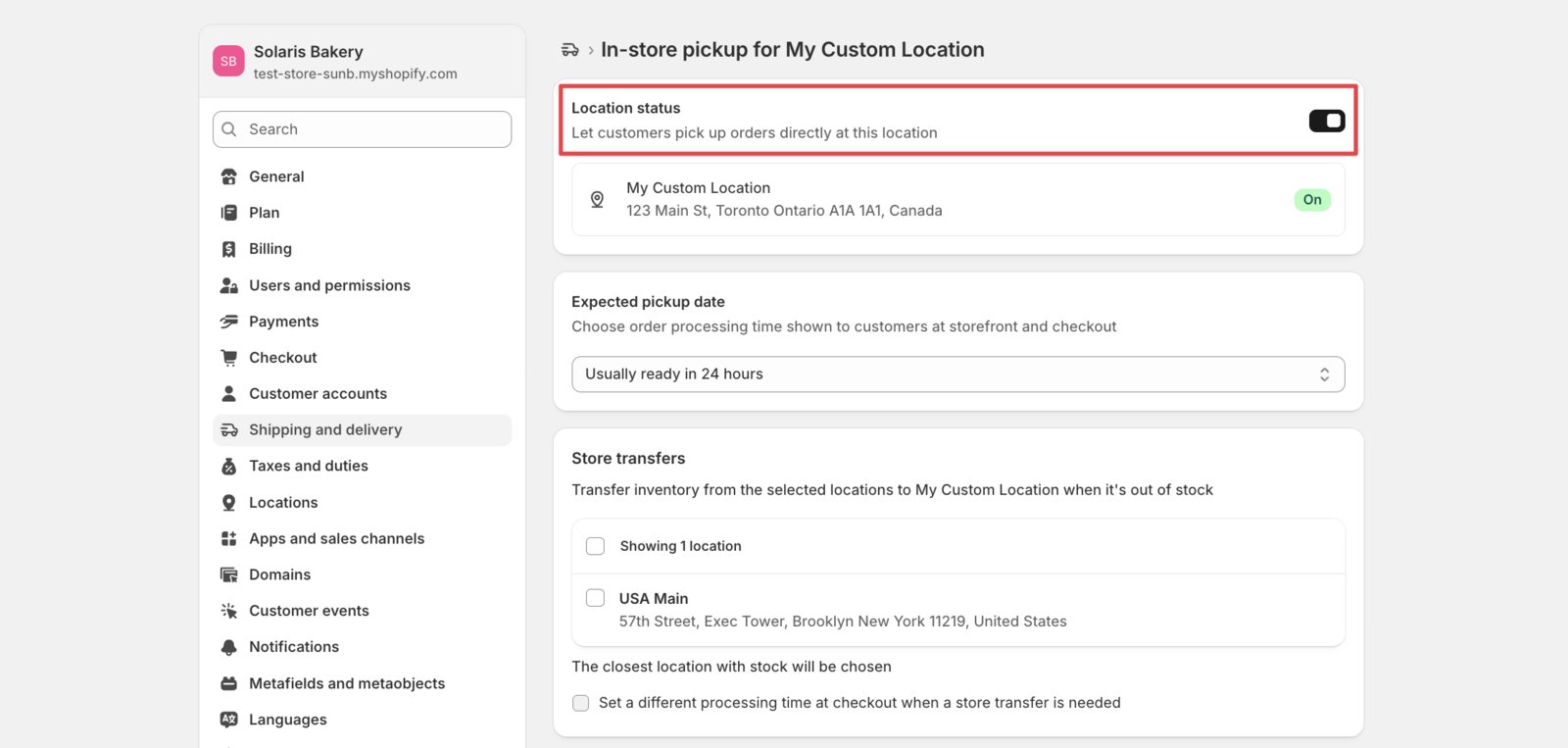
- Select the specific location you want to modify
-
Disable Pickup Option
- Toggle the switch to Off for store pickup
- Click Save to apply changes
That’s it! Your location now uses Bird Pickup & Delivery exclusively for pickup orders.
Pro Tip: When you set up Rates through our rates wizard by going to Bird App > Rates, we automatically disable Shopify’s built-in pickup for you!
Why Disable Shopify’s Built-in Pickup?
- Protects your rates: Customers can’t switch to free native pickup at checkout to dodge the delivery or shipping fee they selected in the cart
- No double selection: Customers choose pickup once in the cart widget instead of again at checkout
- Pre-filled address: The pickup location’s address auto-fills the checkout shipping address
- Better Control: Use Bird Pickup & Delivery’s advanced scheduling features
- Consistent Experience: Maintain uniform pickup workflows across your store
- Enhanced Features: Access time slots, date restrictions, and custom pickup rules
Once Shopify’s built-in pickup is off, pickup orders flow through the shipping system and show as “Shipping” in Shopify, so Shopify’s native “Ready for pickup” notifications no longer fire. Send pickup notifications from the Bird app instead — see How to Send Pickup and Delivery Notifications to Customers.
Related Articles
Was this article helpful?
Thanks for your feedback!