
 Shipping
Standard Shipping Settings
Configure shipping settings to control delivery options and manage your shipping calendar effectively.
Standard Shipping offers carrier delivery to supported addresses. Customers can select delivery dates and times for shipped orders.
Access Shipping Settings
Navigate to Bird App Settings > Shipping in your dashboard.
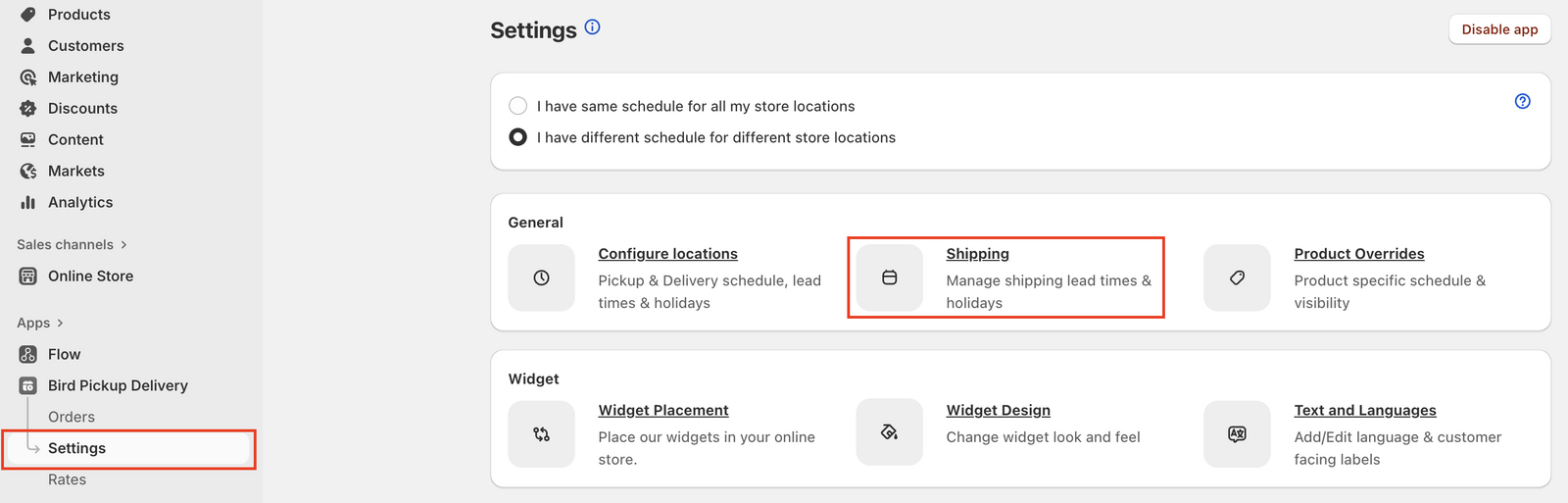
Enable Shipping
- In Basic settings, check Enable shipping
- Click Save

Configure the Shipping Calendar
Configure your delivery schedule to control when customers can select shipping dates.
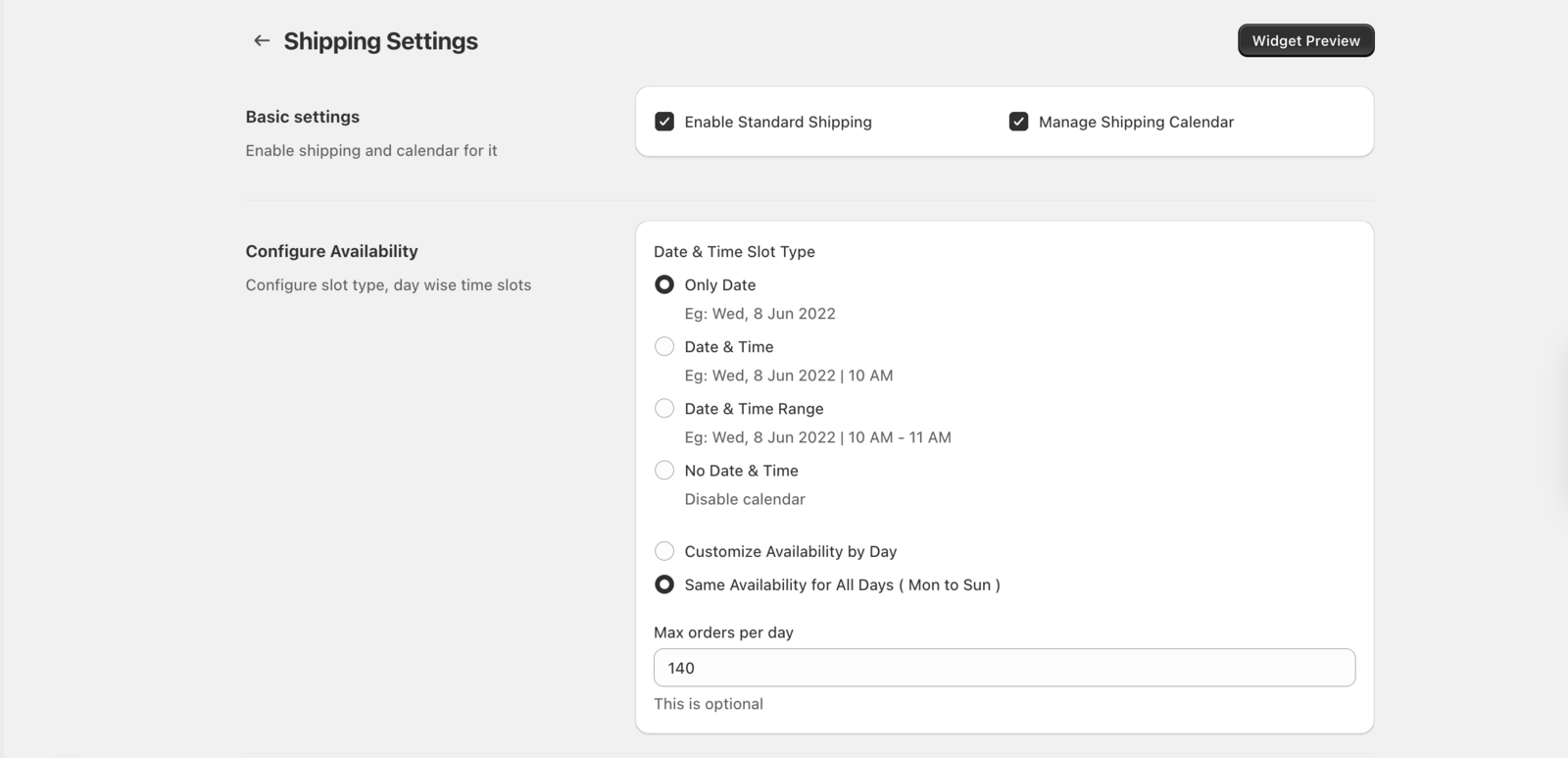
- Scroll to Configure availability (it appears once shipping is enabled).
- Under Date & time slot type, choose Only date, Date & time, or Date & time range. Choose No date & time to offer shipping without a calendar.
- Set Available Delivery Days: Choose Same availability for all days (Mon to Sun) or Customize availability by day, then pick the days you ship (e.g., Monday to Friday).
- Set Delivery Time Windows: Add the time slots when deliveries can be made (e.g., 9am–5pm).
- Block Out Dates: Add holidays or dates when shipping is unavailable in Blockout dates.
- Click Save to apply your calendar settings.
Preview Widget Changes
Verify your shipping configurations appear correctly by previewing the widget after saving changes.
- Navigate to App Settings > Shipping
- Make your desired configuration changes
- Click Save to apply all changes
- Click Widget preview to see your updated configuration
The widget preview appears in the top right corner of the Bird App. Use this feature to simulate any date and time to test your advanced rules.

That’s it! Your shipping widget now reflects your updated configuration.
Complete Shipping Setup
Follow these essential configuration steps to fully set up your shipping system:
- Configure Delivery & Pickup Availability Settings - Set your store’s delivery schedule and calendar availability
- Shipping: Preparation Time - Set time required to prepare orders and day-specific cut-off times
- Shipping: Blockout Dates - Disable specific dates to prevent customer selection
- Control Delivery Methods with Product Tags - Restrict shipping to specific products
- Configure Shipping Rates via Bird App - Set up rates for different zones and delivery methods
Related Articles
Was this article helpful?
Thanks for your feedback!