
 Integrations
How to Automatically Add New Orders to Google Sheets
B
Written by Bird Pickup & Delivery
Updated September 5, 2026
- Create or prepare your Google sheet.
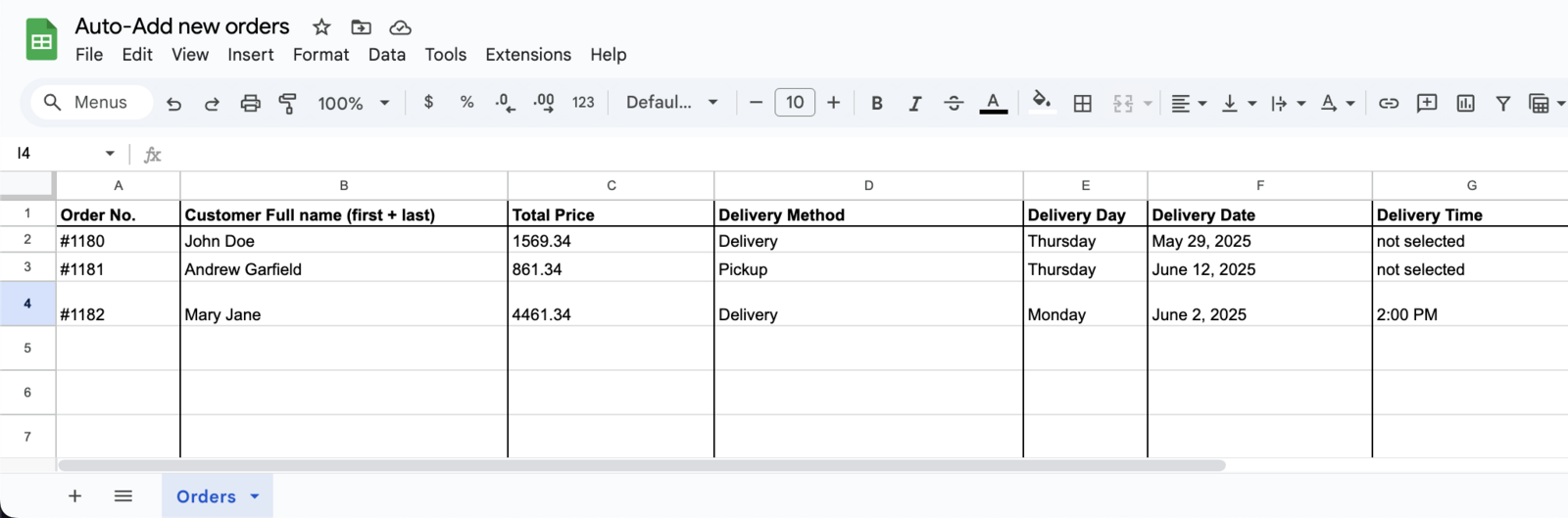
- Download this pre-created flow template.
- Go to Shopify Admin > Apps > Flow > Import > Import the file downloaded above.
- Edit newly created flow with the following details.
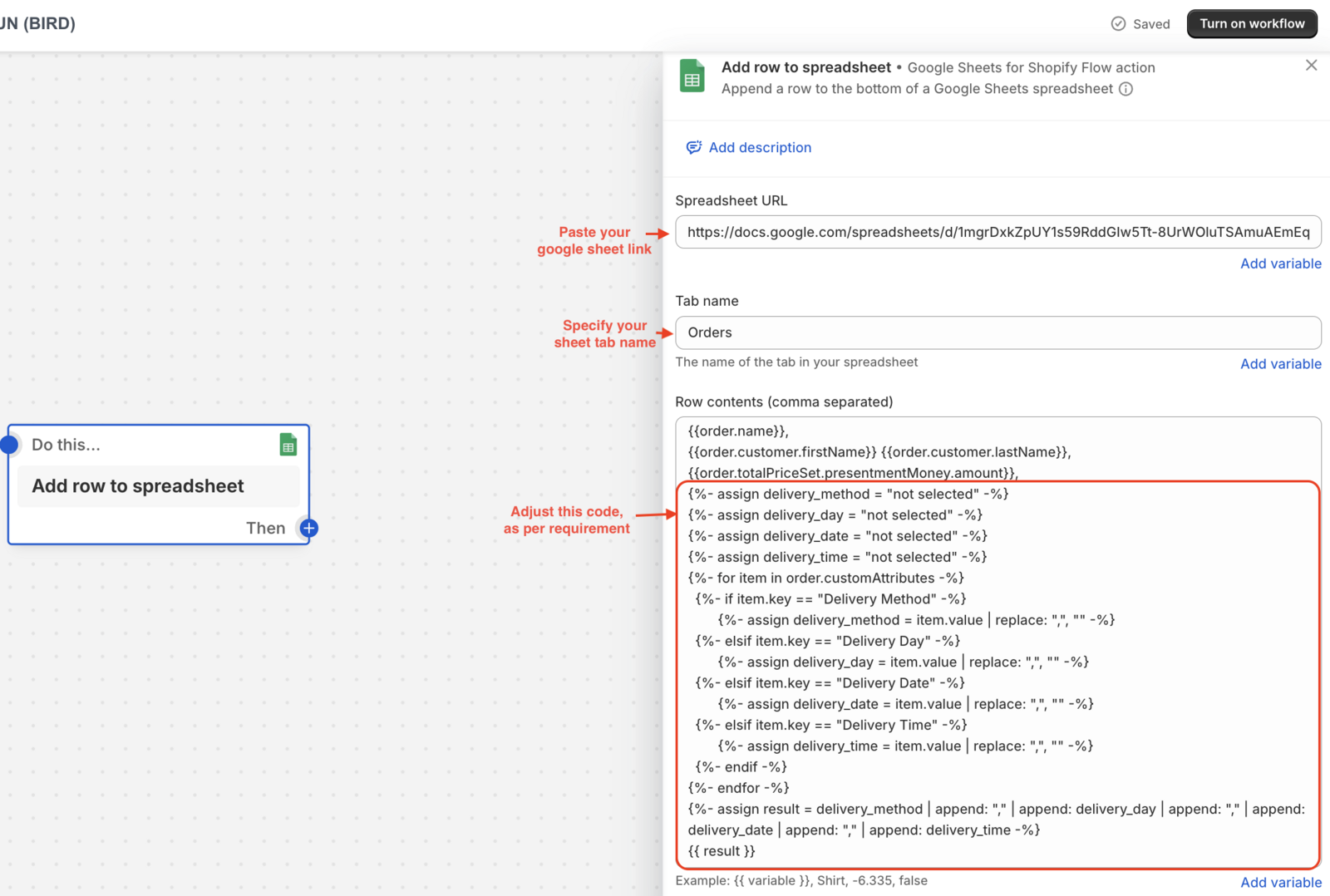
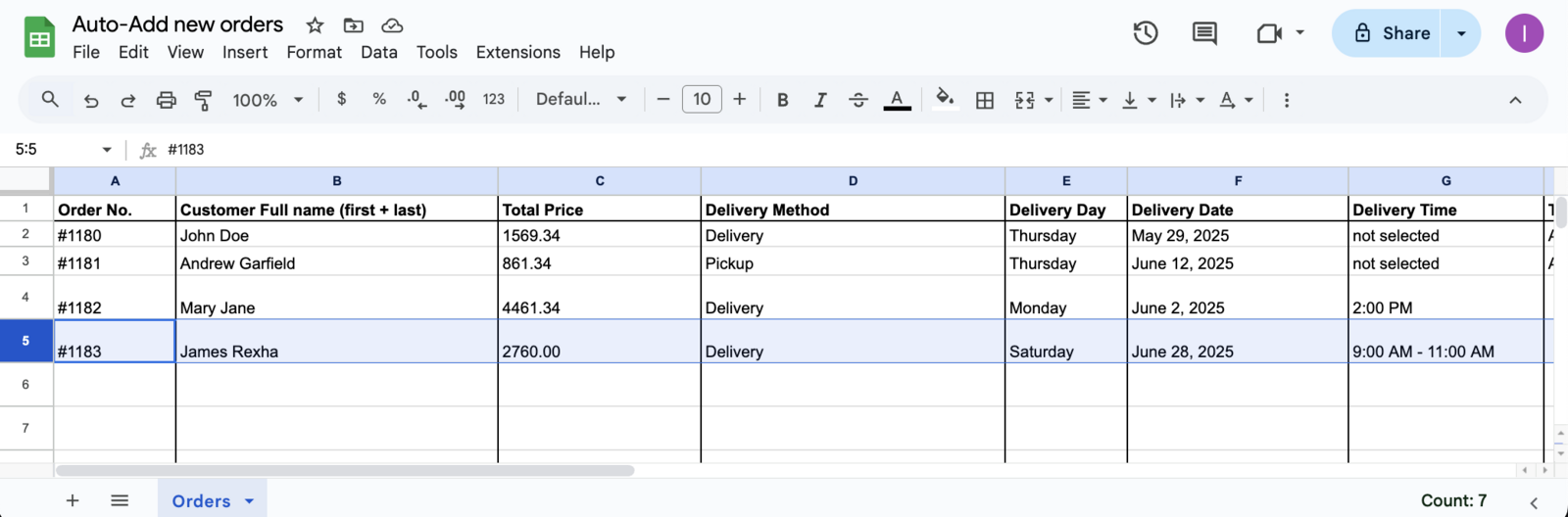
- Click Apply changes and use the flow for new orders. (Result given below)
💡
Flow will run for every new order and will add details to your linked google sheet, like highlighted row.
Related Articles
Was this article helpful?
Thanks for your feedback!