Bird Pickup & Delivery Bird Pickup & Delivery

What's New

The latest features, improvements, and fixes for Bird Pickup & Delivery.

June 2026

Feature ·

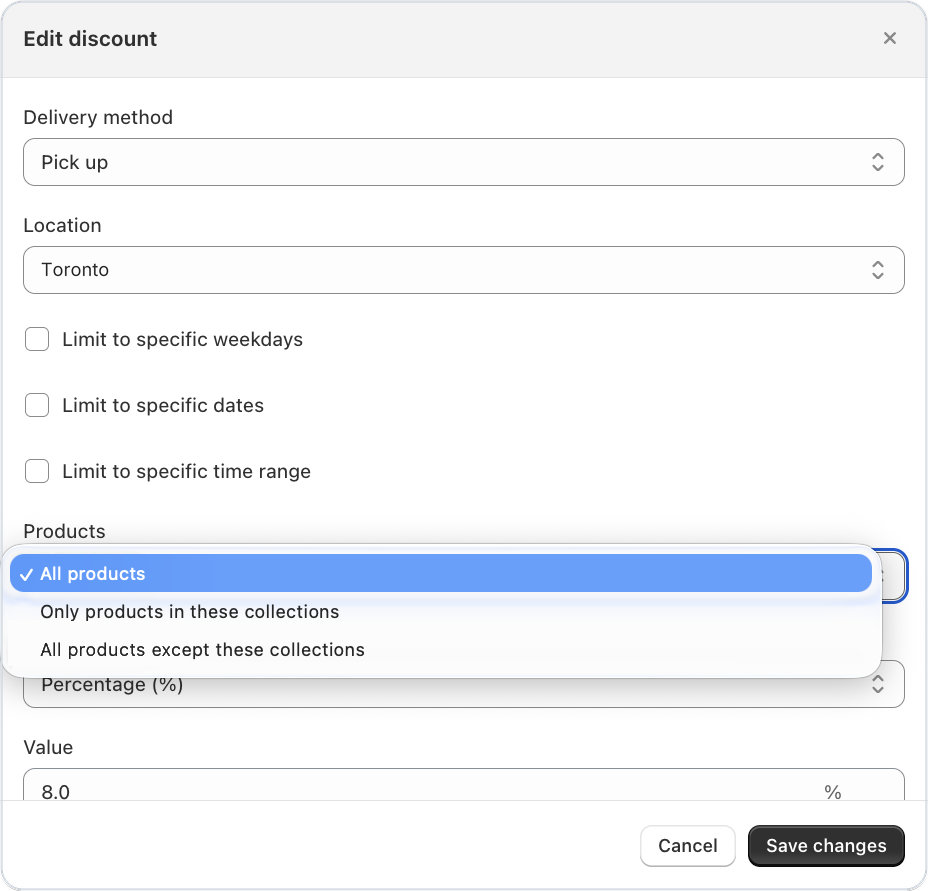
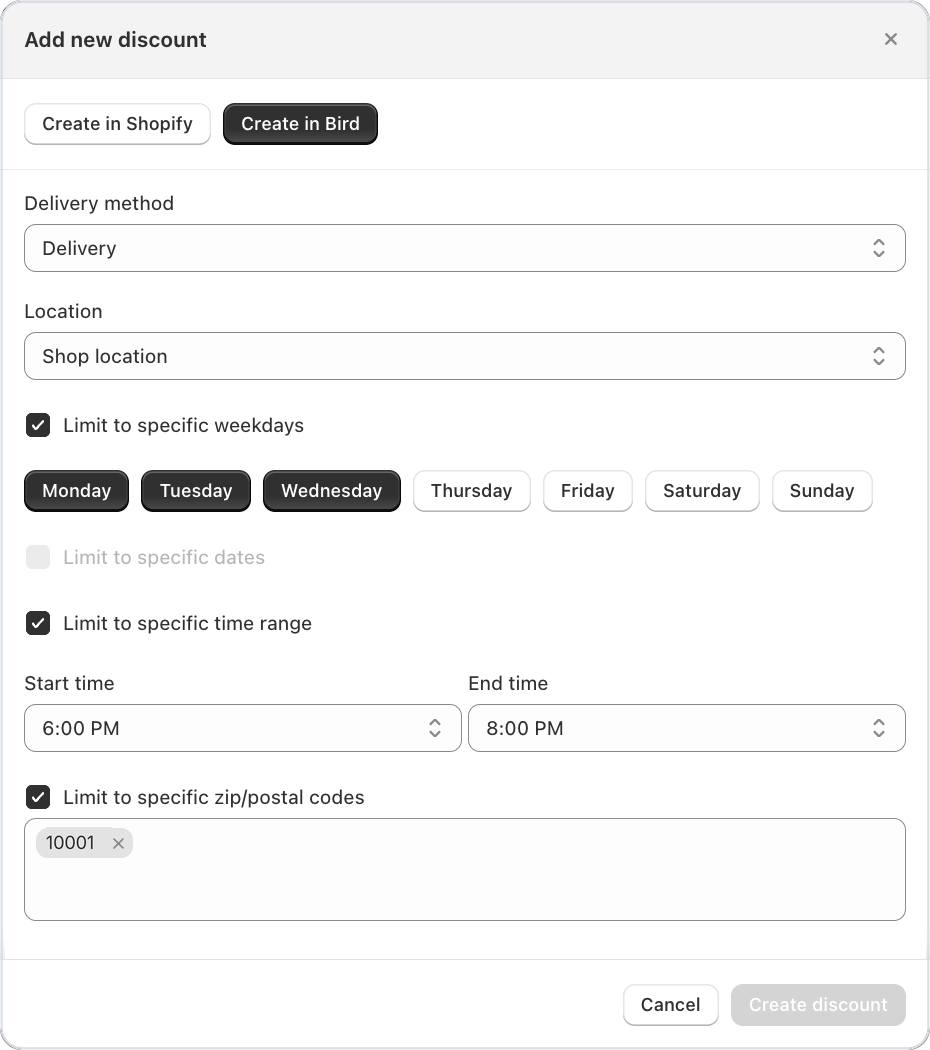
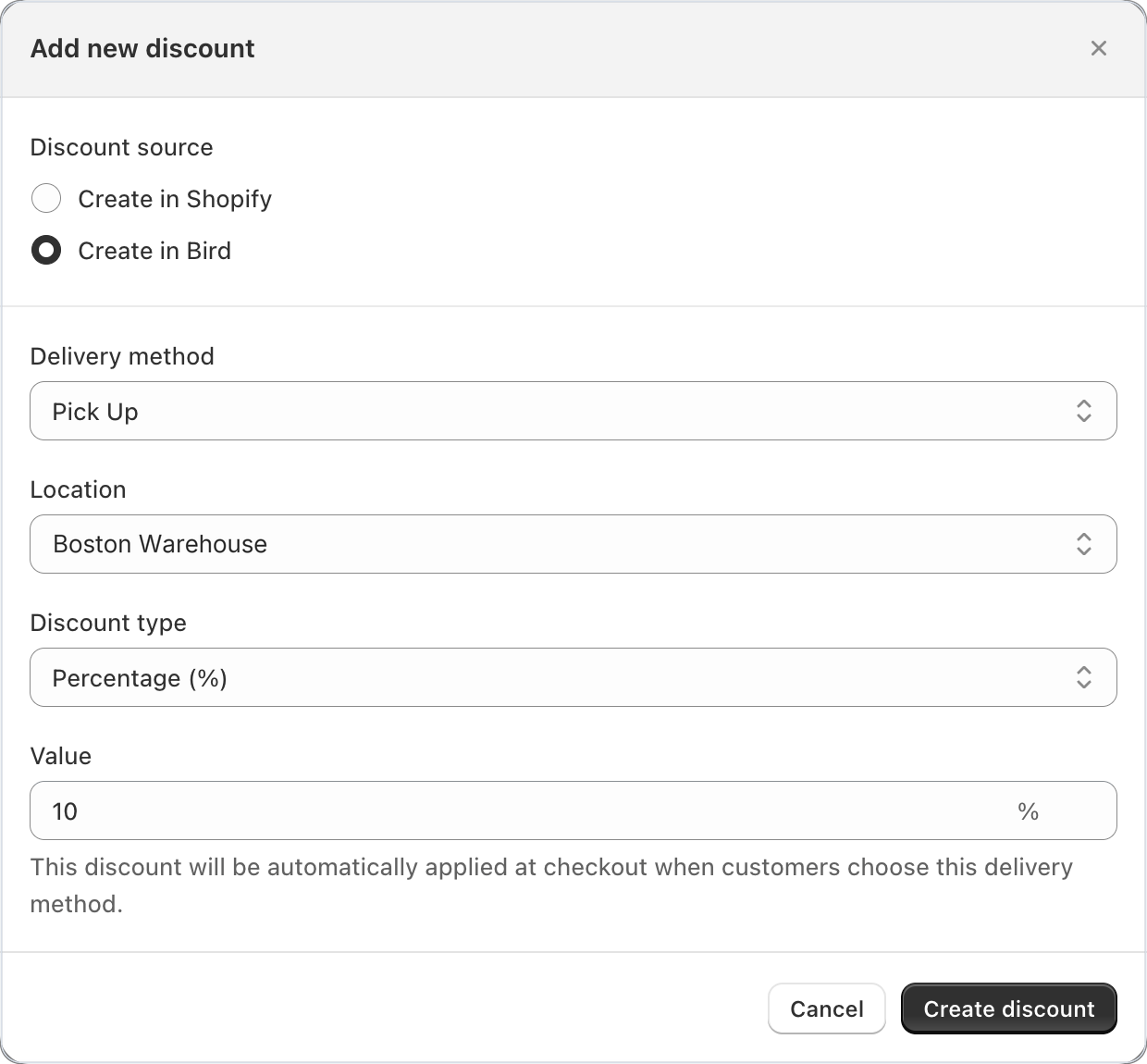
Method or location specific discount codes

Creating a discount code locked to a specific fulfillment method or location

You can now create discount codes that are locked to a specific fulfillment method or location — pickup, delivery, or shipping. Discounts auto-apply when a customer selects the matching method at checkout, and cannot be reused on other methods. This closes the loophole where customers could copy a pickup discount code and apply it to a shipping order.

Feature ·

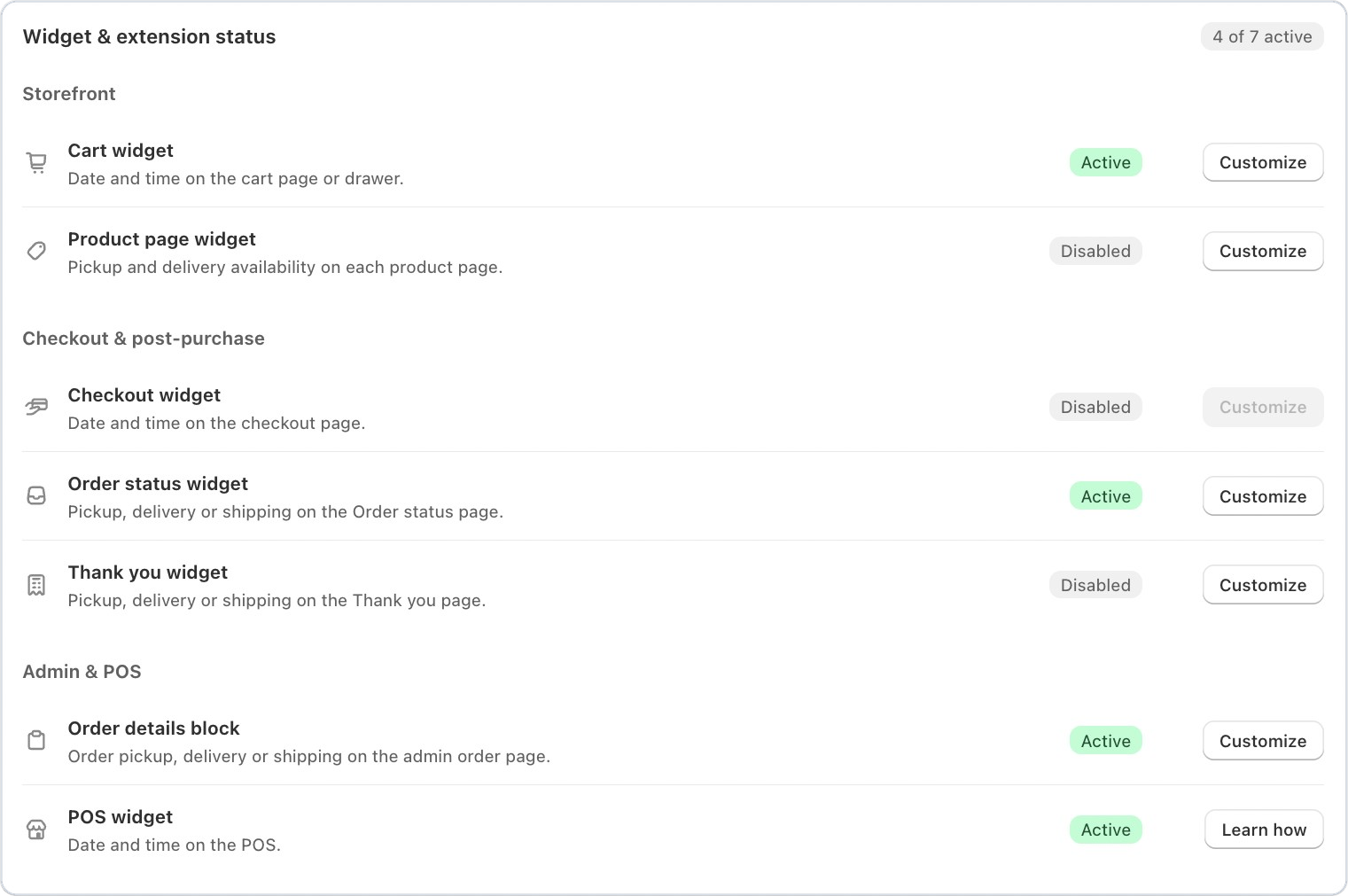
App status block for admin and product page extensions

A new status block is now available in the Shopify admin order view and product page extensions, giving you a quick glance at Bird’s scheduling and delivery status without leaving the page you’re working on.

Bird app status block in the Shopify admin order view

Feature ·

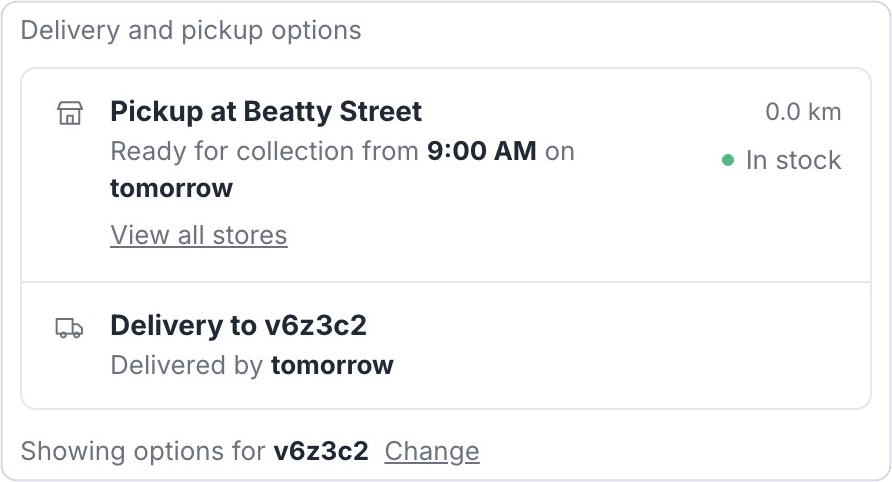
Delivery availability widget on product pages

Customers can now check delivery or pickup availability directly from the product page — before adding items to their cart. This helps set expectations early and reduces abandoned checkouts when a customer’s address isn’t in your delivery zone.

Delivery availability widget shown on a product page

Feature ·

Extended order data retention with read all orders permission

Setting to grant Bird read-all-orders permission for 365-day data retention

You can now grant Bird permission to read all shop orders, extending order data retention from 60 days up to 365 days. This means your reports, analytics, and order history stay complete for a full year without any data gaps.

May 2026

Feature ·

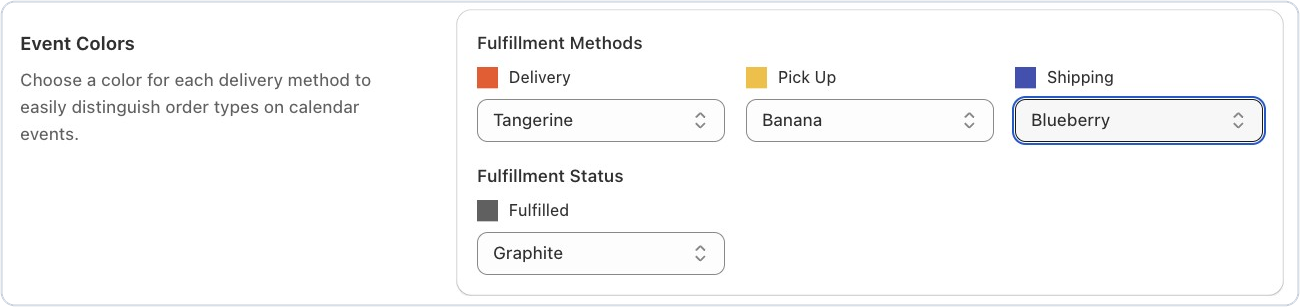
Color-coded Google Calendar events by order type

You can now assign custom colors to Google Calendar events based on fulfillment method — pickup, delivery, or shipping — and a separate color for fulfilled orders. Spot order types at a glance without opening individual events, making your daily schedule easier to manage.

Google Calendar showing Bird orders color-coded by fulfillment method

Feature ·

Schedule sync for draft orders

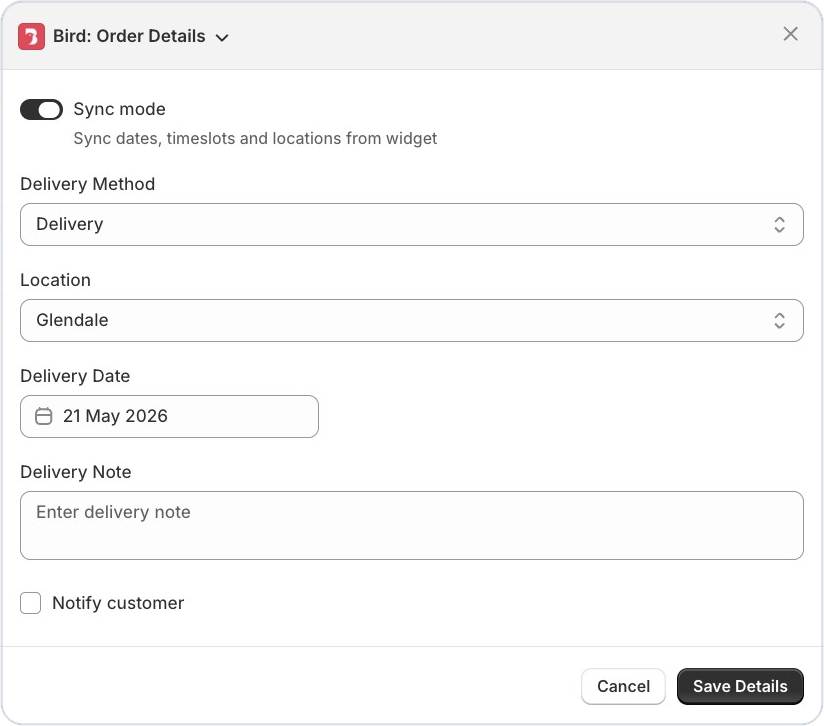
Draft orders now support scheduling sync, similar to POS orders. Use the checkbox to unlock all available dates and assign a delivery or pickup slot before converting the draft to a live order.

Draft order in Shopify admin with the schedule sync checkbox enabled

Feature ·

Pause and resume automated report delivery

You can now pause automated report emails by simply clearing the email address field — no need to delete and reconfigure the entire report. Add the email back anytime to resume delivery with all your settings intact.

Feature ·

Live rate name preview with date and time variables

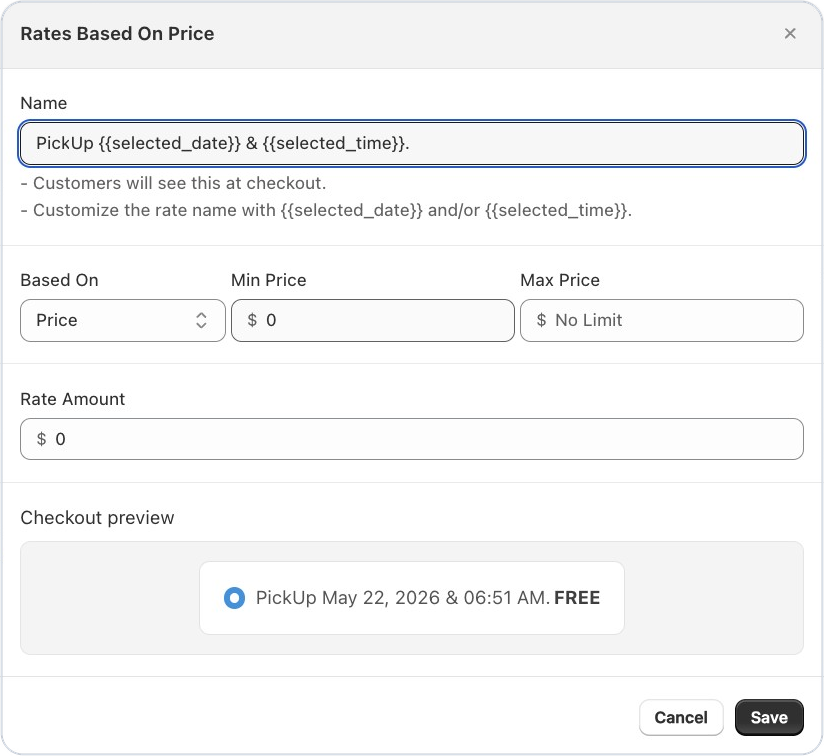
When setting up rates with {{selected_date}} or {{selected_time}} variables, the preview now shows how the rate name will actually appear to customers at checkout — for example, “Pickup on May 19, 2026 at 03:45 PM” instead of raw template text. Confirm your formatting is correct without leaving the settings page.

Live preview of a shipping rate name showing the formatted pickup date and time

April 2026

Feature ·

Custom sale orders can now access the delivery & pickup calendar

Merchants creating custom sale orders (which have no cart items) were previously blocked from fetching delivery, pickup, or shipping availability — receiving a validation error instead. The calendar API now accepts these requests, so your team can schedule custom sale orders without interruption.

Feature ·

SMS order notifications now live for US & Canada merchants

SMS Order Notifications Now Live for US & Canada Merchants : You can now send SMS notifications to your customers for order updates — alongside email, ensuring they stay informed through the channel they check most. Currently available for merchants in the US and Canada. This helps reduce missed pickups and delivery confusion, especially for time-sensitive orders.

SMS order notification settings for US and Canada merchants

March 2026

Feature ·

Generate time slots automatically in availability settings

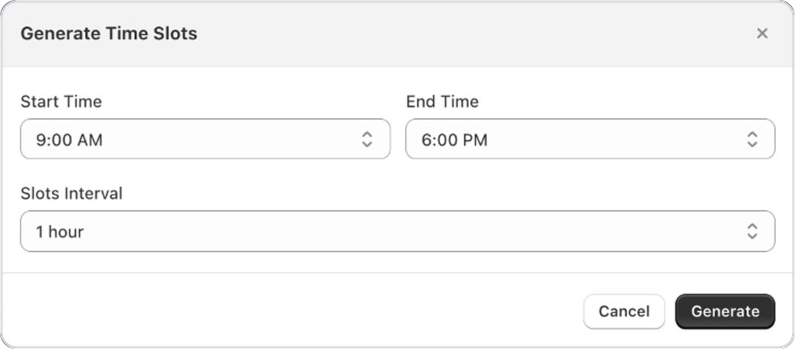
You can now generate a full set of time slots instantly by selecting a start time, end time, and interval — no more adding slots one by one. The app creates all sequential ranges and appends them to your selected day, making it much faster to set up or update your availability windows for daily operations or special event periods.

Availability settings generating sequential time slots automatically

Feature ·

QR code scanner for POS pickup verification

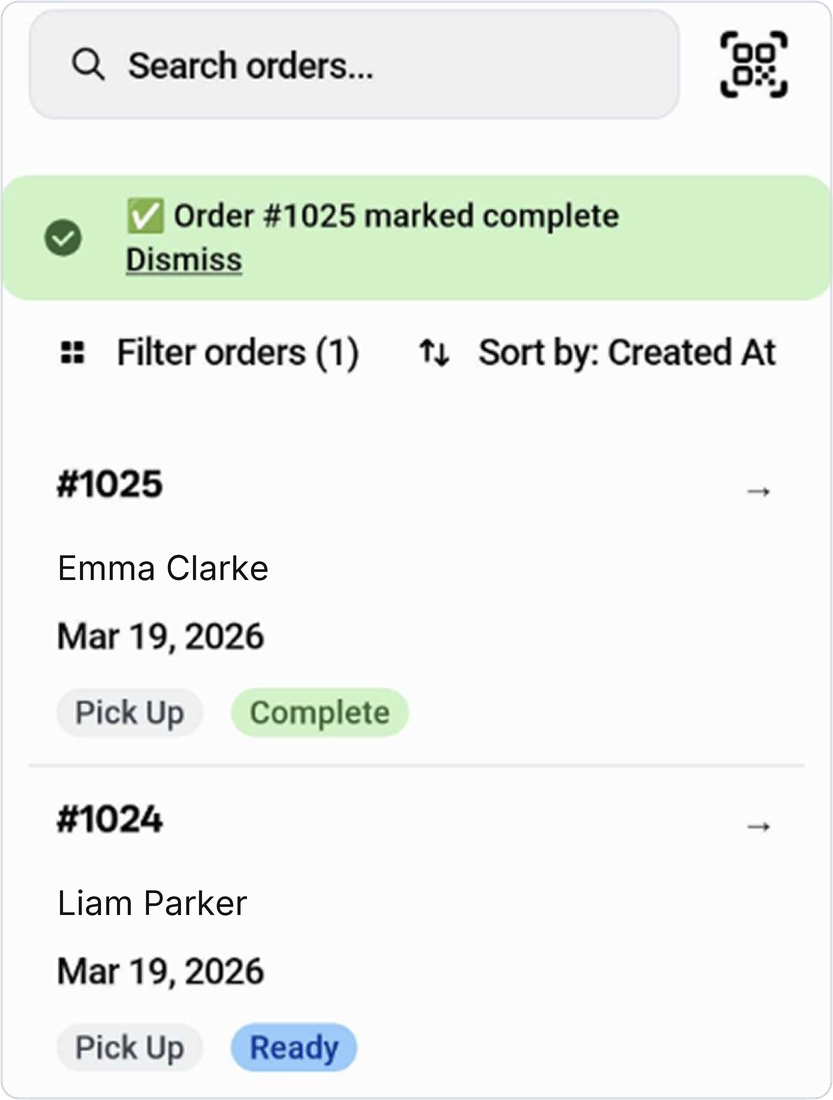
Staff can now scan a customer’s security QR code directly from the POS Orders screen to instantly find and verify their pickup order. Once scanned, the app opens the matched order and gives the option to mark it as complete — no manual searching required. This speeds up handoffs, reduces errors, and creates a more professional pickup experience for customers.

POS QR code scanner matching an order for pickup verification

Feature ·

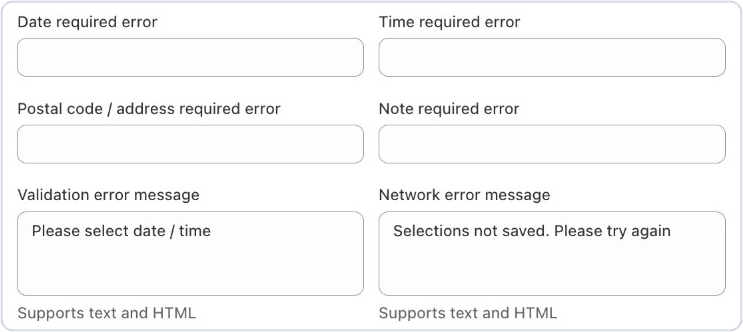
Configurable checkout error messages for missing fields

You can now customize the error messages shown to customers when they try to check out without filling in required fields — including date, time, postal code/address, and order notes. Each message can be translated and tailored to match your store’s tone, helping customers quickly understand exactly what they need to complete their order.

Settings for configurable checkout error messages on missing delivery fields

Feature ·

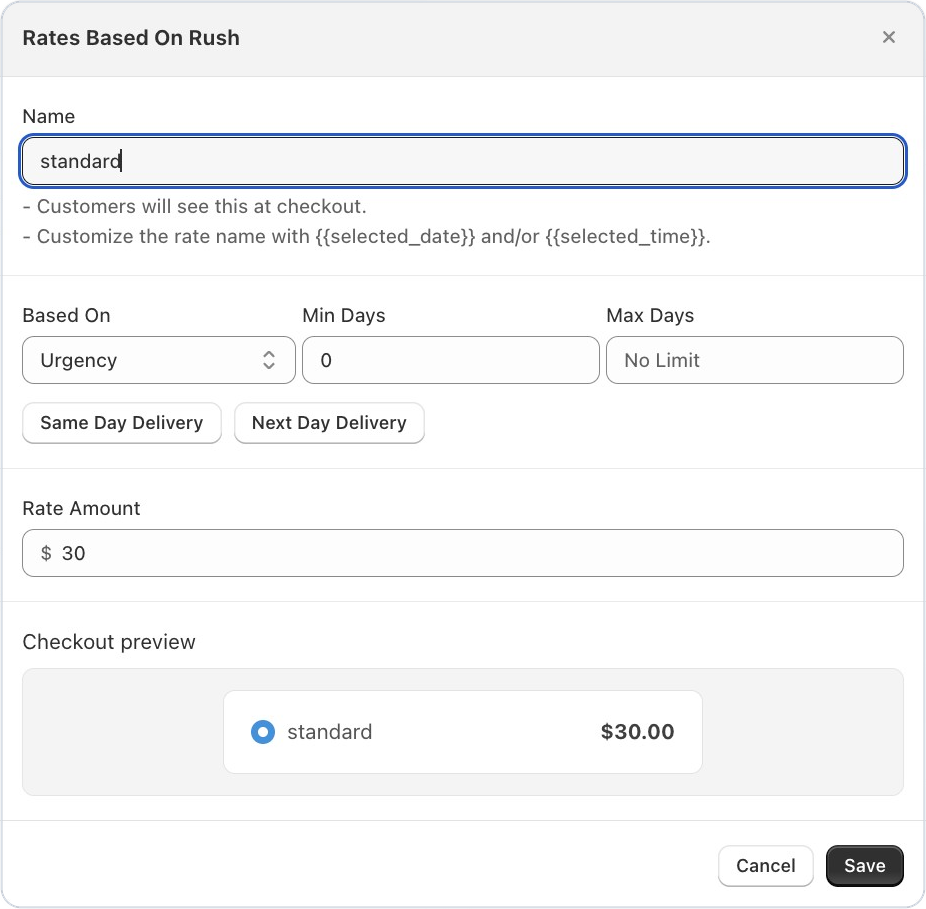
Rate presets and live checkout preview in rate settings

When creating a delivery rate, you can now apply common presets like Same Day or Next Day with a single click to auto-fill the rate conditions. A live preview shows exactly how the rate will appear to customers at checkout — including the formatted price and ‘FREE’ label for zero-cost rates — so you can be confident in what you’re publishing.

Rate settings with presets and a live checkout preview of the formatted rate

Feature ·

Weight-based rate multipliers for delivery pricing

Enterprise merchants can now configure delivery rates using weight multipliers. This gives you more granular control over pricing for heavier orders, so your delivery rates accurately reflect the real cost of fulfillment.

October 2025

Feature ·

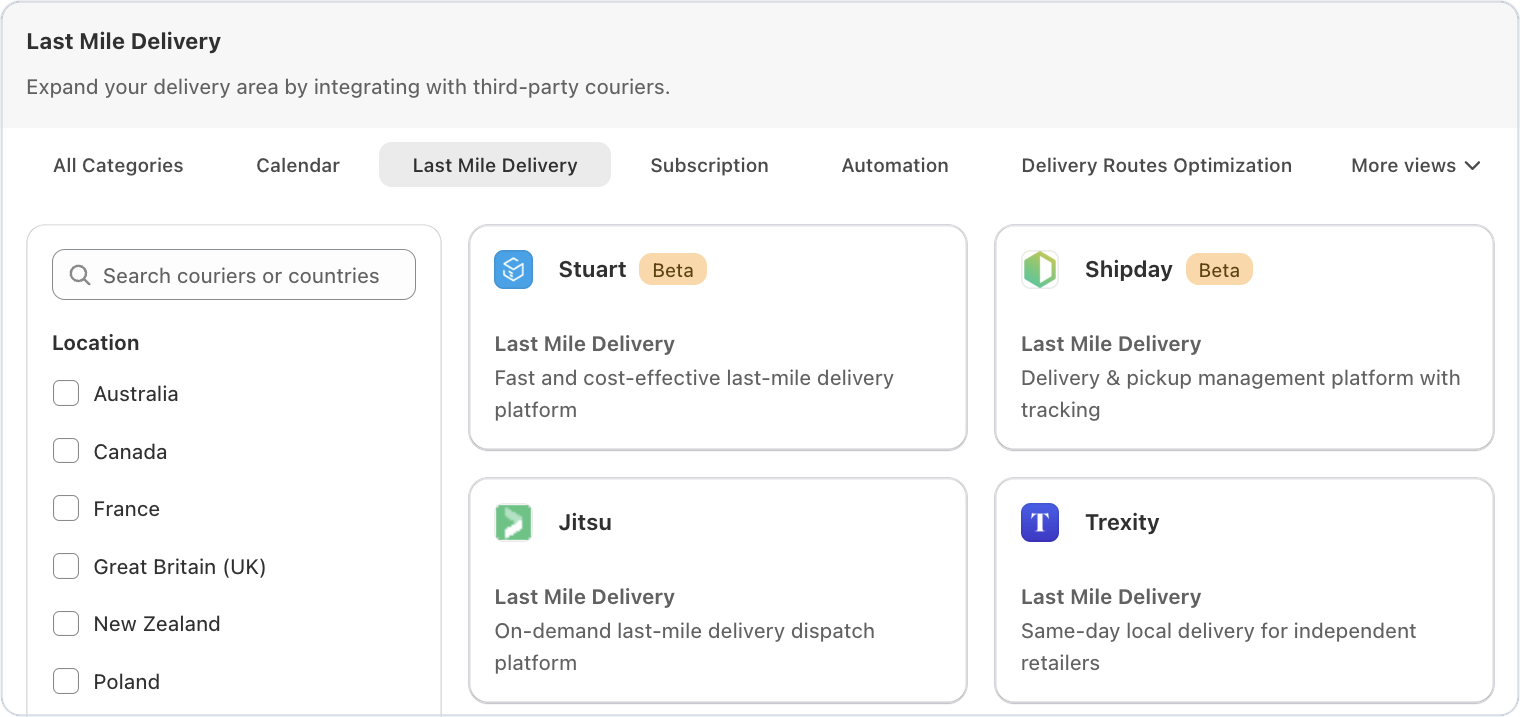
Seamless deliveries and subscriptions: Bird Pickup & Delivery now integrates with Stuart and Recharge

Two powerful integrations have been added to enhance order management for Shopify merchants using Bird Pickup & Delivery. Both connections can be activated directly from the Bird dashboard, enabling more automation and operational control without additional setup complexity.

Recharge Integration — Smarter Subscription Scheduling

Merchants can now seamlessly connect Recharge with Bird right from the Bird dashboard.

Key Capabilities

  • Easy Integration: Quick setup directly from Bird settings.
  • Automatic Date Increments: Subscription deliveries auto-schedule based on frequency (e.g., weekly or monthly).
  • Centralized Management: View all subscription, pickup, and delivery orders in one place.

Stuart Integration — Reliable Last-Mile Deliveries

We’ve also partnered with Stuart, a leading last-mile logistics provider trusted across major European markets.

Highlights:

  • Faster Deliveries: Tap into Stuart’s same-day and scheduled delivery network (98% on-time rate).
  • Simplified Logistics: Orders marked as “dispatched” in Bird automatically sync to Stuart with pickup and drop-off details.
  • Happier Customers: On-time, flexible deliveries improve customer satisfaction and retention.

Getting Started

March 2025

Feature ·

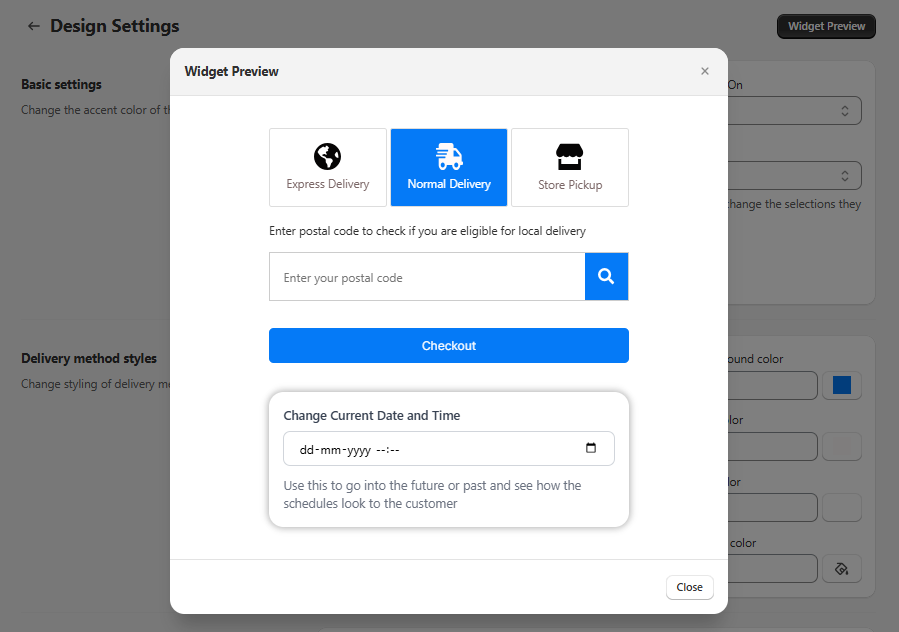
Introducing the Bird app widget preview

We’re thrilled to announce a new feature that makes customizing your Bird Pickup and Delivery App simpler and faster. With our Widget Preview, you can now see how your widget and calendar look in real time—right from the app settings—without constantly reloading your cart or going through a test checkout.

Widget preview modal showing delivery method options and a postal code eligibility check

Why You’ll Love It?

  • Real-Time Updates : Any change you make—like updating preparation times, blocking specific dates, or tweaking the widget design—shows up immediately in the preview. No more guesswork!
  • Future Date & Time Simulation : If you use preparation times , you can jump ahead to any date or time to see how your schedule, lead times, and cutoff times will affect order availability.
  • Product Overrides : Got different rules for specific products? Instantly test them in the preview. This way, you’ll know exactly which dates or slots appear for each product without placing test orders.

Where to Find the Widget Preview?

You can access the Widget Preview from the top right corner of the Bird App dashboard on the following pages:

  • Availability Configuration – Adjust your delivery schedules, lead times, and cutoff times.
  • Product Overrides – Test unique product schedules and check how overrides apply.
  • Widget Design Settings – Preview changes to your widget’s look and feel in real time.
  • Text and Language Settings – See text and language updates instantly.

What’s Next?

We’re continually improving the Bird Pickup and Delivery App, and the Widget Preview feature will keep getting better. Stay tuned for more enhancements designed to make your delivery, pickup, and shipping processes smoother and more satisfying for both you and your customers!

Give the Widget Preview a try today and experience a faster, easier way to configure your Bird App settings. If you have any questions or feedback, we’re here to help!

January 2024

Feature ·

Be more organised with Birdchime's new orders calendar

Orders page with the Orders Calendar link highlighted in the Shopify admin

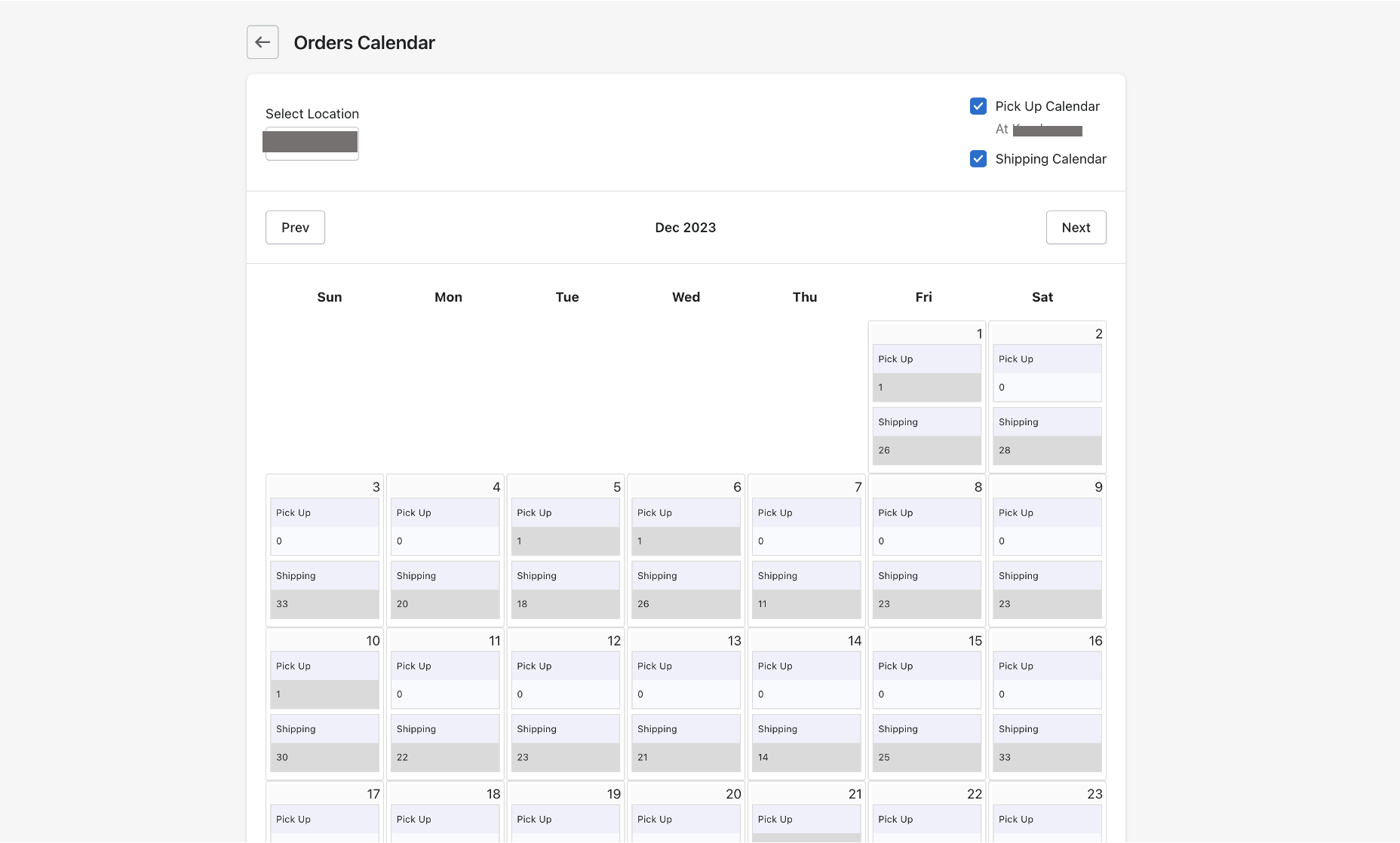
Birdchime has recently launched its order calendar that lets you:

  • See a summary of all your orders by date per location
  • See a summary of order by fulfilment type: Pickup, local delivery or shipping

This helps you keep a close tab on your daily orders and ensure seamless fulfilment.

Upcoming features:

  • Have a direct link to Shopify’s order screen
  • See your order limits and whether or not a date is sold out

Orders Calendar showing daily pickup and shipping order counts

May 2023

Feature ·

New feature alert: customize your delivery rates with our new feature!

Dear valued customer,

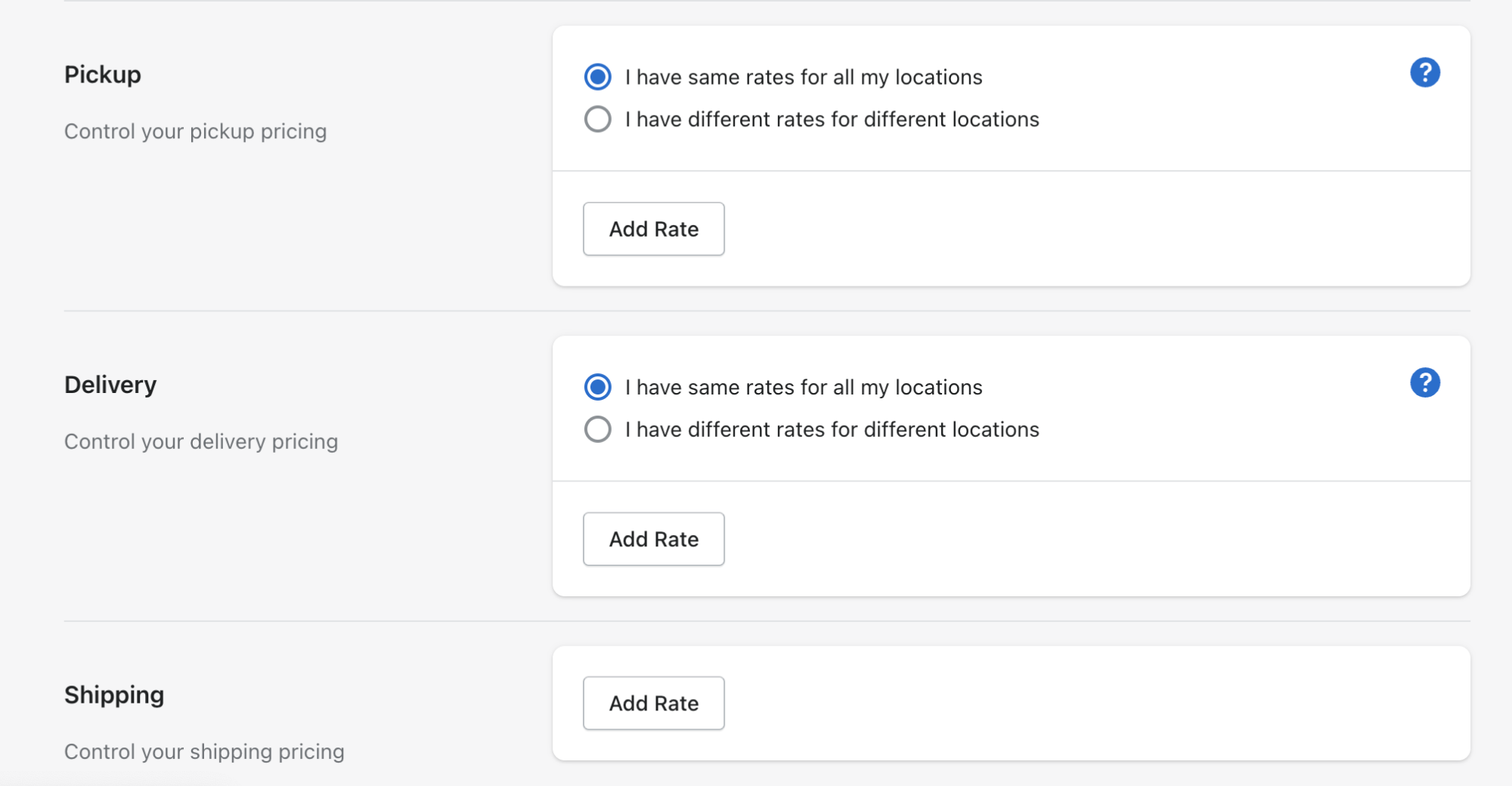
We are thrilled to introduce a new feature that allows you to set rates for all delivery methods. With this feature, you can customize your s hipping/delivery rates on the basis of multiple conditions.

You can configure the shipping rates based on order value, delivery day, and product weight. Simply select the delivery method, select the condition type, specify the minimum and maximum values, and configure the rate.

You have the flexibility to create rates of multiple conditions. We feel that this feature will provide you with more flexibility and customization options when configuring the Rates.

Rate settings for pickup, delivery, and shipping with per-location rate options

If you have any questions or need assistance, our customer support team is here to help.

Thank you for choosing our app.

February 2023

Feature ·

Manage orders with ease from mobile devices

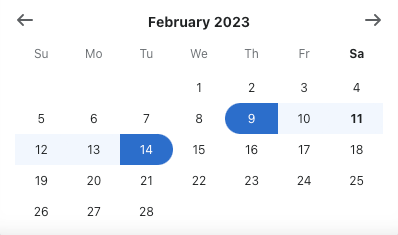
  1. Filter orders by a specific date or a date range and view them in the order of upcoming delivery/pickup
  2. Filters are retained where you left off as you navigate between pages.
  3. With all the new orders mobile view, it is much easier to filter and view upcoming pickup and delivery orders on the go.

Date picker calendar with available delivery dates highlighted

December 2022

Feature ·

Multi location support

If you have multiple physical locations of your store, now you can configure different schedule for different locations.

Multi-location settings with the option for different schedules per location

September 2022

Feature ·

Google Calendar integration

Our google calendar integration is live. Now you can sync your orders in the form of Google events.

Feature ·

Add date and time to offline orders

Using our Create draft order feature, you can have a draft order with having date and time selected by you. Goto the orders tab and click on Create draft order to try it now.